Saturday, May 29, 2021

Fixed! MB SD Connect C4 Software Unable to Start on Win10

Problem

MB SD Connect C4 software unable to start or automatically repair on Win10.

Solution

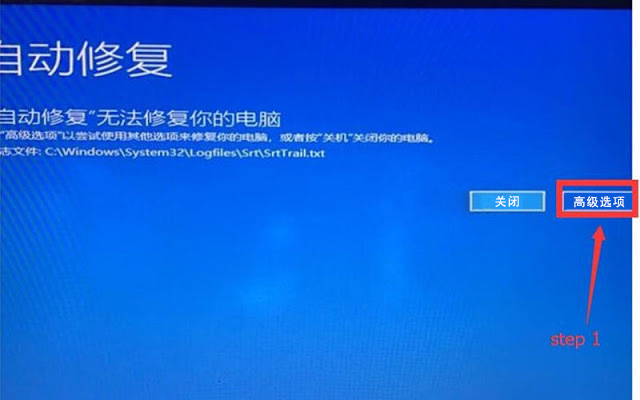
Step1. Go to advanced options;
fixed-mb-sd-c4-unable-to-start-on-win10-1

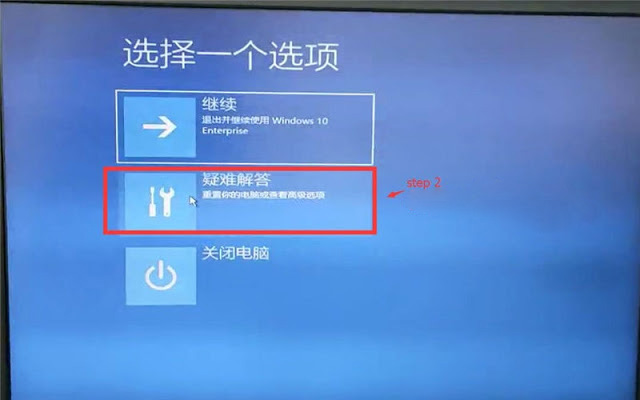
Step2. Go to troubleshooting;
fixed-mb-sd-c4-unable-to-start-on-win10-2

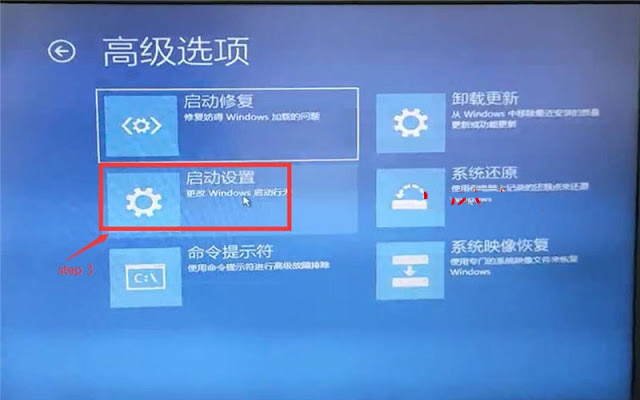
Step3. Go to start up settings;
fixed-mb-sd-c4-unable-to-start-on-win10-3

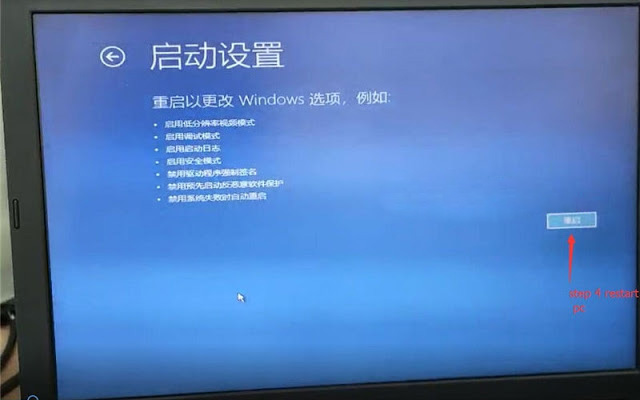
Step4. Start PC;
fixed-mb-sd-c4-unable-to-start-on-win10-4

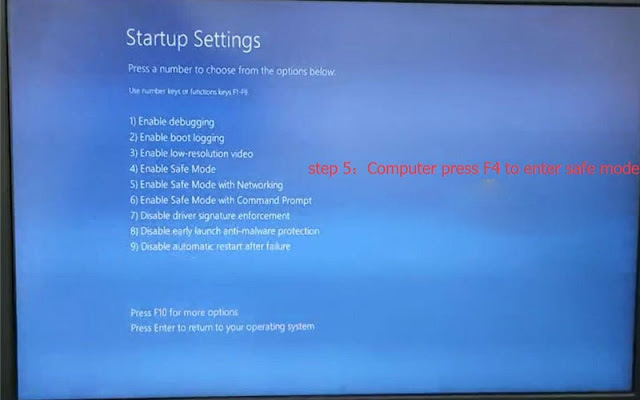
Step5. Computer press F4 to enter state mode;
fixed-mb-sd-c4-unable-to-start-on-win10-5

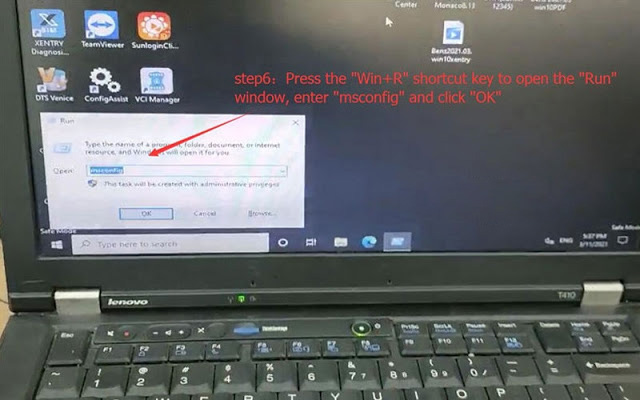
Step6. Press the “Win+R” shortcut key to open the “Run” window, enter “MSConfig”, click OK;
fixed-mb-sd-c4-unable-to-start-on-win10-6
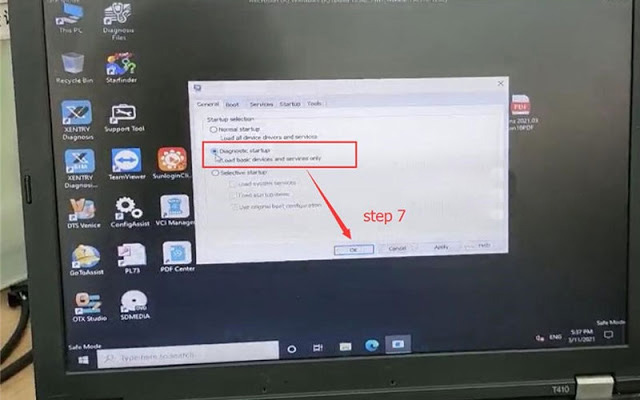
Step7. Select diagnostic start up, click OK.
fixed-mb-sd-c4-unable-to-start-on-win10-7

Thanks to Obd2tool engineer, MB Star SD C4 software problem was solved!

Friday, May 28, 2021

MB SD Connect C4 Software Problems and Solutions


MB STAR Software works with MB SD Connect Compact 4 for the latest Mercedes Benz cars and trucks, incl. new car of B 246, CLS 218, SLK172, etc. Have collected some common errors received from customer recently, and offer the corresponding solutions here.

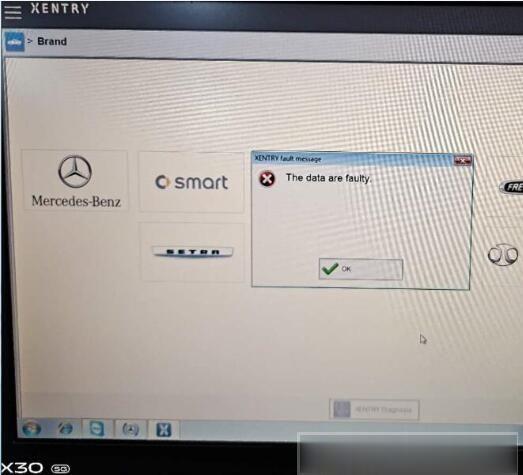
Error 1: When you run Xentry software with MB SD C4, the following error will be reported “The data are faulty” and cannot do any function.

03.2020-mb-sd-c4-error-solution-1 (2)

Solution offered by Obd2tool.com engineer:
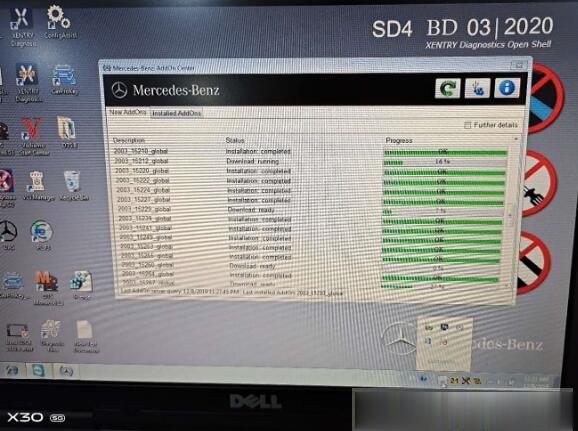
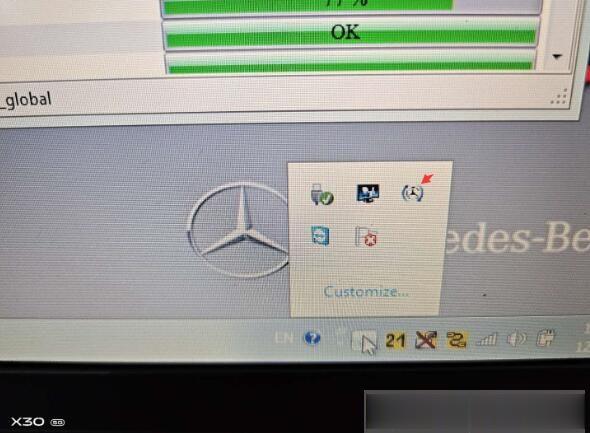
Caused the error reason: Click the upgrade icon as shown in the figure below.

03.2020-mb-sd-c4-error-solution-2 (2)
03.2020-mb-sd-c4-error-solution-3 (2)

The solution:
1. Please don’t click the upgrade icon, otherwise it will update.
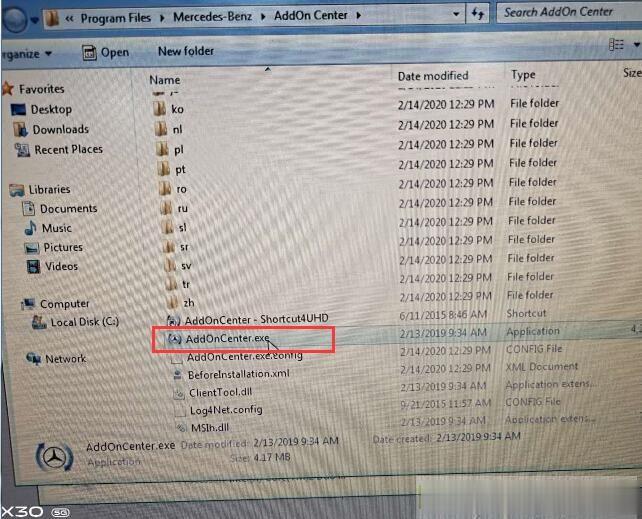
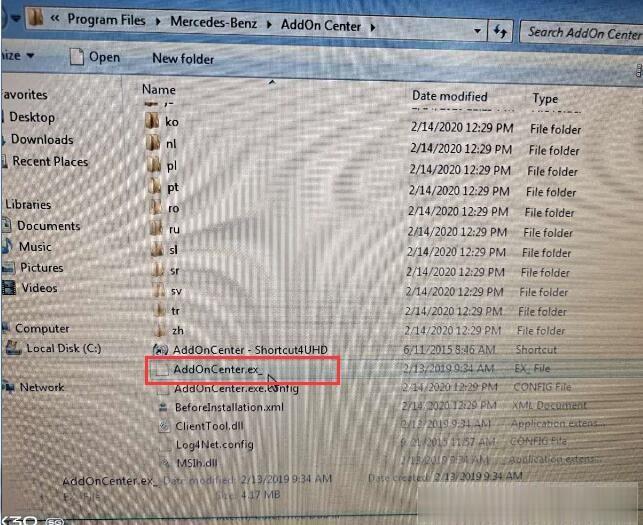
2. Change the file name “AddOnCenter.exe” to “AddOnCenter.ex_”, then it will not update automatically. After modifying, restart the computer.

03.2020-mb-sd-c4-error-solution-4 (2)
03.2020-mb-sd-c4-error-solution-5 (2)

3.Free download the following link to fix.
Xentrypatch202003: https://share.weiyun.com/5uIxwgI
Password: eswr9a
Size: 2GB
Security: No risk!
4. After installing the Xentry patch to fix the error, please restart the computer and run Xentry software again.

For your convenience, here is the video of how to fix “The data are faulty” for 2020.03 MB SD Connect C4 software:

Note: The solution above is suitable for 2019.12 Xentry software “The data are faulty” error as well. But the Xentry patch download link is different.

Xentrypatch2019.12: https://share.weiyun.com/5dLTPWG
Password: mlpnqm
Size: 2.02 GB
Security: No risk!

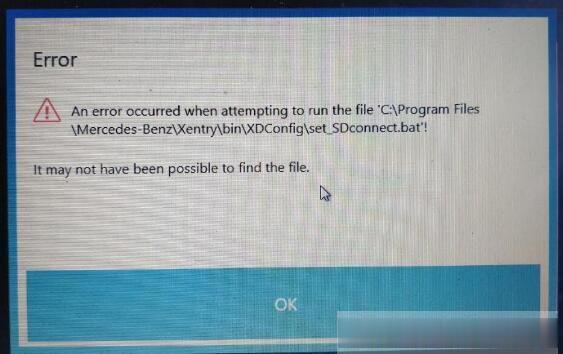
Error 2: When running the file “C:\Program Files\Mercedes-Benz\Xentry\bin\XDConfig\set_SDconnect.bat”, the error message prompts “it may not have been possible to find the file”.

03.2020-mb-sd-c4-error-solution-6 (2)

Solution offered by Obd2tool.com engineer:
Please follow the steps below to operate:
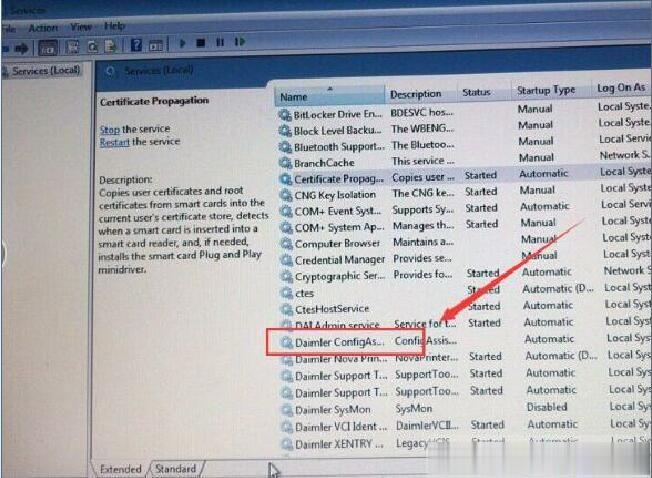
1.Press “WIN+R” keyboard shortcuts to open the run window
2. Enter “Services.msc” in the textfield to start the Configassist service

03.2020-mb-sd-c4-error-solution-7 (2)

Please kindly notice:
2020.03 MB SD Connect C4 software cannot support online programming. Please choose software version before 2019.12, such as 2019.09.

To be continued…

Thursday, May 27, 2021

MB SD C4 ewa-net Activation Unknown ID Error Solution


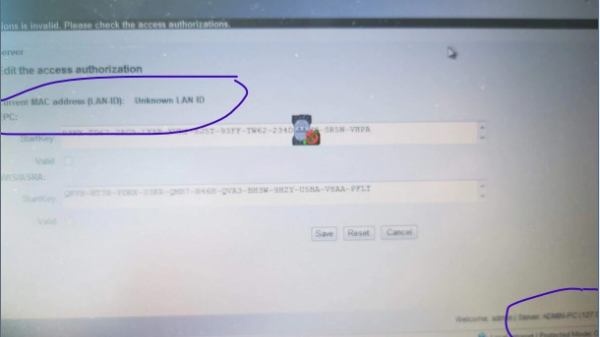
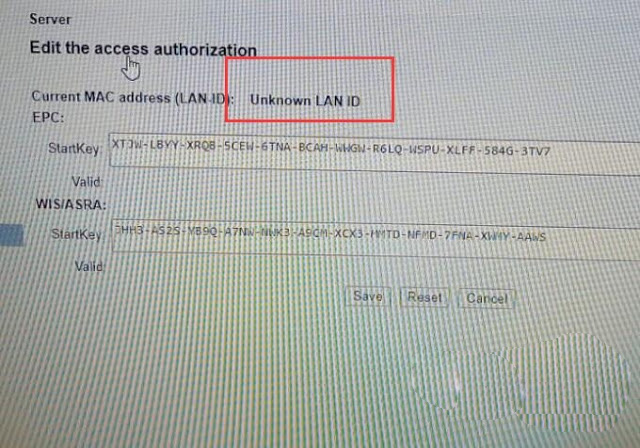
Customer Problem: I run Xentry software with my mb sd connect c4, when enter ewa-net to activate, an error message appears on the screen with “Current MAC address (LAN ID): Unknown LAN ID”. How to solve it?

MB-SD-C4-ewa-net-Activation-Unknown-ID-Error-Solution-1

Solution offered by obd2tool.com engineer:

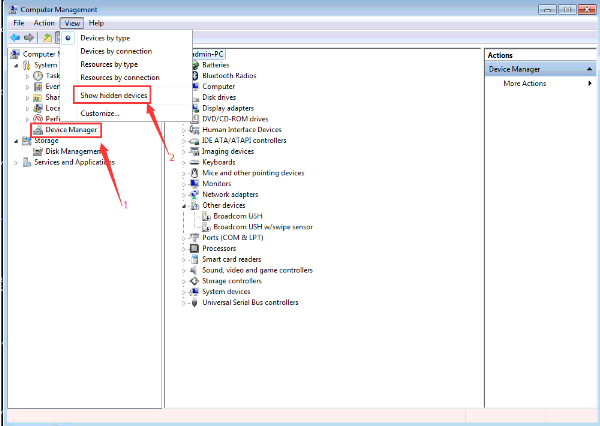
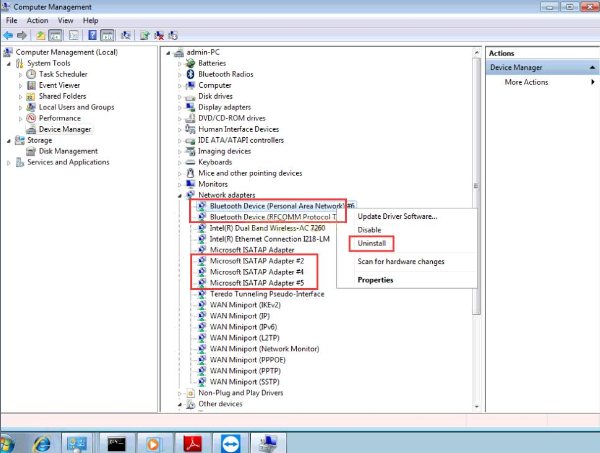
1.Open “Computer Management”
2.Right click “Device Manager” to select “Show hidden devices”

MB-SD-C4-ewa-net-Activation-Unknown-ID-Error-Solution-2

3.Uninstall all virtual network card drivers with # in the “Network adapters” option

MB-SD-C4-ewa-net-Activation-Unknown-ID-Error-Solution-3

4.Restart ewa-net

Wednesday, May 26, 2021

Fixed! sdconnect c4 clone “Switch ignition on” problem


Using sdconnect c4 plus clone to access to Mercedes car model SL300-24 Dec 1990.
Trying to interrogate MB WDB1290612Fxxxxxx
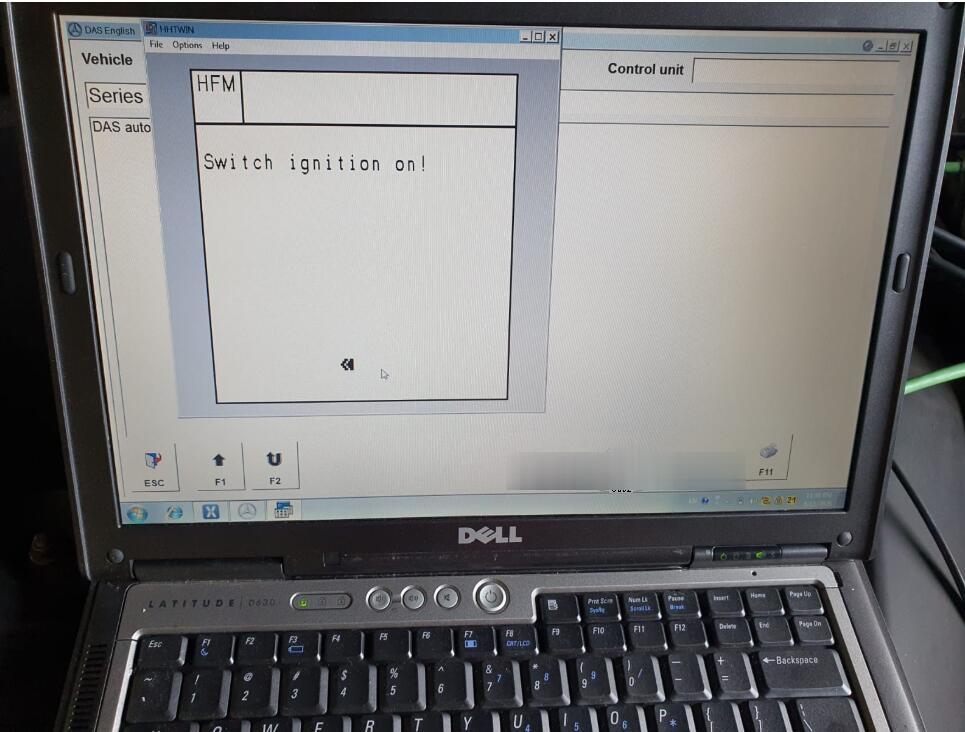
Every time I try to get diagnostics this happens “Switch ignition on”
sdconnect-c4-clone-switch-ignition-on-problem-solution-01 (2)

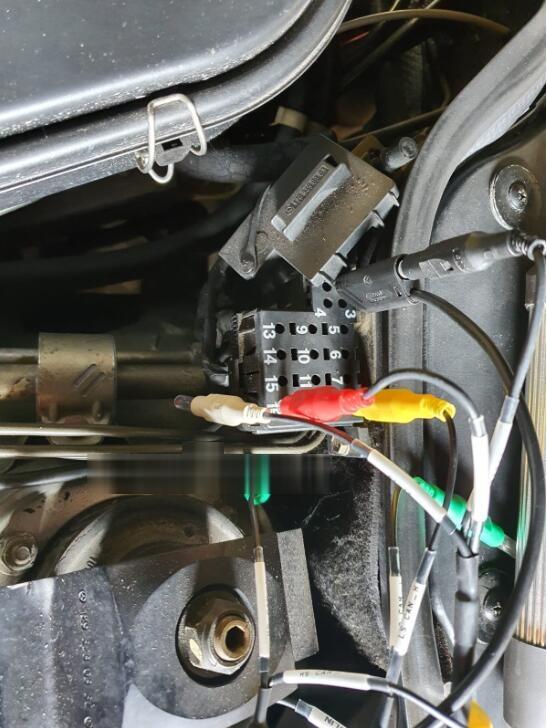
No 1 black masses should earth? no 8 yellow LS Can_H no 16 12V B+
Is this correct should there be any other cables connected instead of these?

sdconnect-c4-clone-switch-ignition-on-problem-solution-02 (2)

It only has 16 individual pins see photo above. There isn’t one too old.

Obd2tool engineer replied:
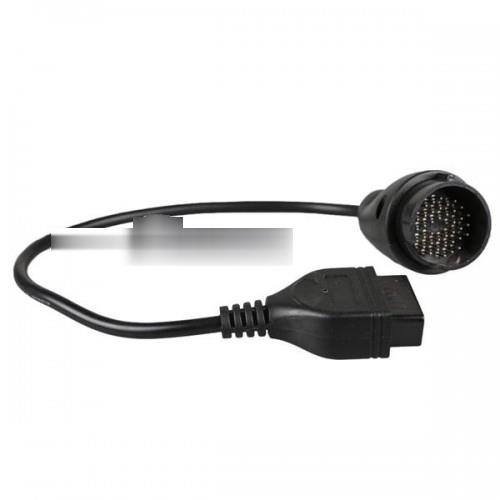
Please change a new MB 38pin cable to connect the DLC on the car.
sdconnect-c4-clone-switch-ignition-on-problem-solution-03 (2)

Another case:
I have a Chinese clone SD connect c4 from YANHUA factory, self test without any errors, all the firmware updates can be applied without any troubles at all, batteries fully charged, tried several OBD cables BUT i still get the “turn ignition on” and furthermore it cannot recognize the VIN of the connected car.
sdconnect-c4-clone-switch-ignition-on-problem-solution-04 (2)

Solution by @JarsaR:
It is easy to test cable with other one.
i just had Yanhua mux which has been in use for years, selftest was ok, Software was ok. But did not connect to car. Mux has the round connector pcb, which pins are soldered to pcb pads, they were loosen in heavy use. Some of cheaper clones has pins go thru the other pcb also, and soldered to pcb, i think Yanhua is more sensitive with her pads. I resoldered all pads and Mux is now perfect.

Confirmed: this solution is working perfect. Change obd socket, my sd connect worked %100..

Enjoy!

Tuesday, May 25, 2021

MB SD C4 Xentry 2021.3 Unknown Lan ID Solution


mb-sd-c4-xentry-unknown-lan-id

When activating mb sdconnect C4 Xentry 2021.3, it shows ” Unknown Lan ID”, Obd2tool.com engineer offer the working solution.

mb-sd-c4-xentry-unknown-lan-id

Image 1: Xentry 2021.3 Unknown Lan ID

Solution:

*   Start -> Execute -> cmd
*   Enter: set devmgr_show_nonpresent_devices=12

Enter: set devmgr_show_nonpresent_devices=1

*   Enter: start devmgmt.msc
*   Click on [View] and select “Show hidden devices”
*   Network adapters

Do not delete “RAS Async Adapter”, just delete the other gray options.

Alright, Xentry 2021.3 is working now with mb sdconnect C4.

Monday, May 24, 2021

How to Fix Broken SDconnect C4 Voltage Issues


I have a broken SD Connect C4 on the bench and was asked to try to fix it. Without batteries inserted my bench power supply shows the set 13.8V and around 400 mAh. As soon as batteries are inserted the voltage goes down to 4.4V.

You set your bench supply 13.8 V and the current consumption is about 400mA. That is about right. The insertion of batteries should not make any difference.
What do you mean the voltage goes down to 4.4V? Is it the bench supply voltage going down?

Further to what I said above your current consumption should fluctuate from about 400 to 500 mA to about 1.4A at 12.5V supply voltage. That is if your batteries are not fully charged. These are charge pulses charging the batteries. That is assuming that you have a fully working charge circuit which seems to be rare. The charge pulses are 1 second long.
Depending on the current limit setting on your power supply it is possible that the supply runs into current limit during the peak current and reduces the output voltage. Increase the current limit value to >2Amp. That should fix it.

What part of the board is the charge sub system? I definitely see the fluctuation on the power supply. And what is the tiny PCB inside the battery clip for?

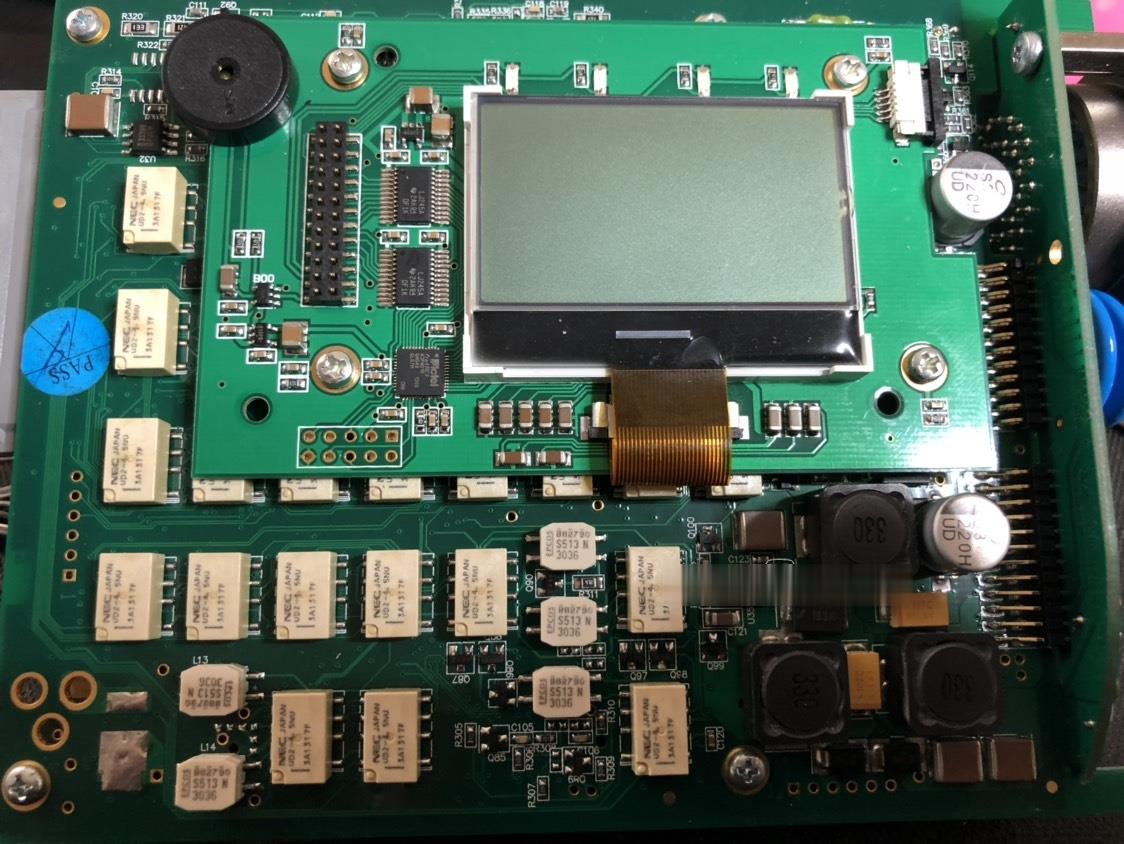
The parts of the charge system are on the top side of the main board (opposite to the relay side) close to the board that could be called the mother board or whatever. It consist of a timed regulated current charging circuit. The current is limited to 1Amp. The switcher involved in this circuit is the 16 pin Lt1976 chip, it fails frequently. It is located close to the 5 pin connector. Easy to buy but not so easy to replace since it has a center ground plane which unless you know how to solder with a hot air gun, cannot be mounted. Additional components for this circuit are mounted on the opposite side of the PCB. Further down the board are some changeover circuits.

The 1 sec timing signal is applied to pin15 of this chip.
The PCB inside the battery clip is a degree C temperature sensor LM50CIM, its case marking should be T5C. In order to check this board you can measure the voltages on on the 5 pin connector. The first pin should read about 0.75V at 25C, 2nd pin 5V, 3rd pin Gnd, 3th and 5th pin are the battery voltage.

To check this circuit properly you should measure the voltages above and also measure the 1 second current peak which must be 1Amp at 12.5V. If it is less, about half, there is a problem with the LT1976, probably failed FET’s inside the chip.

This is for your information.

Forget cheap SDconnect C4 crappy.

If you don’t wanna spend a lot with Star Diagnostic C4, clones can be your way to go.

But pls go to a site that is reliable and with good reviews, and confirm its functionality of SD connect c4.

I mean, even the clone, the quality makes difference from different vendors.

As far as i know, there are more than 3 Chinese factories producing c4 but only one or two is high quality and with good tech support. Chinacardiags.com is the one i’m using most. Refundable if it cannot work.

I have both the genuine and clone

See my clone off obd2tool.com – it never upsets me.

sd-connect-c4-1
sd-connect-c4-2
sdconnect-c4-wired-connection
sdconnect-c4-wireless-connection


Sunday, May 23, 2021

Free Download MB SD C4 Blacklist Patch for SN 101044


Problem:

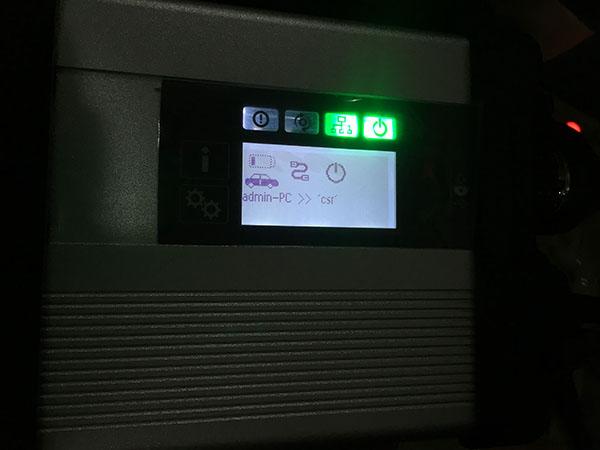
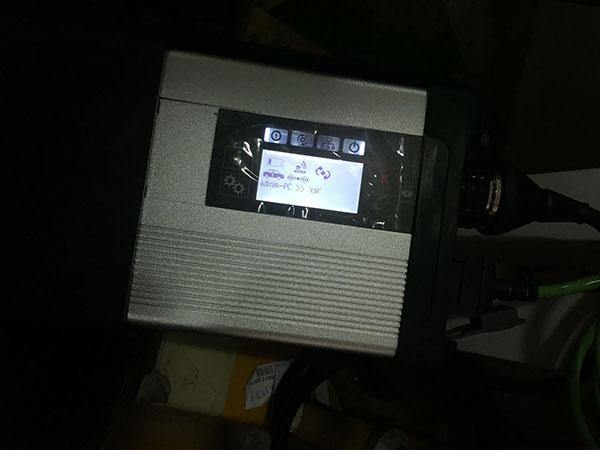
I have an issue with MB SD Connect C4 multiplexer (the old c4 i bought several years ago) with 03/2021 xentry.

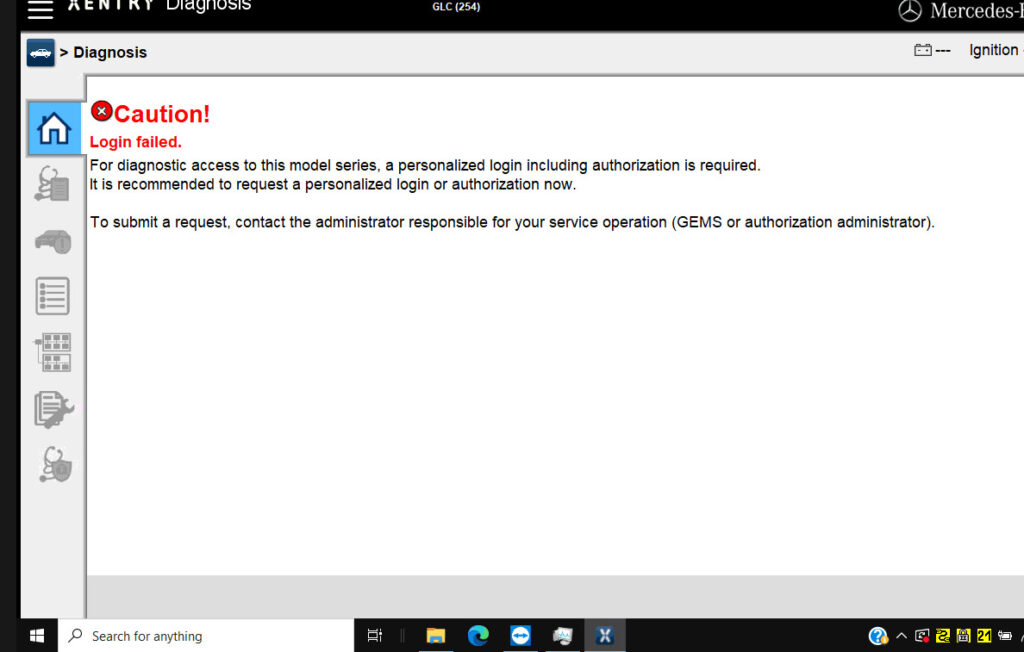
It can access a C205. But failed to log in a C206 C220 d mod.206.016 year 2019 and a GLC254 300 4MATIC mod.254.147 year 2019.

mb-sd-c4-login-failed-1

Possible reason and solution:

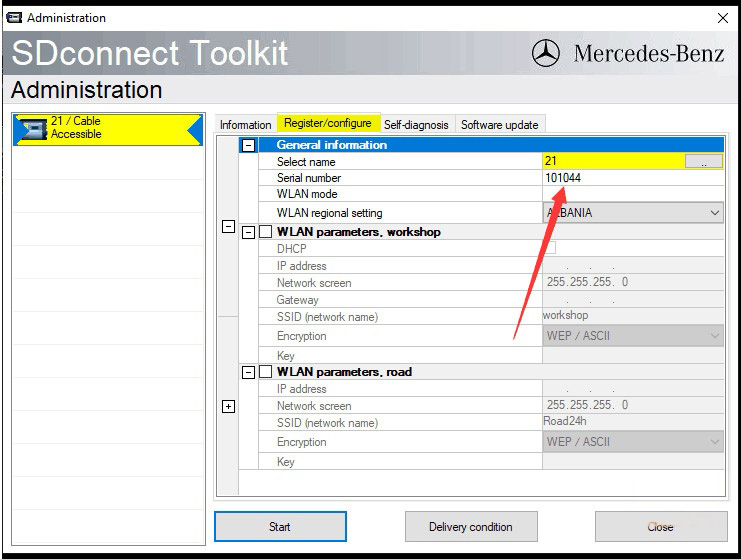
1.MB SD C4 Serial number 101044 was blacklisted.  It has problem using latest xentry.

2. SDConnect C4 firmware too old to support newer Mercedes benz. Borrow or purchase a newer MB SD C4 DoIP or MB SD C5 device.

3. Some blacklists can be bypassed by software.  Download the C4 blacklist patch, unlock serial number and try again. If don’t know how to unlock, contact our engineer via Teamviewer (your order number and device serial number are required to get the technical support.)

Free download C4 Blacklist Patch for S/N 101044

For serial number 101044 only.

Tested on 03/2021 xentry. You are at your risk on other xentry versions.

mb-sd-c4-login-failed-2