Showing posts with label xentry. Show all posts

Monday, February 14, 2022

Mercedes-Benz Rearview Mirror Light Coding via Xentry and Vediamo


This article is about to bring you how to activate welcoming light on the rearview mirror (code ZGW module) on Mercedes-Benz via Xentry and Vediamo.

First, we need to adjust some settings in Mercedes-Benz:

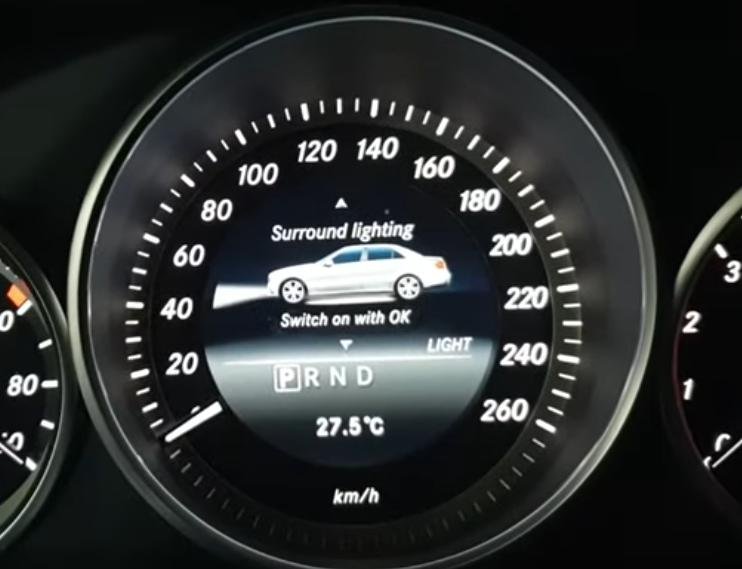
Turn on Surround lighting on menu.

Mercedes-Benz-Rearview-Mirror-Light-Coding-via-Xentry-and-Vediamo-1

Now, the turn signal light turns on but the welcoming light does not when we unlock the doors.
So, what we gonna do is code on PC so that they both would light as we unlock it.

The device that connects Mercedes-Benz to PC could be VXDIAG VCX SE, MB SD C4 Plus, Super MB Pro M6…Different coverage, you can choose by your needs.
Note: Only Vediamo can code the module called ZGW, Xentry and DAS don’t support.

The first thing is that we need to figure out a CBF file for the ZGW unit.
So, how to find the CBF file we need for ZGW module?
Here we’ll show you through Xentry Diagnosis.
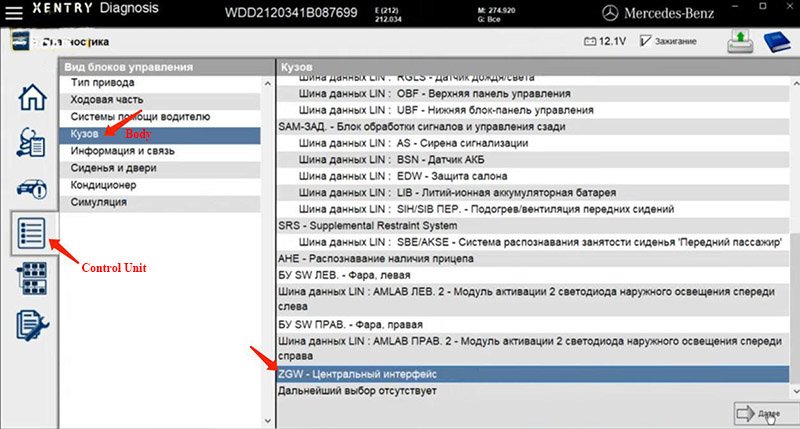
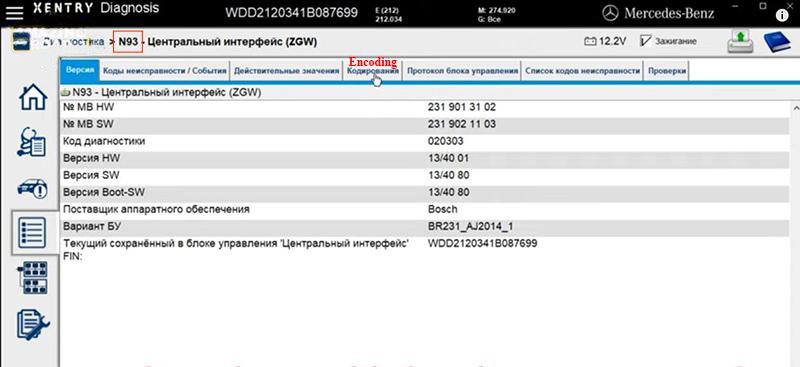
Select our model – E(212)>>Control Unit>>Body>>ZGW

Mercedes-Benz-Rearview-Mirror-Light-Coding-via-Xentry-and-Vediamo-2
Mercedes-Benz-Rearview-Mirror-Light-Coding-via-Xentry-and-Vediamo-3

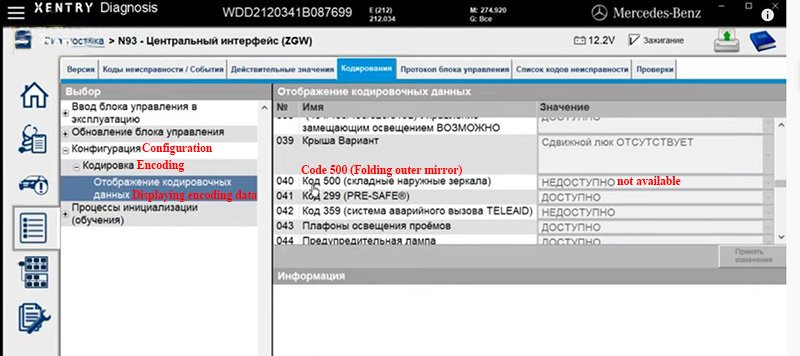
Encoding>>Configuration>>Encoding>>Displaying encoding data
Here “Code 500 (Folding outer mirror) – not available”

Mercedes-Benz-Rearview-Mirror-Light-Coding-via-Xentry-and-Vediamo-4

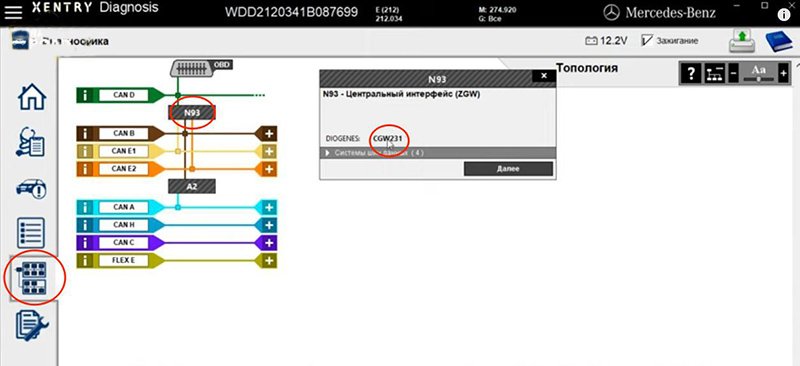
Go to Topology, select ZGW’s code – N93.
Here we know we need the CBF file (CGW231) for ZGW.

Mercedes-Benz-Rearview-Mirror-Light-Coding-via-Xentry-and-Vediamo-5
Now we need to encode it through Vediamo.
Open up Vediamo Start Center.
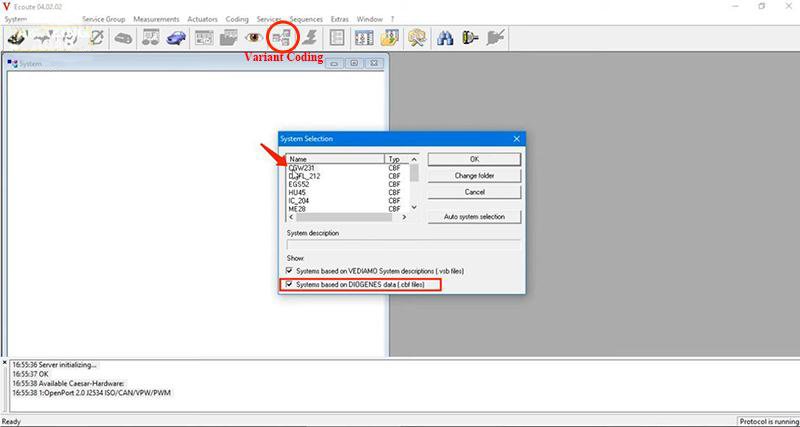
Go to “Ecoute”.
On “System Selection”,
Check “Systems based on DIOGENES data (.cbf files)” and select “CGW231” CBF file.

Mercedes-Benz-Rearview-Mirror-Light-Coding-via-Xentry-and-Vediamo-6

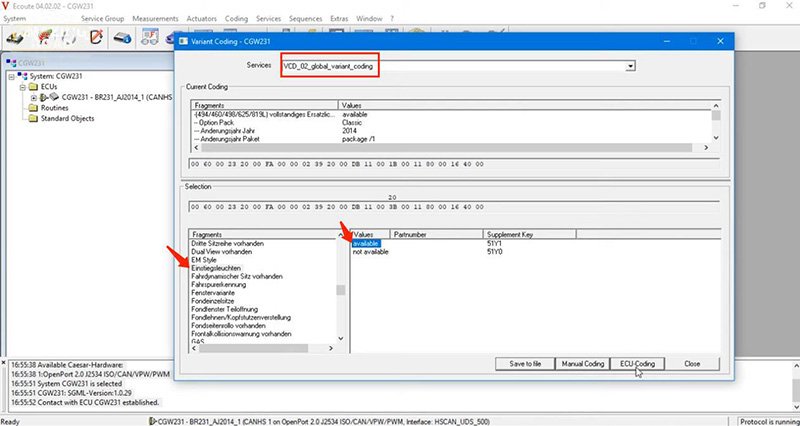
Go to “Variant Coding”, select
VCD_02_global_variant_coding>>Einstiegsleuchten>>available>>ЕCU-Coding

Mercedes-Benz-Rearview-Mirror-Light-Coding-via-Xentry-and-Vediamo-7

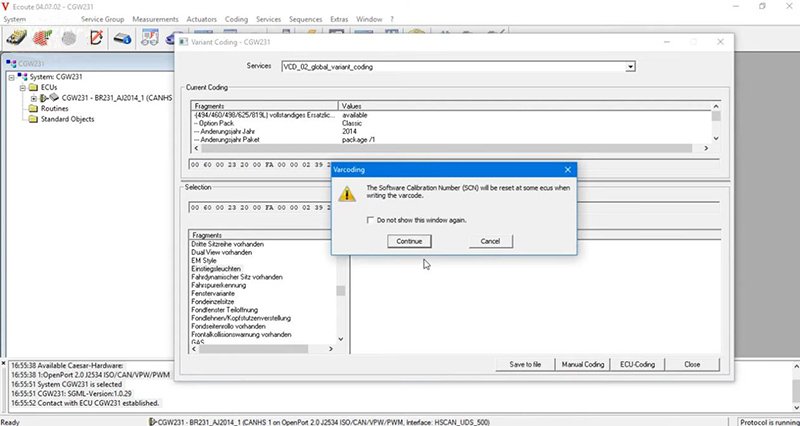
Select “Continue” and “Close”.

Mercedes-Benz-Rearview-Mirror-Light-Coding-via-Xentry-and-Vediamo-8

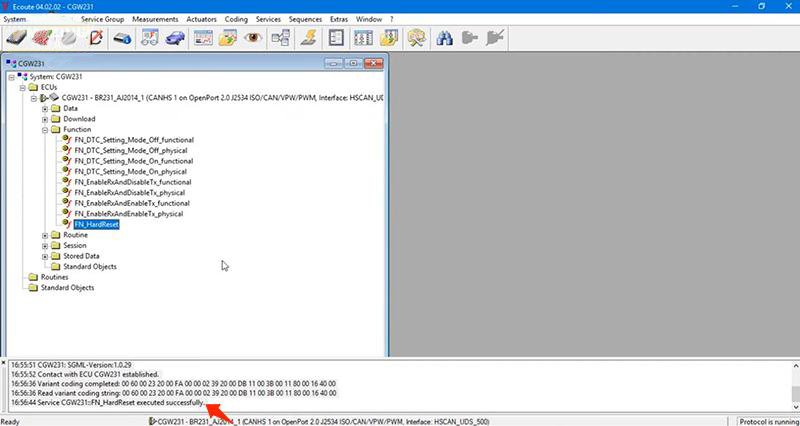
Unfold “CGW231” and “Function”.
Click on “FN_HardReset”.

Finally, disconnect ECU CGW231 and exit.

Test: when we unlock the car, the turn signal light flashes and the welcoming light on the bottom is on. So cool.

Mercedes-Benz-Rearview-Mirror-Light-Coding-via-Xentry-and-Vediamo-9

Alright, you can also add lights to your Mercedes.
Hope this could help!

Thursday, December 23, 2021

C4/C5 Firmware Upgrade Processure

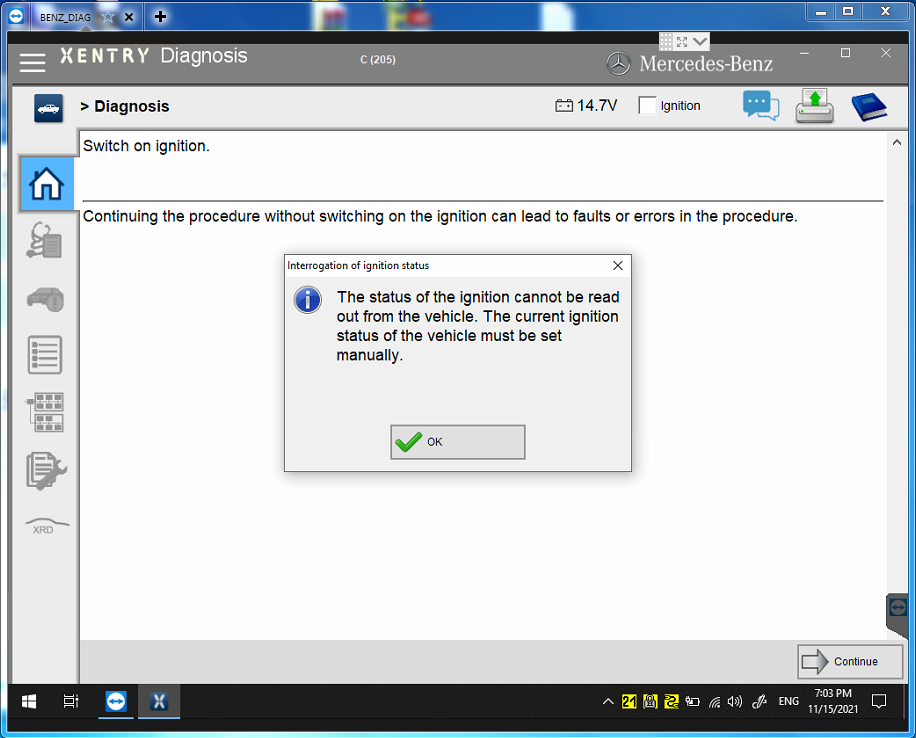
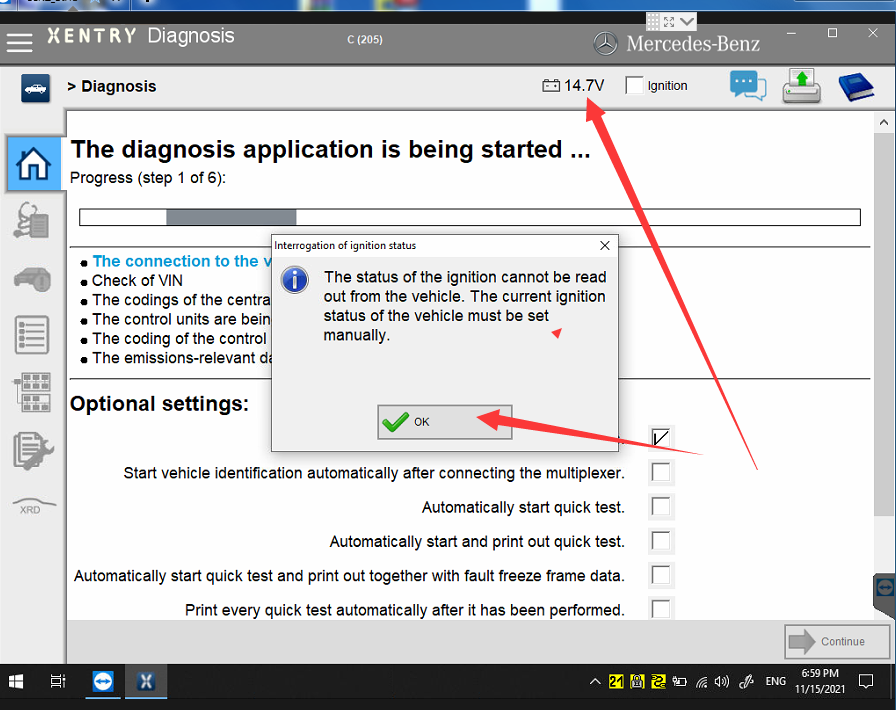
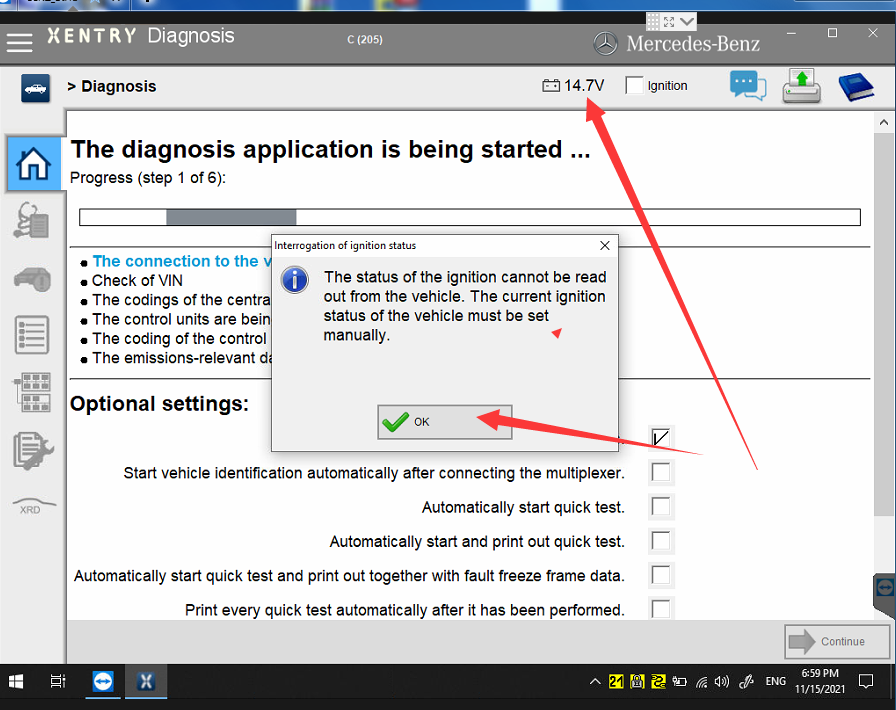
First open XENTRY software, click Passenger, Select C205, click at the bottom of the screen

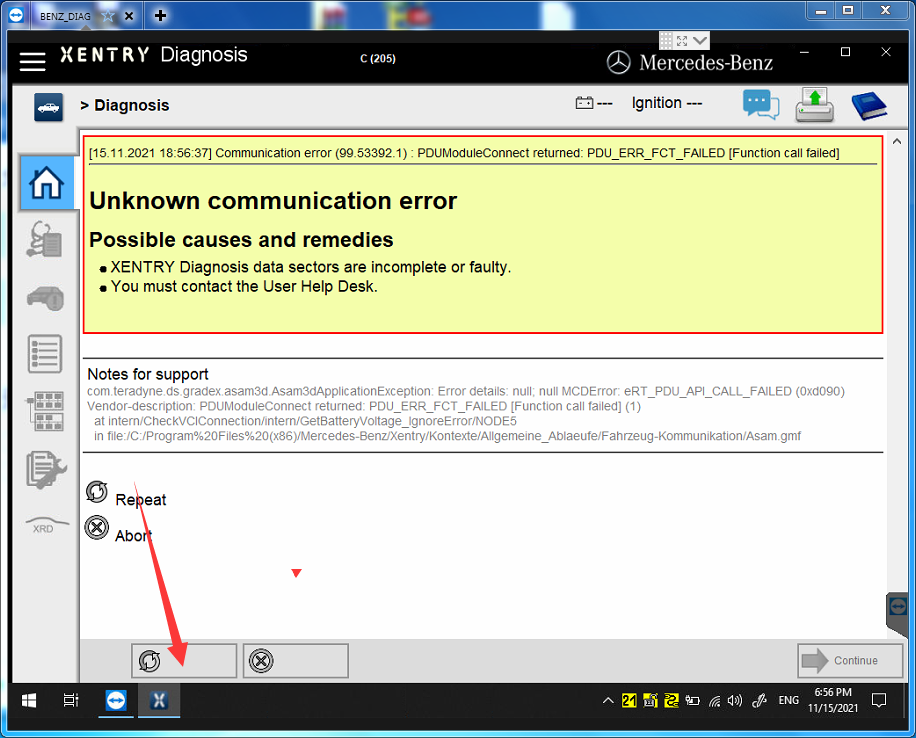
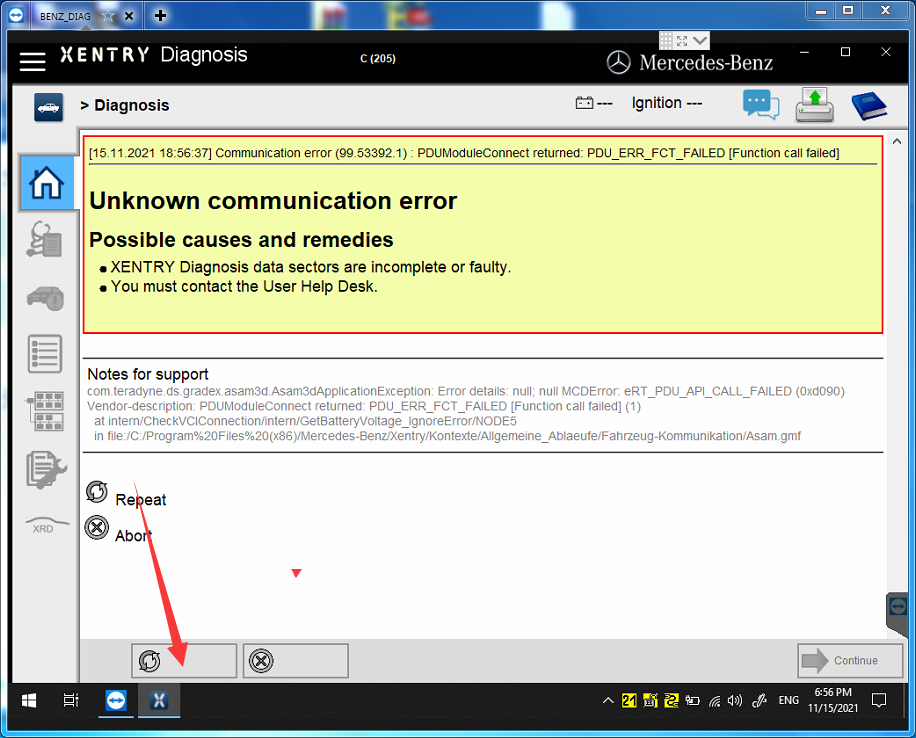
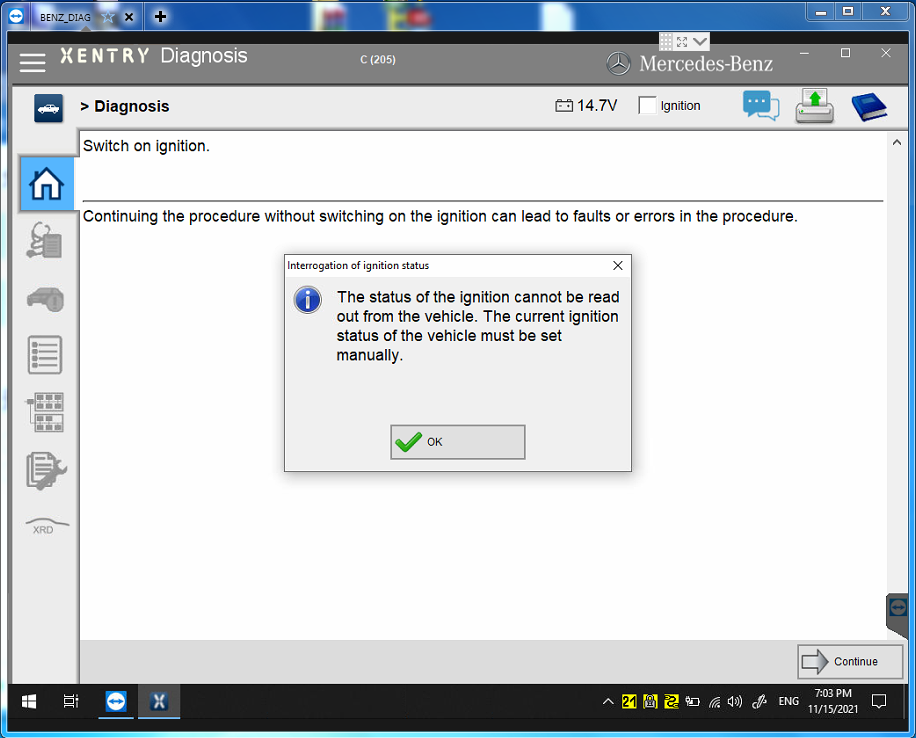
If the firmware flashes and fails, click repeat. Then will pop up a auto-write firmware after a few clicks. This way, the firmware update is completed. Pls note that this need to be fast. Since the it is very short time to indicate you to click the repeat button.

This is what shows when firmware update is complete.
If the voltage pops up directly and there is no other indication, the firmware is successful updated, then power off C5, repower C5 again.

When this interface appears, the c5 device will beep twice, so that the C5 firmware update is successful

Friday, December 17, 2021

C4/C5 Firmware Upgrade Processure

First open Xentry software, click Passenger, Select C205, click at the bottom of the screen

C4-C5-Firmware-Upgrade-Processure-1

If the firmware flashes and fails, click repeat. Then will pop up a auto-write firmware after a few clicks. This way, the firmware update is completed. Pls note that this need to be fast. Since the it is very short time to indicate you to click the repeat button.

C4-C5-Firmware-Upgrade-Processure-2

This is what shows when firmware update is complete.
If the voltage pops up directly and there is no other indication, the firmware is successful updated, then power off C5, repower C5 again.

C4-C5-Firmware-Upgrade-Processure-3

When this interface appears, the c5 device will beep twice, so that the C5 firmware update is successful

Monday, October 4, 2021

Xentry prompts “The data are faulty” Solution


Xentry 03/2021 can’t connect and error “The data are faulty”. During the past months, some users feedback this problem, and someone tested and worked out the solution.

Solution:

I checked logs in C:\ProgramData\Mercedes-Benz\logs\Xentry and found the following:

Caused by: com.teradyne.ds.io.MissingPluginException: Could not load file:/C:/Program%20Files%20(x86)/Mercedes-Benz/Xentry/MB_PKW/Baureihe/BR_Templates/ModulEinstieg_Template.gmf

This file has been updated apparently by a recent addon as it now has a newer timestamp.

For me it worked to replace this file with an older copy:

C:/Program%20Files%20(x86)/Mercedes-Benz/Xentry/MB_PKW/Baureihe/BR_Templates/ModulEinstieg_Template.gmf

It looks like a recent addon overwrites this file with a newer version that causes this error message.
Xentry 2021

Xentry-prompts-The-data-are-faulty-Solution

Saturday, October 2, 2021

2010 Mercedes W212 E350 722.9 Transmission P0748 code (Solved)

Symptoms:

Went through the flush and cleaning of the solenoids, found some dark matter, used a magnet. Put it all back and bam limp mode and the P0748 code is persistent. Took it apart, tested the solenoids for clicking at 12v just the blue click the black make a different noise more like a buzzing.
Resistance is 5.6 plus or minus 0.2 so good.

Mercedes W212 diagnostic tool to use:

Usually the issue with the conductor plate is the speed sensors… if you have access to Star (Xentry), then pull codes with it and clear them. Some generic scanners cannot clear TCM codes. I’d do that first… before going down the rabbit hole. Also with Xentry, you’ll have options to run guided tests, along with diag info.

Outfits that fix your original conductor plate won’t require coding or adaptation.

If you get a new one from dealer or outfit selling virginized (used), then you’ll need someone with Xentry online to unlock and code the plate. Then with Xentry offline you perform adaptations.

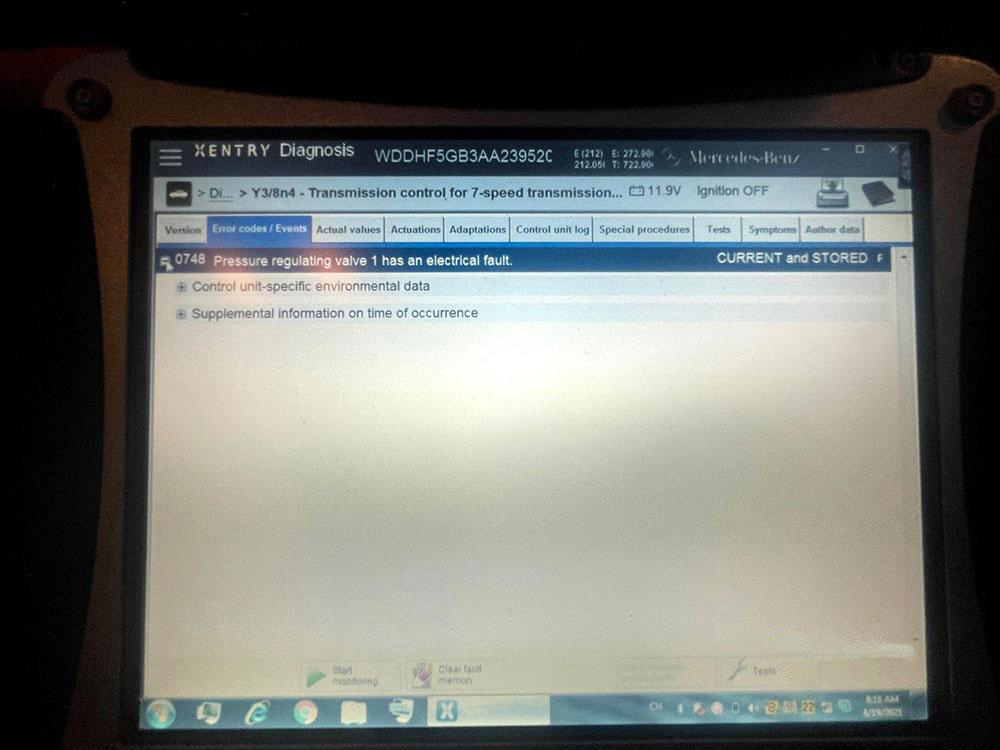
Look at the following images showing I do have access to the laptop star(xentry) deal:

2010-Mercedes-W212-E350-722.9-Transmission-P0748-code-(Solved)-1
2010-Mercedes-W212-E350-722.9-Transmission-P0748-code-(Solved)-2

Assuming you’ve tried clearing and it comes right back.

Click Tests, under the first picture, after you click the fault within the module. Obviously the solenoid can be bad, there’s a chance the conductor plate is/was bad or damaged in some way. I’d probably throw a solenoid at it before replacing the conductor plate… especially since it not a common fault, nor are there multiple faults present either.

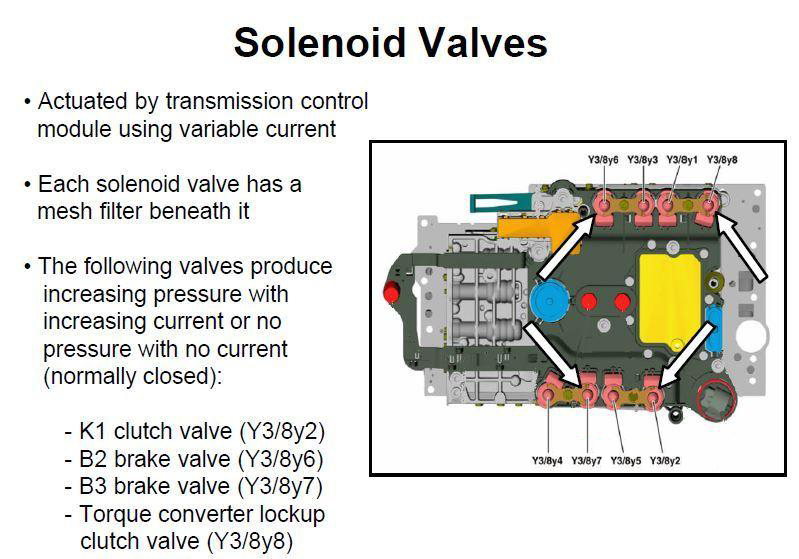
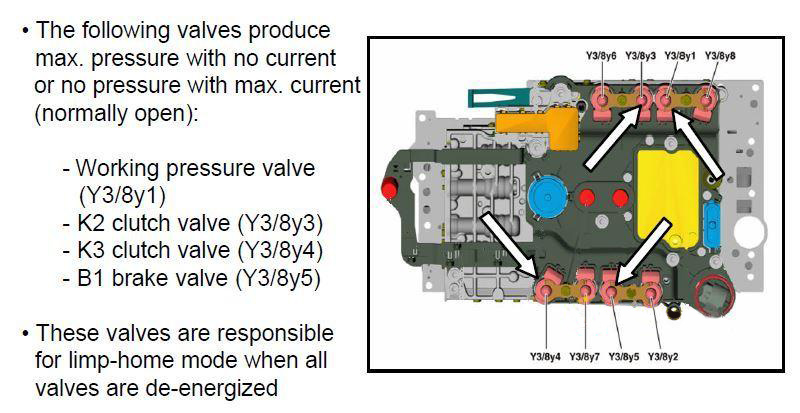
I suspect the solenoid in question is: Y3/8y1 Working pressure control solenoid valve.

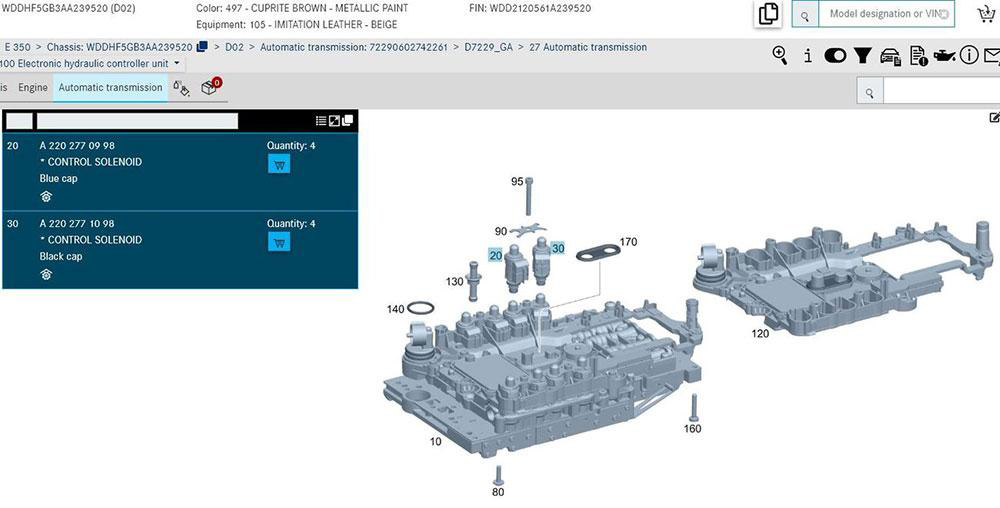
Since you aren’t getting codes for the other solenoids… you could temporarily swap the “bad” one with a “like” colored solenoid (blue vs. black) and rescan for codes. If the code doesn’t change.. then is likely the conductor plate. If a new code pops up, then is likely the solenoid. Don’t forget to put the solenoids back to original location.

The 722.9 doesn’t suffer from the same connector leaking issue as the 722.6. The .9 variant integrated the TCM into the conductor plate and the connector is molded-in… so there’s nothing to leak into the vehicle harness or connector. Totally different design. The only leak would be past the o-rings on the molded connector and transmission body, which would just be a leak… no affect on electrical connection.

0748 The internal electrical check of component Y3/8y2 (K1 clutch control solenoid valve (VGS)) has failed. Solenoid filter(s) may need cleaning, or replacement.

2010-Mercedes-W212-E350-722.9-Transmission-P0748-code-(Solved)-3
2010-Mercedes-W212-E350-722.9-Transmission-P0748-code-(Solved)-4
2010-Mercedes-W212-E350-722.9-Transmission-P0748-code-(Solved)-5

Does the car have ECO start/stop… if not the only transmission pump is mechanical, e.g. engine needs to be running for it to be operational. Now if it does have ECO, then there’s a electrical pump that runs. That, I’m not sure of, whether it’ll run with the engine off vs. ECO off. I suspect, it would only work during an ECO stop.

Yes, the conductor plate usually suffers from a certain fault. However, electrical connections exist between the TCM>conductor plate>solenoid… so there’s a possibility the conductor plate could be bad. I think the likelihood is the solenoid itself is bad or dirty. I’d be inclined to swap test and/or replace the solenoid first, before throwing other parts at it.

Finally Update:

Finally, I highly recommend a brand new one……. But you will not be able to purchase this part. Only shops with licensing through NASTF can purchase this part from dealer, here in the US. And even if you were able to purchase, then you would need access to the online system for programming and SCN coding. Is possible to do offline with Vediamo and DTS Monaco (Runing for sdconnect c4 plus DOIP), also. You just need to find the correct CBF and Coding.

Abrites can virginize and change the VIN, but comes at a high price. I highly doubt the Chinese will be able to log in to the online system with your set up. Mercedes is blocking unauthorized laptops/PC’s. Pretty much whether you are installing a new or virginized one, the steps are the same. Valve body flow data needs to be read and transferred. After, you need to perform programming, SCN coding, personalization, activation and range sensor calibration.
Friday, September 10, 2021

Xentry Error Supplied StartKey is Invalid Solution


One consumer wrote that Xentry Does not accept the key.(Startkey is invaild)

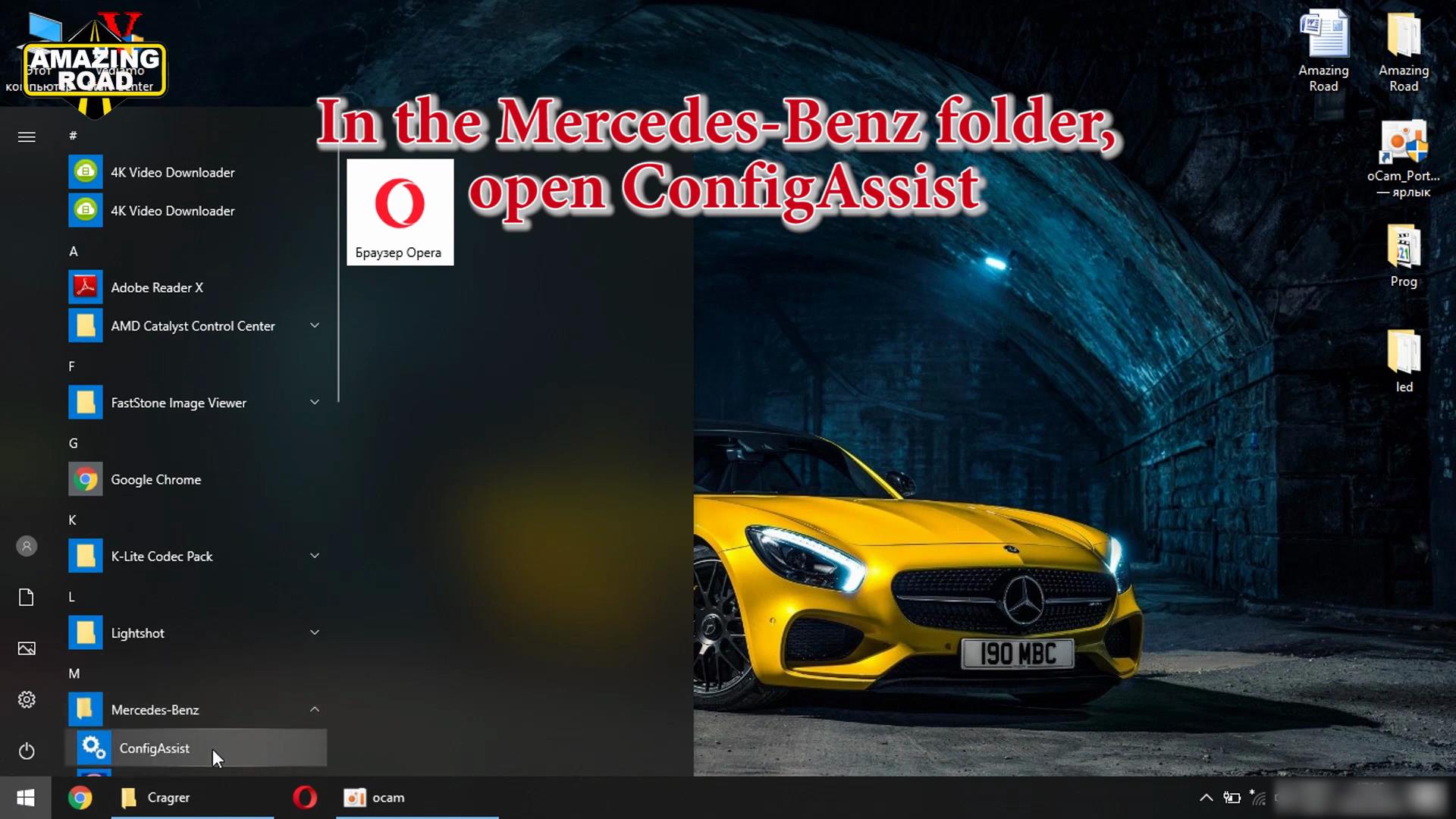
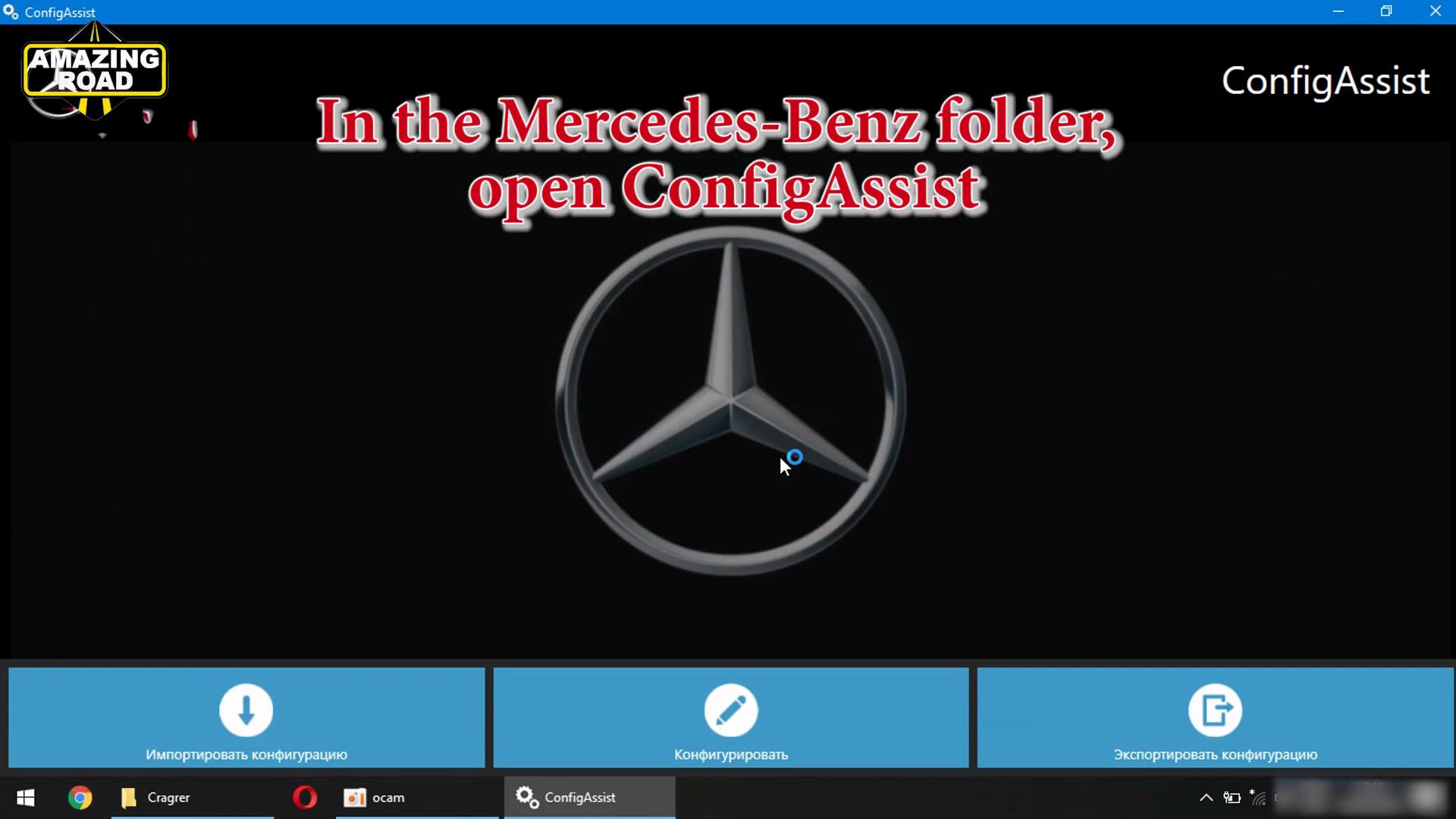
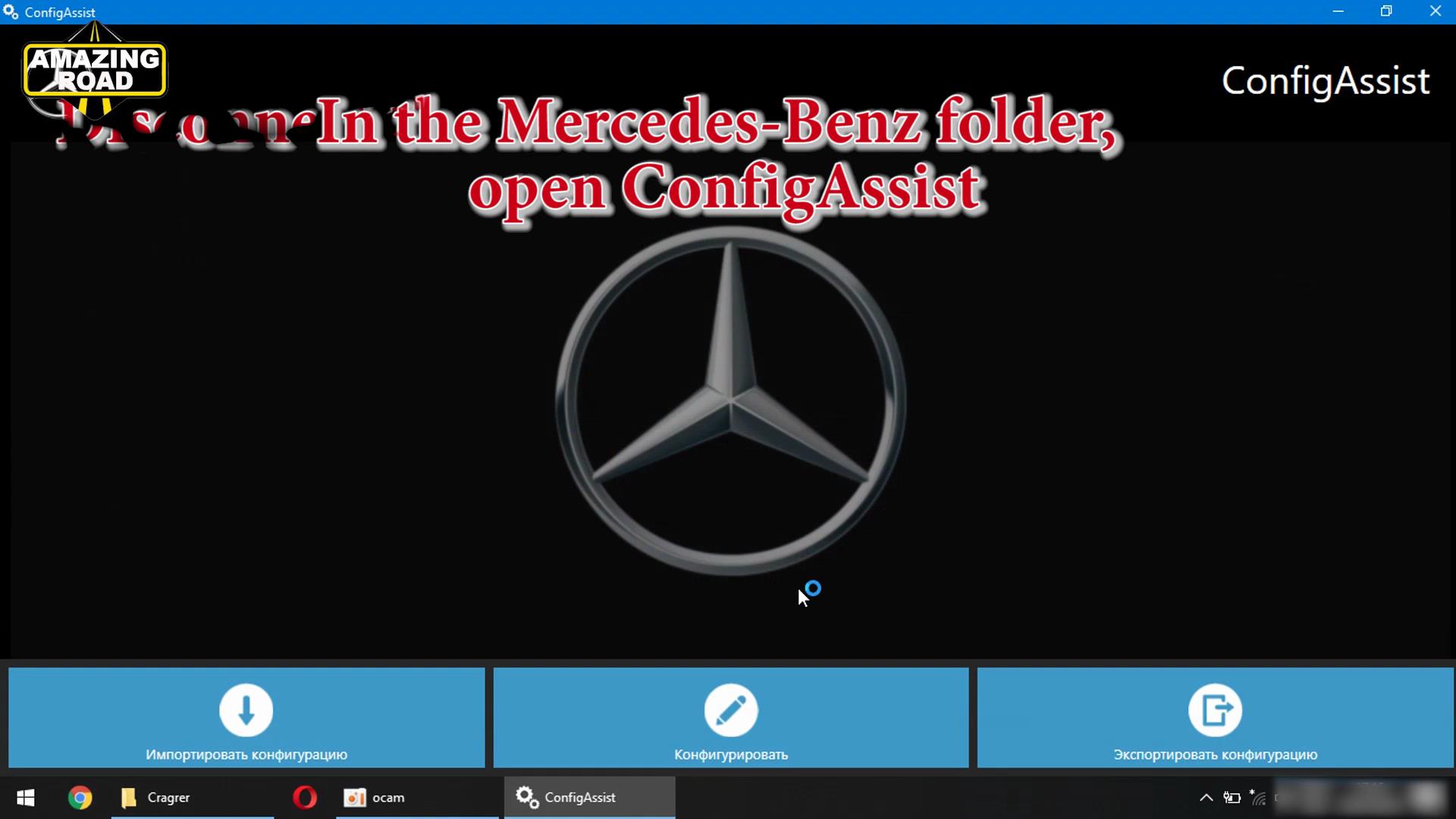
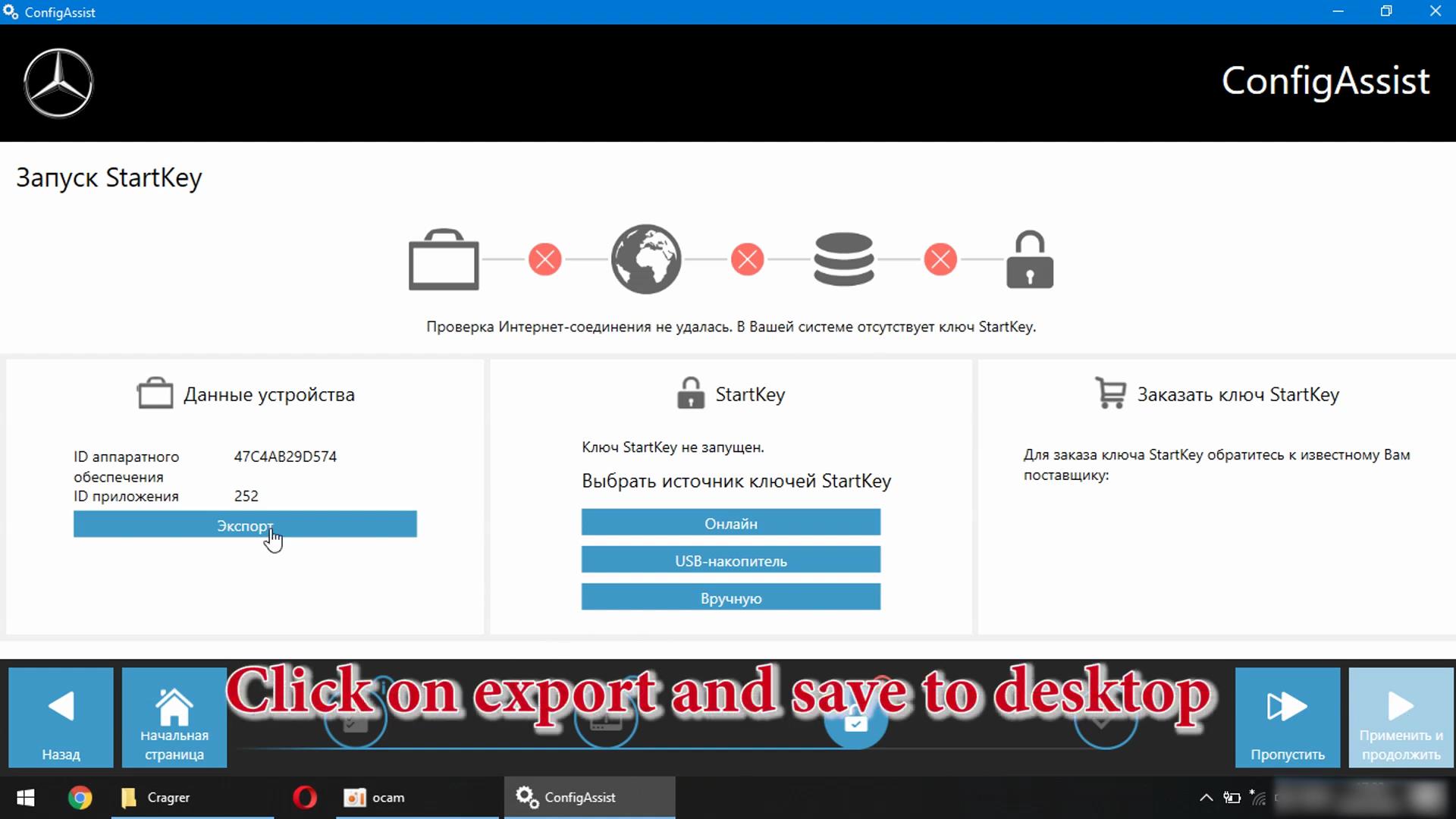
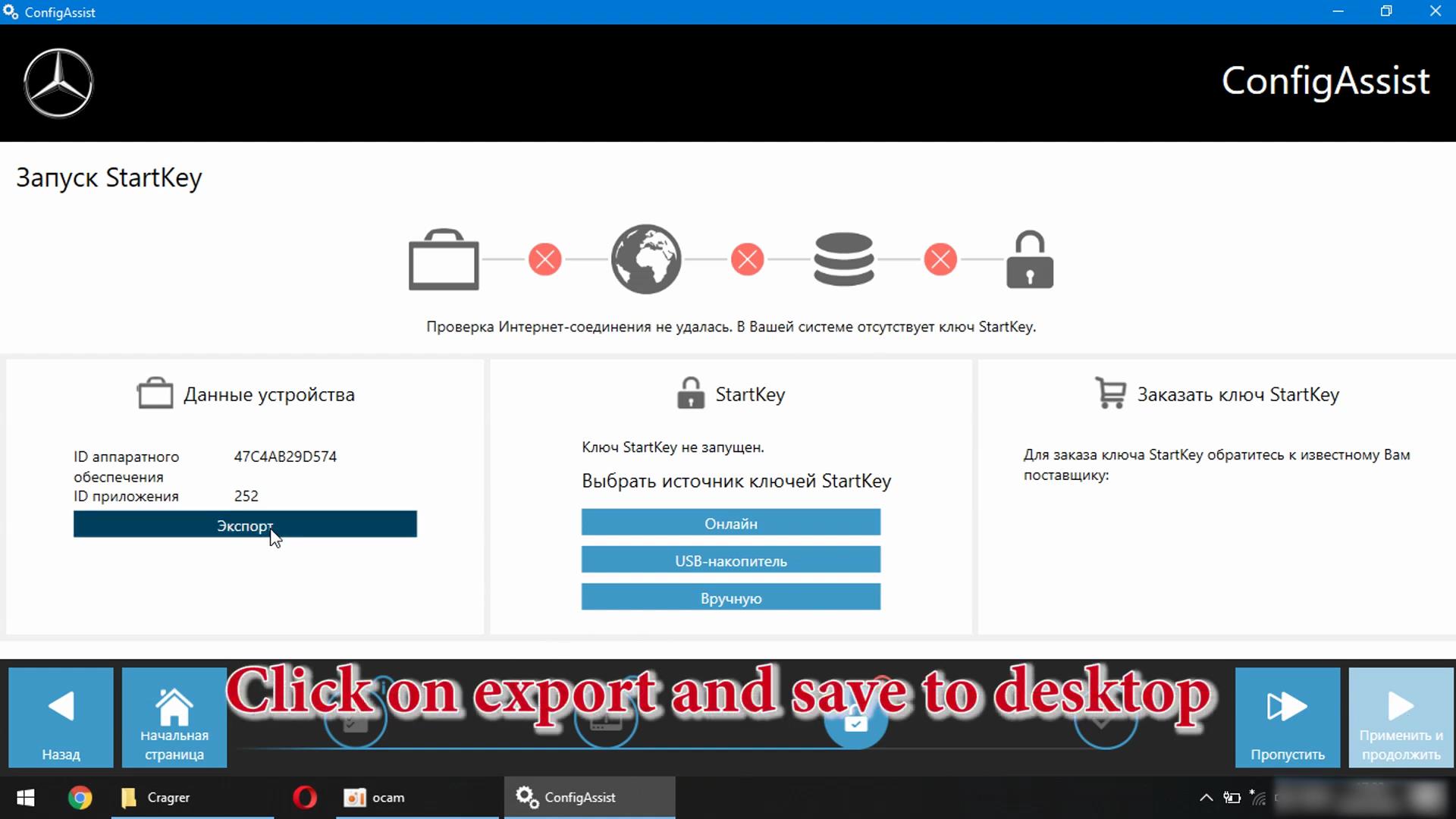
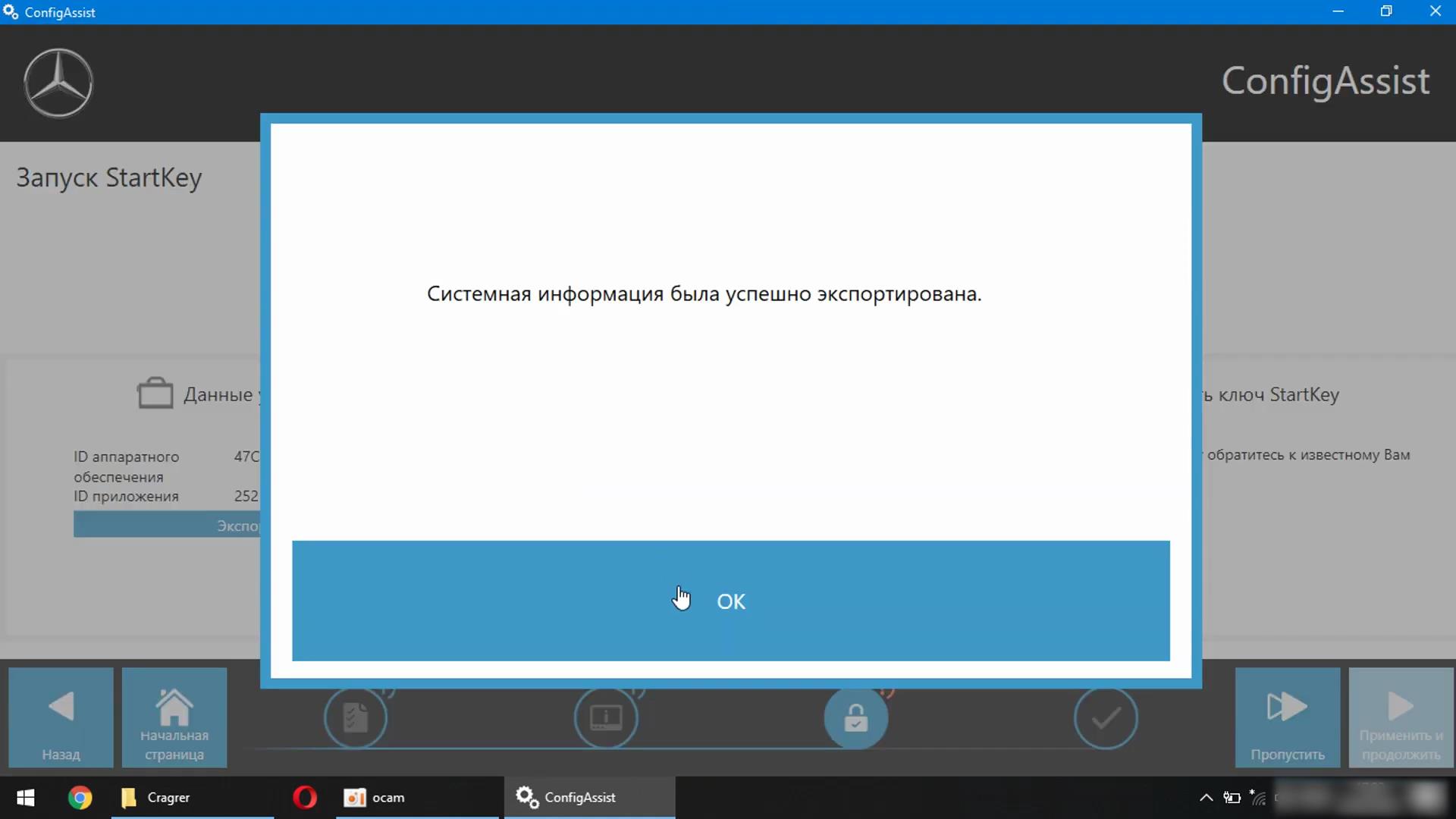
In the Mercedes-Benz folder, open ConfigAssist

Xentry-Error-Supplied-StartKey-is-Invalid-Solution-1
Xentry-Error-Supplied-StartKey-is-Invalid-Solution-2

Disconnect the internect and press configuration

Xentry-Error-Supplied-StartKey-is-Invalid-Solution-3

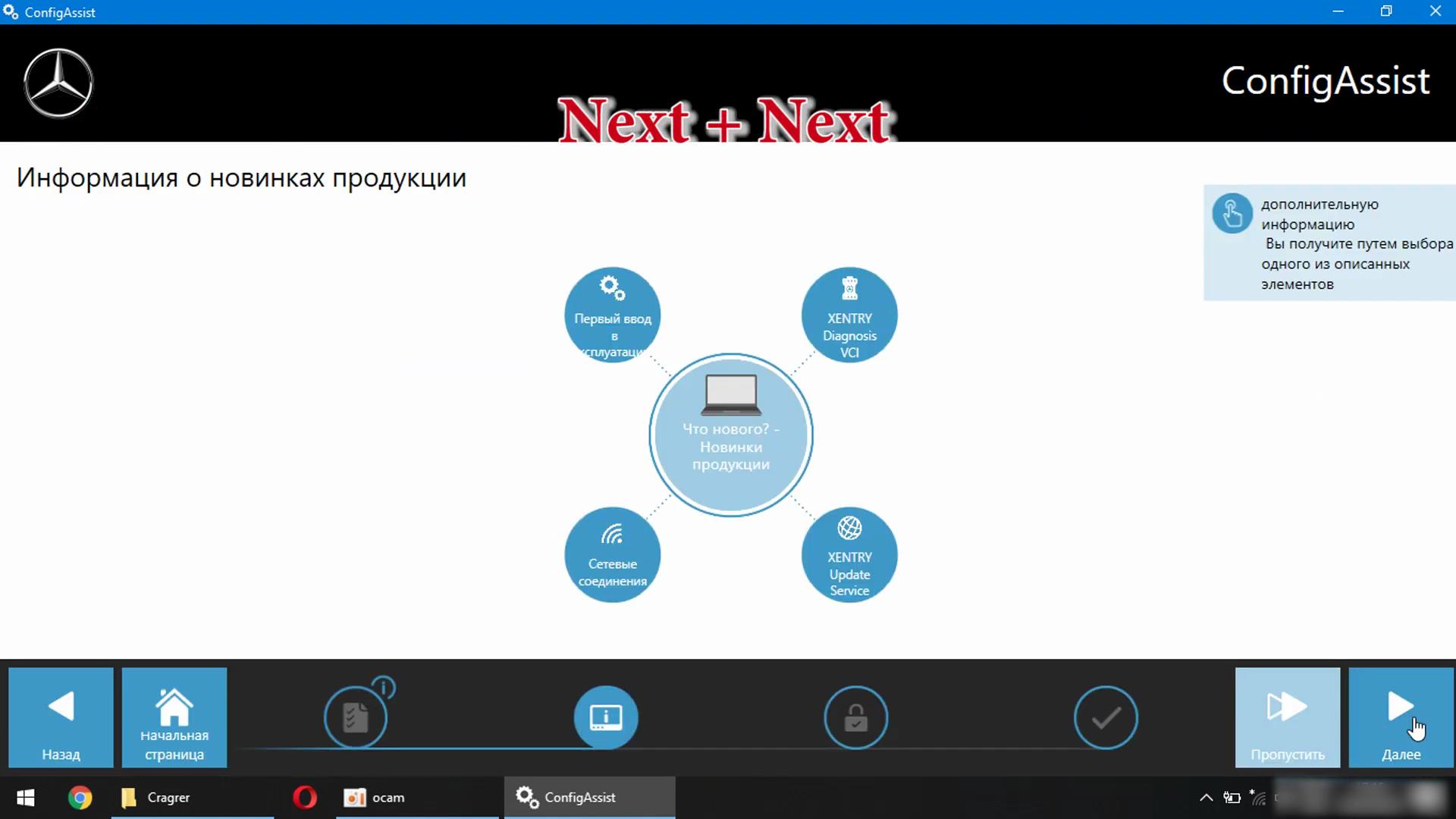
Next+Next

Xentry-Error-Supplied-StartKey-is-Invalid-Solution-4

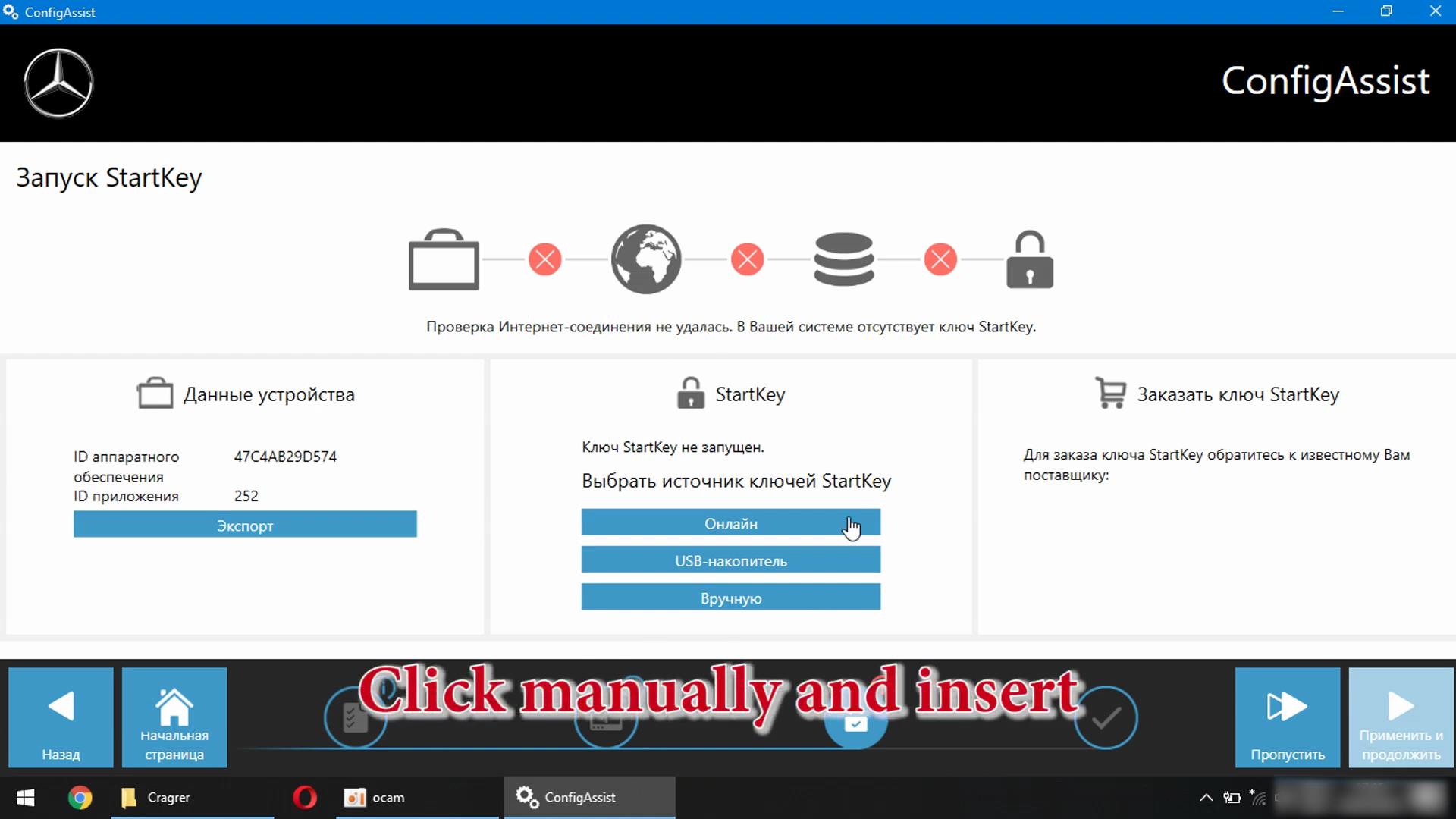
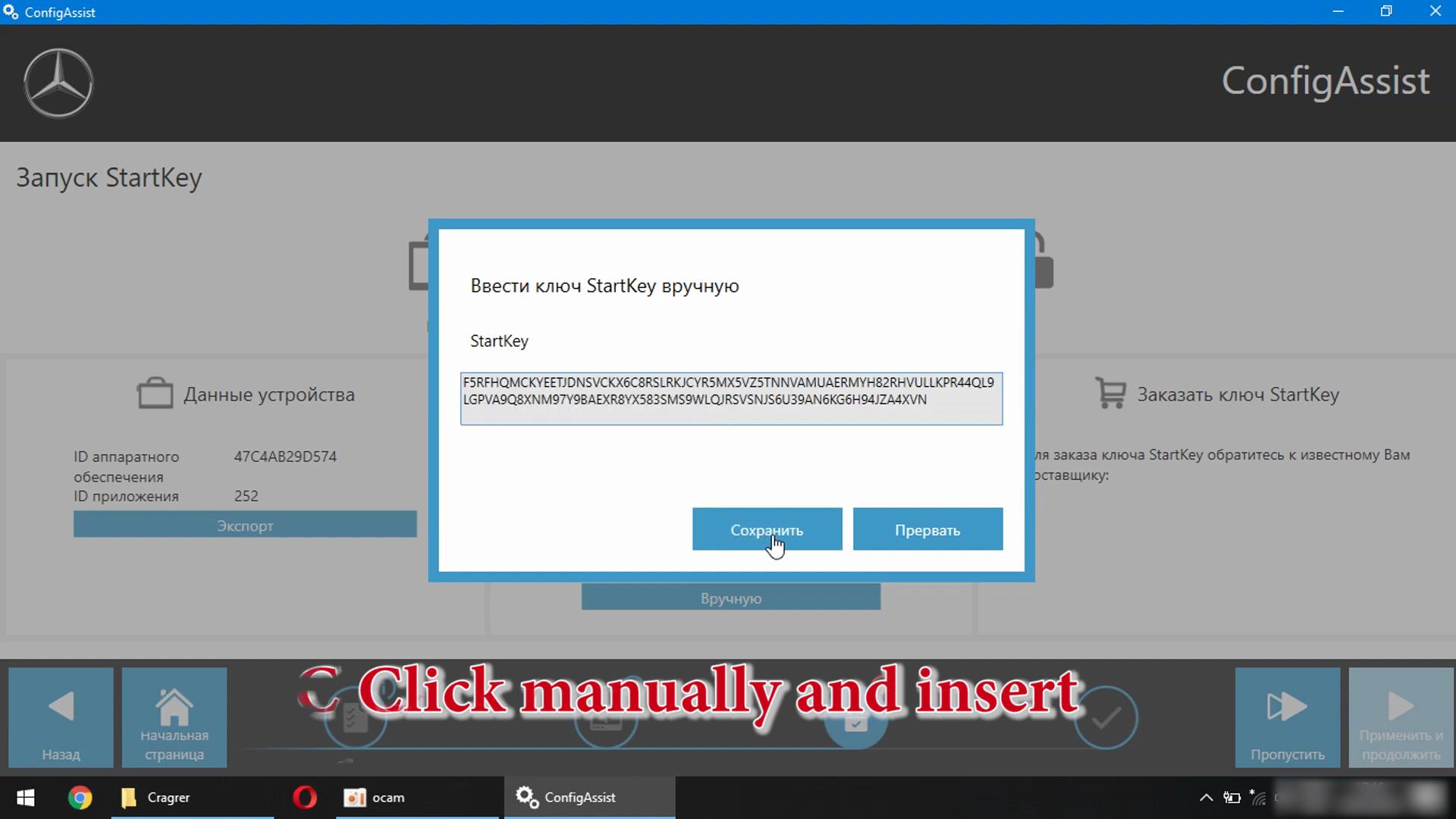
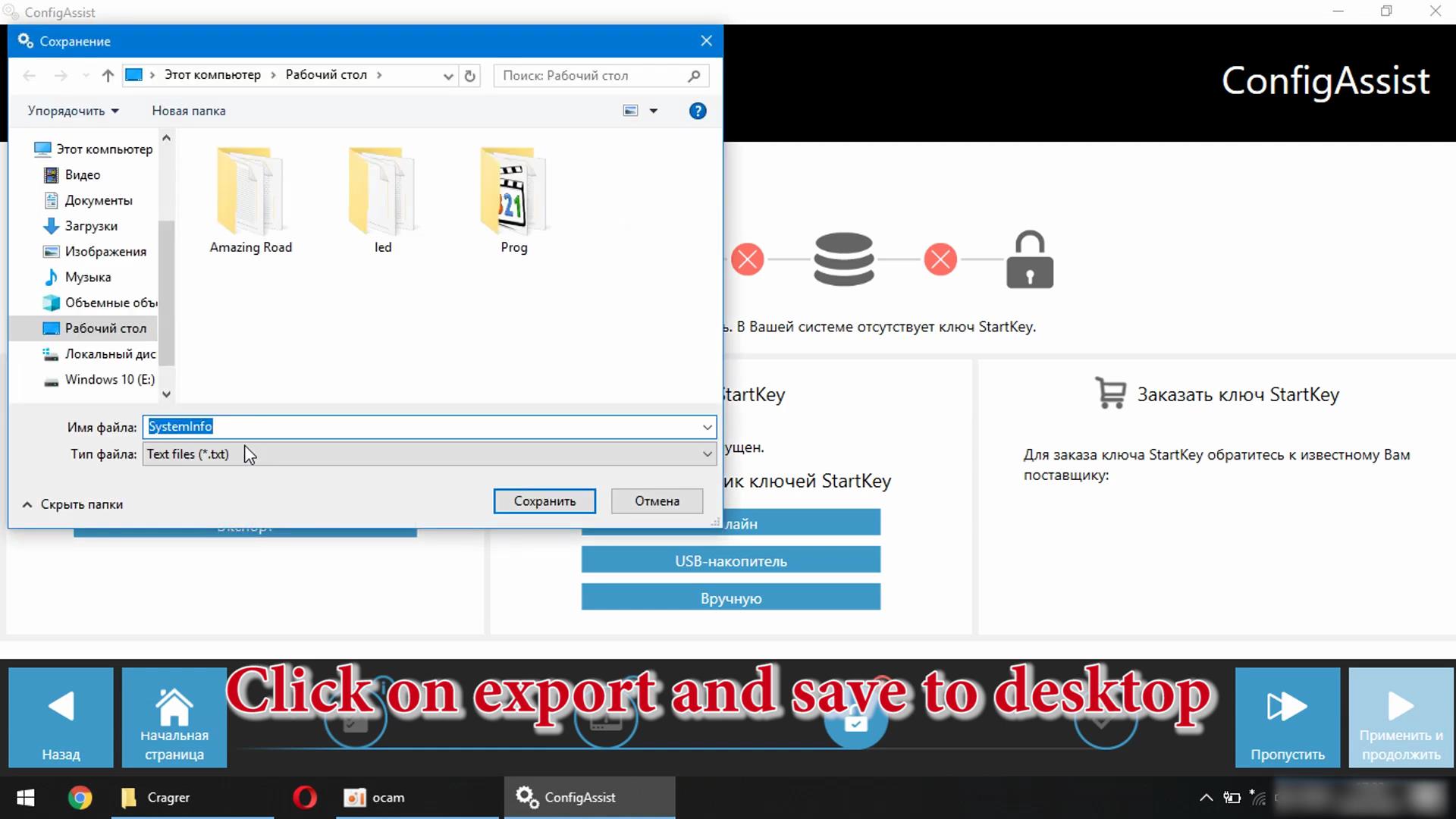
Click Mannually and insert

Xentry-Error-Supplied-StartKey-is-Invalid-Solution-5
Xentry-Error-Supplied-StartKey-is-Invalid-Solution-6

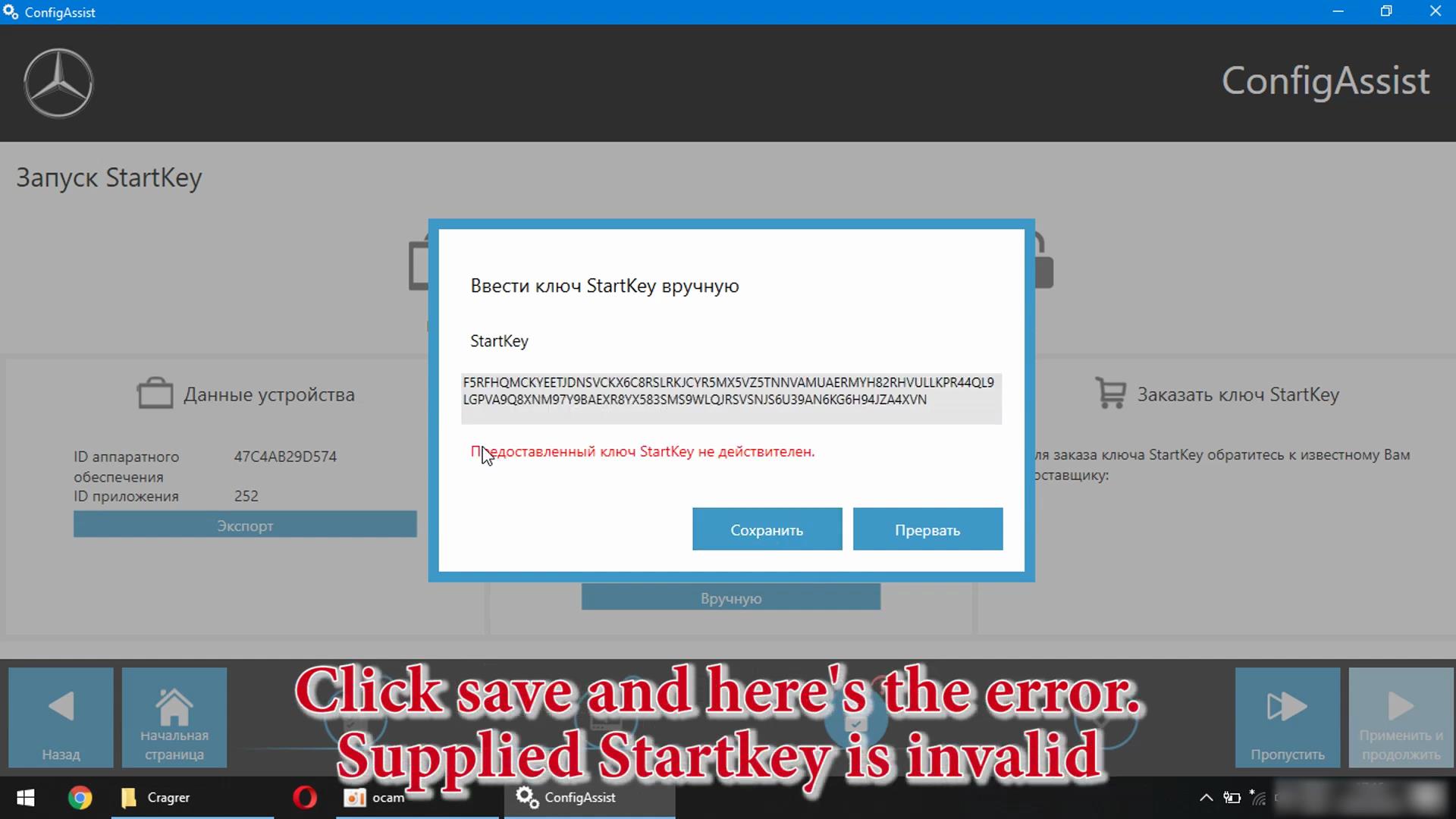
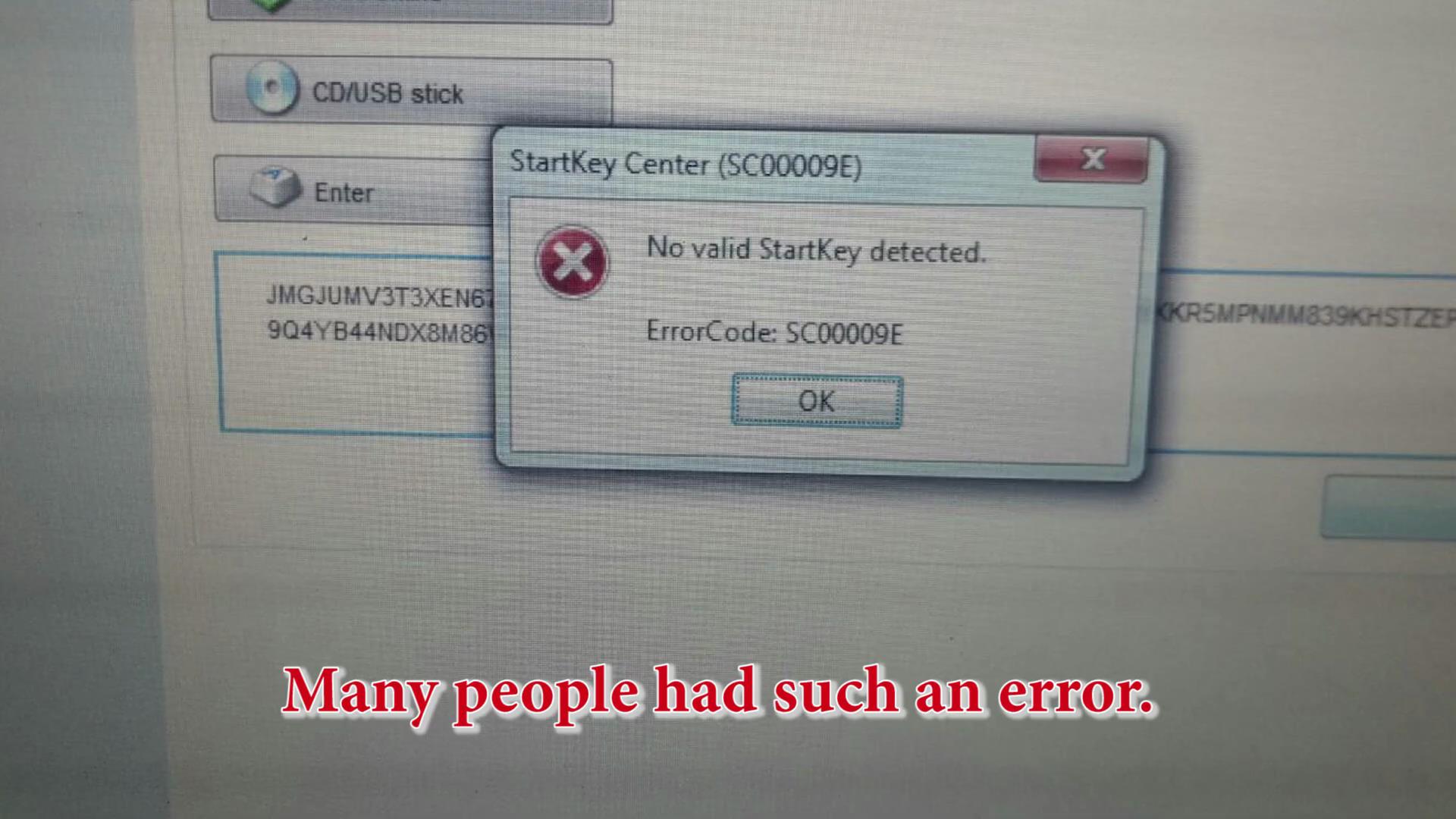
Click Save and here’s the error, Supplied Startkey is invalid

Xentry-Error-Supplied-StartKey-is-Invalid-Solution-7

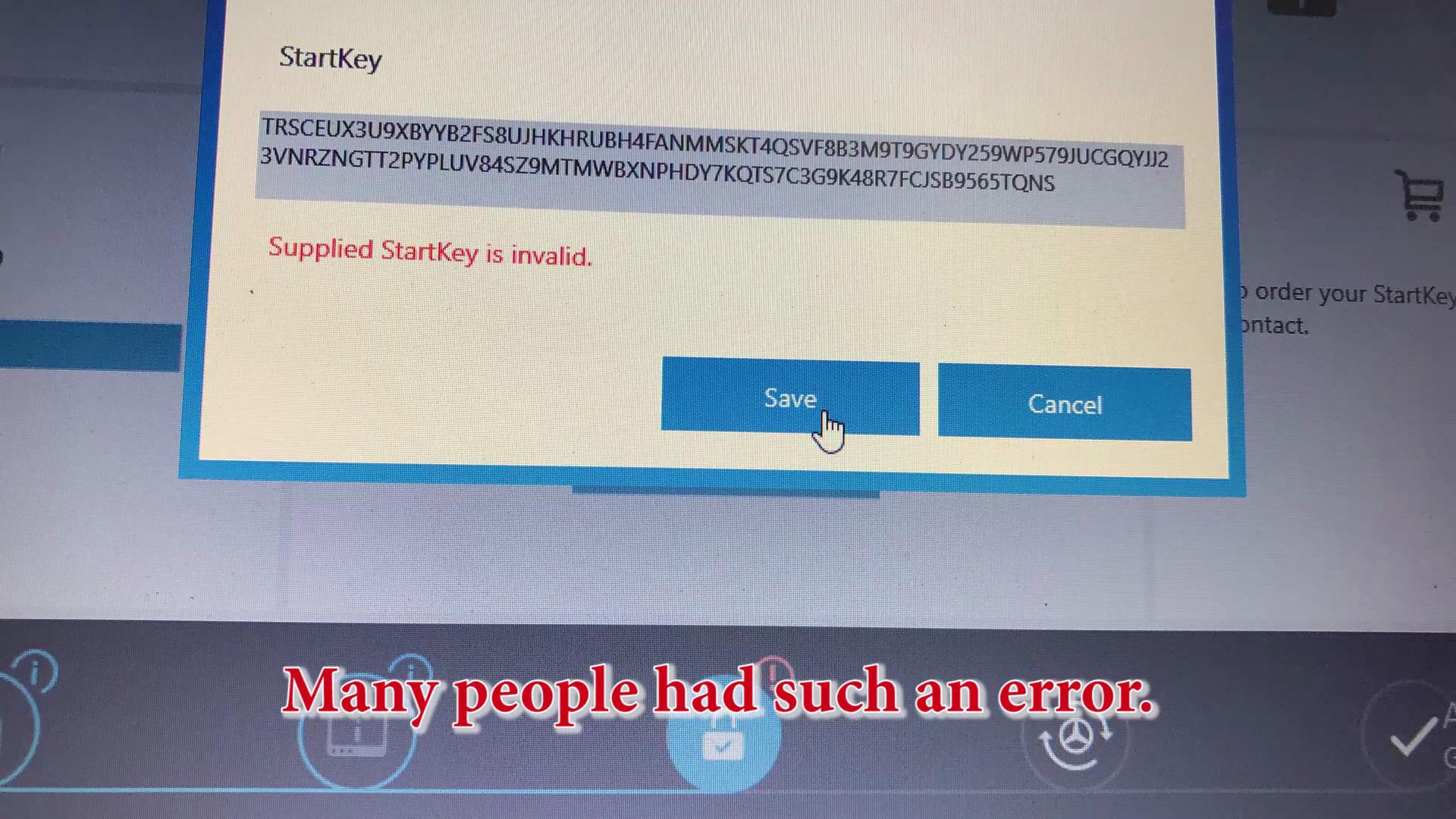
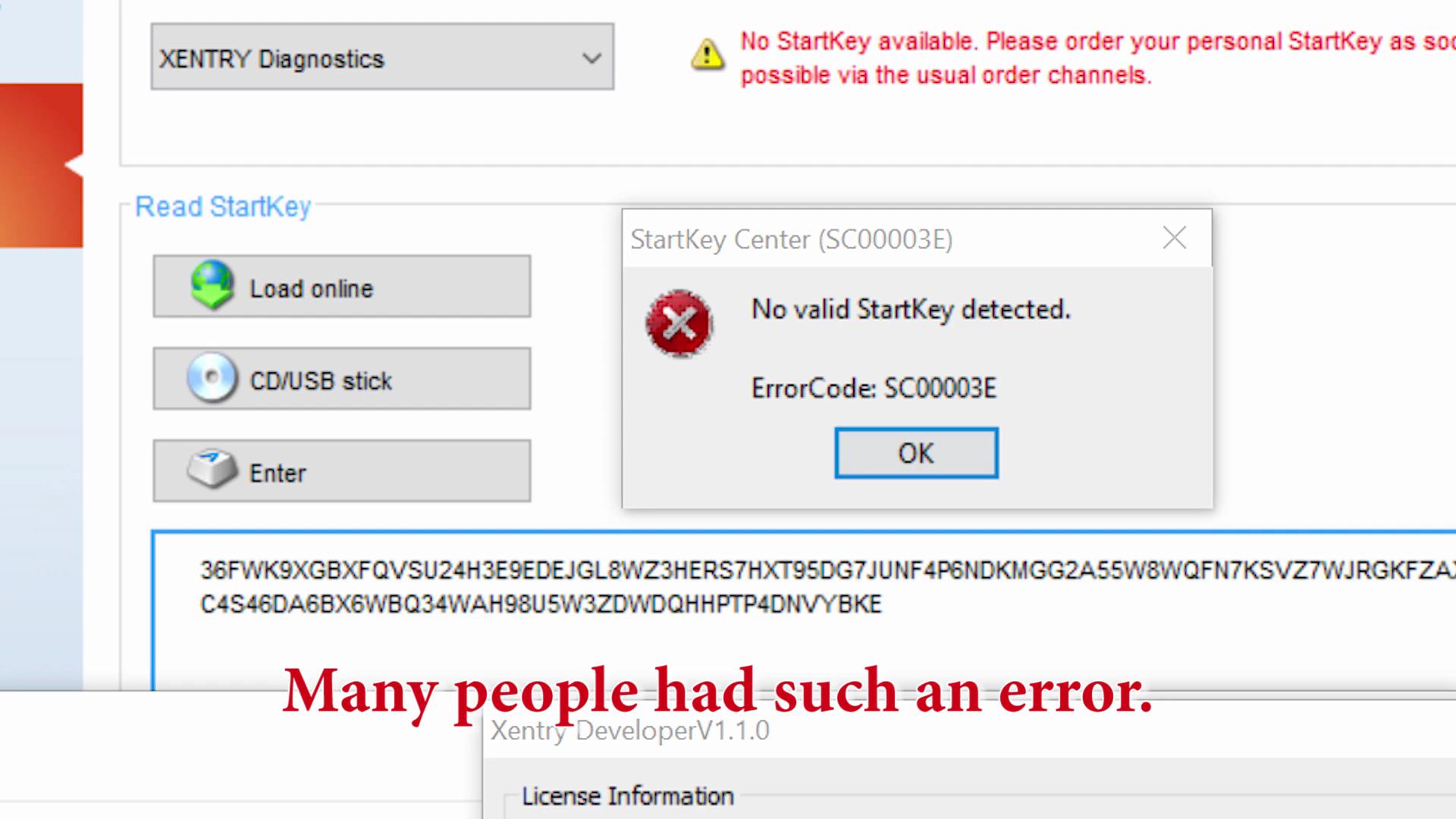
Many People had such an error

Xentry-Error-Supplied-StartKey-is-Invalid-Solution-8
Xentry-Error-Supplied-StartKey-is-Invalid-Solution-9
Xentry-Error-Supplied-StartKey-is-Invalid-Solution-10

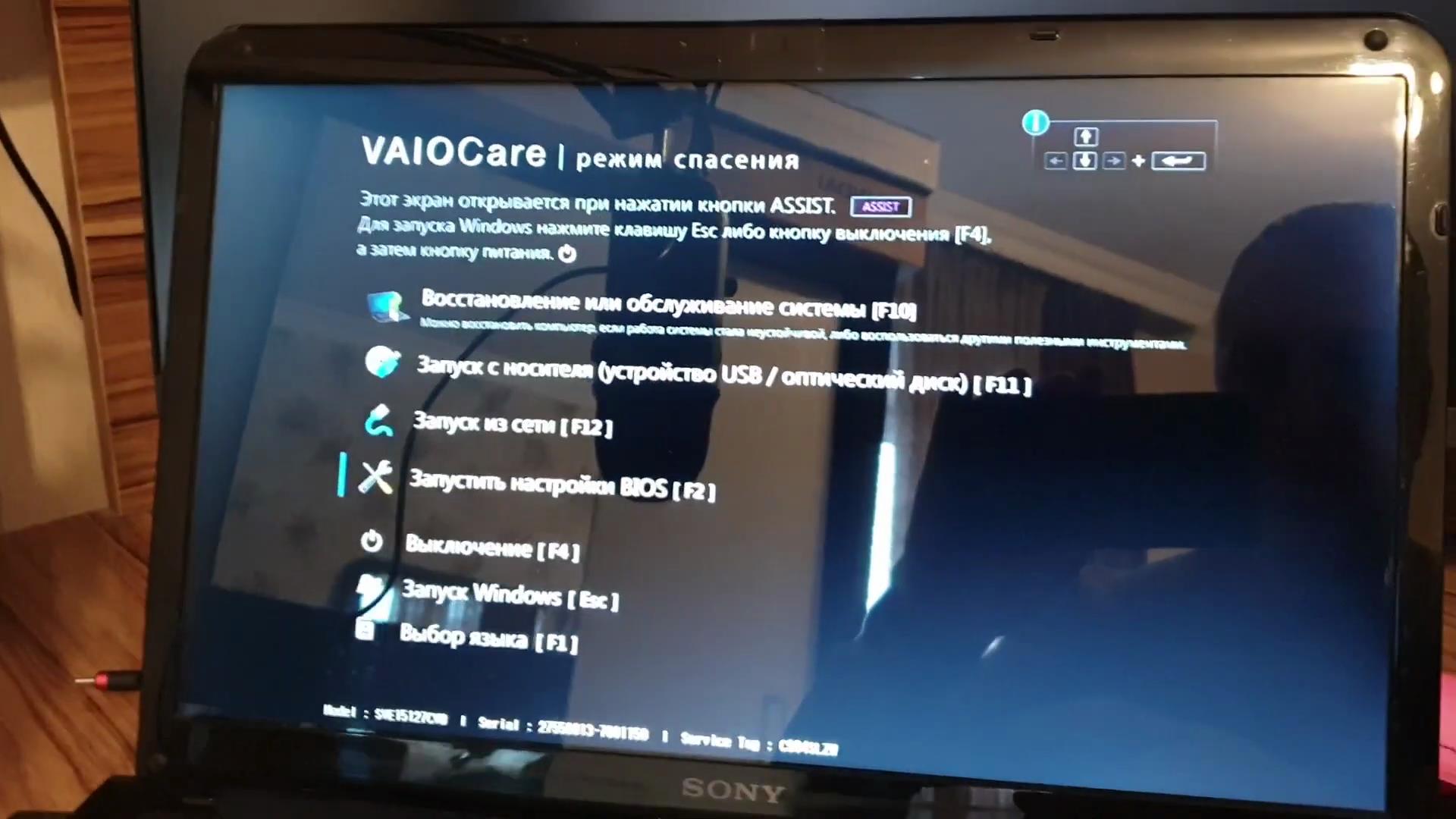
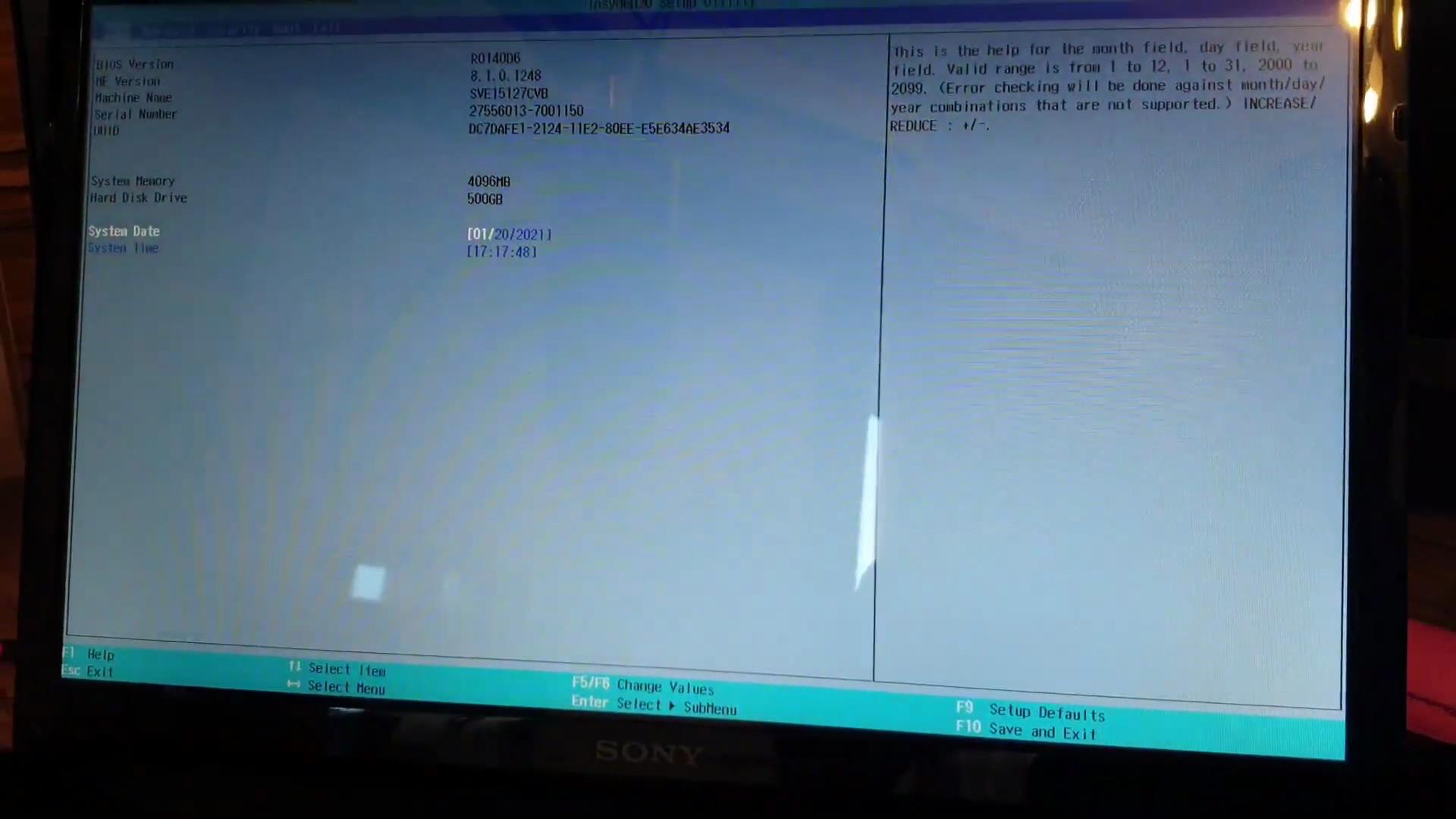
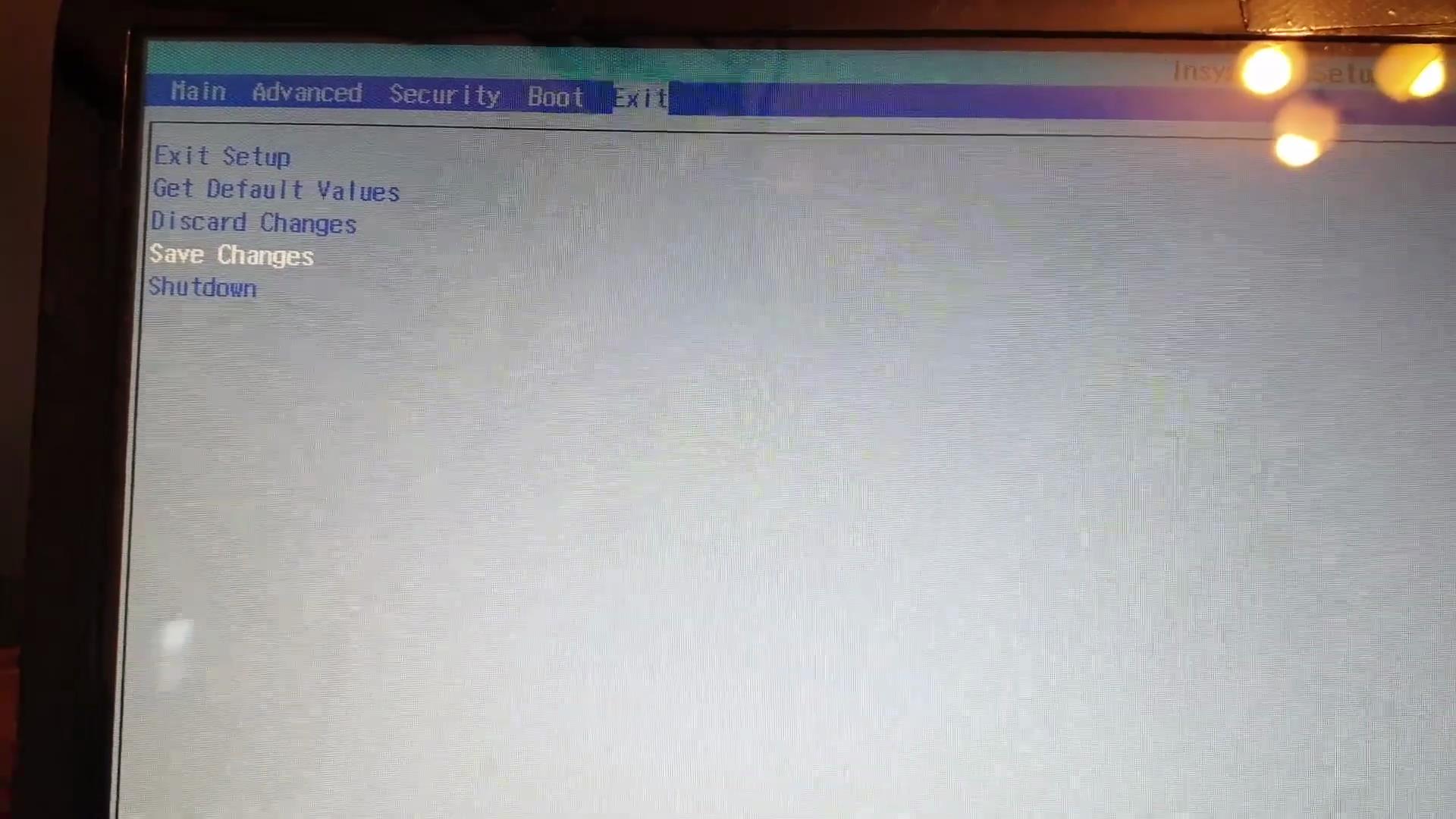
We reboot the computer and enter the BIOS. Either the F2 button or Delete
Xentry-Error-Supplied-StartKey-is-Invalid-Solution-11
Xentry-Error-Supplied-StartKey-is-Invalid-Solution-12

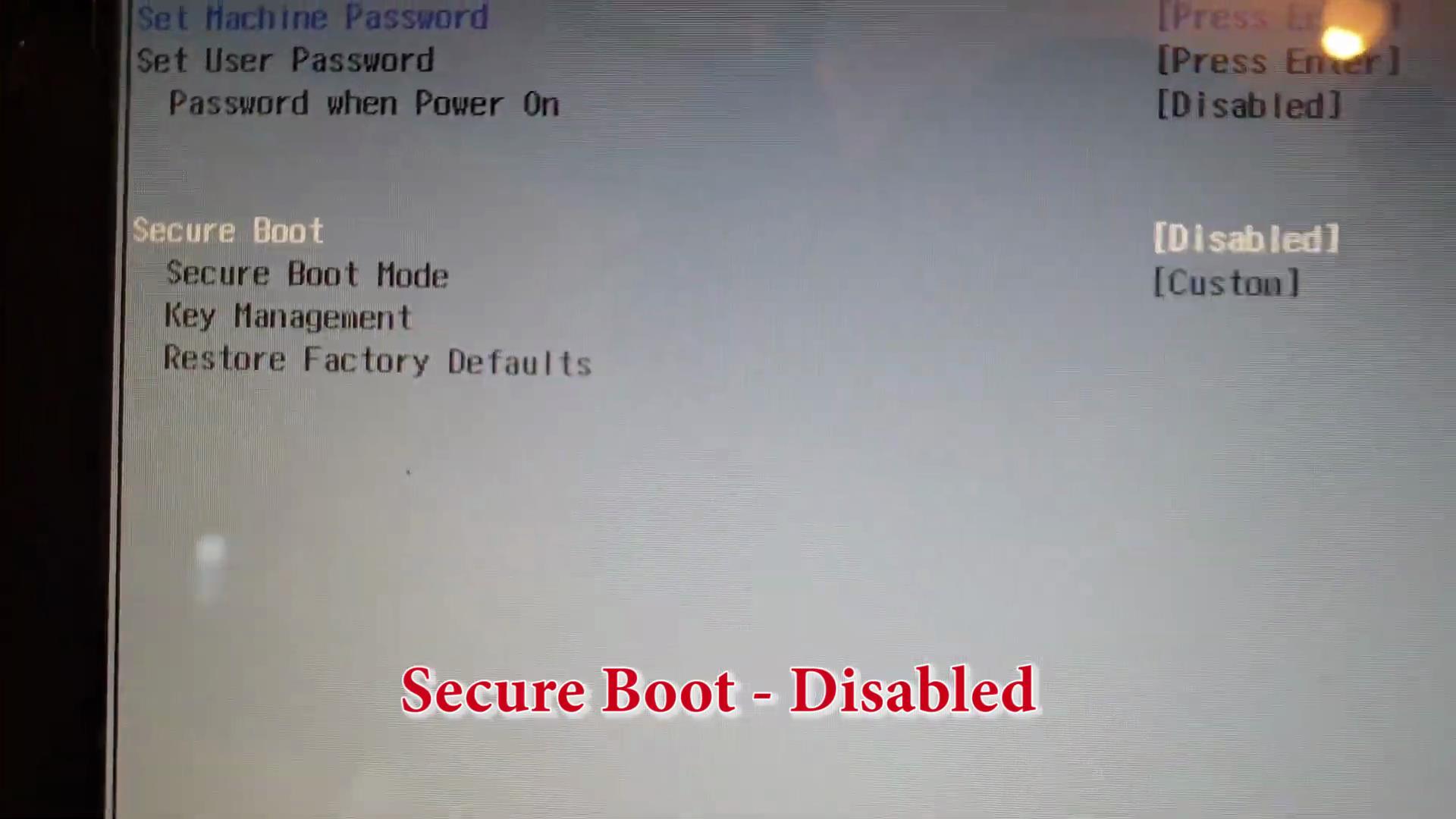
Secure Boot – Disabled

Xentry-Error-Supplied-StartKey-is-Invalid-Solution-13

Save Changes

Xentry-Error-Supplied-StartKey-is-Invalid-Solution-14

Xentry-Error-Supplied-StartKey-is-Invalid-Solution-15


Xentry-Error-Supplied-StartKey-is-Invalid-Solution-16
Xentry-Error-Supplied-StartKey-is-Invalid-Solution-17
Xentry-Error-Supplied-StartKey-is-Invalid-Solution-18
Xentry-Error-Supplied-StartKey-is-Invalid-Solution-19

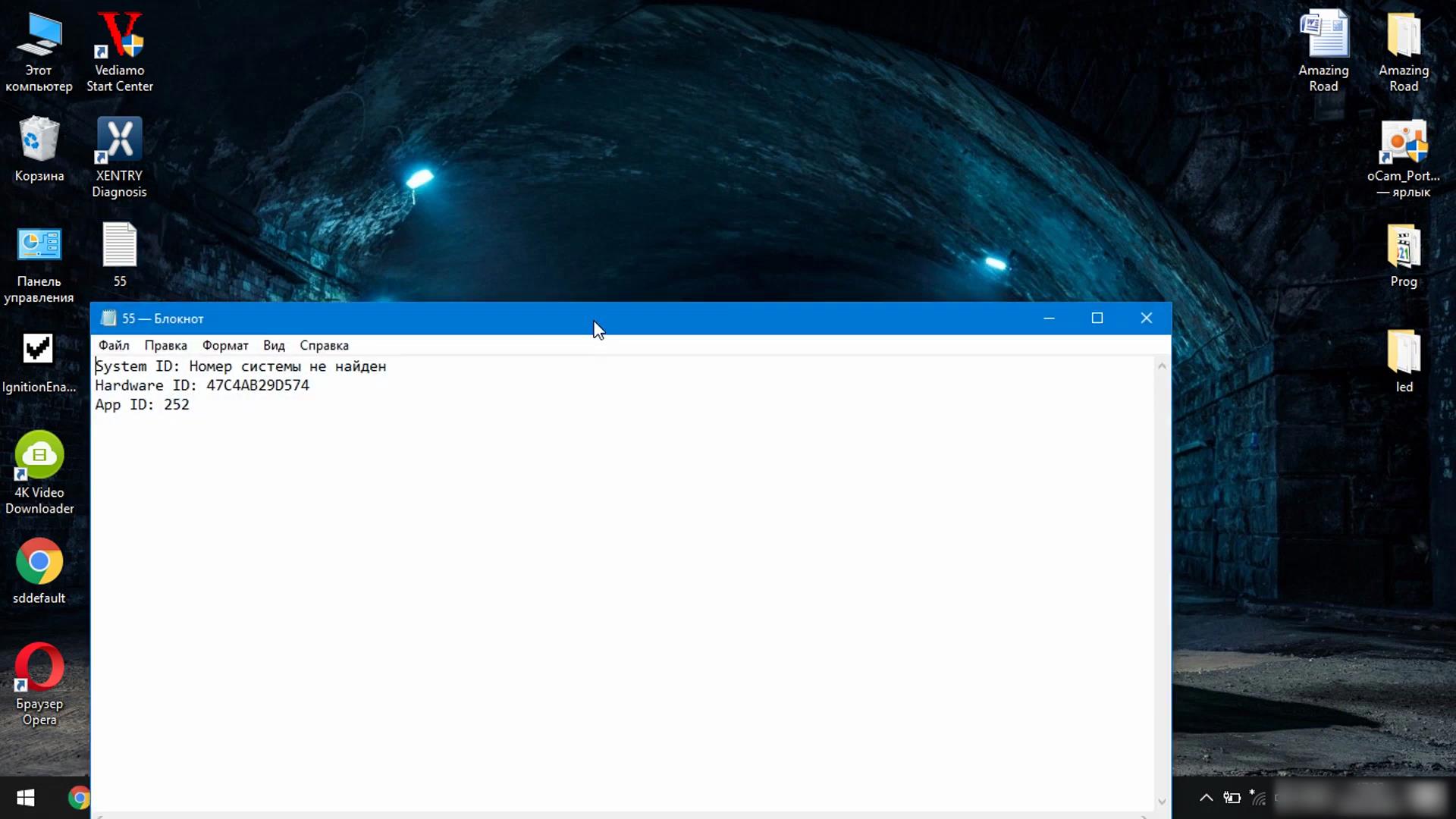
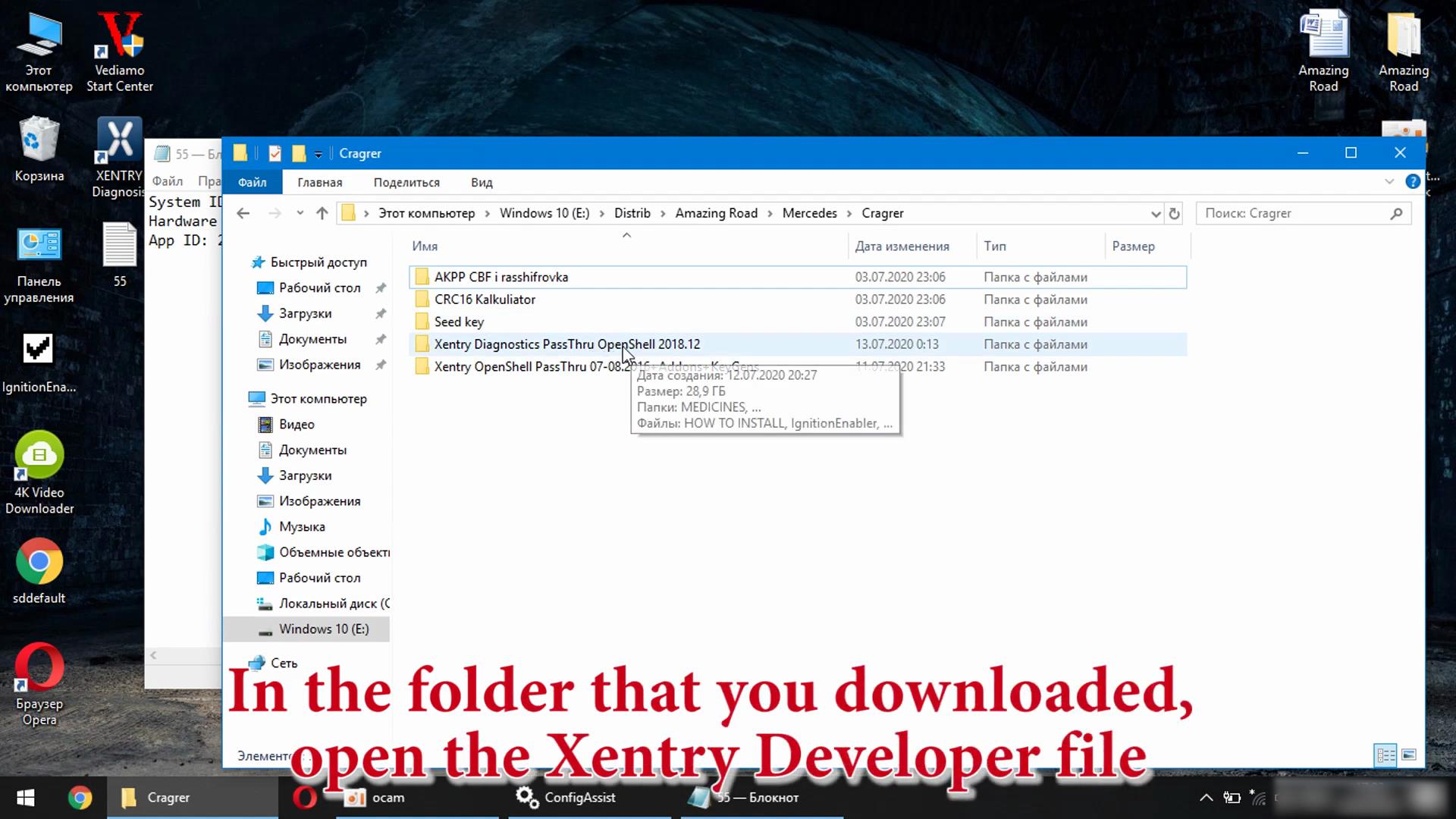
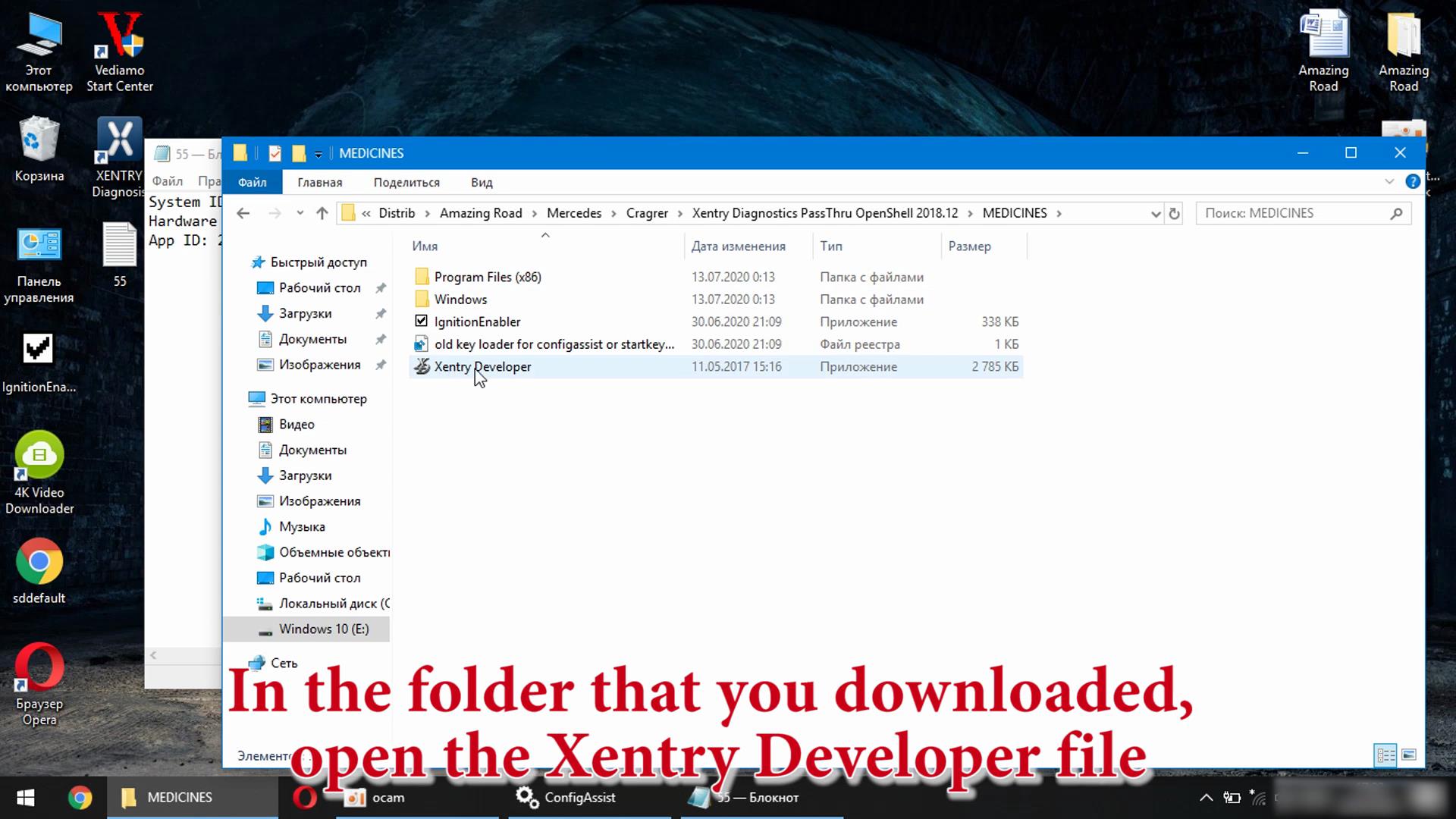
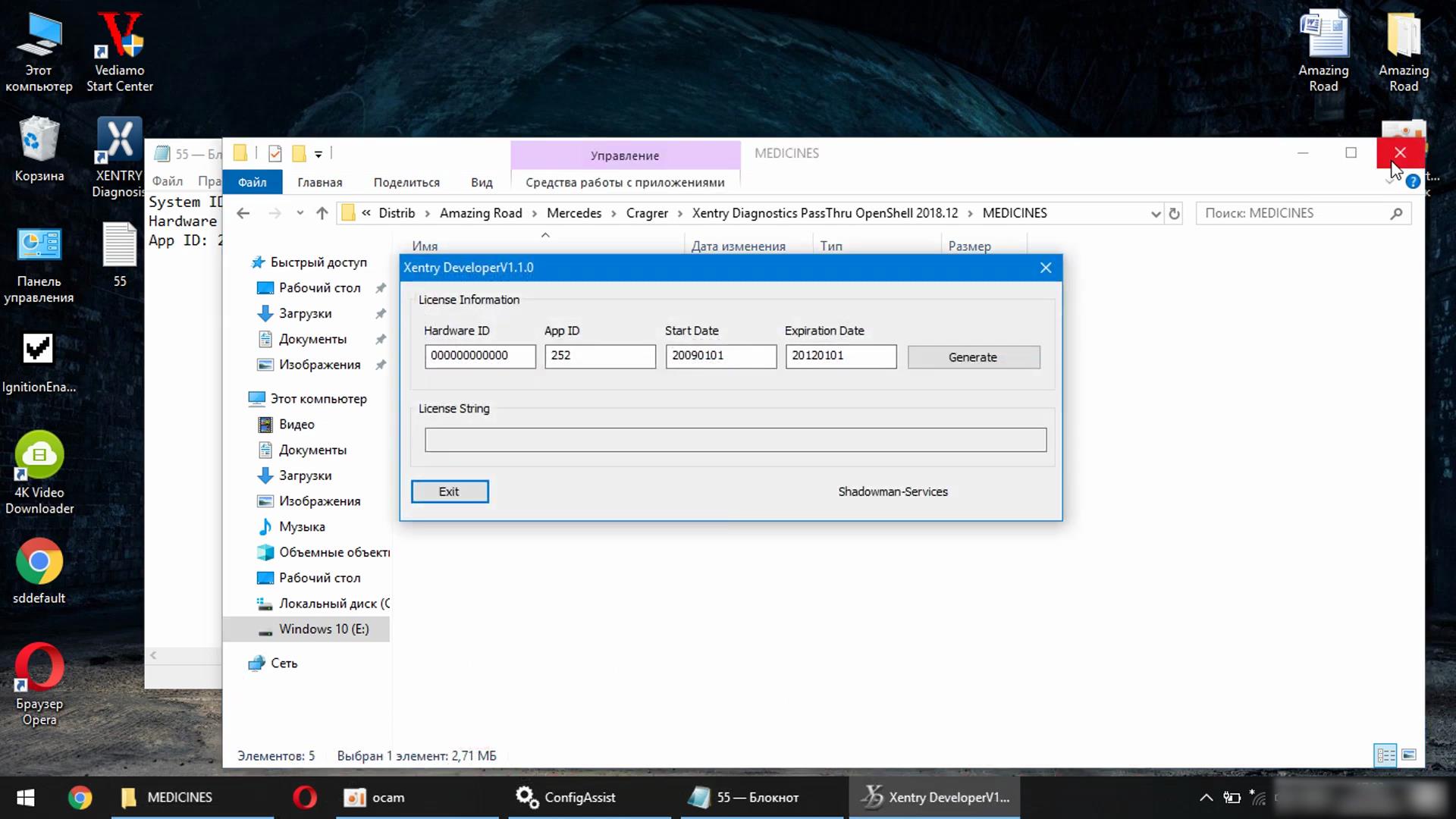
In the folder that you downloaded, open the Xentry Developer file

Xentry-Error-Supplied-StartKey-is-Invalid-Solution-20
Xentry-Error-Supplied-StartKey-is-Invalid-Solution-21
Xentry-Error-Supplied-StartKey-is-Invalid-Solution-22

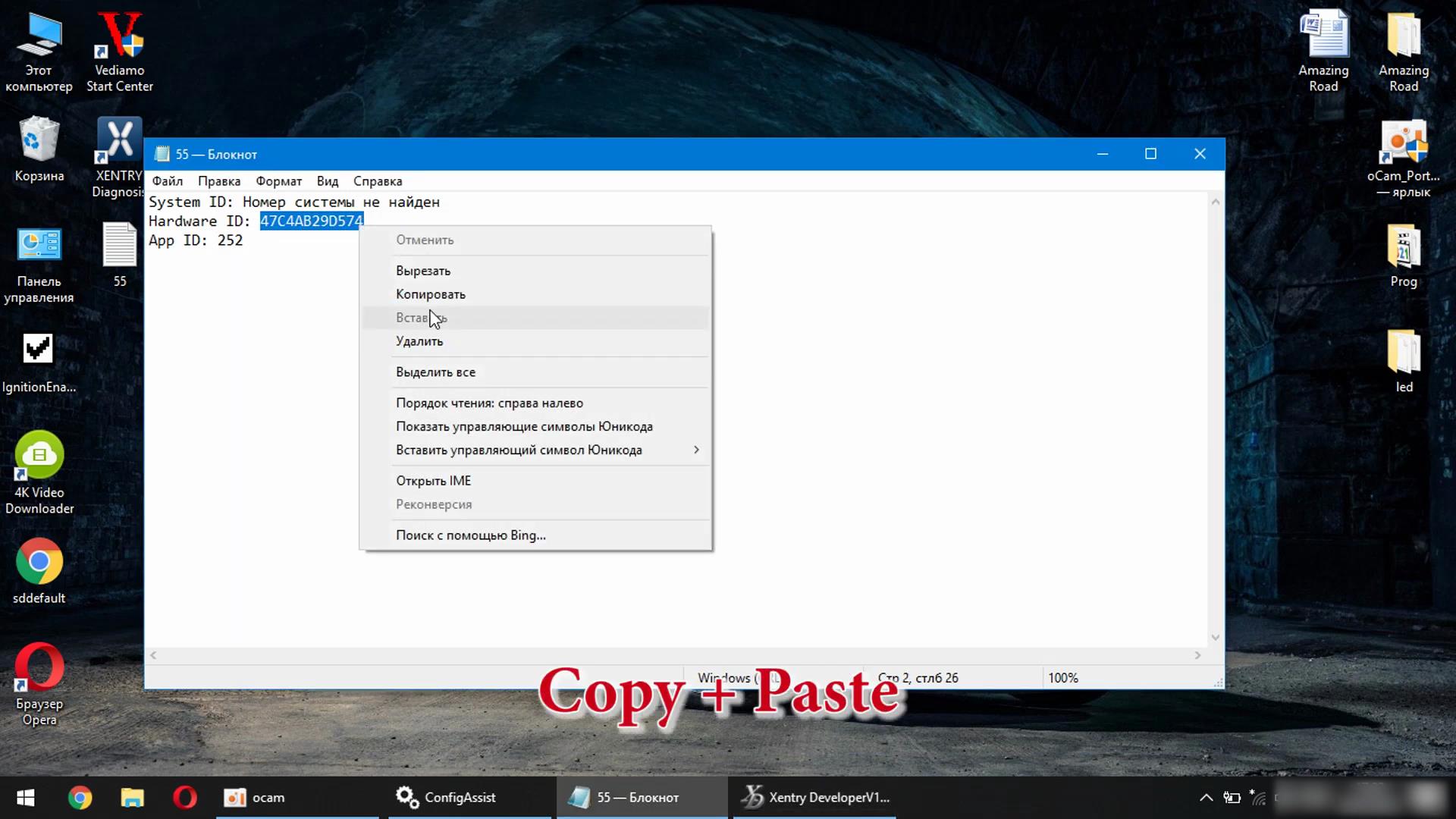
Copy + Paste

Xentry-Error-Supplied-StartKey-is-Invalid-Solution-23

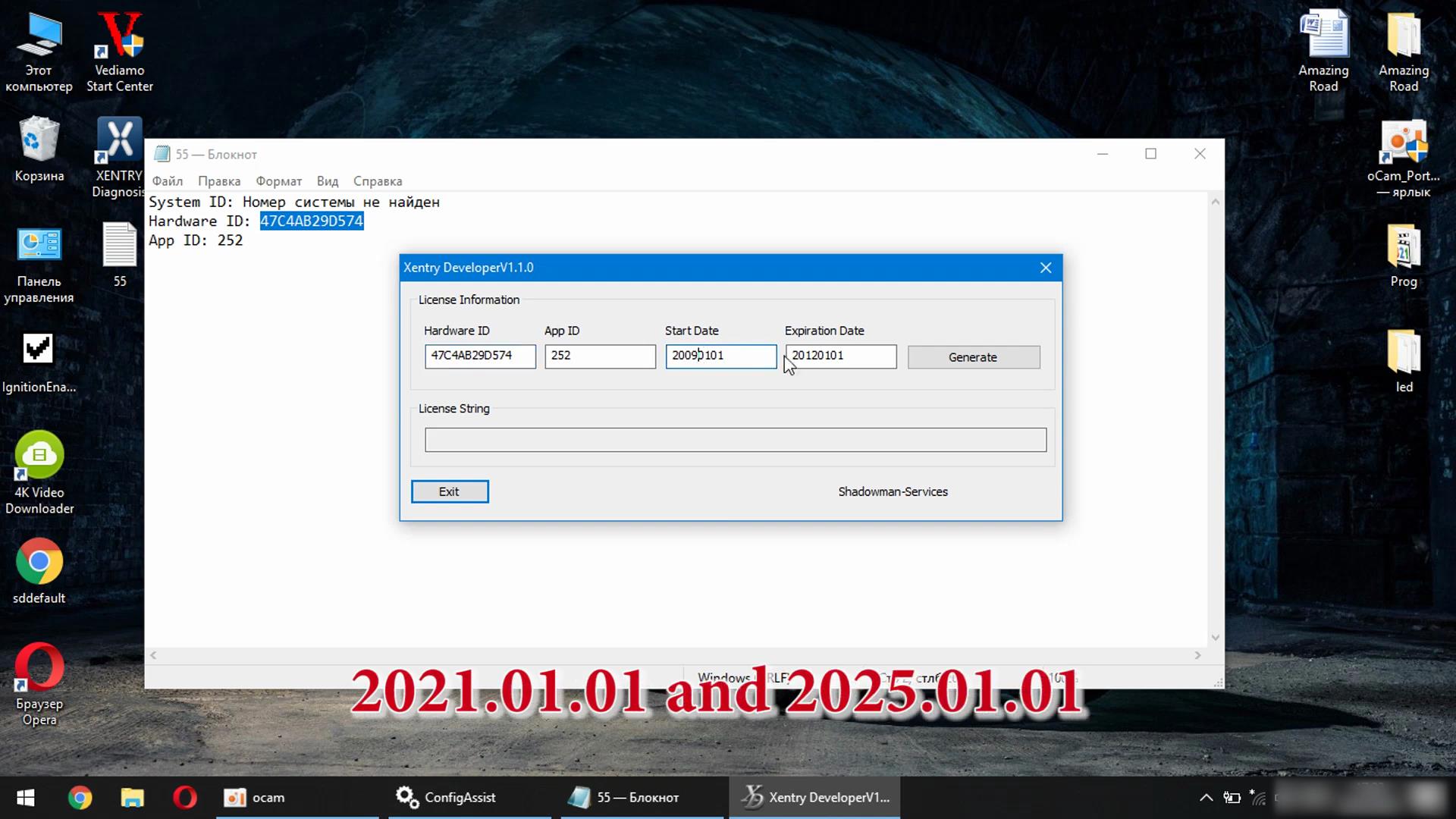
2021.01.01 and 2025.01.01

Xentry-Error-Supplied-StartKey-is-Invalid-Solution-24

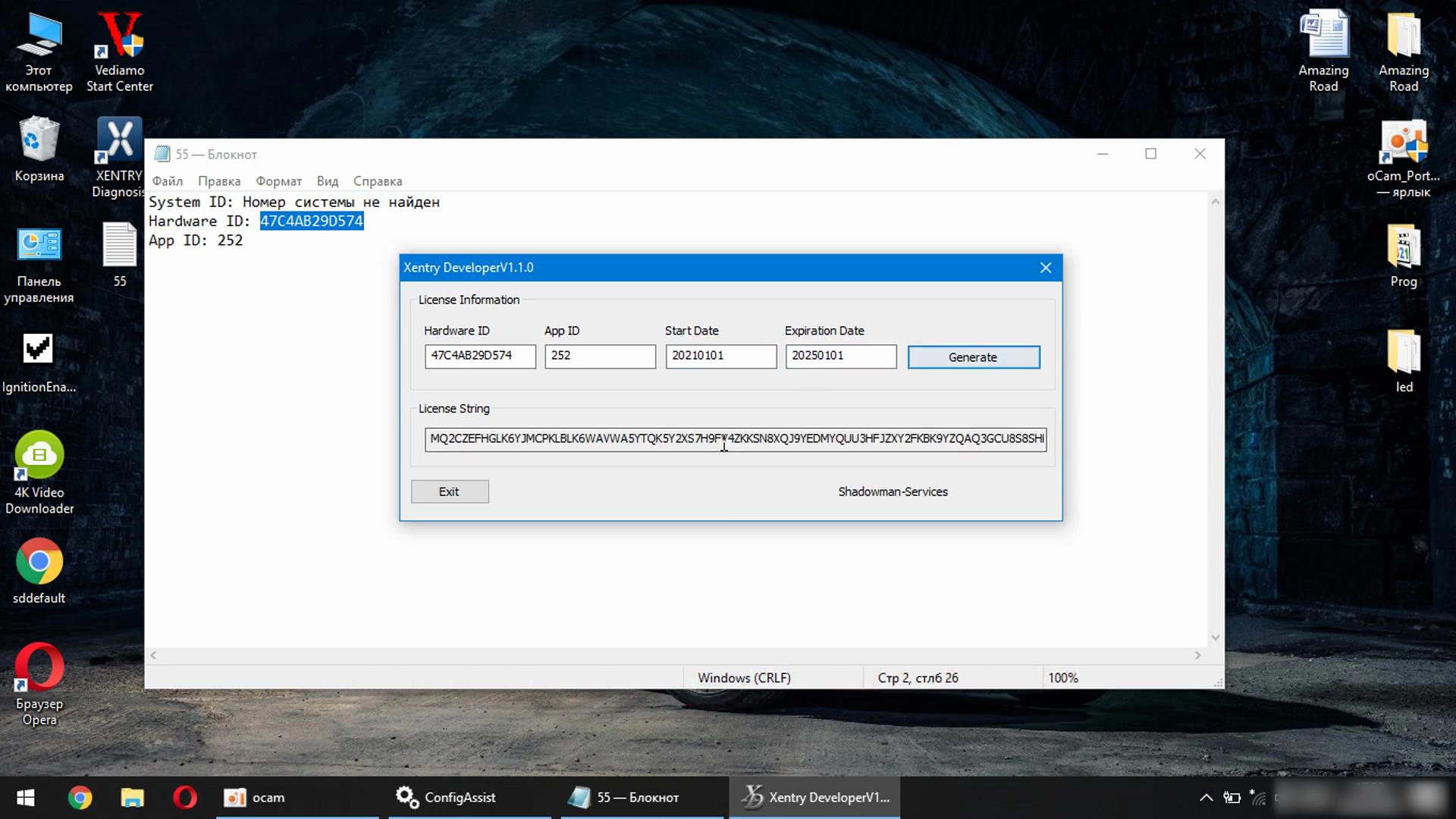
Click Generate

Xentry-Error-Supplied-StartKey-is-Invalid-Solution-25 Xentry-Error-Supplied-StartKey-is-Invalid-Solution-26

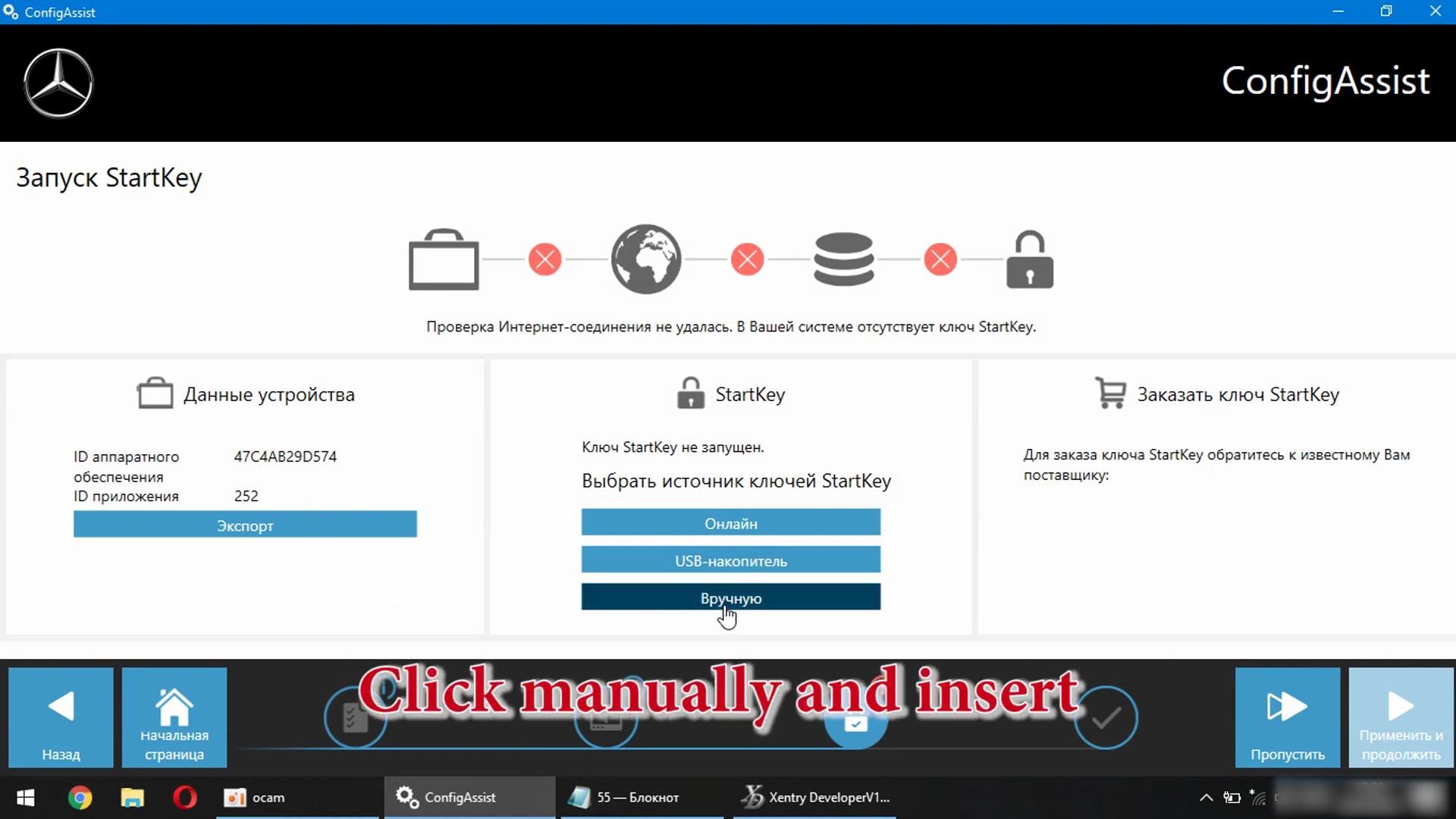
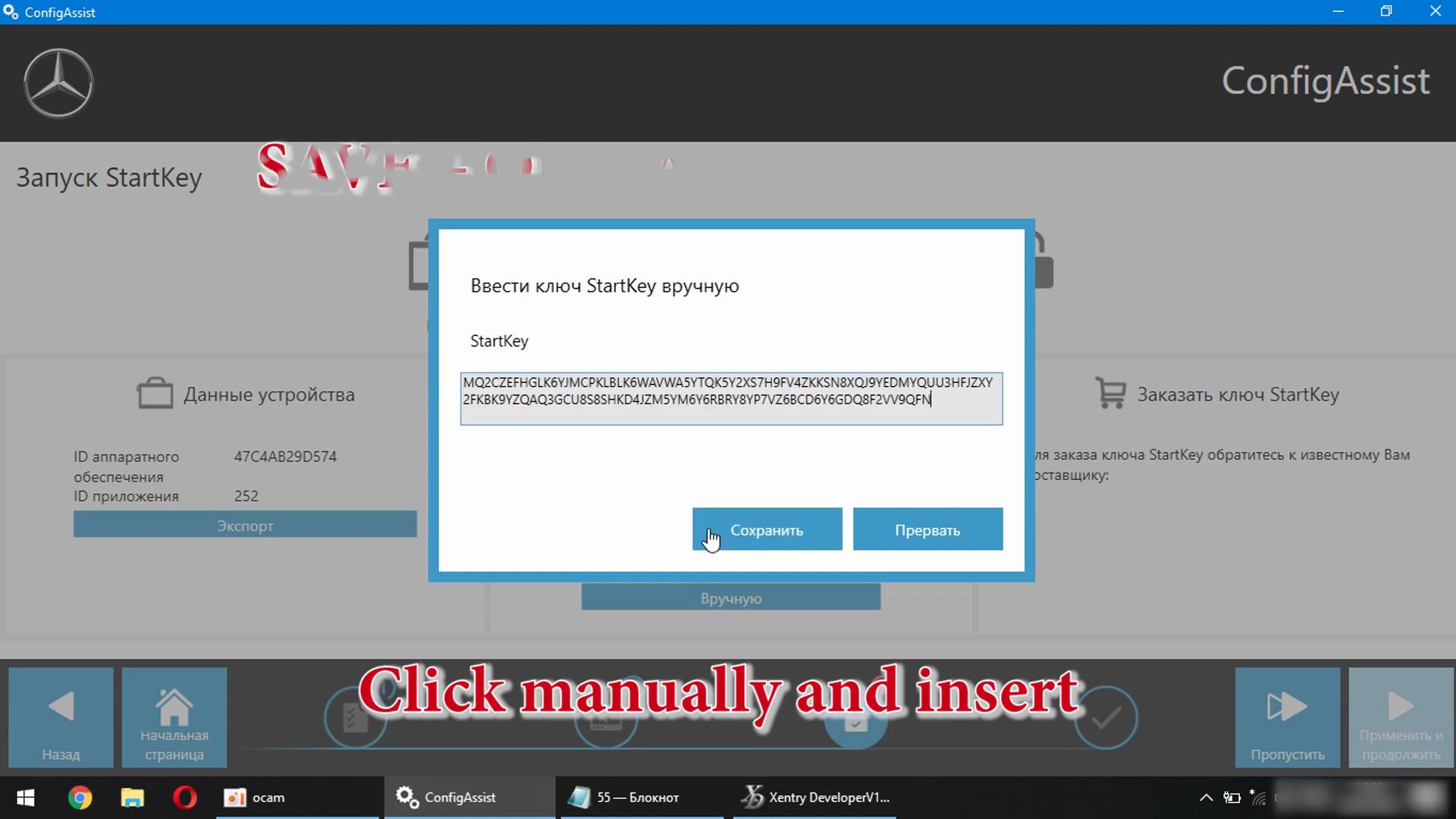
Click Mannually and insert

Xentry-Error-Supplied-StartKey-is-Invalid-Solution-27
Xentry-Error-Supplied-StartKey-is-Invalid-Solution-28

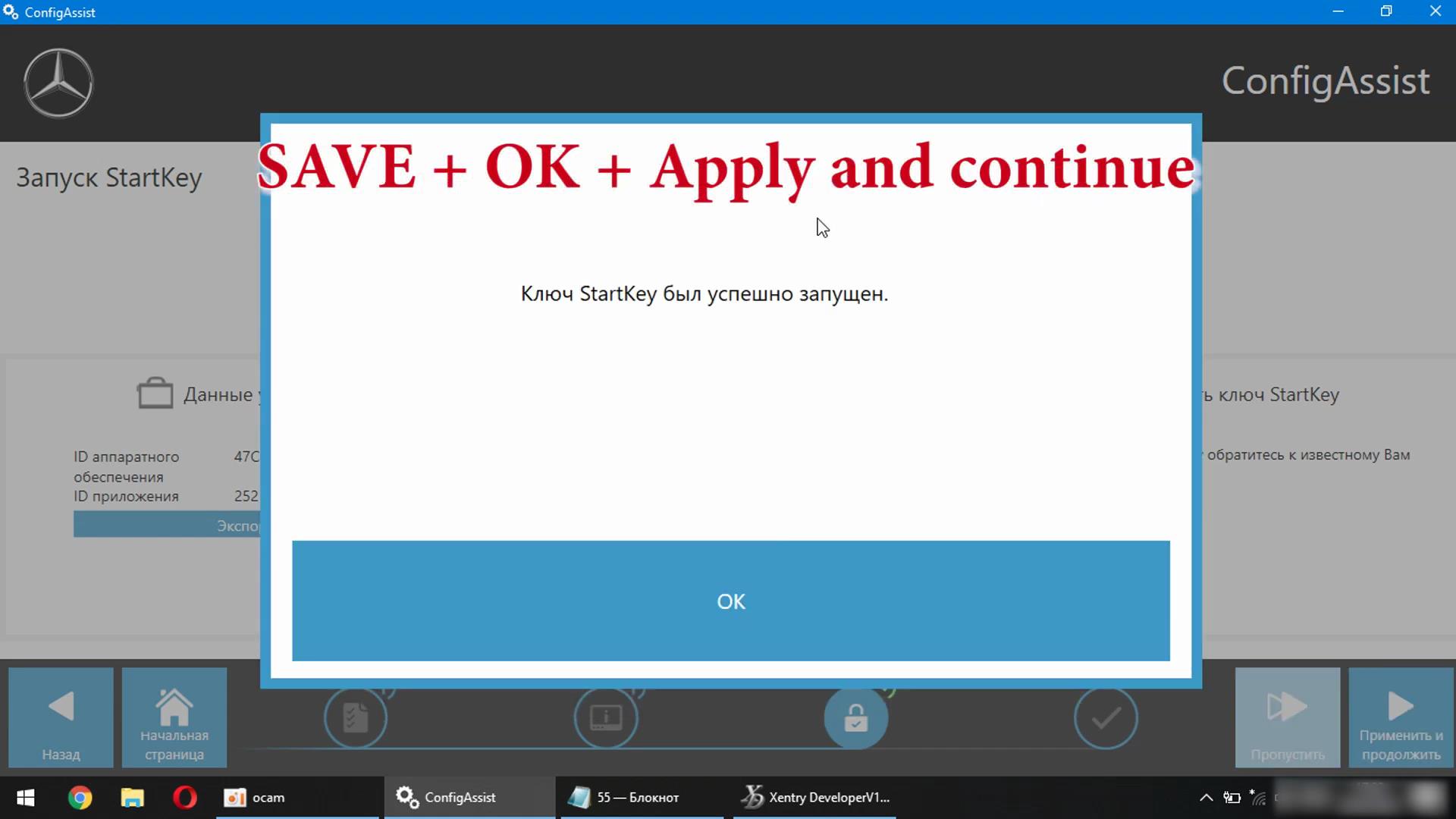
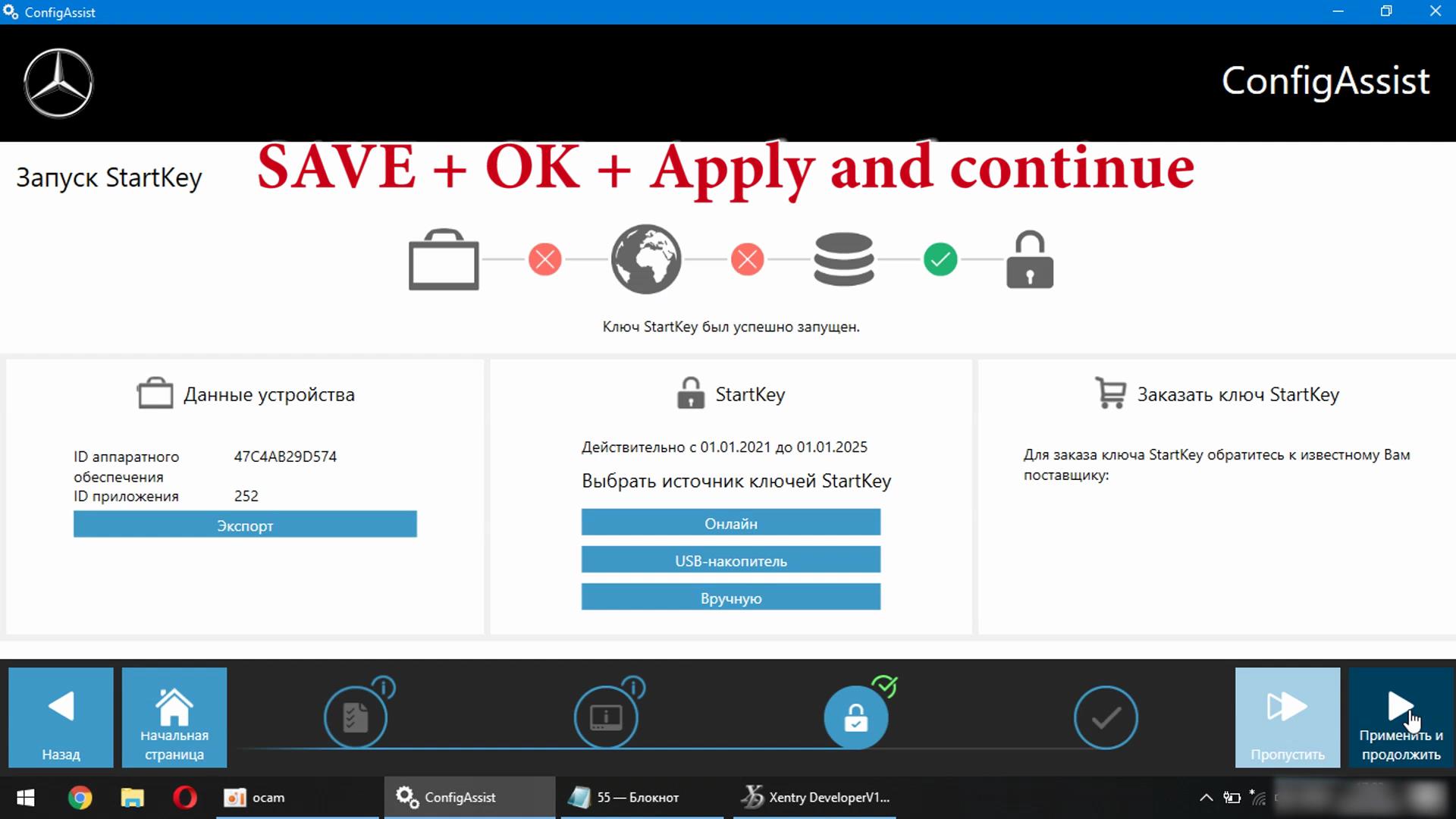
Save + OK + Apply and continue

Xentry-Error-Supplied-StartKey-is-Invalid-Solution-29
Xentry-Error-Supplied-StartKey-is-Invalid-Solution-30

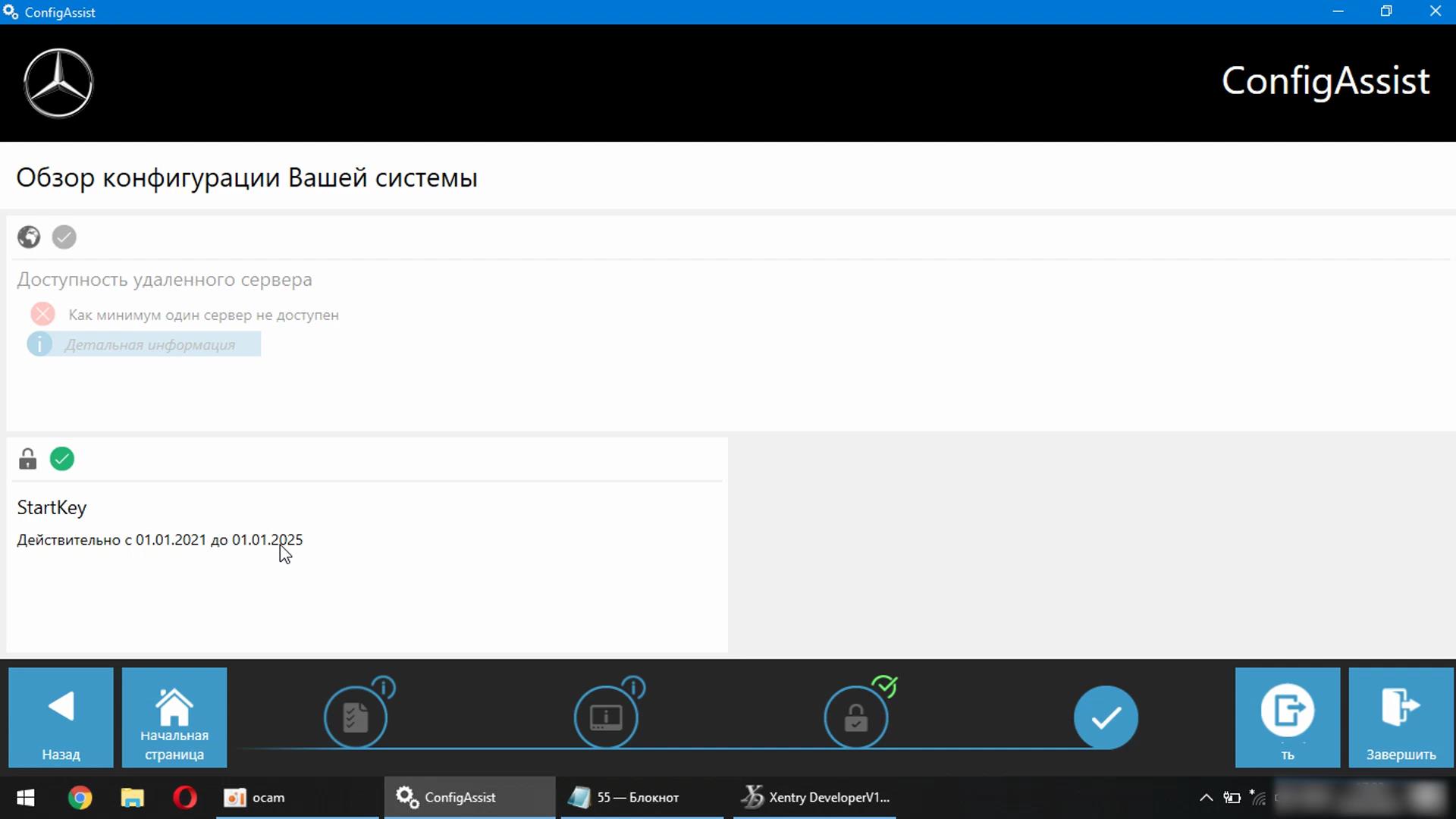
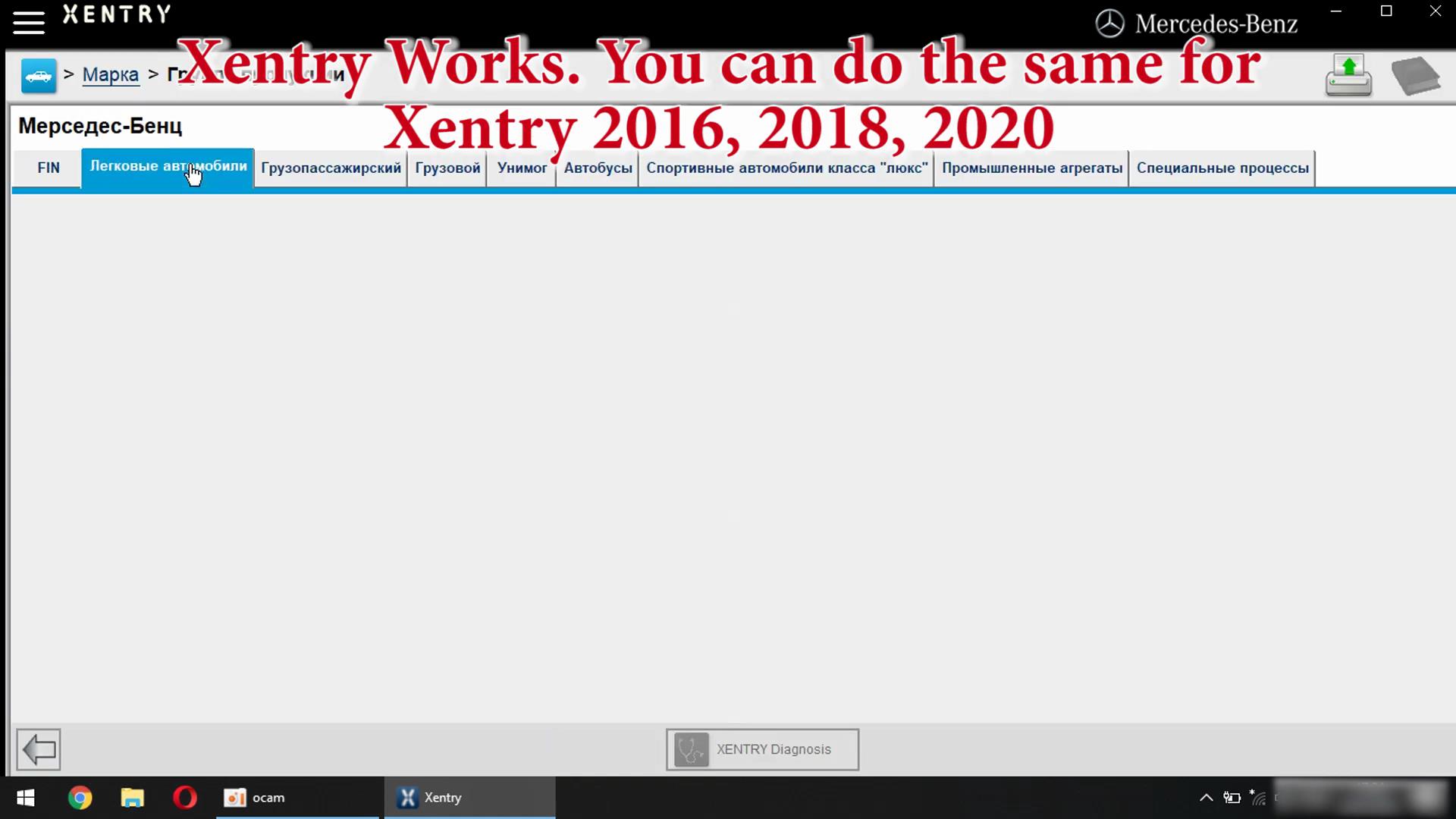
Xentry Works. You can do the same for Xentry 2016,2018,2020,2021

Xentry-Error-Supplied-StartKey-is-Invalid-Solution-31