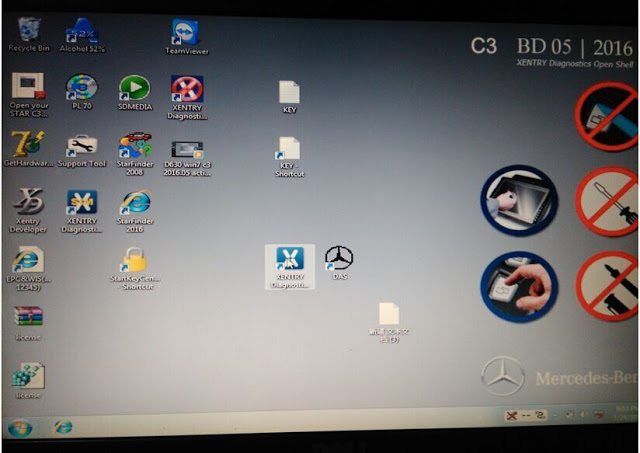
Showing posts with label Mercedes Benz Star C3. Show all posts

Saturday, April 23, 2022

Mb Star C3 “simdas.exe needs to close” and WIS error Solution

Some customer had the “simdas.exe needs to close” and WIS error when running Mb Star C3 pro red multiplexer Dell format DAS.
Mb-Star-C3-simdas.exe-needs-to-close-and-WIS-error-Solution-1

Problem 1:
I had the these errors when i run MB Star diagnosis DAS:
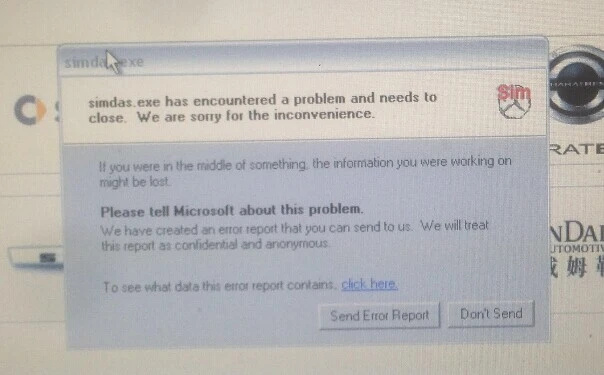
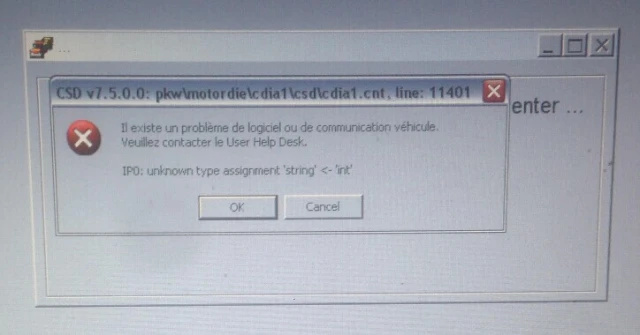
1) simdas.exe has encountered a problem and needs to close. We are sorry for the inconvenience.

Mb-Star-C3-simdas.exe-needs-to-close-and-WIS-error-Solution-2
Mb-Star-C3-simdas.exe-needs-to-close-and-WIS-error-Solution-3

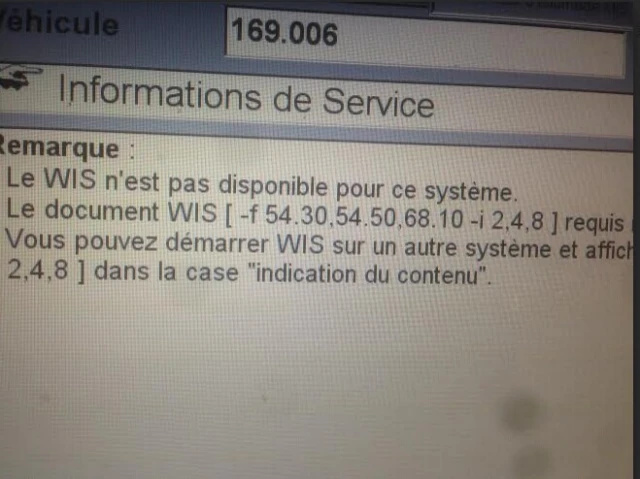
2)The WIS is not available for this system

Mb-Star-C3-simdas.exe-needs-to-close-and-WIS-error-Solution-4

Cause:
Improper operation

Solution:
1. simdas.exe error: You should enter DAS but not SIM software to troubleshot Mercedes
2. WIS error:
You entered WIS from DAS directly. It was incorrect. You should start WIS from desktop.

A Mercedes Benz W212 2010 with VIN 2120891A208054 owners had the problem when diagnose his model with original MB Star C3 scanner.

Problem 2:
He has got the Benz star c3 (with original Star diagnosis DAS/Xentry SSD) multiplexer to diagnose and program his model. But the software pops up an error message “ZGW is not answer”. He then contact Autonumen technician if it is Ok to buy the latest DAS/Xentry for MB Star C3 to work on this model.

Solution:
Sorry, for MB newer model, your W212 included, you should go for MB SD Connect C4 diagnostic system with newer software version. MB star C3, even original one is too old to diagnose these newer MB cars.

Monday, December 13, 2021

MB Star C3 Updated to 2021.09 Version

Mercedes-Benz Star Diagnosis C3 is a multiplexer of the Mercedes diagnostic complex, which is known in specialist circles as Mercedes Star C3, MB Star C3, Star C3. Scanner (multiplexer) is a diagnostic scanner Mercedes, an absolute, fully functional copy of the original dealer diagnostic scanner (multiplexer) from Mercedes Benz Star Diagnosis C3. The Star Diagnosis C3 scanner works with the original Mercedes Xentry DAS diagnostic software. The system offers full support for all procedures provided by the manufacturer, such as diagnosis, programming, coding, testing of all components, modules and assemblies that are equipped with electronic control units from Mercedes vehicles.

MB-Star-C3-Updated-to-2021.09-Version

Newest software: 2021.09
Multi-Language: English, French, Spanish, Portuguese, Italian, Japanese, Ruassian, Croatian, Czech, Danish, Dutch, Finish, Greek, Hungarian, Korean, Polish, Romanian, Swedish, Turkish, Chinese
MB Star C3 has past truck test. It can used to do benz trucks

Mb Star C3 Functions:
1.1989~up to now Car, Bus, Truck, Sprint, Smart ;
2.All electric system Diagnostic;(Do not include flash code)
3.reading trouble code
4.erasing trouble code
5.live-data
6.adaptation
7.component testing
8.maintenance
9.information consultation
10.component location diagram
11.wiring diagram

Mb Star C3 New Features:
1.This version of MB STAR C3 can fit all computers,it is not only limited on IBM T30,provide great convenience to customers.It has one hard disk contain DAS and WIS system.
2.With a 7 meter RS232-RS485 cable,provide more convenience to garage when diagnose.
3.Every hard disk has it’s special number,have self-test function.Just give us the self-test report and the number,we will find out what’s the matter with this tool,avoid the shipping charge when this tool need fix.Great improvement!
4.What is most important, this C3 has past truck test.It can used to do benz trucks.

Mb Star C3 Testable System:
ENGINE
AUTO-SPEED
AIRCONDITIONAL SYSTEM
SRS
ABS
ASR
MPL
GM
BENZ ORIGINAL ANTI-THEFT
DASX SYSTEM
KEYZESS GO SYSTEM
OBD-II SYSTEM

Product Software Includes:
1.D-A-S: the automatically Diagnosis Assistance System ,Concise interface and straightforward operation with IBM high-quality computer can realize the quick and accurate code reading and the whole car system testing
2.W-I-S net: Workshop Information System Supply the whole view of the wiring diagram in a car,component location diagram and maintenance method. What you do is to enter the chassis number, and then you will get the manufacture data, engine configuration and the car model -all in detail.
3.EPC.net : Electronic Parts Catalog
4.ST Finder:Part location finder
5. STAR UTILITIES : the movement management system and self-test

MB Star C3 Supported Vehicle List:

Support Mercedes Benz Cars After Year 2000

Passenger Car Support List:
A(176),  A(169),  A(168),  B(246),  B(245),  CLC(117),  C(204)  C(203),  C(202),  190(201),  E(212),  E(211),  E(210),  124(124),  S(222),  S(221),  S(220),  S(140),  S(126),
E(207),  CLK(209),  CLK(208),  CLS(218),  CLS(219),  CL(216),  CL(215),  CL(140)  SLK(172),  SLK(171),  SLK(170),  SL(231),  SL(230),  SL(129),  SL(107),  SLS(197),
M(166),  M(164),  M(163),  G(463),  G(461),  E(212),  E(211),  E(210),  124(124),  S(222),  S(221),S(220),  S(140),  CLK(209),  CLK(208),  CLS(218),  CLS(219),  CL(216),
CL(215),  CL(140),  SLK(172),  SL(231),  SL(230),  SL(129),  SL(107),SLS(197),  M(166),  M(164),  M(163),  G(460),  GL(164),  GLK(204),  R(251)

Van Support List:
MB 100(631),  T1,  SprinterIII,  SprinterII,  SprinterI,  Sprinter900,  Citan,  Vito(639),  Vito(638), V(638),   Viano(639),  T2,  Vario,  Vaneo(414)

Truck Support List:
Actros963/4,  Actros2,3,  AtegoIII,  AtegoII,  AxorII,  Eonic,  Zetros,  Actros,  Atego Light,  Atego Heavey,  HPN M96,  Atron,  HPN M2000,  SKL,  FSK,  Further model series

Unimog Support List:
U20,  UGN,  UHN

Bus Support List:
TRAVEGO,  INTOURO,  INTEGRO,  CITARO,  CAPACITY,  CITO,  TOURISMO,  O350/O403, CONECTO,  O404,  O405-O408,  Minibus,  OC500,  TOURO,  TOURINO,  MBC,  MULITEGO,  O500,  O500/OH,  OH,  OH368,  OF,  OF384,  LO,  O400,  FURTHER MODEL SERIES

Super Sports Car Support List:
SLR(199)

Mb Star C3 Package List:
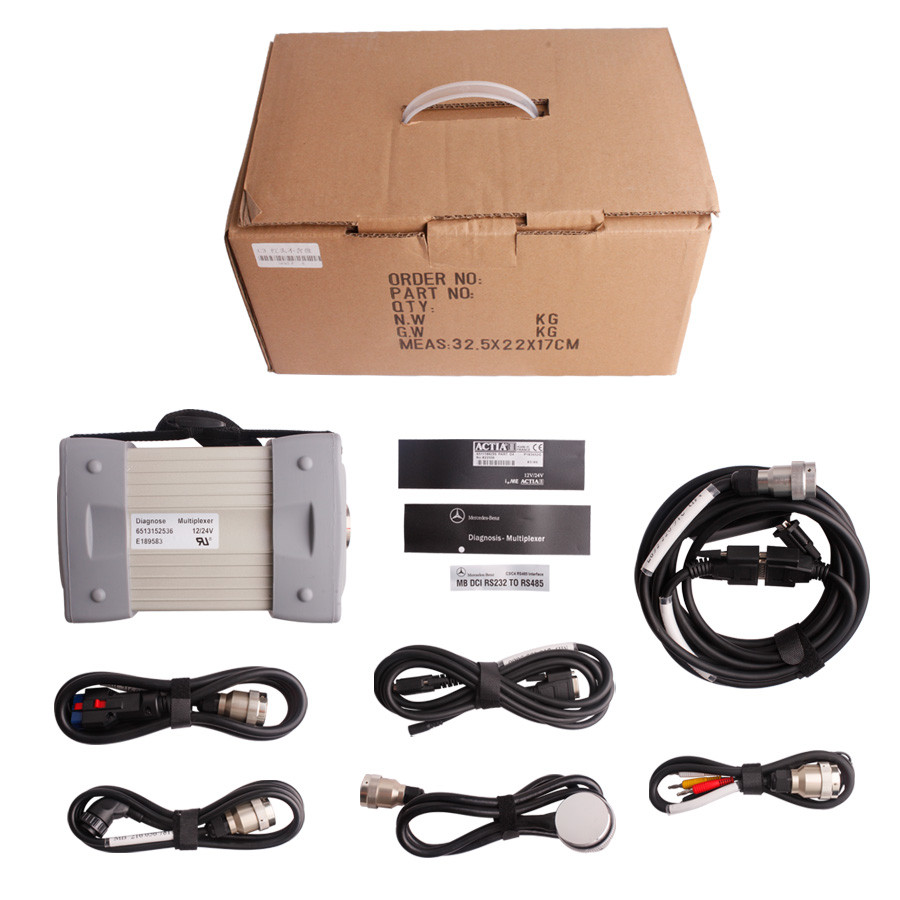
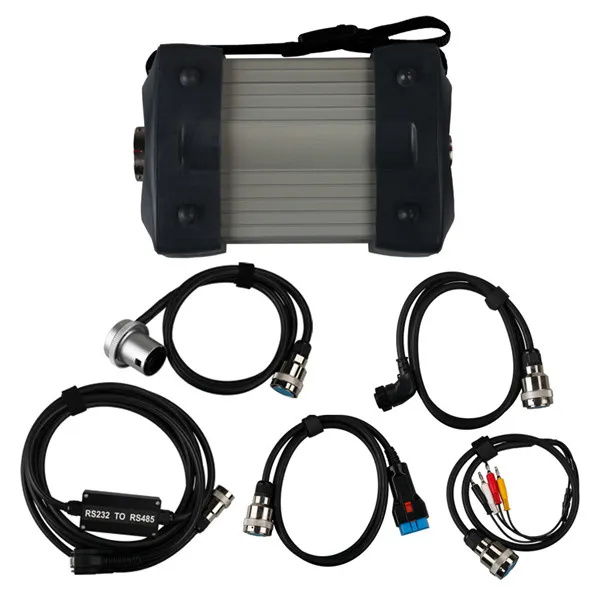
1x MULTIPLEXER
1x 16Pin OBD II Cable
1x 4Pin Cable
1x 38Pin Cable
1x 14Pin Truck Cable
1x COM Cable
1x RS232 to RS485 Cable
1x Serial Adapter Cable
1x Hard Disk  (optional)
Monday, July 26, 2021

Star C3 cannot work on recent W205 solution

 User puzzles:

I have installed Xentry 3.2021 in Star C3 multiplexer. It works well so far. Now, I need to make diagnosis on w205 year 12/2014 but It can not communicate with the car. C3 don’t work in all recent cars in xentry but in DAS is ok.

Experienced users’ suggestion:

C3 has many limitation regarding latest vehicles in Xentry.
It can’t diagnose it e.g w205, w212, w222, w906, smart 453 etc.

its glory is already passed unless you deal only with vehicles in DAS.
you have to change to SD Connect C4.
C4’s support also officially has been stop since 12-2015.

It is no different even you change folder.
it is different protocol with recent vehicles.

For your w205 (nice car) you can use one of this :
1.sd connect c4
2.xentry sd connect c5

Both good at all new models,W222, W221, W212, W203, 211,W 204,W207, W212, GL166, B 246, CLS 218, SLK172 and Smart405, 451, 452, 454

Besides the Star diagnosis software c3 and c4 own, sdconnect c4/c5 added three more software: SD Media, Xentry and Smart TAN Code.
SD Media: Video and PDF lessons;
Xentry: New software released by Company after 04/2009 by diagnosis new cars. Xentry software for diagnosing W 204,W207 and W212 which C3 and C4 does not support;
Smart TAN Code: Opened special function in DAS program with Smart cars 405/ 451/452/ 454.Besides, it also opened more special functions, such as engineer mode, remove limitations,etc, which Star C3 and Star C4 do not have.

I have successfully communicated wit my w205 AMG using a SD C4 connect all controllers accessed.

Wednesday, May 19, 2021

How to fix Super MB Star C3 “Error 23 H1.First Install.exe” Issue


mb-star-c3-error

Dear Cathy:

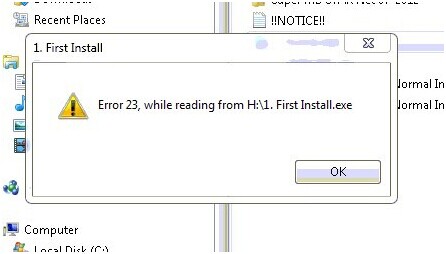
I recently got a Super MB Star C3 from OBD2TOOL for my Mercedes 2009. I got the Mb Star C3 device two days ago, tried installing it on the same day, but got an error message, reading “Error 23, while reading from H:\1.First Install.exe”, as shown below, during the installation.

mb-star-c3-error

At frist, I installed the Mercedes STAR C3 diagnostic tool on a Windows XP computer, then I tried on another computer with windows 7 system, but the windows kept popping out. Please help me fix it, thanks.

Jason

Dear Jason:

The error is probably caused by your system, which may not compatible with the tool. It is required that Super MB Star C3 should run in computer environment with professional Microsoft Window XP or Windows 7 system.

Or it is because the software is damaged. If there is a software, the device cannot work normally. If the software damaged is Xentry, you should send it back to us for repair; if it is other softwares, please download a replacement on https://my.vmware.com/web/vmware/info/slug/desktop_end_user_computing/vmware_workstation/8_0

Tuesday, March 30, 2021

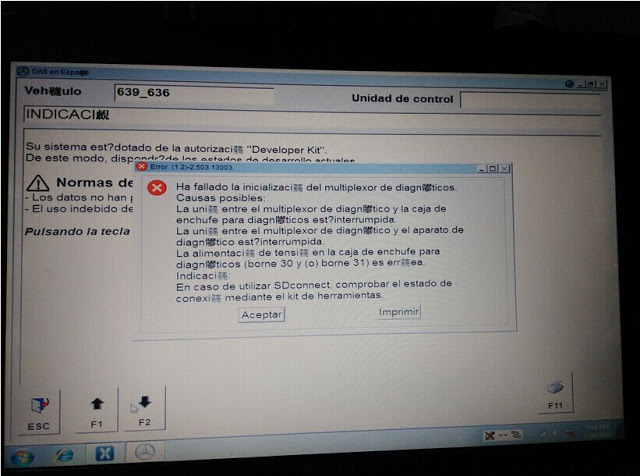
MB Star C3 Xentry Fault(1.2)-2.503.13003 Initialization failed


Files c32s.dll and CAL 872 fix can solve Xentry/DAS Fault(1.2)-2.503.13003 “Initialization of diagnosis multiplexer failed”, said users with Chinese MB STAR C3 diagnostic tool.

Multiplexer:
Chinese MB Star C3

Error message:
“Fault(1.2)-2.503.13003
Initialization of diagnosis multiplexer failed

Possible causes:
The link between the diagnosis multiplexer an the
diagnostic socket is interrupted
The link between the diagnosis multiplrxer an the
diagnostic unit is interrupted.
The voltage supply at the diagnostic socket (circuit30
and(or) circuit31)is fault.
Note:
When using SDconnect, check the connection status
using the Toolkit. ”

xentry-fault-1-2-2-503-13003-1
xentry-fault(1.2)-2.503.13003-2

Analysis from OBD2TOOL engineers:
“your STAR C3 mux is not connected in a proper condition. Check the connection first, with your car and laptop”

Disclaimer:
Solutions below are offered by users. TRY ON YOUR OWN RISK.

Solutions from ZCC
Software version: DAS 07/2011
Free download c32s.dll & CAL 872 fix (872 fix is copyrighted)

https://mega.nz/#!pkli3YIL!B6v0QFmLxFjb30N_VyoxNPizAnA_bkwqKRY8b1QvVJE

Finally I solved this problem.
It was really a complex combination of faulty hardware and software. I had a problem with that annoying c32s.dll file. I replaced it with the original 01/2011 one plus I used CAL 872 fix version 2 for DAS 07/2011 onwards. Only the c32s.dll solved the problem.
Solutions from fadiboujaoude
Software version: Das Xentry 01 2012
Free download oldc3.rar:

https://mega.nz/#!481xWILD!ZdYpw60KKfa5MkbmVnuUAFXQW5EFQNQf0TEVdcAt6hg

Solved my problem with the following tips…

download and set the das32R2(032012)
2. get the c32s.dll of das xentry 01 2012 and replace the existing one in F:/programme/Das/Bin
3.replace the HHTWin.ini located in c:\Windows :
(Copy And paste the lines below And exit and save HHTWin.ini File)
[STARTUP]
DX=515
DY=510
X=110
Y=0
BACK=21
SLAVE=PARTD2
DEBOUT=1
DEBLVL=6
SPC=02
SPCN=02
SPCP=02
SPCD=02
SPCV=02
[STARCONF]
BMPPATH=C:\USERDATA\Docs\HHT\
MAXFILES=200
DEBOUT=1
DEBLVL=6
[Debug]
HHTWIN.exe-modpath=F:\PROGRA~1\HHT\PKW\
HHTWIN.exe-szIniFile=C:\WINNT\HHTWIN.ini
HHTWIN.exe-lpszCmdLine=
HHTWIN.exe-Parameter=Inifile
HHTWIN.exe-szParamsPath=C:\userdata\CSD\Writefil\HHTWIN_Params.ini
HHTWIN.exe-CmdParams=
HHTWINX.DLL-modpath=F:\PROGRA~1\HHT\PKW\
HHTWINX.DLL-szIniFile=C:\WINNT\HHTWIN.ini
4.search on this forum for the file oldc3 … extract it .. then run it..
5. Done
this is the only way i got my DAS to read my multiplexer

Wish this help!

(PS: sorry for that i didn’t mention all the authors which i read their threads and posts but this because i read a lot and i did many and many tries to finally have the solution)