Showing posts with label MB Star C4 With Laptop. Show all posts

Sunday, October 10, 2021

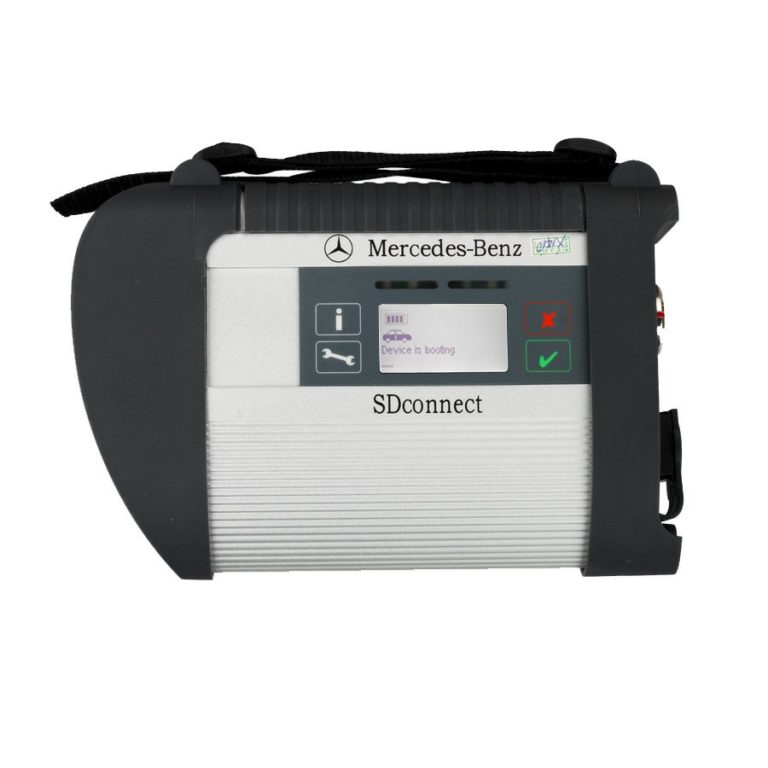
How to install MB SD C4 rechargeable batteries


Problem:

Hello MB star

I just recieved My tablet and it looks and work Very good .

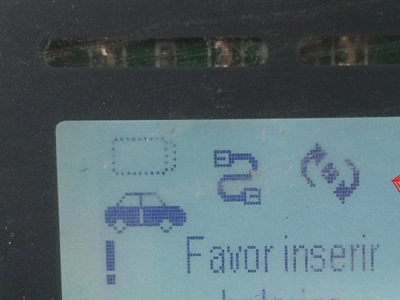
But The sd connect interface is Saying “please put in batteries”

What type of batteries is it ?

Solution:

This problem same to :

SD connect compact 4 mux display: Favor inserir baterias(Please insert batteries)
How-to-install-MB-SD-C4-rechargeable-batteries-1

Here you go :

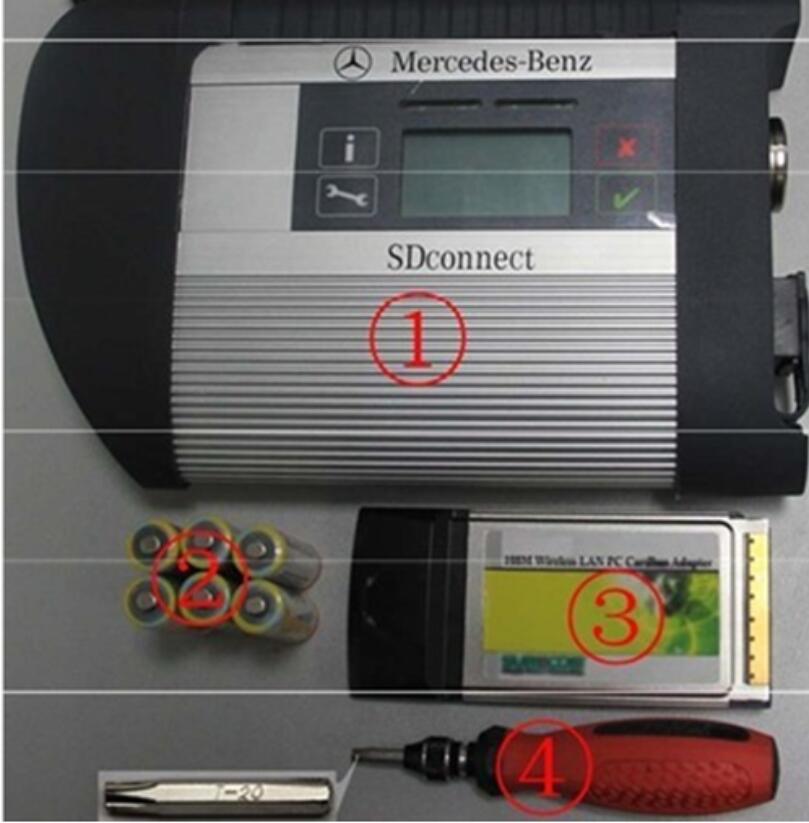
Please prepare the following tools:
How-to-install-MB-SD-C4-rechargeable-batteries-2

①— SDconnect multiplexer which need to input the batteries。

②— 6 units Ni-MH Rechargeable batteries,Size:AA, Voltage:1.2V, Capacity:above 1700mA。

③— 1 unit 108M WIFI Card。

④— Plum screwdriver,Specification:T-20

Take out the rubber:

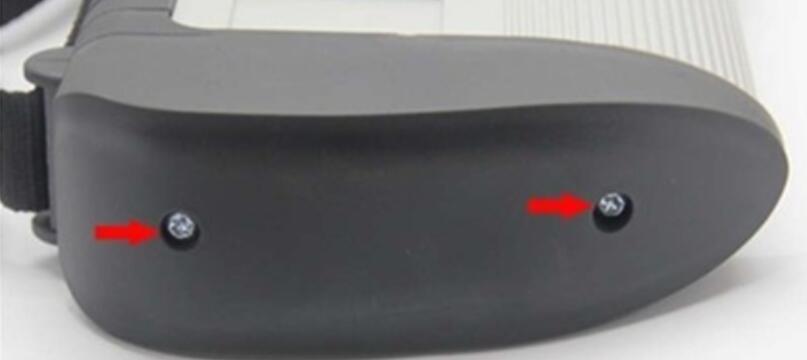
2.1 Use the T20 Plum screwdriver to take out the screws as below.
How-to-install-MB-SD-C4-rechargeable-batteries-3

2.2 Take out the rubber as below.

How-to-install-MB-SD-C4-rechargeable-batteries-4

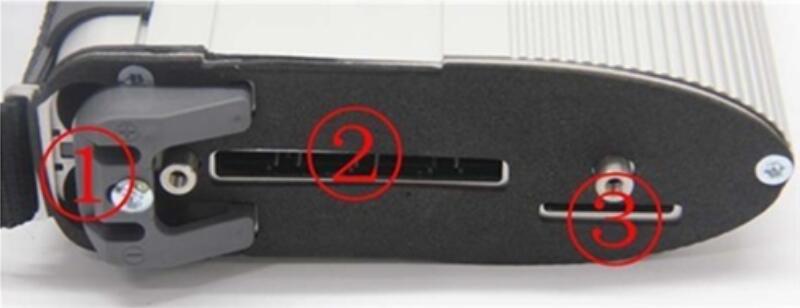
①— Batteries Space.

②— WIFI Card Space.

③— SD Card Space.

Insert the Rechargeable batteries.

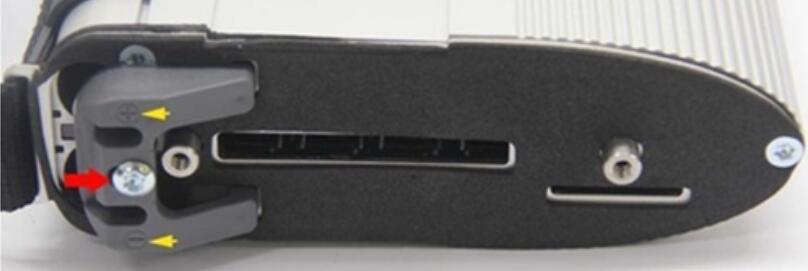
3.1 Use the T20 Plum screwdriver to take out the screws of Batteries Space fixation as below.
How-to-install-MB-SD-C4-rechargeable-batteries-5

3.2 Take out the fixation of Batteries Space. Pay attention to the Battery polarity marked in the Batteries Space.

How-to-install-MB-SD-C4-rechargeable-batteries-6

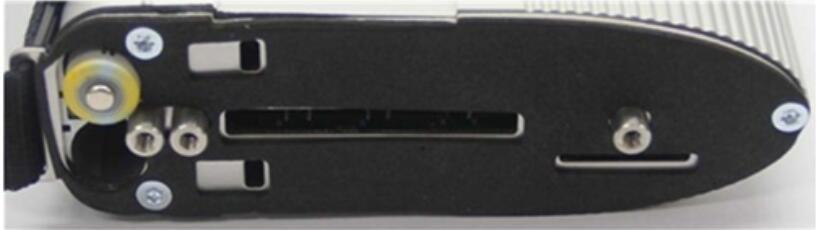
3.3 Insert the batteries. Note the Battery polarity.
How-to-install-MB-SD-C4-rechargeable-batteries-7

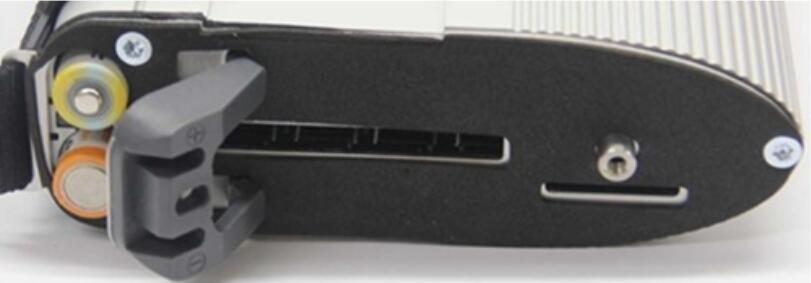
3.4 Button on the Fixation of Batteries Space after inputting the Rechargeable batteries.
How-to-install-MB-SD-C4-rechargeable-batteries-8

3.5 Use the T20 Plum screwdriver to fix the screws of Batteries Space fixation as below. Inserting the batteries is finished.
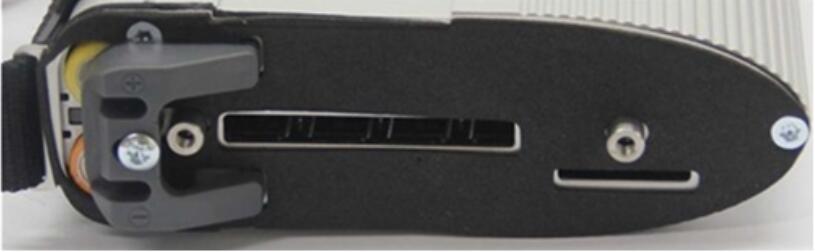
How-to-install-MB-SD-C4-rechargeable-batteries-9

Installing WIFI Card.

4.1 Inserting the WIFI Card into the WIFI Card Space. Please make the correct direction.
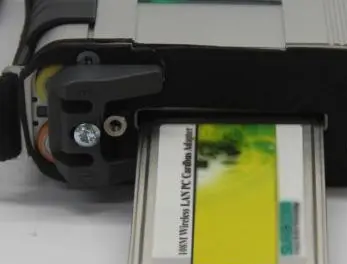
How-to-install-MB-SD-C4-rechargeable-batteries-10

4.2 Push it to make it totally connected.
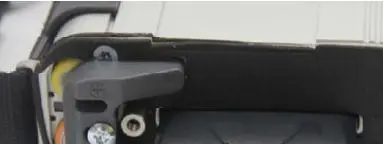
How-to-install-MB-SD-C4-rechargeable-batteries-11

4.3 Cover the rubber and fix the screws to finish all the work.
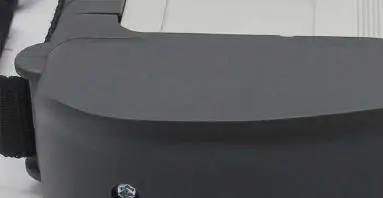
How-to-install-MB-SD-C4-rechargeable-batteries-12

Note 1:

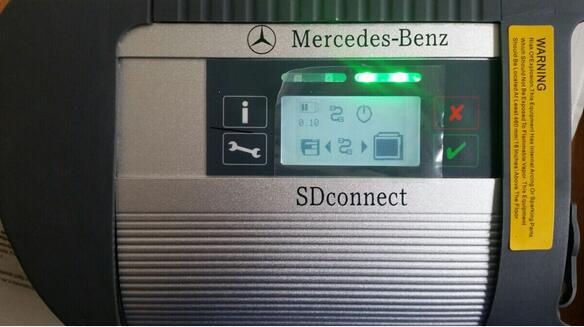
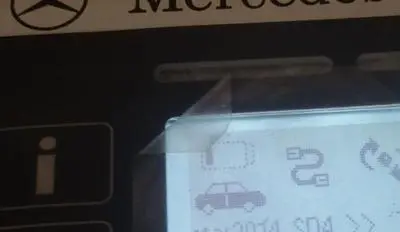
Go to the info section within DAS Xentry— search SDconnect and you will find what all the SDconnect symbols defined!!

How-to-install-MB-SD-C4-rechargeable-batteries-13

Note 2:

pls check these picture, you can choose self-diagnosis your SD connect c4
How-to-install-MB-SD-C4-rechargeable-batteries-14
How-to-install-MB-SD-C4-rechargeable-batteries-15


Friday, September 7, 2018

MB SD C4 Device not connection solution

One of our customer had the device not connection problem when using Mercedes MB SD Connect C4 diagnostic system. Here is the working solution provided by Obd2tool.com engineer.
20-1
Solution:
You are required to update the MB SD C4 firmware follow the guide here:
1.  Install SD Connect C4 battery
2.  Update SDConnect
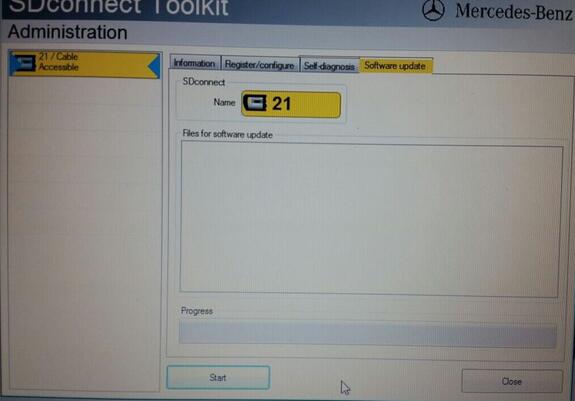
He did follow the solution but still had the file for software update error
20-2
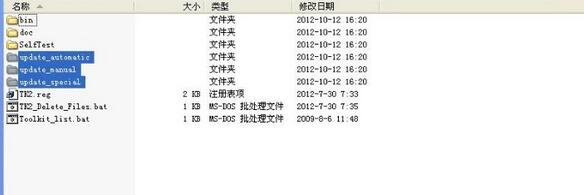
The problem is that the names are wrong in file “SDconnect Toolkit “, you need to correct them as:
Update_automatic , Update_manual ; Update_Special
20-3
Customer feedback:
this was the right solution of the Problem.
The Names were wrong.
Thank you very much for your help.

Saturday, November 11, 2017

Which mb sdconnect c4 worth the money?

Mention MB SD Connect C4, it seems that there’s a lot of different manufacturers and quality levels of multiplexer clones. Here’s the one I went with, however I didn’t bother with the HDD/software they included or a dell D630 laptop. I have a background in computers, so I set myself up a vmware virtual machine and installed all the software with the (occasionally somewhat difficult to follow) information on mhhauto. I have heard of people having problems using VMware, but I didn’t experience any myself.
7-1
As for the hardware itself, mine is of decent quality. I have no real complaints with it other than it losing it’s WiFi configuration once drained of battery (which happens quickly, but it’s not really an issue since it draws power from OBD when connected), but I prefer using a cable connection anyway.
P.S I will warn you that if you’re not very familiar with computers/configuring software/some basic computer networking (IP address assignments, etc), you might have a hard time getting everything to work. Definitely look into the details of getting everything set up before buying. I wish there were a complete and total guide to setting up everything (go to last part for details). Getting everything working properly took quite a lot of reading and searching, and a couple of days of tinkering. Patience is a plus.. if I had to compare MB Star C4 to something else in terms of difficulty (computer-wise), I’d say it’s similar to setting up a microsoft exchange server without errors.

Wednesday, September 20, 2017

Super Engineering Software DTS monaco And Vediamo for Mercedes Benz mb star c4

Now there is a newest software called DTS monaco for MB Star C4, it is better than Vediamo software,  this is a good news for mercedes benz repair shops
 DTS maonaco software can achieve separate programming, scan entire vehicle software code, read entire vehicle setting code data, It truly one-button operation, Keep entire vehicle data is not a dream.

DTS-monaco for mb sd connect c4 benz diagnostic tool  introduction:
1.DTS-monaco is the official software used by Daimler Benz development engineers
2.DTS Monaco is universal engineering test terminal for the diagnosis and control function of the vehicle controller, The name Monaco is derived from the modular analyzer used in vehicle traffic
3.DTS Monaco covers all the tasks in the field of engineering, testing and production test preparation
4.When MB Star Diagnosis maintenance test it is the greatest authority,the perfect support for C4(SDconnect) and (Ecom) Hardware(at present, Das-xentry.Vediamo lower authority)

DTS-monaco special feature:
1.Quick Test;Entire vehicle ECU quick test, and the test can choose to edit more
2.Variant Coding; Coding with variation add VO- delete VO function
3.ID identification ; One click to read the whole car and save all modules programmed numbers
4.Complete Variant Coding; One time to read all the ECU coding vehicle data, can be written to the vehicle again, completely off-line operation
5.Diagnostic Services; Advanced features can see your choice of internal and external data module, turn on the computer authorization(not driving license), Activate ECU, reset ECU, modifying the original chassis number
6.Flash programming; Fully offline programming
7.Diagnostic Trouble Code; Diagnostic module DTC fault code
8.ECU Exchange; Two of the same ECU, by reading data import data exchange
9.Symbolic trace: Record and track the file, after repeated viewing, analysis of fault logic point


http://www.obd2tool.com/blog/2016/08/26/super-engineering-software-dts-monaco-and-vediamo-for-mercedes-benz-mb-star-c4/