Showing posts with label 4.2 Mercedes Benz C6. Show all posts

Friday, August 6, 2021

VXDIAG Benz C6 Complete Vehicle Coding for Mercedes W205


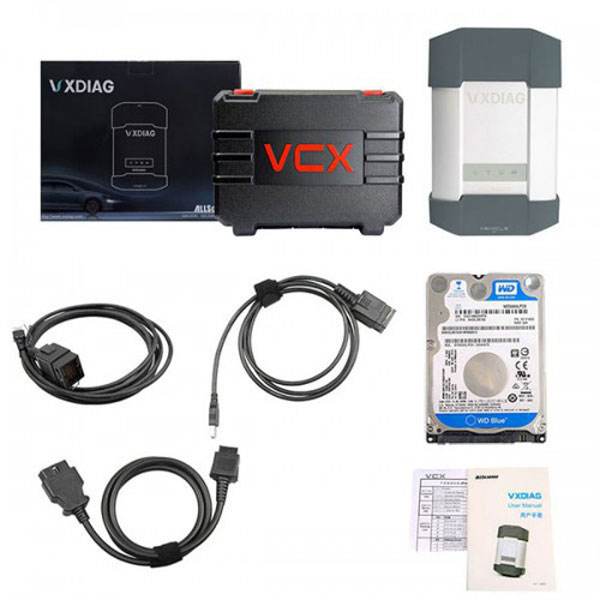
This is an instruction of how Vxdiag Benz C6 Star do the Benz 205 complete vehicle coding.

Device: ALLscaner VXDIAG C6 Star

Car model: Benz W205

Function: Vehicle coding
VXDIAG-Benz-C6-Complete-Vehicle-Coding-for-Mercedes-W205-1

Connect the device to the computer, install the software and VCX manager first. Then connect Benz 205 to the device.
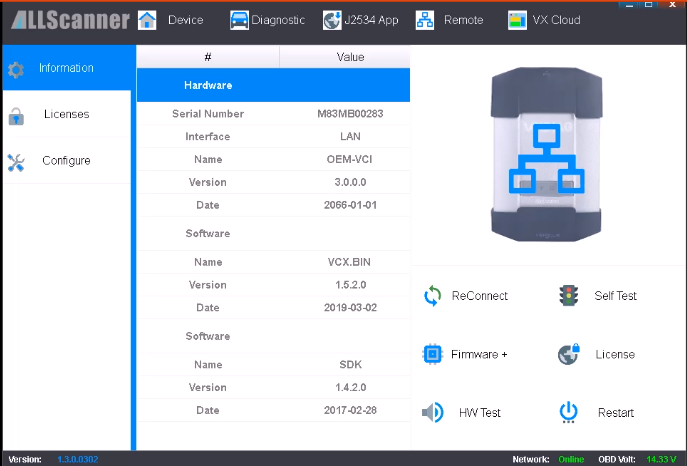
VXDIAG-Benz-C6-Complete-Vehicle-Coding-for-Mercedes-W205-2

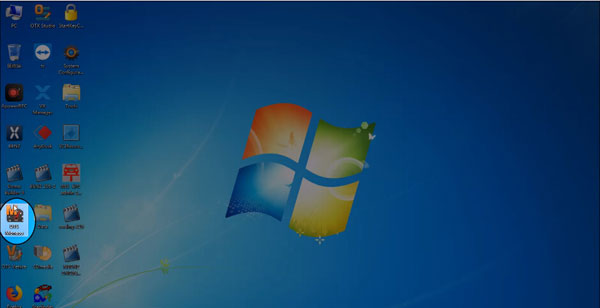
Open DTS Monaco icon on the desktop.

VXDIAG-Benz-C6-Complete-Vehicle-Coding-for-Mercedes-W205-3

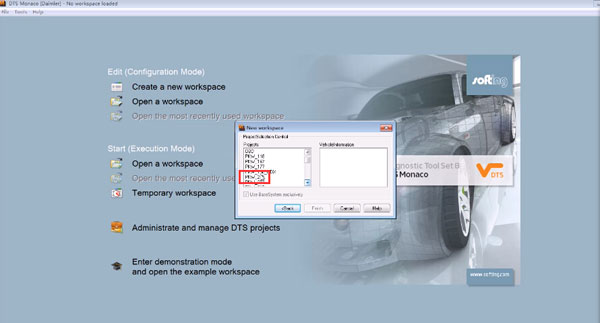
Open a workplace, templates, MBCar_MBVan_SMR_DiagnosticCAN_V_02_02
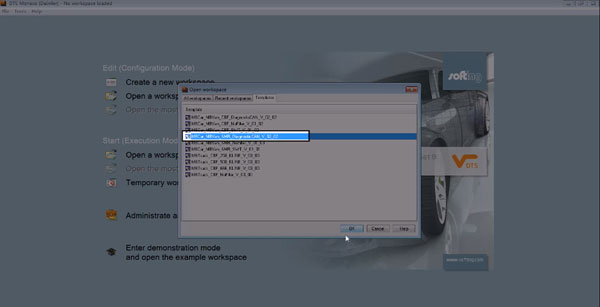
VXDIAG-Benz-C6-Complete-Vehicle-Coding-for-Mercedes-W205-4

Choose the vehicle type: PKW_205

VXDIAG-Benz-C6-Complete-Vehicle-Coding-for-Mercedes-W205-5

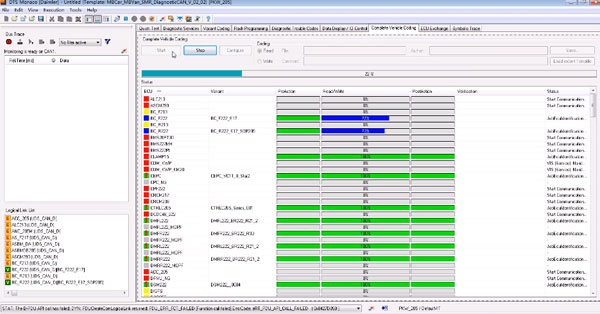
Click on Complete Vehicle Coding, then start.
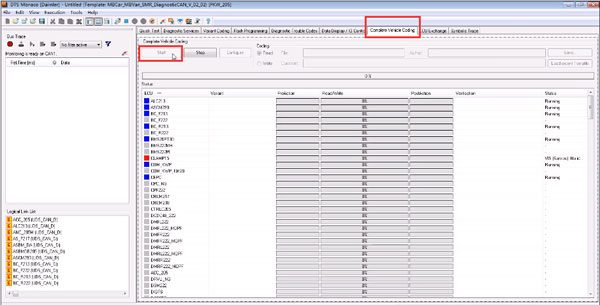
VXDIAG-Benz-C6-Complete-Vehicle-Coding-for-Mercedes-W205-6

It starts coding now.

VXDIAG-Benz-C6-Complete-Vehicle-Coding-for-Mercedes-W205-7

Complete. Click on save

VXDIAG-Benz-C6-Complete-Vehicle-Coding-for-Mercedes-W205-8

All finish now.