Showing posts with label MB Star C4 SD Connect. Show all posts

Saturday, April 23, 2022

How to Change Xentry 2021-12 App ID from 253 to 252 and Hide VM

How-To: Install MB Star Diagnostic SD Connect C4 Xentry 2021-12 on Virtual Machine and change App ID From 253 to 252.

Firstly, a huge thanks to @webmaster, @gcs190, @pesona, @connector, @disinfetor, @cloud9atom, and many others who have helped us learn.

HOW TO: Change Xentry App ID From 253 to 252 and Hide Virtual Machine
WHAT THIS FIXES: “No Access Authorization” on accepted Startkey, or Config Assist not accepting long key or short key StartKeys
*   Go to your virtual image folder
*   open notepad (Windows Key + R, “notepad“, enter.)
*   Drag and drop your .vmx file for the image into notepad
*   Add the following line at the end of the file: monitor_control.restrict_backdoor = “true”
*   Save and close
*   Open your Virtual Machine, goto to Xentry Config Assist et voila – your App ID is now 252!. You have prevented Xentry from detecting it is running inside a Virtual Machine

HOW TO: Properly Uninstall Old Versions of Xentry
WHAT THIS FIXES: Too many tools installed that are not compatible with each other. If Everything is a mess and you are unhappy
*  Uninstall Xentry: Remove any old versions of Xentry through the windows uninstaller
*  Clean up any old patches: by deleting Xentryapi.dll and/or Connector64.dll from C:\windows\syswow64 , C:\windows, C:\windows\system32 if exists
*  Clean up registry: Windows+R key, “regedit”, enter. Navigate to HKEY_LOCAL_MACHINE\SOFTWARE\Microsoft\Windows NT\CurrentVersion\Windows and delete AppInit_DLLs and LoadAppInit_DLLs keys (they may have pointed to or referenced XentryAPI.dll or Connector64.dll)
*  Clean up the previous keyguard: Navigate to C:\programdata\LicDir and make sure lic_key_2.dat is NOT set to Read-Only (right-click, properties on file). Delete lic_key_2.x4711 if it exists

HOW TO: Installing Xentry XPT 2021-12 in Virtual Machine VM:
WHAT THIS FIXES: Hopefully a Mercedes !!
*  If Not in VM: Disable Secure Boot in Bios
*  If In VM: Modify VMX file as per above instructions (can be done anytime prior to using keygen)
*  Download XPT or Xentry Files
*  Install
*  Run Fullfix v4 by @disinfetor in Administrator Mode (right-click the icon, run as admin)
*  Restart PC
*  Open Config Center, click next until Start Key Screen. Click Copy ID Button
*  Right-click and Run as admin XentryKGdisMod – if given .dll not found error hit ok. Key will appear
*  Go back to Config Center Screen, click manual, then paste using CTRL-V. Hit ok
*  Choose your storage options (Deactivated etc.)
That’s it – you should now be able to start without “No Access Authorization”, No “2221-45 Error”, and No Login Screen all thanks to the work of multiple people on mhhauto forum and the disinfetor package!

Free download FullFix-Xentry-2021-12 v3

https://mega.nz/file/I4ZwGDJY#tcPmtlJmiFFzh8B-1AQvXK9-FI8L71LgN4yW2VYFTa8

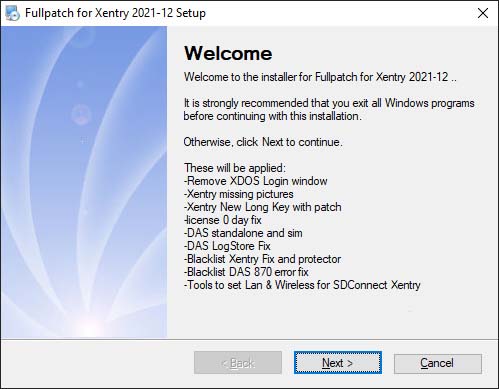
These will be applied:
-Remove XDOS Login window
-Xentry missing pictures
-Xentry New Long Key with patch
-license 0 day fix -DAS standalone and sim
-DAS LogStore Fix
-Blacklist Xentry Fix and protector
-Blacklist DAS 870 error fix
-Tools to set Lan & Wireless for SDConnect

How-to-Change-Xentry-2021-12-App-ID-from-253-to-252-and-Hide-VM

Please dissable antivirus. As it detects false positives.

changelog:
v4: fixed shortcut to the keygen.
v3: new modded xentry keygen with dll-patch and secureboot checker
v2: New modded keygen of xentry. Copy hwid to clipboard and run. The clipboard will be replaced with the key to be pased in xentry.

Friday, November 5, 2021

How to Set up MB SD Connect C4 WIFI

MB SD Connect C4 is an MB Multiplexer C4 Mercedes Benz diagnostic tool. Wifi / Wireless Mercedes Star Diagnosis MB SD Compact 4 Mux supports UDS chip. Many Benz MB Star Diagnostic SD Connect C4 system owners do not know how to set up / use the WIFI connection. Here the engineers at Gsunlight.com have created step-by-step instructions for connecting MB SD C4 via LAN and WLAN.

MB SD Connect C4 Mercedes Star Diagnosis Compact 4 Mux Wifi MB SD Benz C4 Multiplexer Support Firmware Update

Before we start, please make sure that:

1, The LAN driver and WLAN driver of your computer was installed well.
2, The LAN of MB Star C4 is work properly. (Use OBD cable to connect MB Star C4 and start it.
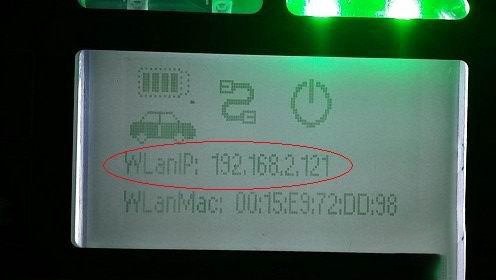
After start SDConnect C4 MUX can hear 3 beeps and the red LED will flash 3 times. Press ! 3–4 times can see WLAN IP address),
as shown below:

How-to-Set-up-MB-SD-Connect-C4-WIFI-1

After confirmation we can start connect.

1. First, use green cable to connect MB SD C4 multiplexer and the computer, then use OBD cable connect MUX with the car or 12V power.
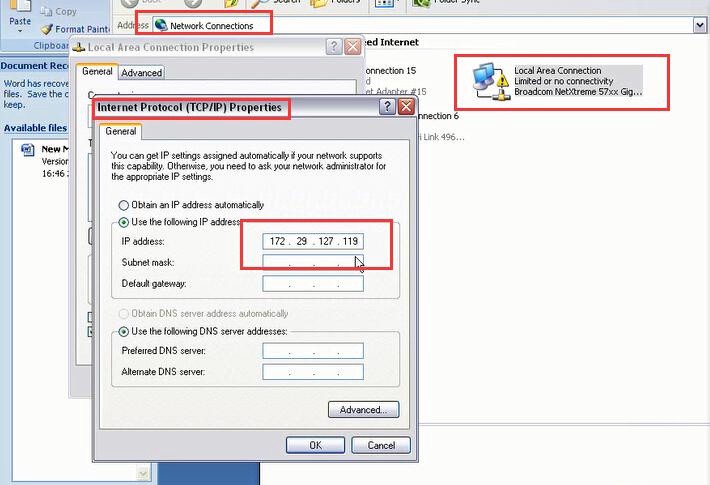
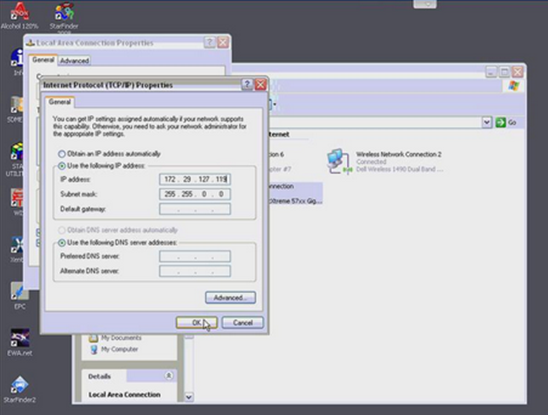
Set the LAN IP as 172.29.127.119. As shown below:

How-to-Set-up-MB-SD-Connect-C4-WIFI-2

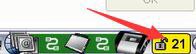
After modifying IP, you can see the lower right corner of the computer screen # 21 becomes unlocked state.
That means you have already connect the mux to the computer by LAN cable.

How-to-Set-up-MB-SD-Connect-C4-WIFI-3

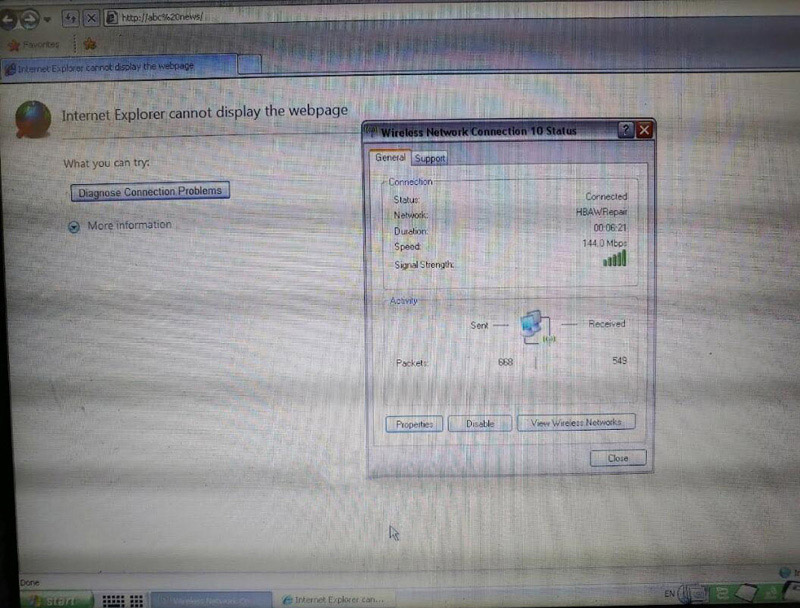
2. Next use WLAN connect the computer and MB SD Connect C4.
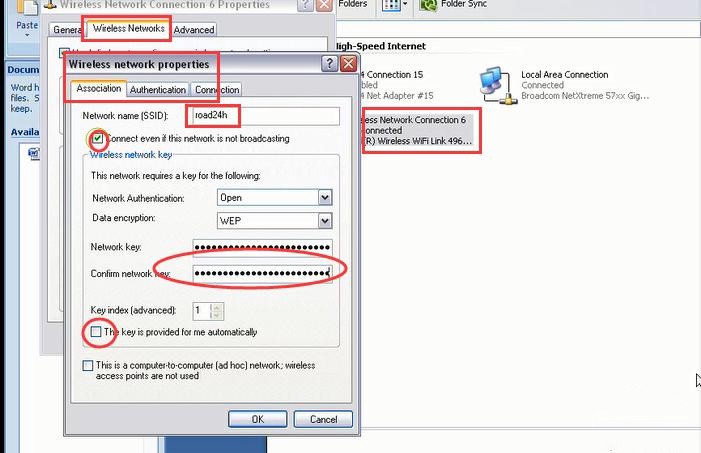
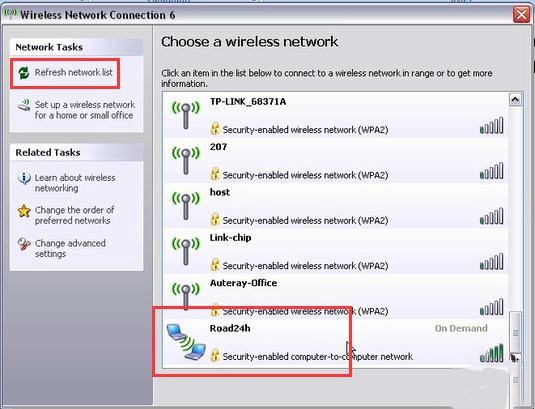
First, we need add road24h in WIRELESS NETWORK CONNECTION of the computer, the password is 26 * a. Photo as below.

How-to-Set-up-MB-SD-Connect-C4-WIFI-4

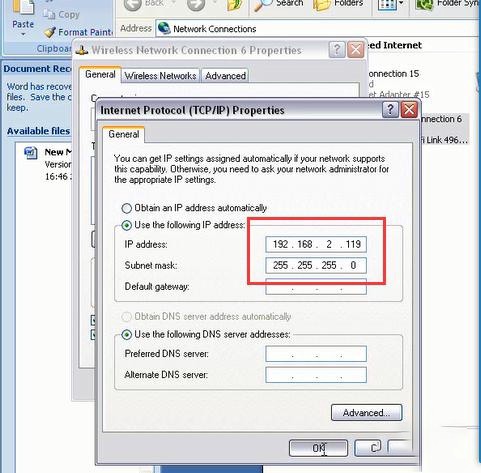
After setting up, then set the IP of WIRELESS into 192.168.2.119, as shown below:
Here should be noted that: the IP of computer WIRELESS must be different with the C4 MUX.

How-to-Set-up-MB-SD-Connect-C4-WIFI-5

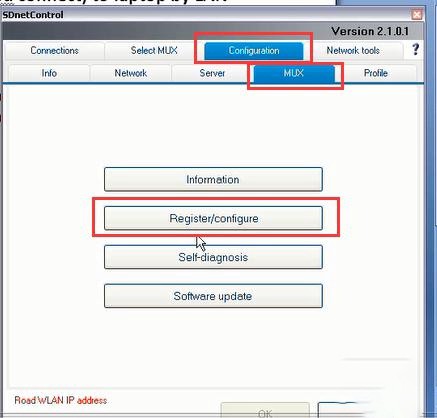
After setting the IP of WIRELESS, click # 21 (the lower right corner of the computer) into SDCONNECT TOOLKIT.

How-to-Set-up-MB-SD-Connect-C4-WIFI-6

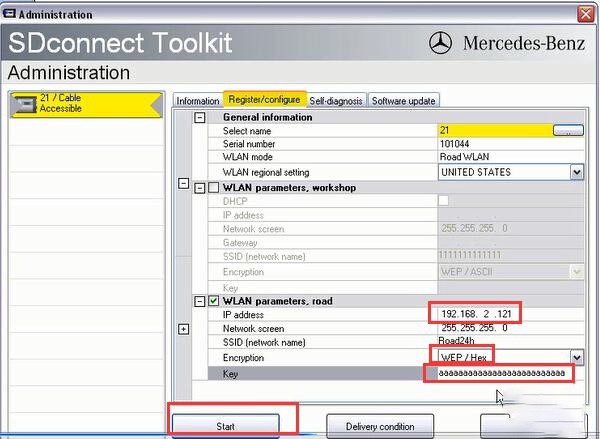
Then set the MUX as shown below, the password is 26 * a (26 digits)

How-to-Set-up-MB-SD-Connect-C4-WIFI-7

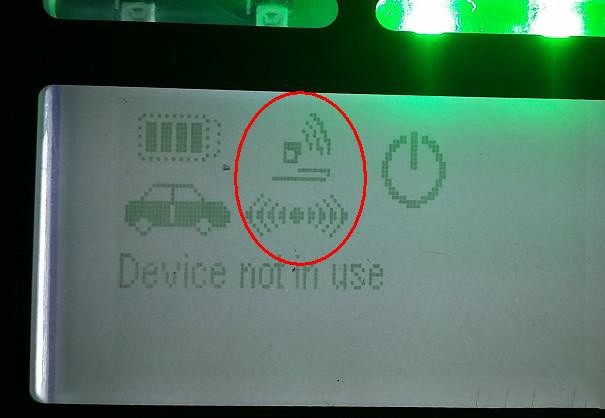
After setup unplug the LAN cable, you can see a RADIO icon on the small screen of MB Star C4. This icon means the WLAN of MUX is working now.

How-to-Set-up-MB-SD-Connect-C4-WIFI-8

The check all WIRELESS connection, you can see a road24h WIFI. Double click to connect, the password is 26 * a,
after connection then restart C4 mux.

How-to-Set-up-MB-SD-Connect-C4-WIFI-9

Here need to noted that: sometimes can not to see road24h, please try to restart the computer and SD C4 MUX.
If still can not find road24h, please connect the LAN cable and do the above steps again.

If you want to know more about Mercedes Star Diagnostic Tools,  please click benz trouble repair.

Sunday, October 10, 2021

How to install MB SD C4 rechargeable batteries


Problem:

Hello MB star

I just recieved My tablet and it looks and work Very good .

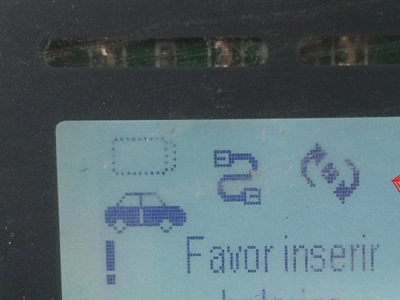
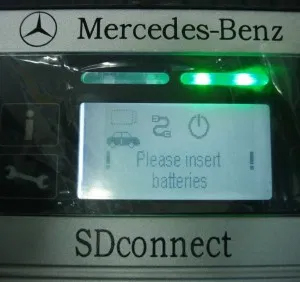
But The sd connect interface is Saying “please put in batteries”

What type of batteries is it ?

Solution:

This problem same to :

SD connect compact 4 mux display: Favor inserir baterias(Please insert batteries)

How-to-install-MB-SD-C4-rechargeable-batteries-1

Here you go :

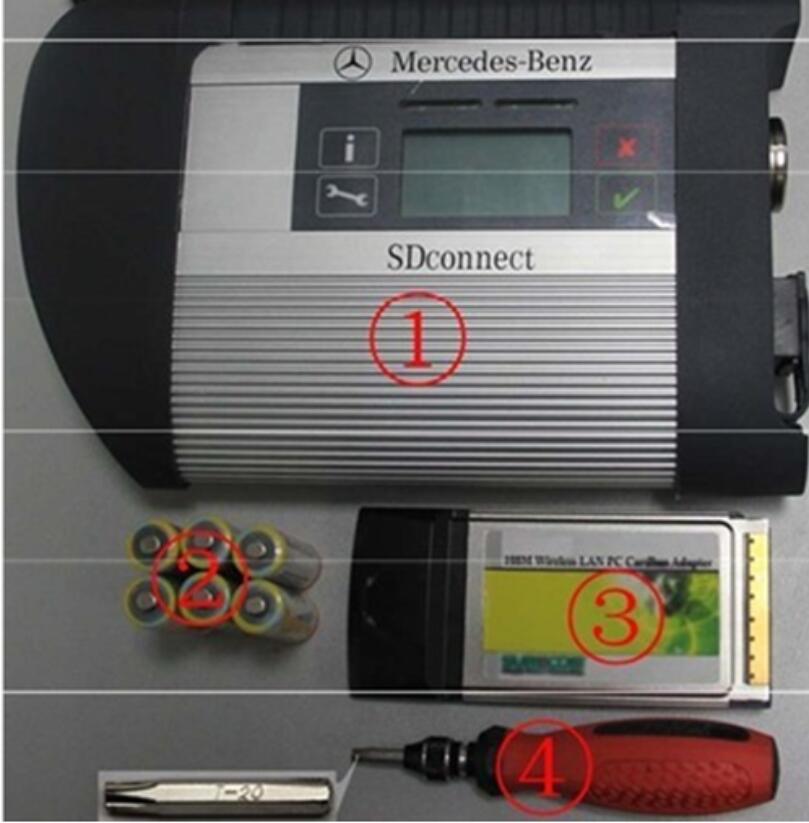
Please prepare the following tools:

How-to-install-MB-SD-C4-rechargeable-batteries-2

①— SDconnect multiplexer which need to input the batteries。

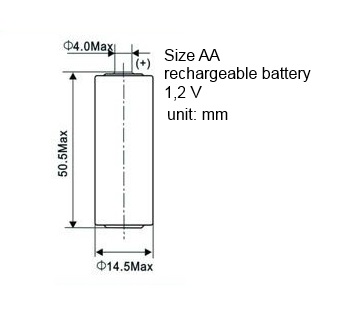
②— 6 units Ni-MH Rechargeable batteries,Size:AA, Voltage:1.2V, Capacity:above 1700mA。

③— 1 unit 108M WIFI Card。

④— Plum screwdriver,Specification:T-20

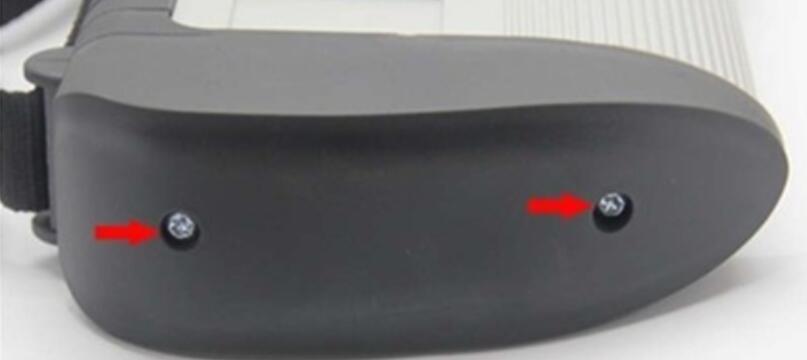
Take out the rubber:

2.1 Use the T20 Plum screwdriver to take out the screws as below.

How-to-install-MB-SD-C4-rechargeable-batteries-3

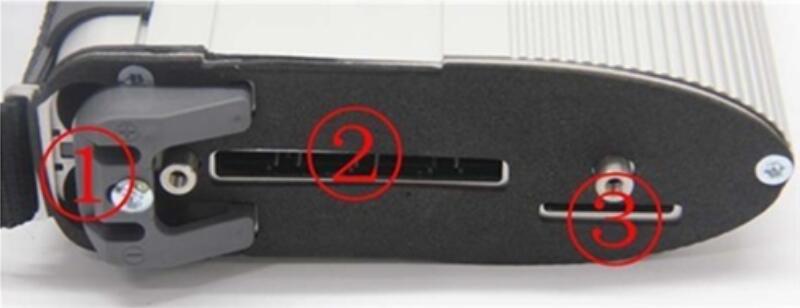
2.2 Take out the rubber as below.

How-to-install-MB-SD-C4-rechargeable-batteries-4

①— Batteries Space.

②— WIFI Card Space.

③— SD Card Space.

Insert the Rechargeable batteries.

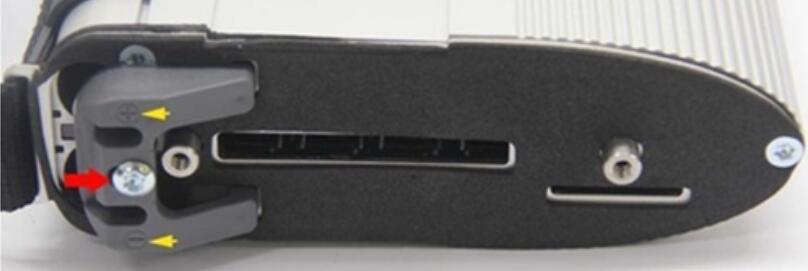
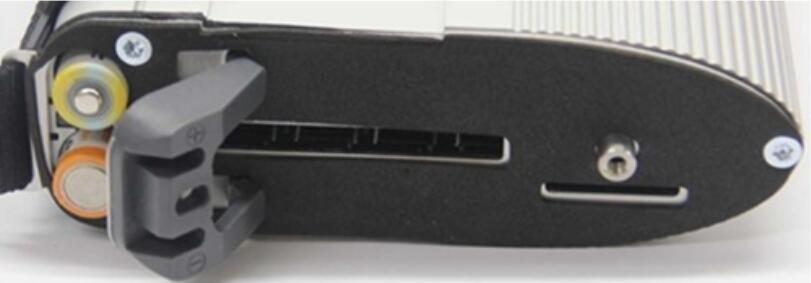
3.1 Use the T20 Plum screwdriver to take out the screws of Batteries Space fixation as below.

How-to-install-MB-SD-C4-rechargeable-batteries-5

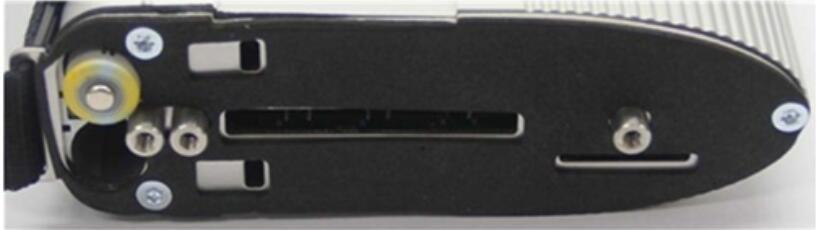
3.2 Take out the fixation of Batteries Space. Pay attention to the Battery polarity marked in the Batteries Space.

How-to-install-MB-SD-C4-rechargeable-batteries-6

3.3 Insert the batteries. Note the Battery polarity.

How-to-install-MB-SD-C4-rechargeable-batteries-7

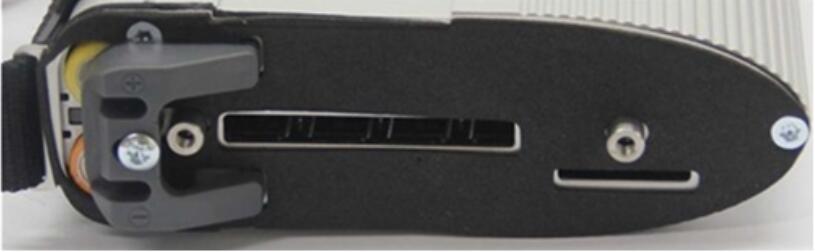
3.4 Button on the Fixation of Batteries Space after inputting the Rechargeable batteries.

How-to-install-MB-SD-C4-rechargeable-batteries-8

3.5 Use the T20 Plum screwdriver to fix the screws of Batteries Space fixation as below. Inserting the batteries is finished.

How-to-install-MB-SD-C4-rechargeable-batteries-9

Installing WIFI Card.

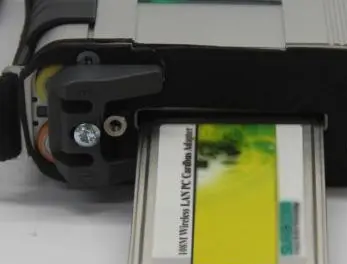
4.1 Inserting the WIFI Card into the WIFI Card Space. Please make the correct direction.

How-to-install-MB-SD-C4-rechargeable-batteries-10

4.2 Push it to make it totally connected.

How-to-install-MB-SD-C4-rechargeable-batteries-11

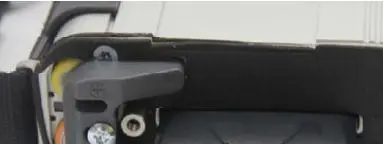
4.3 Cover the rubber and fix the screws to finish all the work.

How-to-install-MB-SD-C4-rechargeable-batteries-12

Note 1:

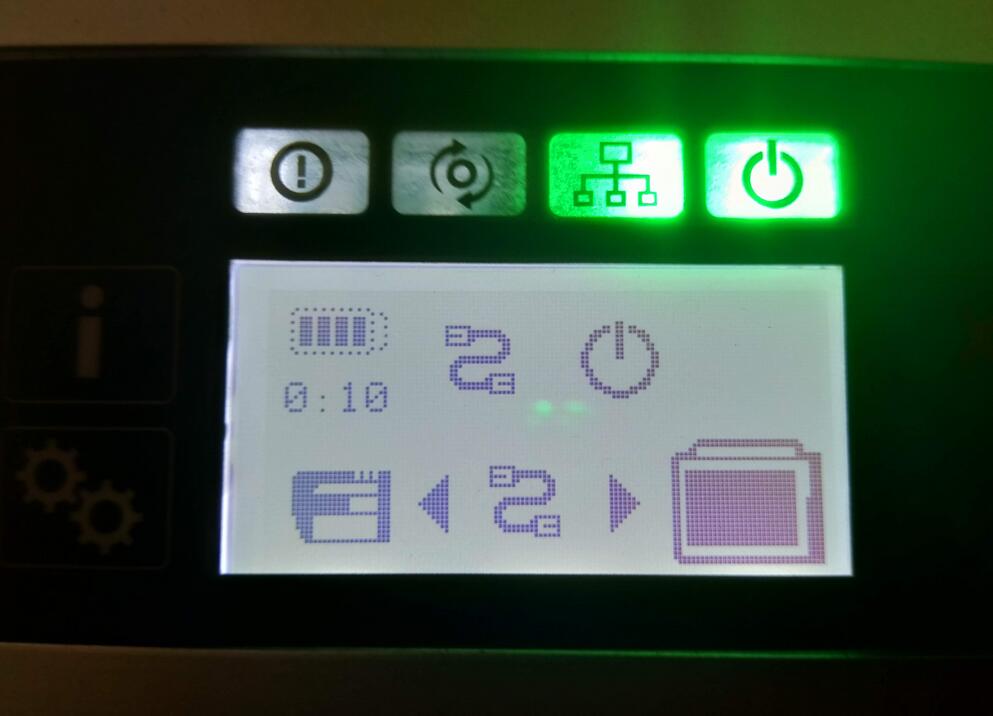
Go to the info section within DAS Xentry— search SDconnect and you will find what all the SDconnect symbols defined!!

How-to-install-MB-SD-C4-rechargeable-batteries-13

Note 2:

pls check these picture, you can choose self-diagnosis your SD connect c4

How-to-install-MB-SD-C4-rechargeable-batteries-14
How-to-install-MB-SD-C4-rechargeable-batteries-15


Wednesday, August 4, 2021

MB SD Connect C4 Xentry Online Update Connection Failed Solution


Here is the working solution to MB star diagnostic system SDConnect C4 Xentry online update Connection failed problem.

Problem goes like this:

I got the 06/2021 500G xentry hard drive for MB SD Connect C4 DoIP. However, it failed to connect with network.

Reported an error “online update Connection failed. The connection attempt has failed.”
MB-SD-Connect-C4-Xentry-Online-Update-Connection-Failed-Solution-2

Solution:

The error may be caused by wrong IP setting.

If connect SD C4 with WiFi, you should set IP address automatically.

If connect C4 via USB, manually set IP to

IP address: 172.29.127.1

Subnet mask: 255.255.255.0

Then connect c4 via WiFi.

Follow this way:

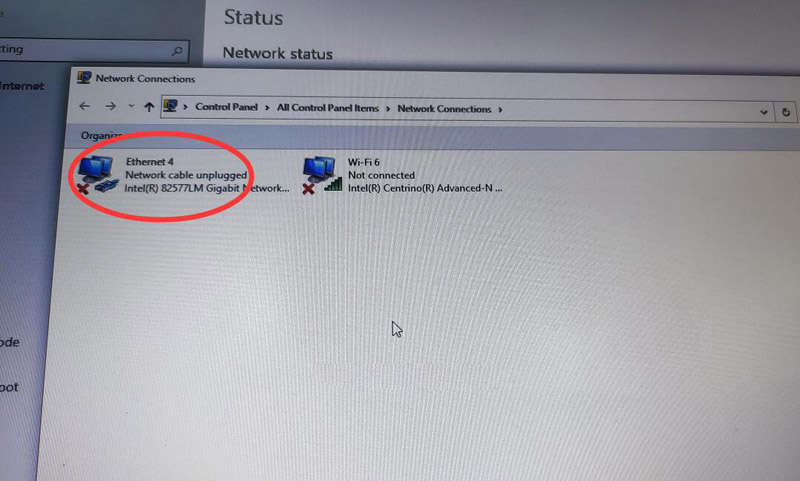
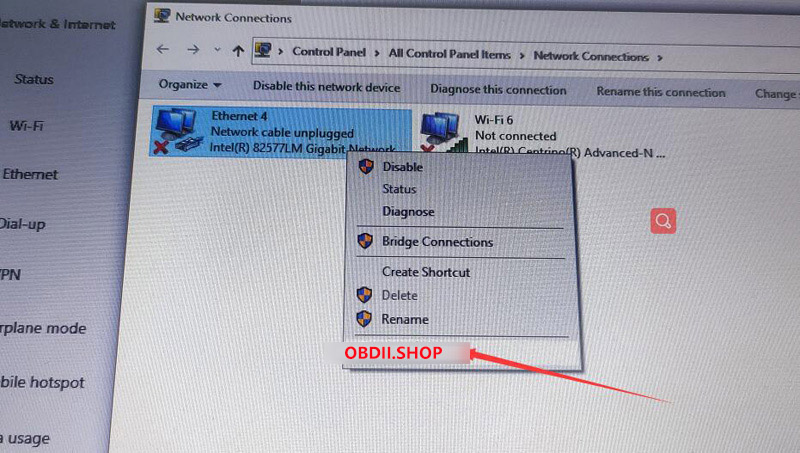
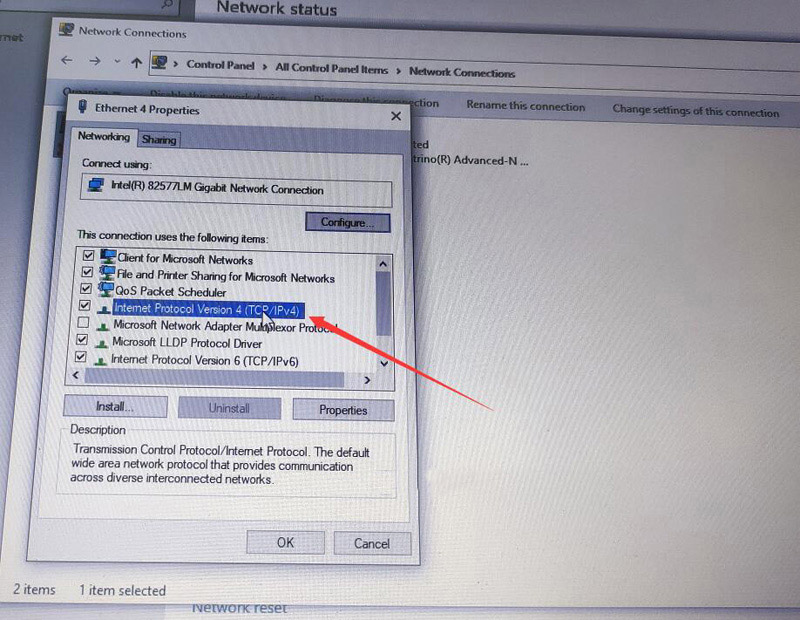
Go to Network Connections – Ethernet – Right-click Properties – select Internet Protocol Version 4 (ICP/IPv4) –
use the following IP address:

172.29.127.1

255.255.255.0

and save.

MB-SD-Connect-C4-Xentry-Online-Update-Connection-Failed-Solution-3
MB-SD-Connect-C4-Xentry-Online-Update-Connection-Failed-Solution-4
MB-SD-Connect-C4-Xentry-Online-Update-Connection-Failed-Solution-5
MB-SD-Connect-C4-Xentry-Online-Update-Connection-Failed-Solution-6


Saturday, July 24, 2021

Mercedes SD Connect C4. Switching Wi-Fi channels if not stable wireless connection


mb sd c4 plus dell630

Switching Wi-Fi channels if not stable wireless connection between the multiplexer SD Connect C4 and laptop. For Road24h mode.

Wireless connection Wi-Fi has 14 channels. Depending on the country, the number of permitted channels may be reduced. So for example Ukraine and Russia are used 13 channels. For some WiFi adapters are available on 11 channels only. Often, in the presence of a lot of number WiFi networks, all channels are involved. Moreover, each channel can operate multiple devices at the same time, it creates instability of equipment operation. In particular, in the case of multiplexer SD Connect, when congestion currently used channel or if there is other interference, you may experience slow operation or an intermittent open WiFi connections. In this case, it is advisable to change the channel number. This can be make in the settings of the WiFi adapter of the laptop. To do this, go to the folder “network connections”, right-click on “wireless connection”/ properties / configure / advanced. In the left column, find the line “Channel Ad Hoc 802.1 b/g” in the right column/window will appear to enter (select) a channel number. See screenshot:

Change channel number to any another one, different of the default, and confirm all Windows with “OK”. Changes do not always immediately take effect, it is desirable to restart the laptop. If after download the laptop WiFi connection to the multiplexer is not established automatically, restarting the multiplexer. Not the fact that the selected channel will be less congested than the previous one, in this case, the procedure must be repeated. There are programs-scanners, allowing to estimate the workload of Wi-Fi channels, but usually experimentally possible to find a relatively free channel.

Friday, July 23, 2021

How to Install SD Connect C4 multiplexer batteries


Mercedes SD Connect C4. Install the batteries.

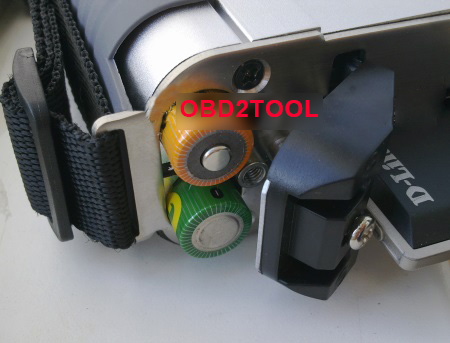
When installing batteries follow the correct polarity according to the image:

SDConnect-C4-Install-the-batteries

sdconnect-batteies
It is recommended to operate the multiplexer SD Connect C4 with established internal batteries. Size AA Ni-Cd 1.2 V. the recommended capacity of 2400 — 2800 mA/h.

The need for internal batteries is caused by:

1. firstly that the multiplexer SD Connect which was fully independent of the computer, running the Linux operating system, “gross” power-off that occurs when unpulling the diagnostic cable from the vehicle and then loading up the device when you reconnect to the car it is not advisable, and in some cases, may lead to breakage of the multiplexer
2.  second, in the absence of internal batteries, at the time of engine start in a vehicle voltage of the vehicle, and hence in the power supply circuit of the multiplexer appearsudden voltage power supply that can cause loss of connection between the multiplexer and PC, and in some cases, may lead to breakage of the multiplexer

The presence in the SD Connect battery allows you to keep it in working condition as if disconnected from the vehicle at the time of the sagging of the supply voltage and eliminates the need to re-download the next time you connect to the diagnostic connector.

In mode, the power only from internal battery (disconnected from the diagnostic connector), it is possible to switch the multiplexer into “sleep mode”, which is not possible with power from the car. A complete shutdown of the device is not provided. It possible by  taking out the batteries or changing the power diagram (see video).

Without changes in power diagram, long-term, without the use, storage multiplexer, batteries should be removed, as in sleep mode, the standby quiescent current is 10-60 mA with periodic jumps up to 190 mA. With the recommended battery capacity is 2400 mA/h, and provided that they are 100% pre-charge ensure retention sleep mode in only 3 to 7 days. Further, the voltage of the battery falls below critical, which negatively affects their service life.

Before removing the batteries, switch the multiplexer in STANDBY/SHUT DOWN. At the time of connection to the vehicle connector, the instrument automatically exits sleep mode and begins charging the internal batteries.

Capacity of used batteries in multiplexer Mercedes Star Diagnostic SDConnect C4 must be at least 2000 mAh.

The message on the display “insert the battery” or “check battery” may indicate a capacity loss of one or more batteries or a bad contact in the circuit of the batteries. The increase in the total internal resistance of the battery module by more than 1 Ohm is causing the message about not working properly or the lack of batteries.

Tuesday, May 25, 2021

MB SD C4 Xentry 2021.3 Unknown Lan ID Solution


mb-sd-c4-xentry-unknown-lan-id

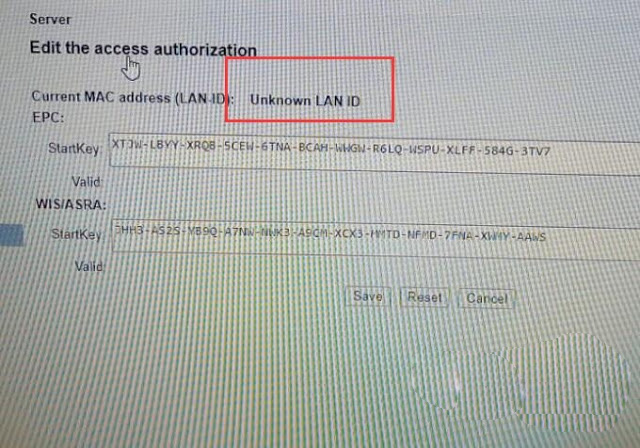
When activating mb sdconnect C4 Xentry 2021.3, it shows ” Unknown Lan ID”, Obd2tool.com engineer offer the working solution.

mb-sd-c4-xentry-unknown-lan-id

Image 1: Xentry 2021.3 Unknown Lan ID

Solution:

*   Start -> Execute -> cmd
*   Enter: set devmgr_show_nonpresent_devices=12

Enter: set devmgr_show_nonpresent_devices=1

*   Enter: start devmgmt.msc
*   Click on [View] and select “Show hidden devices”
*   Network adapters

Do not delete “RAS Async Adapter”, just delete the other gray options.

Alright, Xentry 2021.3 is working now with mb sdconnect C4.

Sunday, May 23, 2021

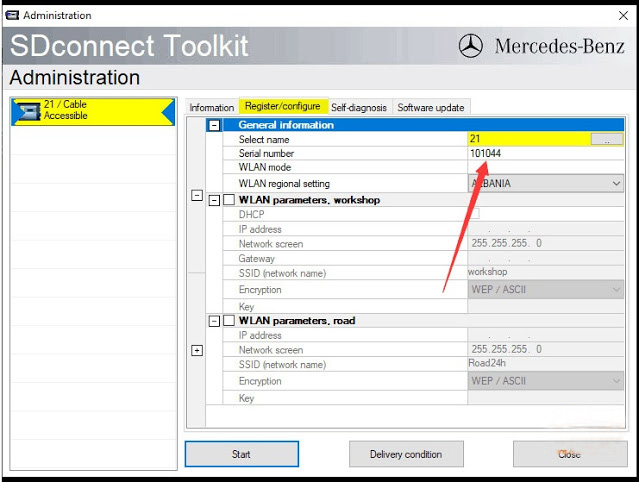
Free Download MB SD C4 Blacklist Patch for SN 101044


Problem:

I have an issue with MB SD Connect C4 multiplexer (the old c4 i bought several years ago) with 03/2021 xentry.

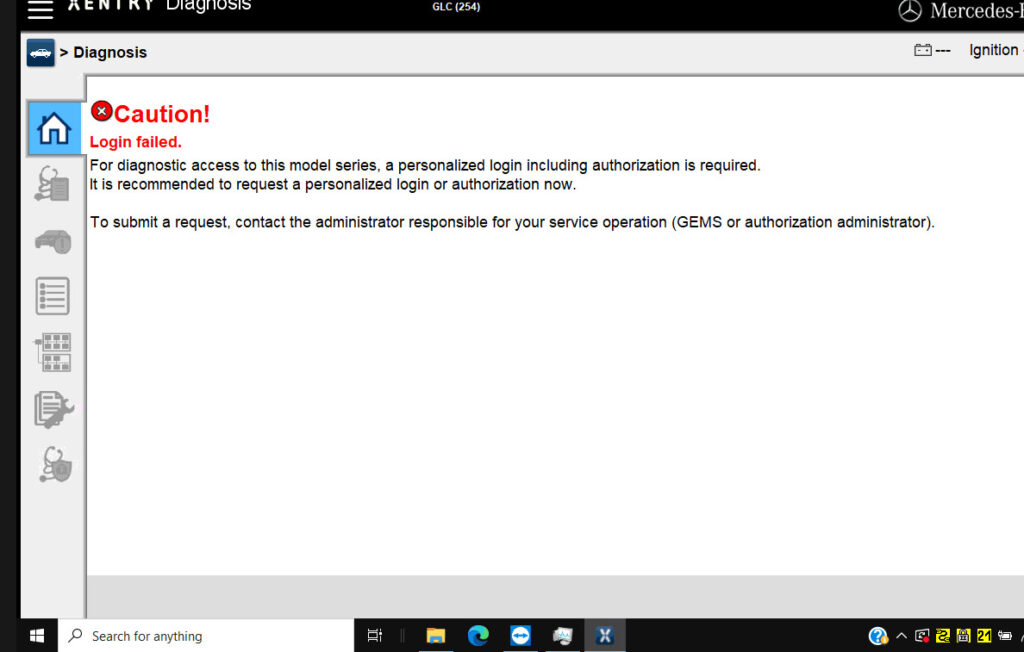
It can access a C205. But failed to log in a C206 C220 d mod.206.016 year 2019 and a GLC254 300 4MATIC mod.254.147 year 2019.

mb-sd-c4-login-failed-1

Possible reason and solution:

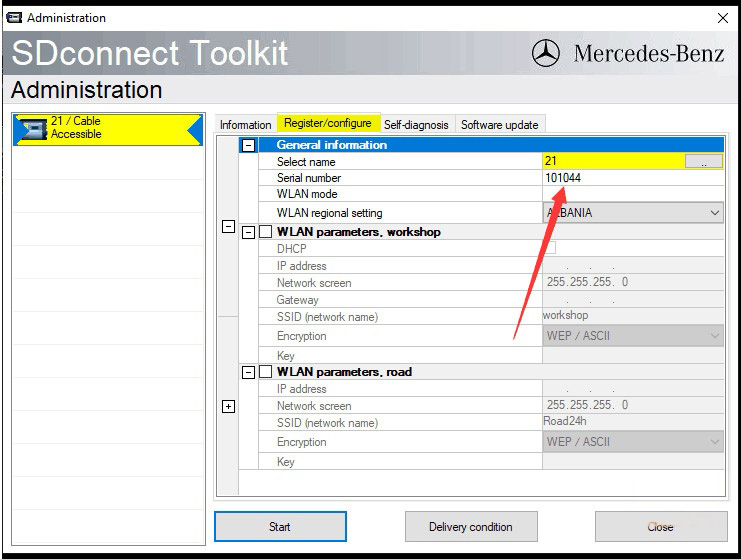
1.MB SD C4 Serial number 101044 was blacklisted.  It has problem using latest xentry.

2. SDConnect C4 firmware too old to support newer Mercedes benz. Borrow or purchase a newer MB SD C4 DoIP or MB SD C5 device.

3. Some blacklists can be bypassed by software.  Download the C4 blacklist patch, unlock serial number and try again. If don’t know how to unlock, contact our engineer via Teamviewer (your order number and device serial number are required to get the technical support.)

Free download C4 Blacklist Patch for S/N 101044

For serial number 101044 only.

Tested on 03/2021 xentry. You are at your risk on other xentry versions.

mb-sd-c4-login-failed-2


Friday, May 21, 2021

Solved MB SD Connect C4 No Connection Error Code (506)

If you come across the error code 506 when used MB SD Connect C4 for diagnosis, how you can do to solve the problem?

Error Code 506: SDconnect is accessible and has no connection to another diagnosis computer. No SDconnect is selected or the desired SDconnect cannot be selected.

Solved-MB-SD-Connect-C4-No-Connection-Error-Code-1

Here is a solution (derived from Obd2tool Engineer) that previously solved the same problem for me. Please check the following guide step-by-step;

1. Connect with neighborhood connection and check IP address setting, do as follows:
Click Neighborhood Connection;
Right click and select Properties;
Internet Protocol (TCP/IP);
Choose Properties;
Set IP address as 172.29.127.119;

Click Ok;

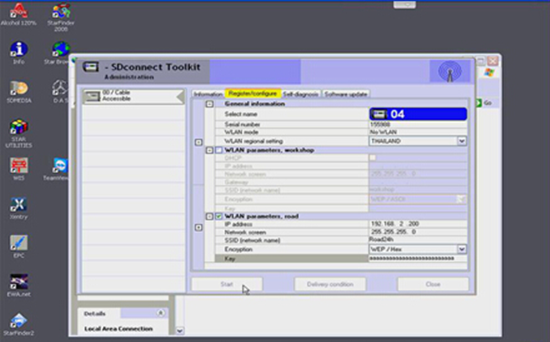
2. Set wireless connection after geographic area connection settings is finished.
For the right corner of the desktop click SDconnect Icon;
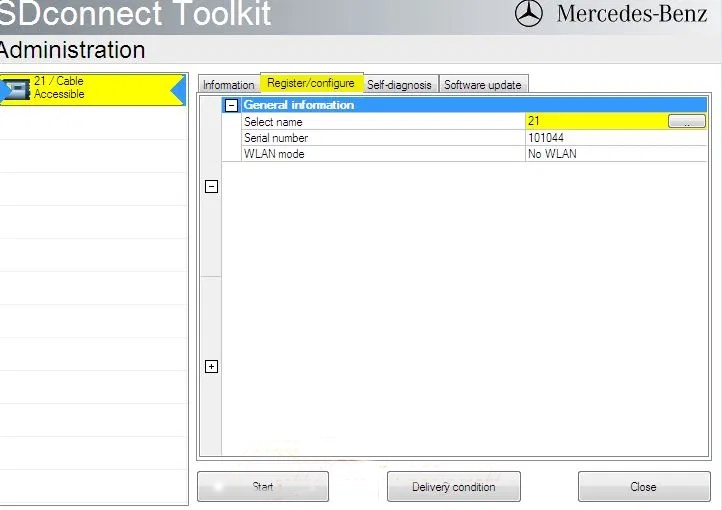
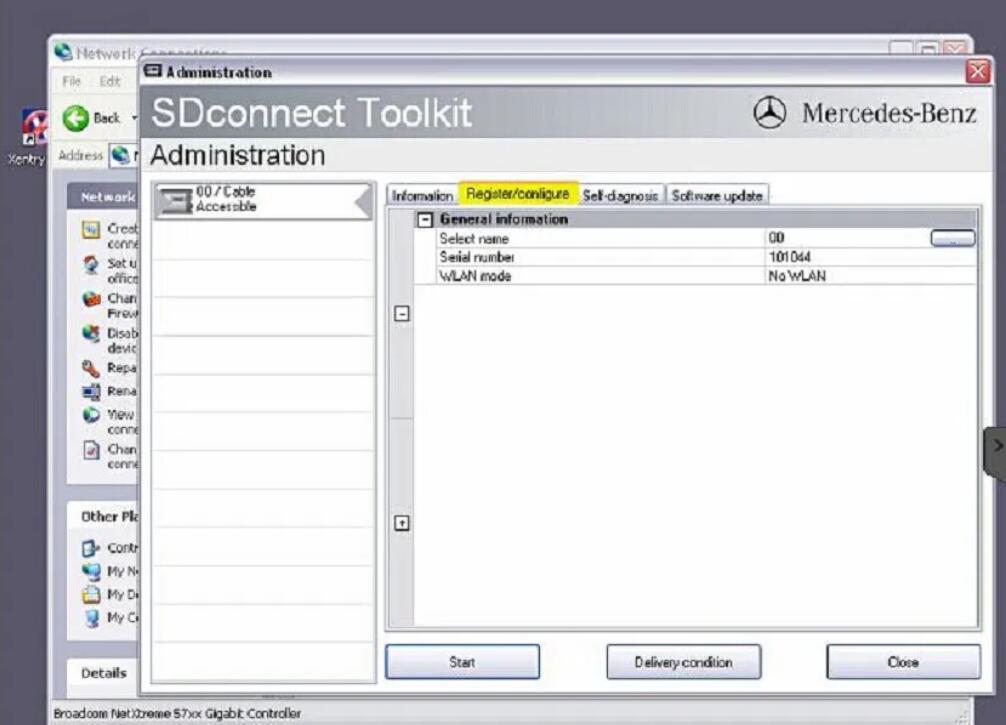
Access SDconnect Toolkit Administration;
Click Register / configure;
Select name 04;
Check off WLAN parameters, road;
IP address set as 192.168.2.200;
Key – enter aaa… (Totally 26 a)
Click Start.

Solved-MB-SD-Connect-C4-No-Connection-Error-Code-2


Thursday, May 20, 2021

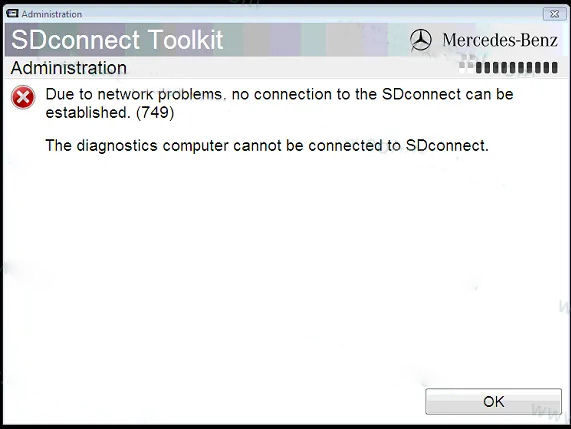
How to slove the Sd Connect 749 Error


Sd Connect 749 Error – (Fixed) SD C4 2019.9 error “the network connection to the …. No connection to the control units in the vehicle. It dosent change to green. Mb sd connect c4 multiplex works with mercedes star software. More question about MB Star C4. Mercedes star diagnosis c4 (sd connect c4).

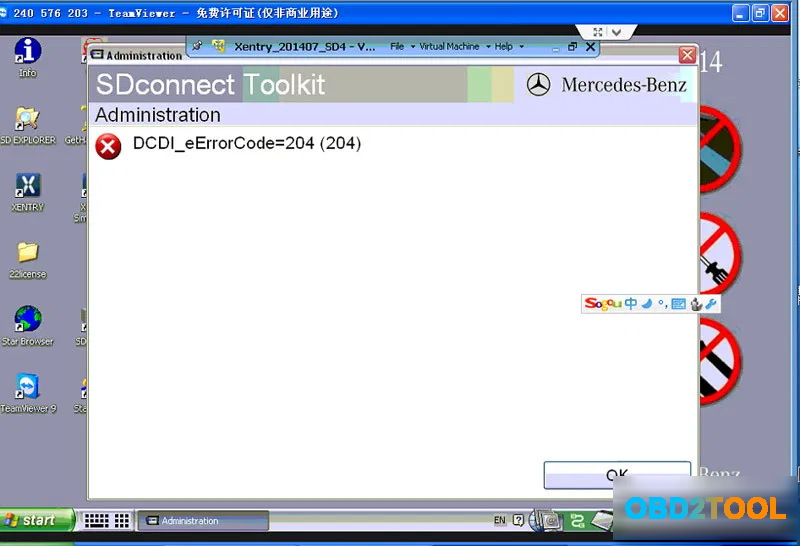
Collection of most concerned mb sdconnect das xentry errors / failures and working solutions by www.obd2tool.com senior engineer. Display module sd connect c4. It results from incorrect ip setup. To solve sd connect c4 error code 204, just put fresh 6 battery and do a csd firmware update. Firstly, make sure epc is.

How-to-slove-the-Sd-Connect-749-Error-1

Due to network problems, no connection to the sdconnect can be establish (749). This post is long but most helpful; It means your sdconnect firmware files are deleted and you need update sd c4 firmware. Assuming that your wire connection works ok, check if your road24h is showing in wireless networks list also never ever allow the sd connect to take the firmware update. To get rid of the update message, rename the three update. And when i connect between a car and the green cable to my laptopn. This is a common problem with cheap sd c4. It can diagnose and program for all bens cars trucks,bus and orther vehicles.

It dosent change to green.

This is a common problem with cheap sd c4. Mb sd connect c4 multiplex works with mercedes star software. Due to network problems, no connection to the sdconnect can be establish (749). It means your sdconnect firmware files are deleted and you need update sd c4 firmware. It dosent change to green. I’m using software 12/2015 xdos after connecting to the internet and adding the newest addons no there is no possibility to conect the mux via sd toolkit and so there is no chance to make any changes i have this exact problem error error 749 and 748. Newest update v2018.12 mb sd c4 connect compact 4 mercedes benz cars and trucks diagnostic tool support wireless and lan cable connection, support k line,can bus and uds protocol. To solve sd connect c4 error code 204, just put fresh 6 battery and do a csd firmware update. It will be a brick if it does. Assuming that your wire connection works ok, check if your road24h is showing in wireless networks list also never ever allow the sd connect to take the firmware update. When i open epc of msd connect 4, i got error message unable to start application program, what’s the reason? And when i connect between a car and the green cable to my laptopn. Pay only $475 you could get one new mb sdconnect now.

Start the sdconnect toolkit via sdnetcontrol. No connection to the control units in the vehicle. It means your sdconnect firmware files are deleted and you need update sd c4 firmware. Sd connect c4 firmware files are lost and wifi cannot be set up. Mb sd connect c4 is the professional obd diagnostic tool for mercedes benz cars and trucks.

How-to-slove-the-Sd-Connect-749-Error-2

It can diagnose and program for all bens cars trucks,bus and orther vehicles. Assuming that your wire connection works ok, check if your road24h is showing in wireless networks list also never ever allow the sd connect to take the firmware update. Please add to your favorites. I did change the platform to (w). Mb sd connect c4 is the professional obd diagnostic tool for mercedes benz cars and trucks. No sdconnect is selected or the desired sdconnect cannot be. Mercedes sdconnect c4 display board pcb. In detail… 4.3 cover the rubber and fix the screws to finish all the work.

Sdconnect could not be configured.

Sdconnect tool kit appears error 749 in administration. It can diagnose and program for all bens cars trucks,bus and orther vehicles. Sdconnect tool kit appears error 749 in administration.due to network problems, no connection to the sdconnect can be establish (749)no sdconnect is selected or the desired sdconnect cannot be selected. To get rid of the update message, rename the three update. Due to network problems, no connection to the sdconnect can be establish (749)no solution: In detail… 4.3 cover the rubber and fix the screws to finish all the work. The funny icons down beside the start stays red. Pay only $475 you could get one new mb sdconnect now. To solve sd connect c4 error code 204, just put fresh 6 battery and do a csd firmware update. Please go to the network connect to wlan set up ip: Display module sd connect c4. No connection to the control units in the vehicle. I just bought the new multiplexer.

Select the port the printer is connected to from the drop down window beside use an existing port, click next. Sometimes these errors that are this critical cause the driver to lock up and not poll the printer to see if the error is gone and a hard reset like this is necessary. I installed xdos 5 2016 connected sdconnect and got. More question about mb star c4. Collection of most concerned mb sdconnect das xentry errors / failures and working solutions by www.uobdii.com senior engineer.

How-to-slove-the-Sd-Connect-749-Error-3

Sdconnect tool kit appears error 749 in administration. I did change the platform to (w). Sometimes these errors that are this critical cause the driver to lock up and not poll the printer to see if the error is gone and a hard reset like this is necessary. I installed xdos 5 2016 connected sdconnect and got. Mercedes sdconnect c4 display board pcb. I’m using software 12/2015 xdos after connecting to the internet and adding the newest addons no there is no possibility to conect the mux via sd toolkit and so there is no chance to make any changes i have this exact problem error error 749 and 748. It results from incorrect ip setup. Assuming that your wire connection works ok, check if your road24h is showing in wireless networks list also never ever allow the sd connect to take the firmware update.

I just bought the new multiplexer.

Sdconnect could not be configured. It means your sdconnect firmware files are deleted and you need update sd c4 firmware. This post is long but most helpful; About the origin of the error, i don’t know very much what could have happened, i only know that after playing a little bit of a game, the next day the error started to occurred the error. Please go to the network connect to wlan set up ip: Please go to the network connect to wlan set up ip: It can diagnose and program for all bens cars trucks,bus and orther vehicles. To solve sd connect c4 error code 204, just put fresh 6 battery and do a csd firmware update. In detail… 4.3 cover the rubber and fix the screws to finish all the work. So, every time i power on the console, i get this on the screen: I did change the platform to (w). 749 error is caused by incorrect networking configuration. Sdconnect tool kit appears error 749 in administration.

How-to-slove-the-Sd-Connect-749-Error-4

This is a common problem with cheap sd c4. To solve sd connect c4 error code 204, just put fresh 6 battery and do a csd firmware update. Mercedes sdconnect c4 display board pcb. No sdconnect is selected or the desired sdconnect cannot be. Due to network problems, no connection to the sdconnect can be establish (749).

How-to-slove-the-Sd-Connect-749-Error-5

This is a common problem with cheap sd c4. Please go to the network connect to wlan set up ip: In the next window select epson under manufacturers and your printer model under printers. In detail… 4.3 cover the rubber and fix the screws to finish all the work. To get rid of the update message, rename the three update.

How-to-slove-the-Sd-Connect-749-Error-6

Full upgrade (s/n, shutdown, error batteries). And when i connect between a car and the green cable to my laptopn. So, every time i power on the console, i get this on the screen: Sometimes these errors that are this critical cause the driver to lock up and not poll the printer to see if the error is gone and a hard reset like this is necessary. In detail… 4.3 cover the rubber and fix the screws to finish all the work.

How-to-slove-the-Sd-Connect-749-Error-7

Please go to the network connect to wlan set up ip: It can diagnose and program for all bens cars trucks,bus and orther vehicles. Sd connect c4 firmware files are lost and wifi cannot be set up. Select the port the printer is connected to from the drop down window beside use an existing port, click next. When i open epc of msd connect 4, i got error message unable to start application program, what’s the reason?

How-to-slove-the-Sd-Connect-749-Error-8

Start the sdconnect toolkit via sdnetcontrol. Please go to the network connect to wlan set up ip: In the next window select epson under manufacturers and your printer model under printers. It can diagnose and program for all bens cars trucks,bus and orther vehicles. Mercedes sdconnect c4 display board pcb.

How-to-slove-the-Sd-Connect-749-Error-10

749 error is caused by incorrect networking configuration. It means your sdconnect firmware files are deleted and you need update sd c4 firmware. The funny icons down beside the start stays red. When i open epc of msd connect 4, i got error message unable to start application program, what’s the reason? I’m using software 12/2015 xdos after connecting to the internet and adding the newest addons no there is no possibility to conect the mux via sd toolkit and so there is no chance to make any changes i have this exact problem error error 749 and 748.

How-to-slove-the-Sd-Connect-749-Error-11

Please add to your favorites. I installed xdos 5 2016 connected sdconnect and got. This post is long but most helpful; 749 error is caused by incorrect networking configuration. Firstly, make sure epc is.

How-to-slove-the-Sd-Connect-749-Error-9

Mb sd connect c4 is the professional obd diagnostic tool for mercedes benz cars and trucks. I installed xdos 5 2016 connected sdconnect and got. Display module sd connect c4. And when i connect between a car and the green cable to my laptopn. About the origin of the error, i don’t know very much what could have happened, i only know that after playing a little bit of a game, the next day the error started to occurred the error.

How-to-slove-the-Sd-Connect-749-Error-12

More question about mb star c4. No sdconnect is selected or the desired sdconnect cannot be. And when i connect between a car and the green cable to my laptopn. In the next window select epson under manufacturers and your printer model under printers. To solve sd connect c4 error code 204, just put fresh 6 battery and do a csd firmware update.

How-to-slove-the-Sd-Connect-749-Error-13

Sdconnect tool kit appears error 749 in administration.

How-to-slove-the-Sd-Connect-749-Error-14

It results from incorrect ip setup.

How-to-slove-the-Sd-Connect-749-Error-15

It results from incorrect ip setup.

How-to-slove-the-Sd-Connect-749-Error-16

Mb sd connect c4 is the professional MB Star diagnostic tool for mercedes benz cars and trucks.

How-to-slove-the-Sd-Connect-749-Error-17

Pay only $475 you could get one new mb sdconnect now.

How-to-slove-the-Sd-Connect-749-Error-18

It results from incorrect ip setup.

How-to-slove-the-Sd-Connect-749-Error-19

Mb sd connect c4 multiplex works with mercedes star software.

How-to-slove-the-Sd-Connect-749-Error-20

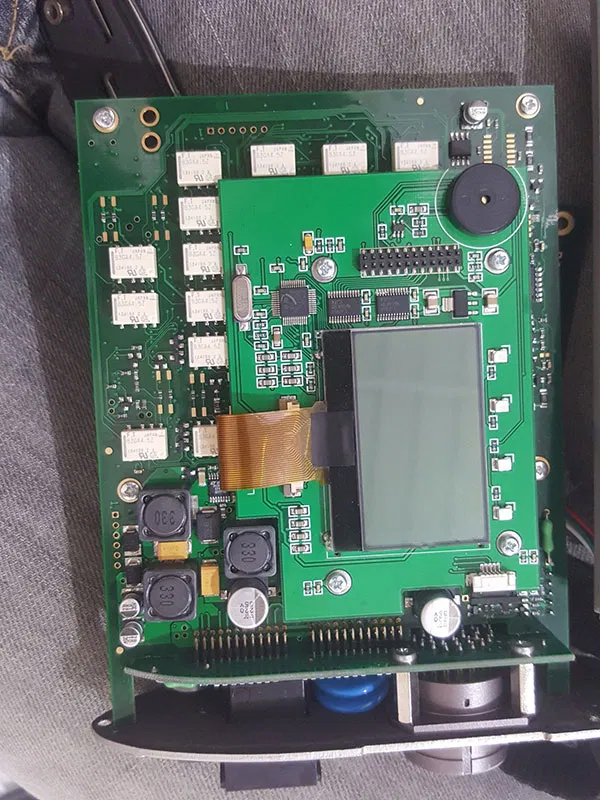
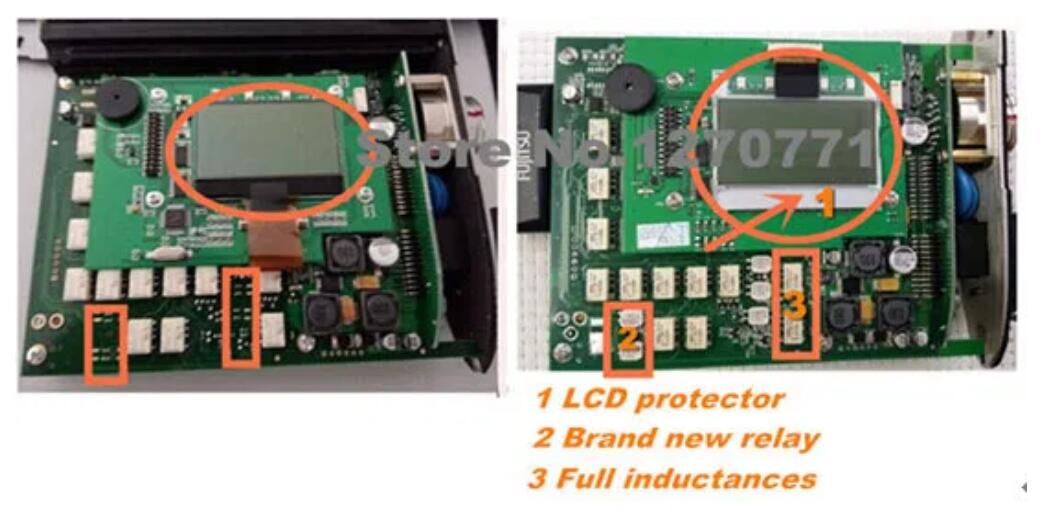
Mercedes sdconnect c4 display board pcb.

How-to-slove-the-Sd-Connect-749-Error-21

Sometimes these errors that are this critical cause the driver to lock up and not poll the printer to see if the error is gone and a hard reset like this is necessary.

How-to-slove-the-Sd-Connect-749-Error-22

Sd connect c4 firmware files are lost and wifi cannot be set up.

How-to-slove-the-Sd-Connect-749-Error-23

It means your sdconnect firmware files are deleted and you need update sd c4 firmware.

How-to-slove-the-Sd-Connect-749-Error-24

Mercedes sdconnect c4 display board pcb.

How-to-slove-the-Sd-Connect-749-Error-25

Mercedes sdconnect c4 display board pcb.

How-to-slove-the-Sd-Connect-749-Error-26

749 error is caused by incorrect networking configuration.

How-to-slove-the-Sd-Connect-749-Error-27

And when i connect between a car and the green cable to my laptopn.

How-to-slove-the-Sd-Connect-749-Error-28

It dosent change to green.

About the origin of the error, i don’t know very much what could have happened, i only know that after playing a little bit of a game, the next day the error started to occurred the error.

How-to-slove-the-Sd-Connect-749-Error-29

In detail… 4.3 cover the rubber and fix the screws to finish all the work.

How-to-slove-the-Sd-Connect-749-Error-30

Firstly, make sure epc is.

How-to-slove-the-Sd-Connect-749-Error-31

No sdconnect is selected or the desired sdconnect cannot be.

How-to-slove-the-Sd-Connect-749-Error-32

The funny icons down beside the start stays red.

How-to-slove-the-Sd-Connect-749-Error-33

Mercedes star diagnosis c4 (sd connect c4).

How-to-slove-the-Sd-Connect-749-Error-34