Showing posts with label MB STAR Diagnostic Tools. Show all posts

Thursday, December 21, 2017

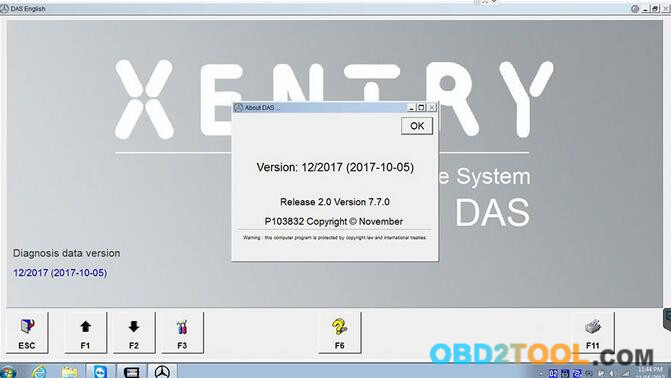
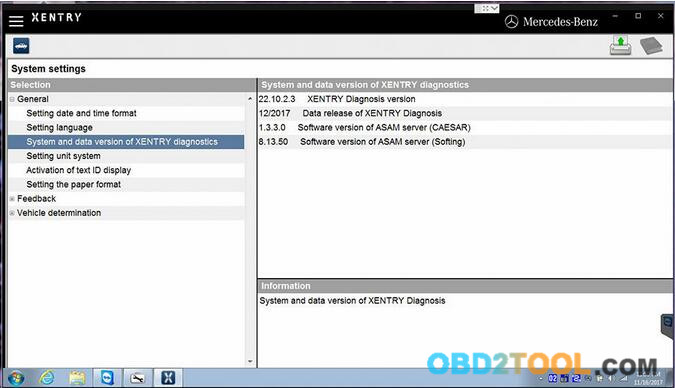
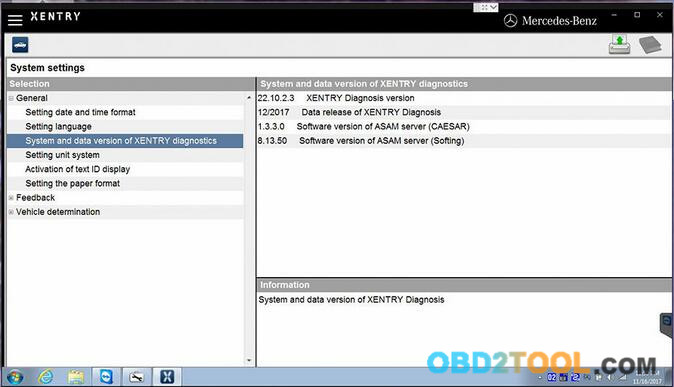
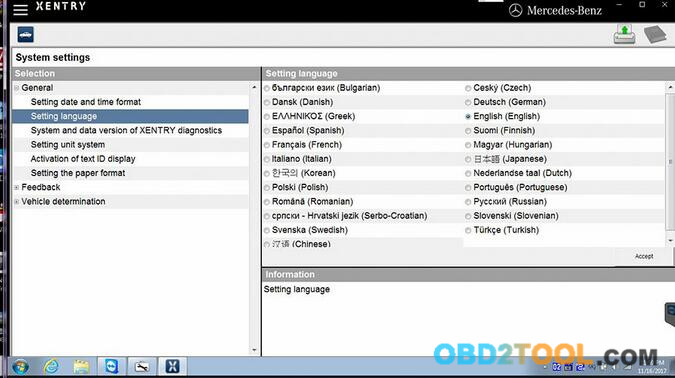
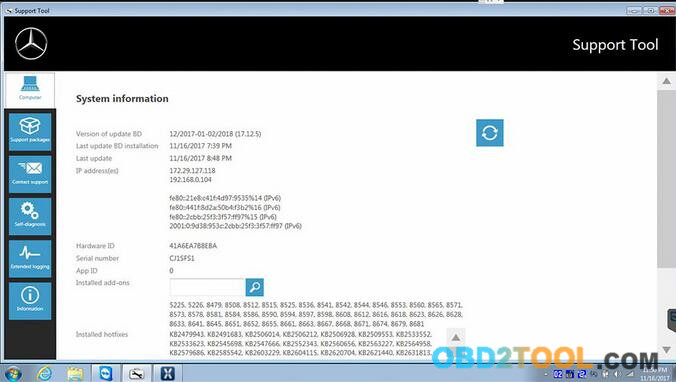
Xentry Diagnostics OpenShell XDOS 12 2017 with DTS Monaco and Vediamo

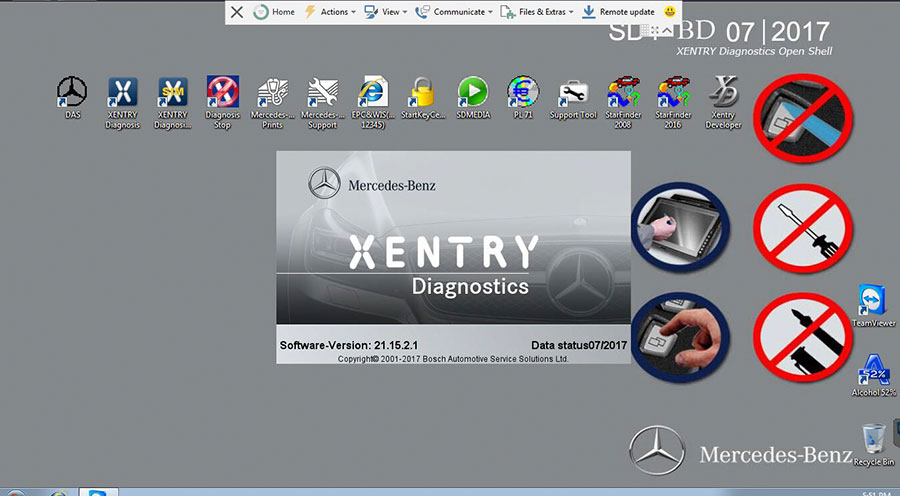
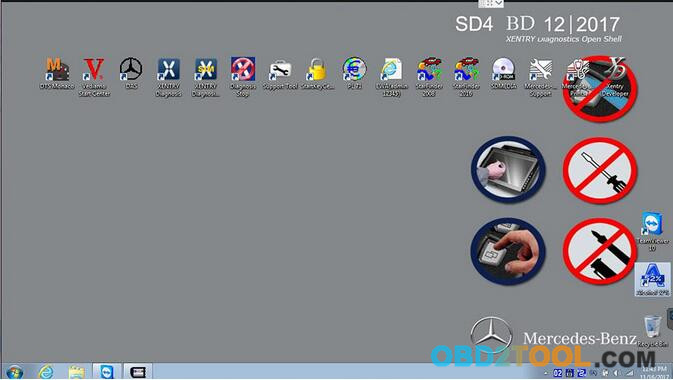
Provide free solution and tested version of Xentry Diagnostics OpenShell XDOS 12/2017 with DTS Monaco and Vediamo.
Free solution of Xentry Diagnostics OpenShell XDOS 12/2017 Torrent:
https://mega.nz/#!0AgwGC4D!Bwa3NXHC5HiLAX-hDQ9BsWLNOsyEgydgMWjs3gEO4E8
OS: Windows 7 – 8 – 8.1 – 10 – x64 – x86 System
HHT-WIN is not available on this system x64 – Only x86
OS – Windows 7 SP1 ENG x86 for C4; (SD Connect ) Acronis Image with Ahci Mode ( Restore HDD Size 240 GB )
– SCN Access Available !!!
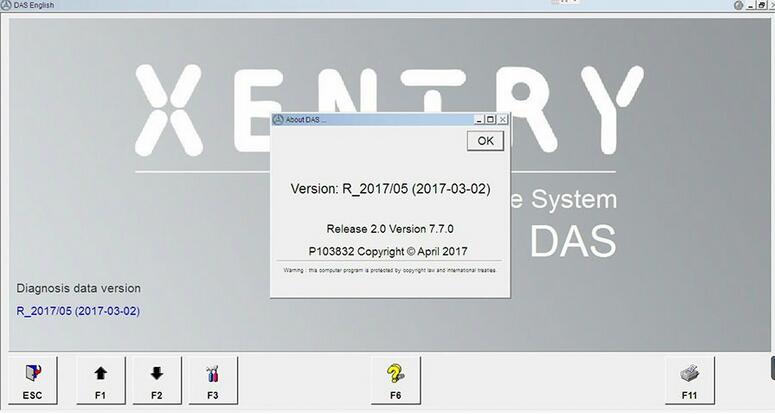
XENTRY DAS OPENSHELL (12/2017 – 01-02/2018)
XDOS Diagnostics OpenShell 09-10-11/2017
Last Addon Date : 02/09/2017
– WIS Standalone 08.2017 for XDOS
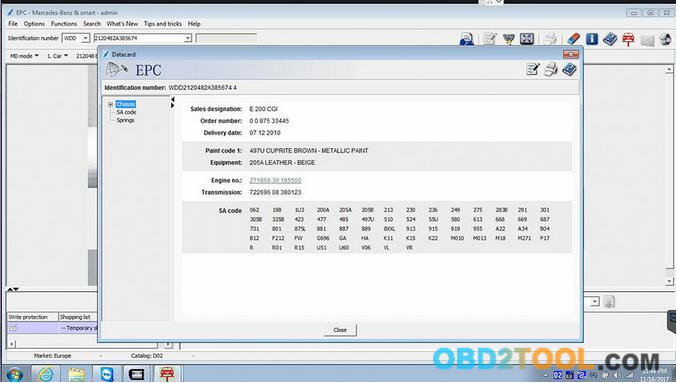
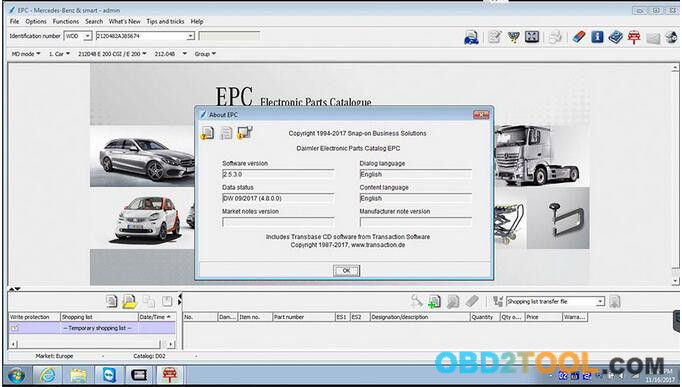
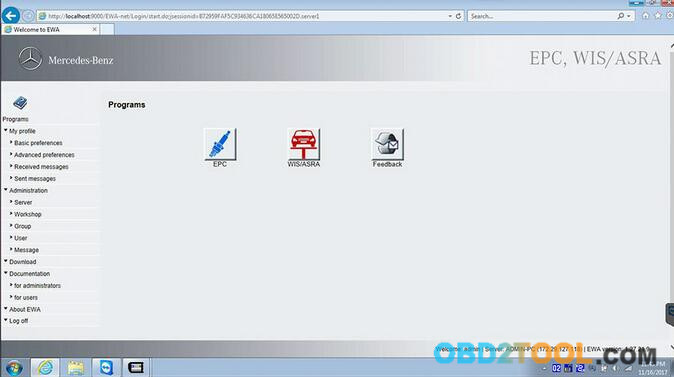
– EWAnet – EPC Standalone 08.2017 Offline version
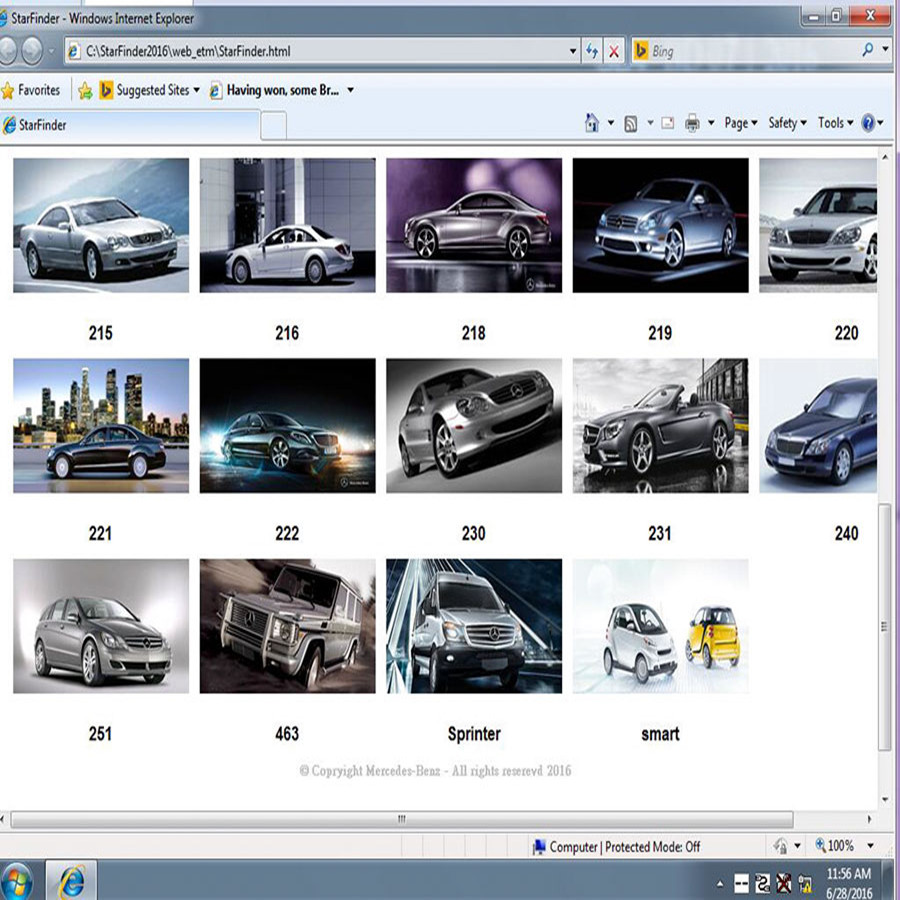
– Star Finder 2015 Offline version
– SD Media 01.2014 Offline version
– HHT for PKW – LKW ; HHT working over DAS – System available
– Full Solution ( EOL – Adblue – Fixed Blacklist – DAS bypass )
Tested version: newest Xentry Diagnostics OpenShell XDOS 12/2017 with DTS Monaco and Vediamo is tested working great and available:
XENTRY DAS OPENSHELL 12/2017 in common HDD
XENTRY DAS OPENSHELL 12/2017 in SSD (more stable)
Remote support supplied by uobdii.com engineer
Works on Star C4 and Star C5
XENTRY OPENSHELL 12/ 2017 installation
OS: Win 7 / 10 ( WIN7/WIN 10 does not support HHT-WIN! Post-2015.12 software cannot support HHT-WIN! If you need HHT-WIN, please choose V2015.12 MB SD C4 Software HDD)
Free hard disk space: C: 157.00GB
12/ 2017 XENTRY OPENSHELL functions:
1.1989~up to now Car, Bus, Truck, Sprint, Smart ;
2.All electric system Diagnostic;(Do not include flash code)
3.reading trouble code
4.erasing trouble code
5.live-data
6.adaptation
7.component testing
8.maintenance
9.information consultation
10.component location diagram
11.wiring diagram
Tip: Mercedes bus diagnosis & programming can be done via DAS only, NOT Xentry.
Testable system:
ENGINE
AUTO-SPEED
AIRCONDITIONAL SYSTEM
SRS
ABS
ASR
MPL
GM
Bz ORIGINAL ANTI-THEFT
DASX SYSTEM
KEYZESS GO SYSTEM
OBD-II SYSTEM
12/ 2017 XENTRY OPENSHELL software includes: (Version: 2017 )
1.D-A-S / Xentry 2017.12: the automatically Diagnosis Assistance System
Concise interface and straightforward operation with IB M high-quality computer can realize the quick and accurate code reading and the whole car system testing
2.W-I-S net 2017.09: Workshop Information System
Supply the whole view of the wiring diagram in a car,component location diagram and maintenance method. What you do is to enter the chassis number, and then you will get the manufacture data, engine configuration and the car model -all in detail.
3.EPC.net 2017.09: Electronic Parts Catalog
4.ST Finder: Part Location Finder options: 2008 and 2016
5.STARUTILITIES : the movement management system and self-test
6.SDMEDIA 2014
7.PL71: 2016 Mercedes software with PL70
38-1 38-2 38-3 38-4 38-5
38-6 38-7 38-8 38-9 38-10

Saturday, November 11, 2017

How to quick fix MB Star C4 Xentry “No more updates” error?

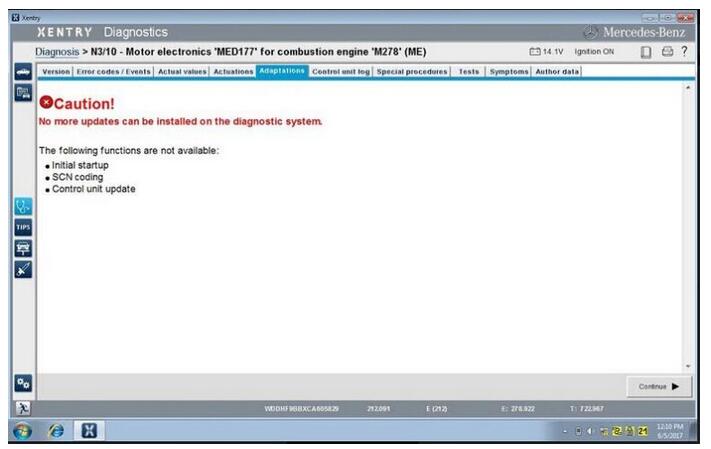
When run 09.2017 MB Star C4 Xentry or other previous versions, the error show “No more updates can be installed on the diagnostic system.”.


What’s the solution? Check below quick fix method!

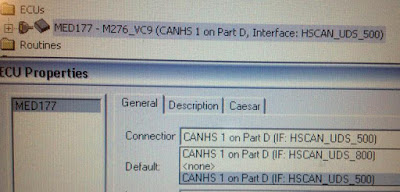
Mercedes Xentry error when Mercedes MED177 M278 engine for E550 4matic 2012

Xentry error message


The following functions are not available:

Initial setup

SCN coding

Control unit update

12-1

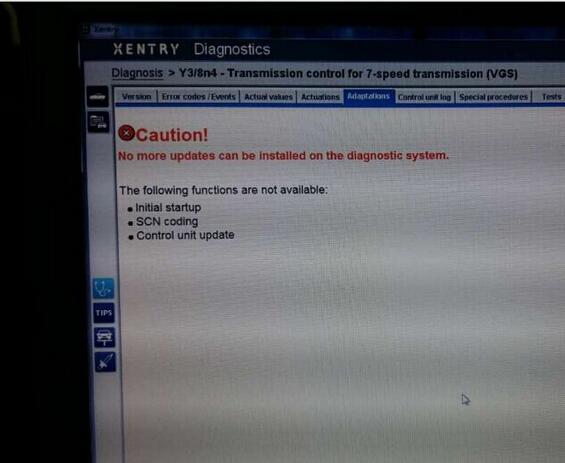
Same error also show when Xentry program Mercedes 7G tronic transmission

12-2

Quick fix method for MB Xentry error “No more updates”

(Tested and given by engineers)

Just download this new Kontexte file and replace the old one

https://mega.nz/#!wh5AxKqJ!VanGy5sXsiaiFG5AXZmJlTLrgXsByBuPDcsdMzIVwR8


The Kontexte file location should be:

C:\Program Files(x86)\ Mercedes-Benz \ Xentry \ Kontexte
And things done!

Now you can run Xenrty software and start again.


Some useful information about MB STAR Diagnostic Tools:

2017.9 MB SD C4 software SSD WIN7

2017.9 MB SD C4 software HDD WIN7

100% tested working stable with SD C4 Connect!

12-3 12-4

Friday, October 27, 2017

Why should you buy a Mercedes diagnostic tool with a laptop

Here list reasons why you should buy a Mercedes diagnostic tool ( MB SD Connect C4/C5, Mb Star C3) with a laptop together:
—With the Dell D630's dedicated serial port, there was no issue for me…. it was plug and play… I just loaded the HDD from the Seller into my Dell and all I needed to do was activate WIS/EPC and XENTRY/DAS with “activation keys”… I only use the Dell for mb star sd c4 purposes…
—Bought an older Dell D630 laptop with a serial port and plan on buying MB SD Star C4 directly installed in a Dell D630 hard drive. No Virtual Machine issues.
—Mercedes Benz Star diagnosis C3 / C4 actually specifies the computer or tablet used in the SDS environment… The T30 is rather slow but will get the job done.
—If your ever in the market for a faster SDS laptop, the Dell 630 with at least 2Ghz and the speed improvement especially when using Xentry is like night and day.
—the HDD that is pre-loaded with the software for SDConnect 4 by the Seller, is inserted into the DELL D630… The DELL D630 is the fastest laptop with the RS232 feature.
—Need to connect directly into a RS232 port without using an interface – this is why I went for the complete system with laptop.
—The software Xentry/ DAS is a bit slow on an old IBM so that it is worth paying a bit extra and getting a Dell D630.
—There is a very specific set of COM ports you must use for it to work. For example you need DAS to be looking at COMx within the VM session, then VMware needs to redirect that to COMx which is a ‘physical’ serial port on your machine.
—It’s probably because it has a real com port. Most laptops these days have just a USB port and things don’t always work right if you’re using a USB to RS-232 converter. You wouldn’t want to brick a component during an update if you’re using USB. The other option would be to get a C4 system, but then they cost more. I think there are a couple other systems out there like IBM that also have real com ports.
—The PART D mux(C3) is a serial ported mux—that’s the reason for the Dell and IBM older laptops.
—The PART W mux(MB SD Connect C4) is and Ethernet/wifi connected system and that is the reason for use on other laptops—the issue is the operating system currently DAS Xentry only runs on XP.
—Plug and play!! It is more convenient for users because the software for C3/SD C4 diagnostic tool will be pre-installed before delivery.
Here are MB STAR diagnostic kits (tool+laptop) for sale:
http://www.obd2tool.com/category-163-b0-MB+Star+Diagnostic+Tools.html
Here are advantages of MB Star diagnostic multiplexer:
MB Star C3 Advantages:
MB Star C3 is called the best-quality Star diagnostic multiplexer.
---the most reputable/ well-received in the market;
---has a better performance and usually it will not happen to be poor connected or work stably during operation. Because of that, an increasing number of customers select MB Star C3 be their professional diagnostic equipment for Mercedes Benz cars.
---its technology and quality is developed after lots of experiments and improvement. The new version MB Star C4 need time to perfect its reliability and operation.
MB Star C4 Advantages:
The great performance of MB Star C3 is accepted by the market, while MB Star Compact-4, as a new-born and updated tool of C3, it also own its comparative advantages.
---is much different in the shape from Compact3;
---smaller in size, lighter in weight than Compact3;
---C4 2008 can do all the works what Compact3 does and it is the replacement of Compact3-Star.
SDconnect Compact 4 Advantages:
MB SD C4 overcomes the shortage of C3, C4.
---covers a wide range of vehicles including trucks and some cars that C3 and C4 do not support;
---supports wireless diagnose;
---not only support K line diagnose and CAN BUS, but also UDS diagnose protocol. Because old MB STAR C4 main board do not have UDS chip, so old MB STAR C4 can not support it;
---now use Lan cable to connect, can fit all computers (not only IBM T30);
---adopts Military quick swap technology, and supports 10,000 times pull plug, more stable;
Cloned BENZ SD C5 Connect Advantages:
---covers all new Mercedes Benz models, Mercedes W222, W221, W212, W203, 211,W 204,W207, W212, GL166, B 246, CLS 218, SLK172 and Smart405, 451, 452, 454
---efficient diagnostic program and complete vehicle database;
---advanced upgraded VCI+ communication interface;
---support Wired/ wireless connection.
---Besides the software c3 and c4 own,it added three more software: SD Media, Xentry and Smart TAN Code.
SD Media: Video and PDF lessons;
Xentry: New software released Xentry software for diagnosing W 204,W207 and W212 which C3 and C4 does not support;
Smart TAN Code: Opened special function in DAS program with Smart cars 405/ 451/452/ 454.Besides, it also opened more special functions, such as engineer mode, remove limitations,etc, which MB Star Diagnosis Star C3 and Star C4 do not have.
Mercedes diagnostic tool-1

Mercedes SCN coding service need help (Solved)

Mercedes SCN coding-1
 scn coding meaning:
Software Calibration Number coding, short for SCN coding is intrudes by Mercedes Benz around 2005. It replaced the previous coding technique with a centralized and almost automated technique to prevent incorrect coding being selected when replacing a module.
scn coding service:
Can be done online or offline
mercedes scn coding software:
You should have working XENTRY/DAS (crack ok).
For old Mercedes (-2009), you should have software version 12.2016 or earlier:
For new Mercedes (2009-2017), you should have software version 03.2017 or newer:
scn coding calculator:
Forget it if you find it on some forums. Usually it is a fake program, it will never calculate the SCN string.
mercedes coding forum:
https://mbworld.org/forums/
http://www.mbclub.co.uk/forums/
http://www.mercedescla.org/forum/
http://www.mbstartool.com/
Which version for Mercedes OFFLINE SCN coding? And which for ONLINE coding?
For OFFLINE coding, you should have old versions before 12.2016.
For ONLINE coding, use new XENTRY/DAS after 03.2017
What should i have for SCN coding to my Mercedes?
Star diagnostic tool (sdconnect c4 better, a HQ clone also ok)
XENTRY/DAS (original, or crack version have been tested!!)
Working laptop
Account of Scn coding service
What models (and the year) for SCN coding?
You can have NEW Mercedes for ONLINE coding, while pre-2009 models for OFFLINE coding.
Online & offline coding can be done with different server data. Online scn coding uses data from the Mercedes dealer; it’s original.
I have a 2017 model. Can i have it do offline coding?
No. 2017 new models can be worked though offline coding, with post-2017.3 Xentry/DAS.
When should i have SCN coding?
1. Check engine light on
2. Transmission gets stuck in 1 gear. If your have trouble with transmission, there is a good chance that the problem is with you ME control unit and that SCN coding is needed to resolve the issue.
3. Turn the engine and it on again
Can you give me a coding account? Or where to buy?
For OFFLINE scn coding, it’s xentry offline scn coding activation service
For ONLINE scn coding, you should buy online service (if you have an online account, it’s ok also.):
1.Place an order on the online coding service.
2.Contact our online customer service to process this online coding.
3.Prepare MB STAR C3/SDConnect C4, car, laptop and teamviewer.
4. Select the car model and programming system (eg, headlight XALWA-L)
5.Select CONTROL unit adaptations
6.Choose offline program (CONTROL MODULE PROGRAMMING) then (SCN coding)
7.Provide us your teamviewer User ID and password.
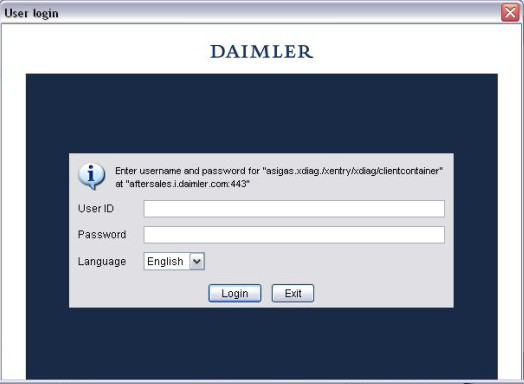
8.Login server (DALMLER)
9.Login server and finish SCN coding automatically
Mercedes SCN coding-2
How to do online scn coding service with Xentry/DAS 2017?
(works for new Mercedes the 2017 year)
Here is the online SCN coding guide.
1. Configure MB STAR:
Come to “SDnet Control” menu>> Configuration >>Network: workshop cable network>> Place a checkmark next to “Automatically obtain IP address”
2. To check the active Internet connection, select Star Browser. The registration window for the after-sales platform should open. Enter the Service Name and password if request.
3. Connect mercedes benz star Scanner system with vehicle
4. Start STAR DAS software program
5. Select Benz model and make: Vans>>V-Class >>Sprinter>>Model designation>>Vehicle recognition. If the vehicle is not recognized, enter the required data manually (e.g. Germany, Rest of World)
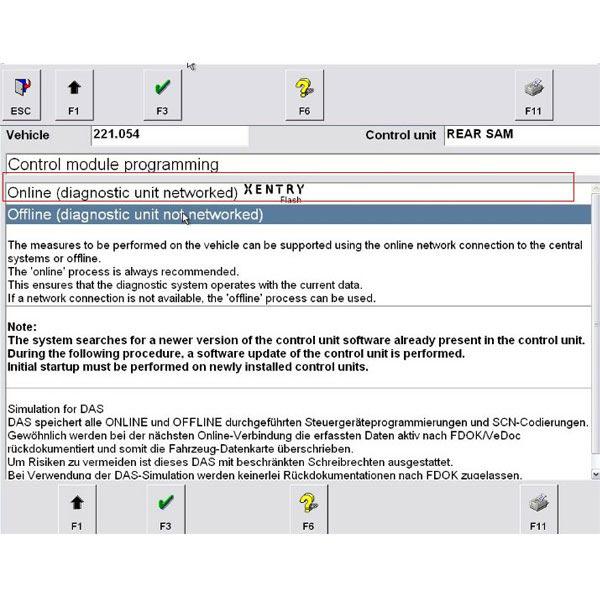
6. Entry for retrofits and modifications – Select “Online” (“networked Star Diagnosis device”)
7. Change or enter the vehicle equipment codes: + ED5 (PSM installed), – ED8 (PSM preinstallation).
NOTE: If the vehicle does not have a preinstallation (ED8), ED8 does not need to be changed to ED5.
8. Run a Quick test
9. Come to the EIS (electronic ignition starter switch) control unit>> Control unit adaptation >>SCN coding >>Select the “Online (networked Star Diagnosis unit)” menu option
10. SCN coding will start automatically (visible on the progress bar on the screen). Please strictly follow the STAR diagnostic software instructions. Otherwise the control unit may be destroyed during the coding procedure.
11. When the system display a comment “The coding variant has been changed”, the SCN coding is completed. The parameterization has been completely taken over in the EIS and is thus finished.
How to get mercedes scn coding offline with Xentry/DAS 2015 (or earlier)?
(used for Mercedes-Benz vehicles pre-2009)
Preparation: activation ID
1. After you install the software, you will see below program, send us the correct ID on the upper left corner (marked red circle). Do not send the ID in windows box.
2. Open upper left corner icon, you will see the correct ID:
3. Copy the ID and send it to us. We will resend you a license.
4. Extract the license and run it directly. Then the software will be ready for use.
A) Determine vehicle data for offline SCN coding from the vehicle.
1. Select control unit in DAS.
2. Select menu item "control unit adaptations" or "initial startup".
Continue with "F3".
3. Select menu item "SCN coding". Continue with "F3".
4. Select "Offline (STAR DIAGNOSIS device not-networked)" menu item. Continue with "F3".
5. Confirm note on sequence of SCN coding with "F2".
6. Completely fill out fax form and click "F11" to print out.
NOTE:If an email address is entered in the fax form, you will be sent the Mercedes Benz Diagnostic Scanner data per email. If a fax number is entered in the fax form, you will be sent the SCN coding data per fax.
7. Send printed out fax form to the given fax no. for the Star Diagnosis Help Desk.
B) Perform SCN coding. The coding is performed with the SCN coding data from the Star Diagnosis Help Desk.
NOTE: If the SCN coding data are received per email, burn the data to a CD or save the data on a USB removable storage device and identify accordingly. Unpack the Zip files first when doing so.
8. In the DAS, choose the "Step 2: Perform SCN coding" menu item. Continue with "F3".
9.1 Select keyboard input using "F4".
For SCN coding data per fax.
9.2 Insert CD or connect USB removable storage device.
For SCN coding data per email.
10.1 Enter SCN coding data manually into the DAS.
For SCN coding data per fax.
10.2 Confirm using "F3" and import the data per CD or USB removable storage device.
For SCN coding data per email.
11 Perform SCN coding.
12. Switch ignition on/off.
Control unit specific, refer to specification in DAS.
13. Press "F11" to print out the order log and enclose the repair order.
NOTE: The order log can also be stored on the DAS. This is done by clicking on "F11", "Print to file", selecting "printout of test step" and entering a file name. In StarUtilities, the StarPad program can be used to display and printout the order log at the "Logs" menu item.
14. Continue with "F2".
NOTE: The Auto diagnostic tool SCN coding of the control unit is completed. Scrap the CD following successful SCN coding as per the guidelines for theft-relevant parts (DTR 69/00). The scrapping process is to be documented on the repair order. The data on the USB removable storage device are to be deleted properly once they have been used.

Thursday, October 26, 2017

MB Star Diagnostic Tool Buying Guide

MB STAR Scanner is professional diagnostic tool for Mercedes Benz vehicles. It is used at Mercedes-Benz dealerships and some auto repair shops. It can also be purchased by independent shops. MB Star series include the hardware and Xentry software that is used to troubleshoot the problems in Mercedes Benz Vehicles.
MB Star Diagnostic tool allows you to read and erase fault codes from any control unit in your car. You can read the actual configurations in each system, stream real time sensor data, activate sensors and perform SCN online, SCN offline coding and programing.
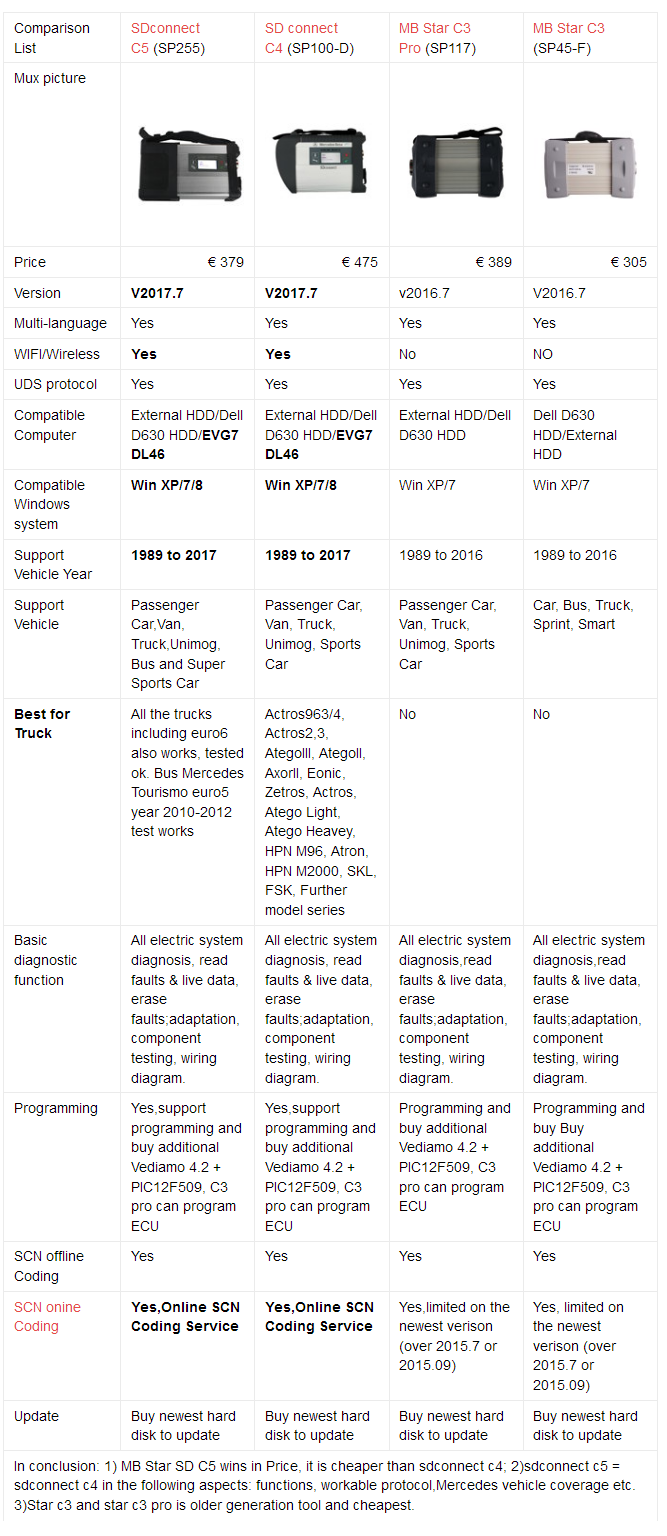
MB STAR series Support most Mercedes Benz vehicles including 1989~up to now Car, Bus, Truck, Sprint, Smart. There are mb star diagnostic tool including Mb Star C3, MB SD Connect C4, MB Star Compact C5,Super Mb Star, Mb Star C3/C4 DAS/Xentry Software and so on.
MB Star Diagnostic Scanner Device:
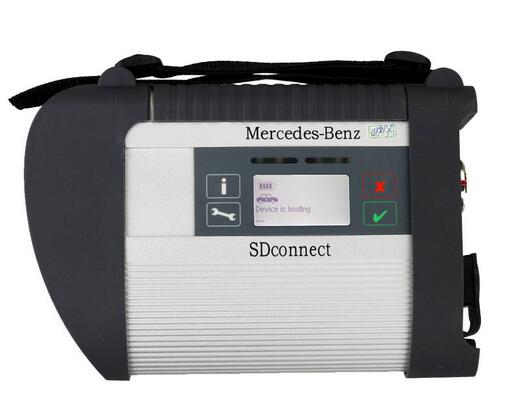
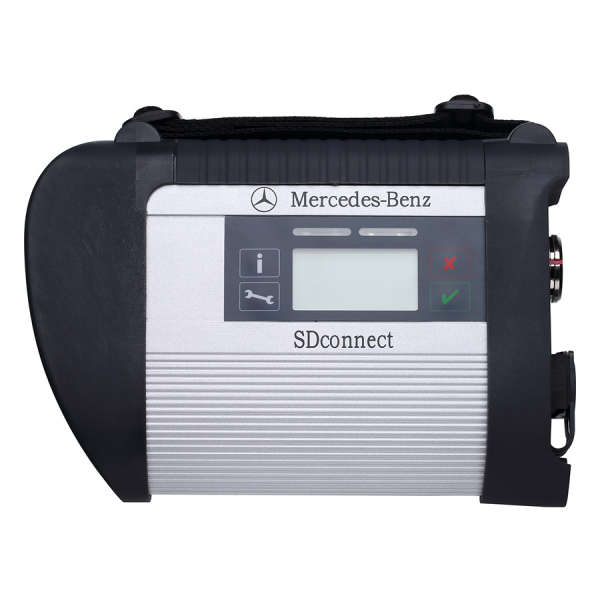
MB SD C4 Connect Compact 4 For Mercedes Benz
MB SD Connect C4 Supports reading out & erasing trouble code,coding and programming for car and truck,Support wireless diagnose, support K line,CAN BUS and UDS protocol, fit all computers,Support Multi-language.
mb-star-1
MB SD C5 Diagnosis With WIFI For Cars & Trucks With HDD
MB SD Connect Compact 5 has same function as SD C4 but with new design, support both cars and trucks,support Mercedes Benz Cars After Year 2000, support wireless connection,support Offline and Online Programming.
mb-star-2
Mb Star C3 Pro with seven cable For BENZ Truck and Cars Multiplexer
Mb star c3 is a scanner,diagnose and program tool for benz car and truck from 1998-2015.It can do benz W203 W204...SRS reset by OBD2.
mb-star-2
MB STAR compact C4 Fit all computer
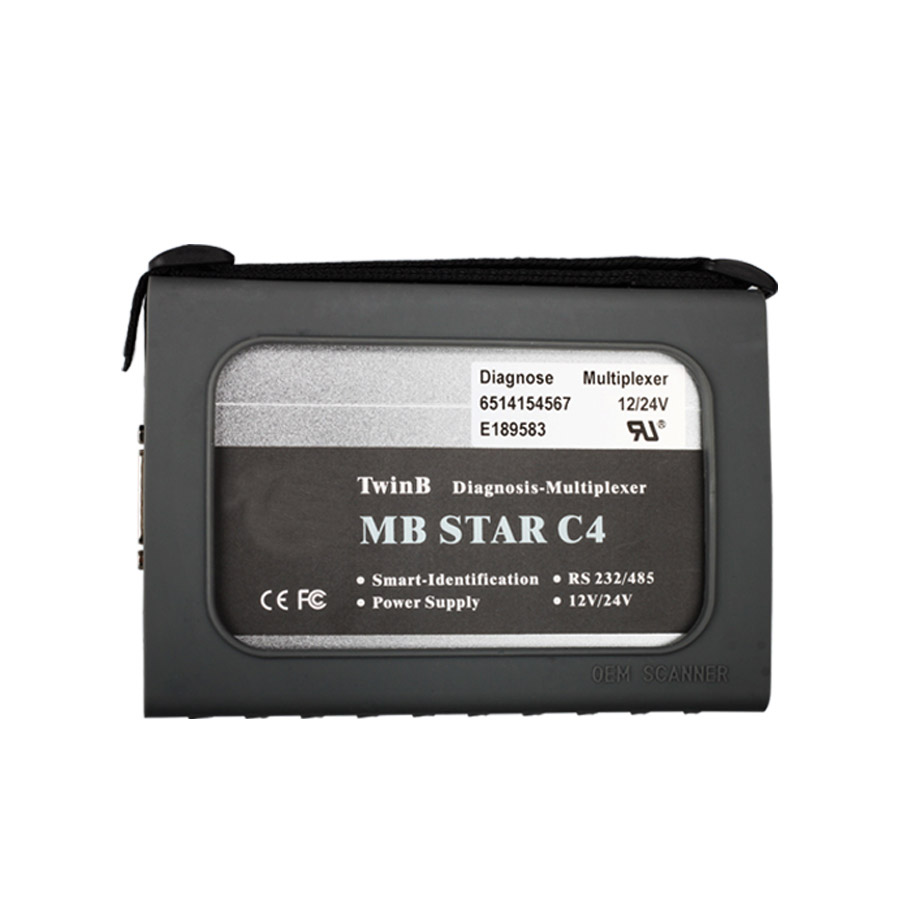
MB Star Compact 4 is the lately updated professional diagnostic equipment for Mercedes Benz cars.Its shape is different from Compact3 with smaller size and lighter weight. MB Star C4 is the replacement of Compact3-Star which can do all the works that Compact3 does.
mb-star-2
Other MB Star Diagnostic Device Recommend:
2017.09 Version MB SD Connect C4/C5 Star Diagnosis Plus Panasonic CF19 Laptop With Vediamo and DTS Engineering Softwar
mb-star-2
MB Star Software:
256GB SSD 2017.9 MB SD Connect Compact C4 Software DELL D630 Format
500GB 2017.9 MB SD Connect Compact C4 Software HDD with DELL D630
V2017.9  SD C4 software works with MB SD Connect Compact C4 for the latest Mercedes Benz cars and trucks. The new generation Mercedes Benz diagnostic equipment Star Diagnosis compact 4 is the latest one on market for all current and new coming MB vehicles.
V2017.9  MB SD C4 Software Functions:
1.1989~up to now Car, Bus, Truck, Sprint, Smart ;
2.All electric system Diagnostic;(Do not include flash code)
3.reading trouble code
4.erasing trouble code
5.live-data
6.adaptation
7.component testing
8.maintenance
9.information consultation
10.component location diagram
11.wiring diagram
mb-star-2
V2016.7 MB STAR C3 Software HDD 500G DELL D630 Support WIN7 System
This Software Works with MB STAR C3, support latest Mercedes Benz car and truck models.
mb-star-7

Star C3 Part D & New MB W222, W217, W205 etc (Discuss)

A good thread with posts: Part-D MUX (a.k.a Star C3) and W222/W205...
 
c3-1
 
Hey dears

perhaps some of you have some insights on this: While we all know that the new model series like W222, W217, W205 etc have on board ethernet routed to the OBD socket, and the Benz diagnostic tool SDConnect is Ethernet/DOIP capable, the diagnosis still seem to be fully possible via D-CAN (pins 6,14 on the OBD socket). For instance, third party tools like BOSCH KTS and the BOSCH CDR (that we use for pulling crash data) do not communicate over Ethernet, they connect to several modules (well some 70% of what is in the car due to 3rd party limitations) via CAN, and they do it allright.

So what is the real reason for Part-D mux not communicating with these model series, could this be just a planned "programmed obsolescence" so the old units get retired faster than they really should?

Perhaps it would be possible to edit vehicle definitions so the old communication platform would still serve for these cars?

I have several Part D muxes, some original, some clones, and some of them work really, really reliably. Learning that purchase of a cloned MB Star C4 that would be as reliable as this is next to impossible, i am thinking about possible workarounds. Since it does not look like actual communication architecture limitation. Anyone?

 RE: Part-D MUX (a.k.a Benz star c3) and W222/W205...
There is nothing planned it is simply technology development. In time when was used PartD there was no ethernet/DoIP in the cars so was not needed have this technology in diagnostic device. Then came new technology and was build new communication hardware. For new technology is needed new technology that′s all. It is the same like car from year 2000 and car from 2015.

RE: Part-D MUX (a.k.a Star C3) and W222/W205...
The only thing is, that Part D is not supported in newer Xentry and Vediamo or dts monaco software.
This part would work also with the cars for CAN Bus only.

RE: Part-D MUX (a.k.a Star C3) and W222/W205...
  (10-05-2017 12:45 AM)laco210 Wrote:
    There is nothing planned it is simply technology development. In time when was used PartD there was no ethernet/DoIP in the cars so was not needed have this technology in diagnostic device. Then came new technology and was build new communication hardware. For new technology is needed new technology that′s all. It is the same like car from year 2000 and car from 2015.


Well that would be true if the newer vehicles would run ONLY in the DoIP mode/lacking CanBUS. But actually they DO have ordinary can BUS and even the documentation (WIS) states, that the diagnostics still take place using the D-CAN!

But guess what. We never know until we test ourselves.

I did a little experiment. I have installed a VOLVO DICE (capable of being a J2534 pass thru) drivers and configured that in Xentry (using the provided ptd_select program). Result - fully running diagnostics on a CAN (YES IT IS A PASS THRU CAN because DICE can't do DoIP) on a 2016 S-Class.

I will test more interfaces and report. If that turns to be sufficiently reliable, i will stick to it and forget about other interfaces.

RE: Part-D MUX (a.k.a Star C3) and W222/W205...
Most of our SDconnect tools are not DoIP capable but can still do W222 and similar MB models. That is for the diagnostics tasks. They cannot do Telematics updates or similar that run through the IP port.

The issue with C3/PartD and these new cars is not CAN but support for UDS protocol.

RE: Part-D MUX (a.k.a Star C3) and W222/W205...
(10-05-2017 08:42 PM)DBmhh Wrote:
Most of our SDconnect tools are not DoIP capable but can still do W222 and similar MB models. That is for the diagnostics tasks. They cannot do Telematics updates or similar that run through the IP port.
The issue with C3/PartD and these new cars is not CAN but support for UDS protocol.

That would make sense and perfectly explains why i am getting full diagnostics using Volvo interface in J2534 mode that has CAN but also supports UDS (in fact, isn't it rather a feature of the driver than the box itself?)

Anyway, quite happy with what i;ve found and if anyone's interested i will give info on what tools, versions, setup etc was used to make this work.

RE: Part-D MUX (a.k.a Star C3) and W222/W205...
(10-05-2017 08:42 PM)DBmhh Wrote:
The issue with C3/PartD and these new cars is not CAN but support for UDS protocol.

Bud, D3 supports UDS protocol. For example Sprinter 3 up to 2014 model year. Delphi CRD2 is UDS.
(10-04-2017 11:02 PM)mikepl Wrote:
Hey dears
So what is the real reason for Part-D mux not communicating with these model series, could this be just a planned "programmed obsolescence" so the old units get retired faster than they really should?

The only reason is that MB discontinued its support.

RE: Part-D MUX (a.k.a Star C3) and W222/W205...
(10-08-2017 08:59 AM)efka Wrote:
Bud, D3 supports UDS protocol. For example Sprinter 3 up to 2014 model year. Delphi CRD2 is UDS.

"Supports UDS" or "only UDS"? Why does C3 not talk to a 2014 Sprinter CDI control unit when it does talk with the rest of the car?

How did you check C3 supporting UDS and really talking to the control unit with the UDS protocol? The control unit most likely accepts both when the 2014 only accepts UDS.

RE: Part-D MUX (a.k.a Star C3) and W222/W205...
The only difference PartD has no DoIP.
All other ECU protocols are supported.

Thursday, October 19, 2017

Mercedes Benz Xentry OpenShell XDOS 2017.09 free download and setup

Starts with mercedes benz star diagnostic tool Xentry OpenShell XDOS 2017.09 free download, then reliable source of Xentry OpenShell XDOS 2017.09, ends with Xentry OpenShell XDOS 2017.09 setup.
Mercedes Benz Xentry OpenShell XDOS 2017.09 free download
https://mega.nz/#F!ZUZz3JBL!0NSwL9wyFV9ApFqRR0Jofw (28774.84MB)
PW: OpenShell9.2017
Mercedes Benz-1
Mercedes Benz Xentry OpenShell XDOS 2017.09 software analysis:
Starkey like old version 7 2017 and 5 2017
More secure
Data is not visible
DAS Controlled from xentry
AddOnCenter doesn`t close to a tray, if it was once opened , to get create controlled for Message Queue (MSMQ) Server, that why show error on shutdown
Security analysis:
There new security not activated, may be will activated on next version
2221-XX Verify by server
3.91 Verify by vehicles
DAS License verify by Xentry
XDOS_09.2017_Missing_Pics_Fixed_x86_x64 free download:
https://mega.nz/#!gdIV1CzA!XGlvg0Ckh65uQcXkFMJfwqQ_5QV0grfAqYL-QIDyVQQ (46KB, No pass)
Enjoy at your own risk.
Tip: the 28774.84MB files is a little pain to download online.
Any reliable source to have mercedes benz star Scanner OpenShell XDOS 2017.09?
Yes! I prefer to this Mercedes Benz Xentry OpenShell XDOS 2017.09 (common HDD)
Or Mercedes Benz Xentry OpenShell XDOS 2017.09 (SSD Hard disk) which is more stable.
Enjoy it at easy, because it is verified working like a charm, so easy to gain the software instead of taking much time to download online, if any installation problem, the technical support is available.
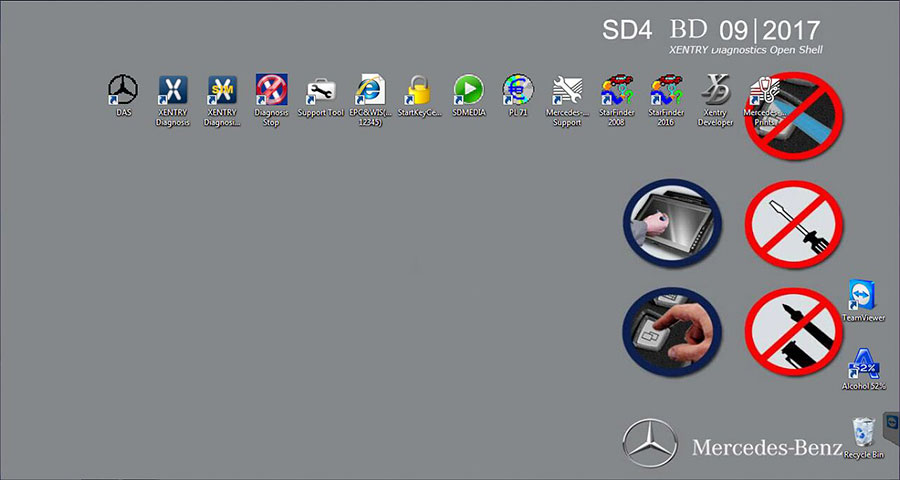
Wallpaper:
Mercedes Benz-2
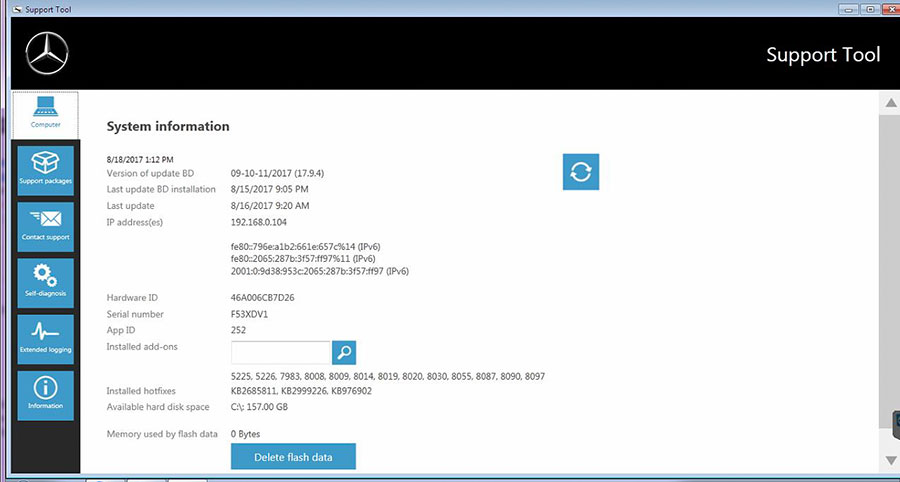
Xentry OpenShell 2017.9 support tool
Mercedes Benz-3
Xentry OpenShell 2017.9 installation:
1.You need absolute clean windows. choose win 7 32bit
2.Available hard disk space: C:\:157.00GB.
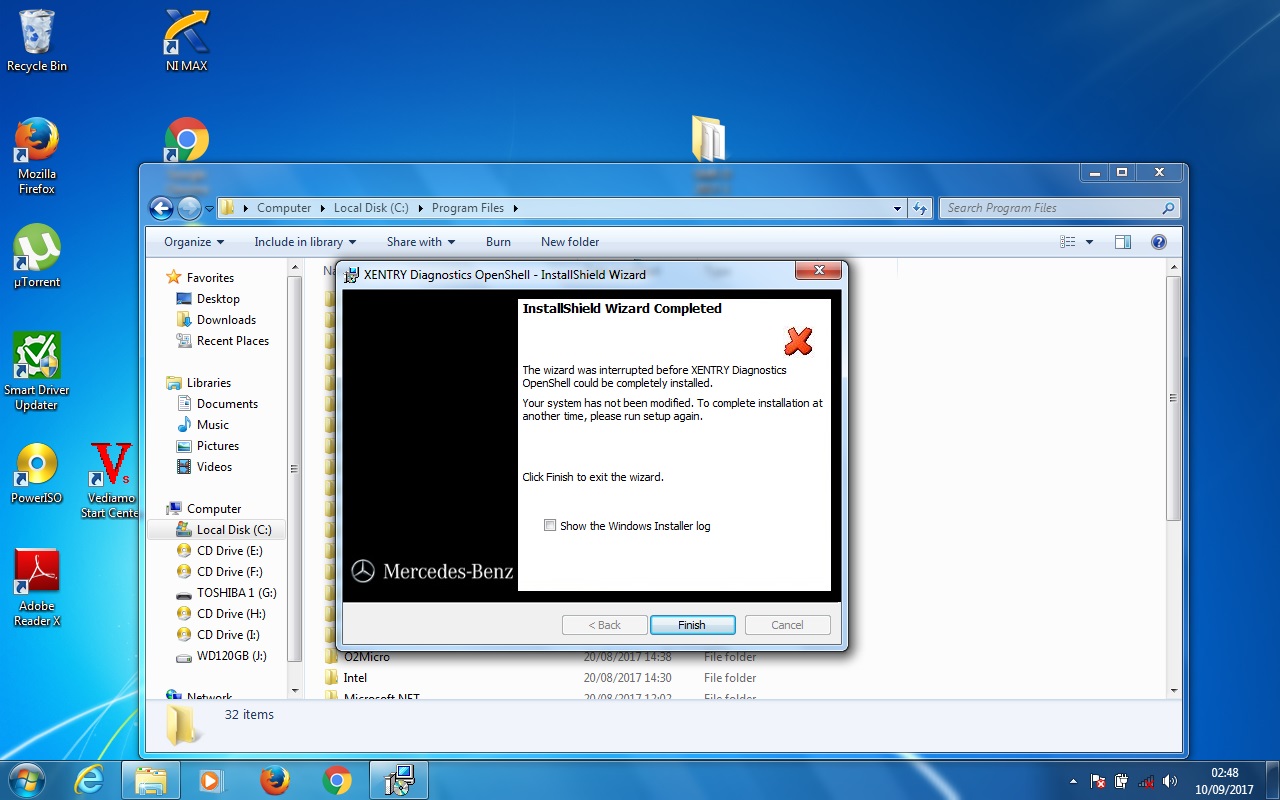
Here I’d share the solution to the Xentry OpenShell 2017.9 installation problem: The InstallShield Wizard was interrupted before Xentry Diagnostics Openshell could be completely installed.
Mercedes Benz-4
Possible reasons:
1- from virus
2- or Microsoft Message Queue Service is not enable
Please ensure you did like bellow tips:
1.You need absolute clean windows. choose win 7 32bit
2.Click to show you the log file and read that. It will be specified what has gone wrong with your install.
3.Be sure to run your install with administrator rights and have enough room on your HDD.
Finally, the problem is fixed.
It was the Microsoft Message Queue Service not enabled now is installing fine.
To sum up:
This post provide two source of Xentry OpenShell 2017.9 download from obd2tool.com, which one to go for? It’s up to you, personally, I’d prefer to the reliable source.
Good luck.

Saturday, October 7, 2017

MB Star Diagnostic Tool series

MB STAR Diagnostic Tool series are the Mercedes-Benz approved dealer diagnostic systems for troubleshooting and programming.

MB Star diagnostic hardware:

MB STAR series now includes: WIFI MB SD Connect Compact 4 system, Super MB STAR C3 diagnostic system, MB Star C3 multiplexers (best quality, best price and C3 pro with 7 cables) and MB STAR Compact 4 system.
http://forobd2tool.com/wp-content/uploads/2017/07/1/18-1.jpg
All Star diagnostic system will do  Mercedes Benz 1989~up to now Car, Bus, Trucks, Sprint, Smart  (expect SP45-C best price MB STAR C3)

MB Star C4 is the newer Star system for newer models and support Mercedes with UDS protocol. SD Connect supports offline/online programming and Vediamo engineering software as well. Super MB STAR is the only Star tool that can be updated online.

Star diagnosis software:
All MB STAR Diagnostic systems come with multi-language basic software applications.

1.D-A-S / Xentry: the automatically Diagnosis Assistance System, Concise interface and straightforward operation with IB M high-quality computer can realize the quick and accurate code reading and the whole car system testing

2.W-I-S net: Workshop Information System Supply the whole view of the wiring diagram in a car, component location diagram and maintenance method. What you do is to enter the chassis number, and then you will get the manufacture data, engine configuration and the car model -all in detail.

3.EPC.net: Electronic Parts Catalog

4.ST Finder: Part location finder

5.STARUTILITIES: the movement management system and self-test

6.SDMEDIA

7.PL69
http://forobd2tool.com/wp-content/uploads/2017/07/1/18-2.jpg
http://forobd2tool.com/wp-content/uploads/2017/07/1/18-3.jpg

Super Mb Star C3 comes with more software programs, including Smart Tan Code, Developer model and Benz Disassembly system etc comparing with other Star systems.

There are basic 3 formats Star diagnosis software HDD: IBM T30 HDD, Dell D630 HDD, and moveable external HDD. Internal HDD runs faster and stable then external HDD. While external HDD can be easily replaced and has no computer limitation (any laptop has COM-PORT)

How to Retrofit Mercedes W204 Rear Lights by MB Star DAS

Here is a little tutorial on Mercedes-Benz W204 rear lights retrofit by using MB Star Diagnosis DAS software with benz star c4.
Disclaimer: This is for W204 chassis only. You are at your risk.
Start DAS Developer and do the usual “quick test”
(all our DAS comes with developer mode)
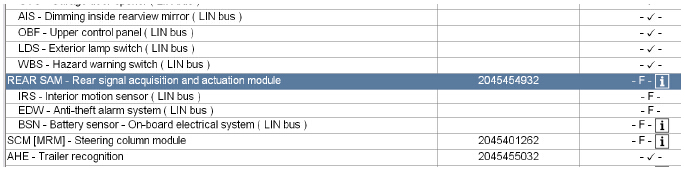
Open op the REAR SAM module:
24-1
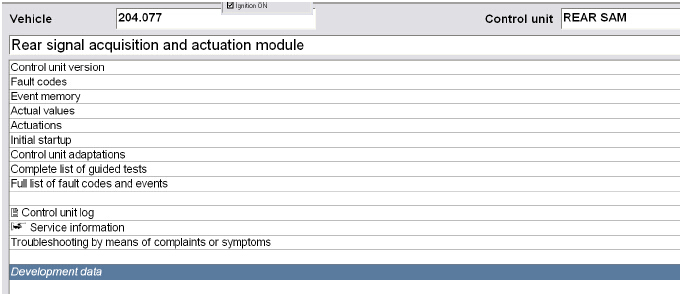
Go to Development data
24-2
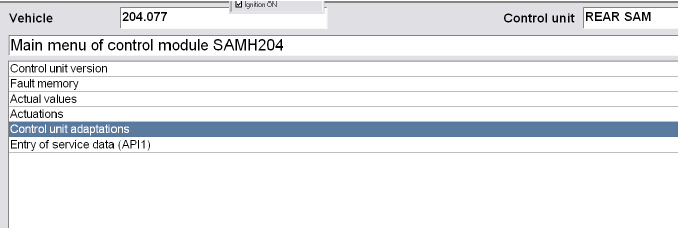
Select control unit adaptions
24-3
Go to the Control unit adaptions (Variant Coding)
24-4
Go to the Parameter Lichtfunction:
24-5
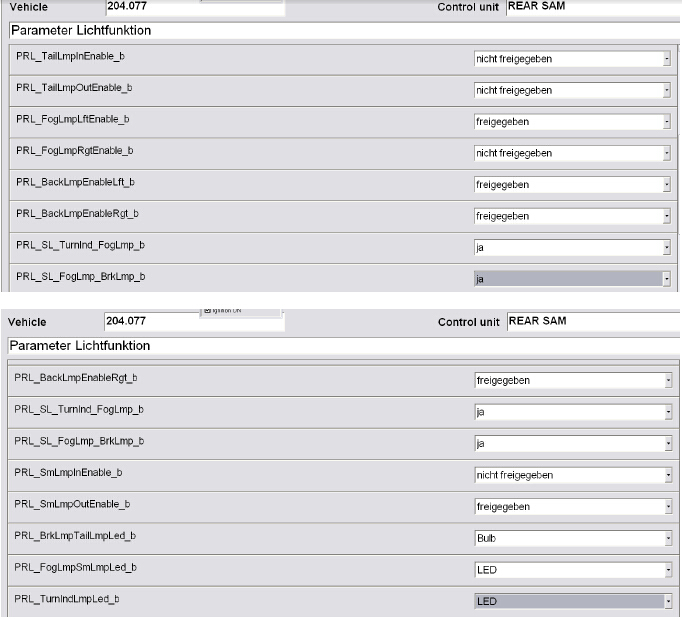
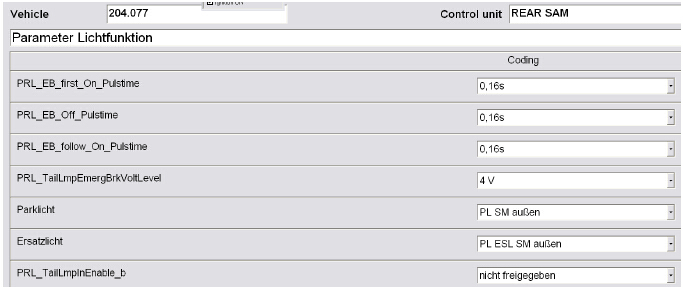
Change the coding according to the below screenshots:
24-6
24-7
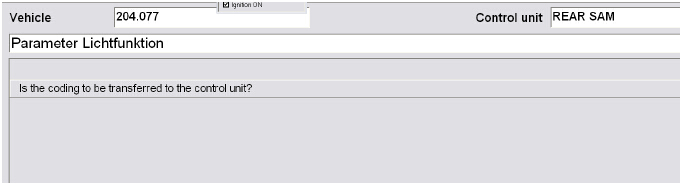
Save the config
24-8
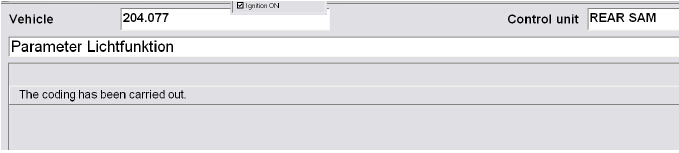
Select yes:
24-9
Now shut down MB Star DAS FROM Obd2tool.com, shut down the car and lock it, now start the car again and everything should be working correctly.

http://cheapobd2.com/2017/09/12/how-to-retrofit-mercedes-w204-rear-lights-by-mb-star-das/

Saturday, September 30, 2017

What Is MB Star?

It's the common name for the set of tools used by Mercedes and Smart to perform all diagnostics and coding.
It consists of a laptop, various pieces of software, several cables and a multiplexer.
33-1
What Can MB Star Do?
You can code keys, activate paddles, activate auto, activate cruise control, turn off all the error lights, read out
all of the error codes, set the clutch, check all systems, actuate everything on the car etc. The list is enormous.
How Much Is MB Star?
Due to the varying prices, I won't put a figure here as it'll be wrong next week. Read the rest of the page and
at the base of this page you'll see a link to who I bought mine from. Click the Benz diagnostic tool and have a look at the prices.
What Do I Actually Need To Buy?
You need a laptop (ideally a Dell D630), a hard drive suitable for the latop with the MB Star
software and you'll need the multiplexer which plugs in between the laptop and the car.
If you have a 450, 451 or Roadster and have no intention of buying a 453, you are probably best off buying 2011
or 2012 software and a C3 multiplexer. Being wired instead of wireless makes it all a lot less complicated.
If you have a 453 you will have to have a C4 multiplexer. (Double check to make sure it has the UDS protocol).
The minimum date for the software is 2015 but I would recommend getting the newest version you can.
What Software Is Used?
Xentry DAS - Diagnosis Assistance System. This is the main diagnostics software.
WIS - Workshop Information System. This shows you how things are fixed.
EPC - Electronic Parts Catalogue. Lists out all of the part numbers for each car.
They are all handy to have and generally come as 1 package from the seller.
What Is A Multiplexer?
A multiplexer (or mux) is a device that can take several input signals and forward them all down a single line.
Essentially, it takes data received through several pins and transfers it down 1 line
into the laptop for the software to view. There are a few main types of multiplexer
C3 Multiplexer
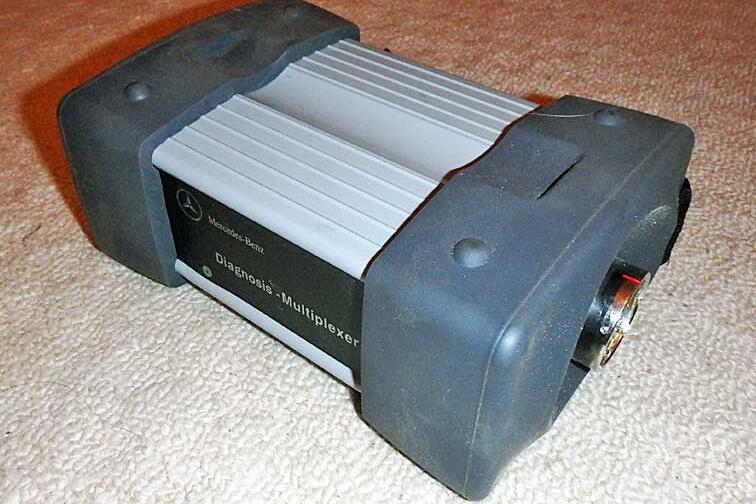
This was the original design from Mercedes. It's a rubber capped aluminium brick with a connector at each end.
200mm x 130mm x 85mm and weighing in at 1.3 kilograms. It has 1 LED on the front panel.
33-2
This multiplexer was created to communicate with the CAN bus cars that were being brought out.
It could also communicate with K-line diagnostic cars like the smart 450 fortwo and Roadster.
C4 Multiplexer
a.k.a. SDconnect
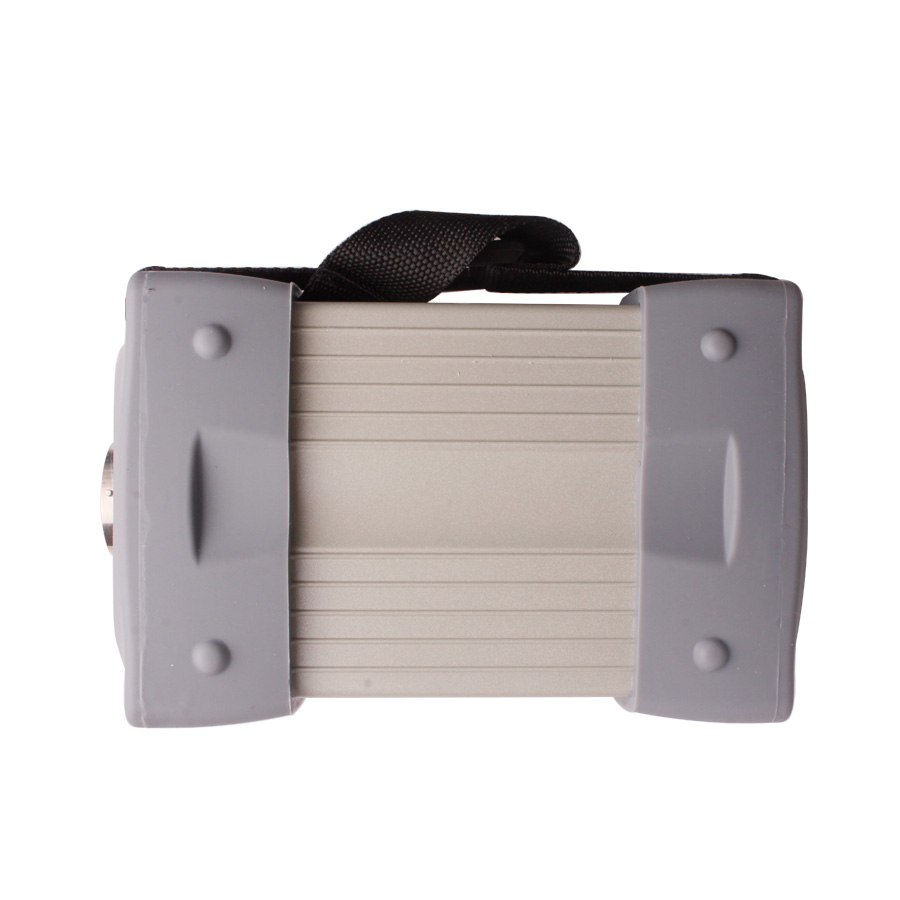
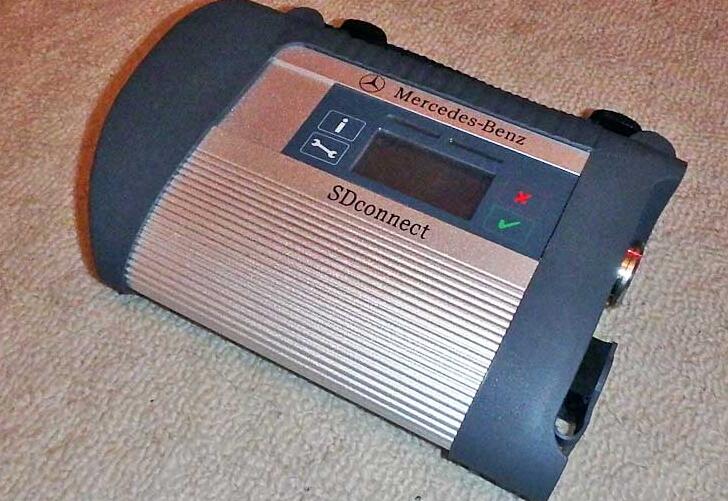
The update was called the C4. An aluminium extrusion with a hard plastic surround and 2 connectors at 1 end.
215mm x 155mm x 50mm and weighing in at 1 kilogram*.
It has 4 LEDs, an LCD and 4 buttons. This multiplexer is wireless between the laptop and the multiplexer.
33-3
This replaced the C3 multiplexer due to an addition of a third diagnostic protocol.
It still covered K-line and CAN bus but now it also covered the new UDS protocol.
UDS is what is used in the smart 453 fortwo and forfour.
*Actual size and weight may vary slightly depending on the manufacturer.
Alternative C4 Multiplexer
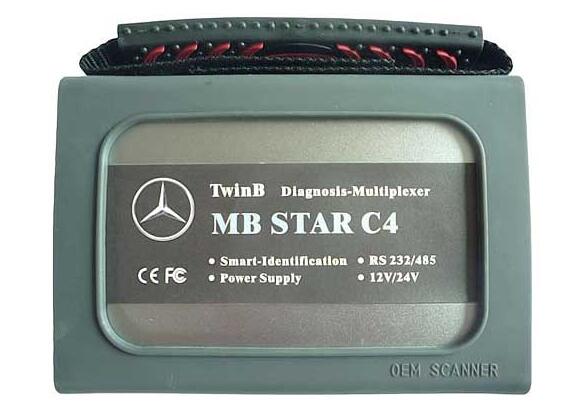
Before Mercedes even came out with the official C4 multiplexer, a Chinese company decided to make
their own and attempt to sell it as an update. Steer well clear of this type. They are very unreliable.
33-4
Essentially, it is a C3 multiplexer, made as small as possible using the cheapest parts available.
They were a massive bodge up and they would fail all the time. Don't buy this type.
C5 Multiplexer
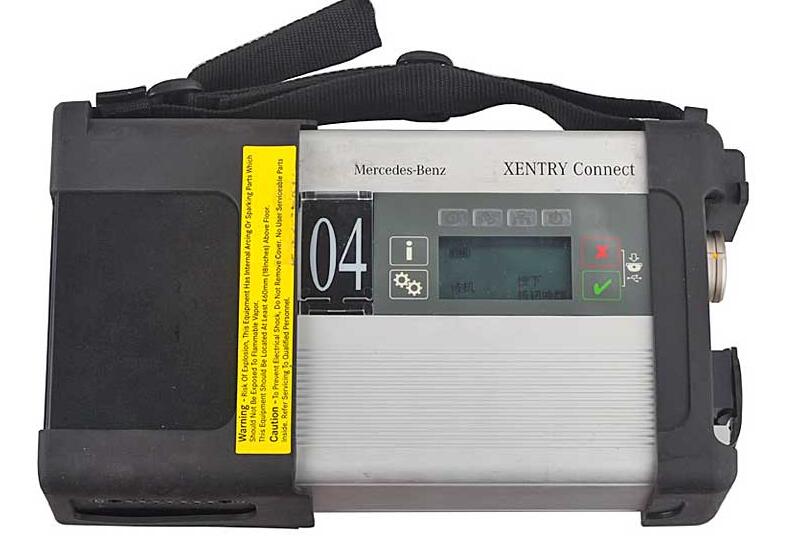
a.k.a. Xentry Connect
This is the newest multiplexer from Mercedes.
As of July 2016, clones of this unit are now available although this type is not required for the smart..
33-5
I don't know how this differs from the C4 device but it is required for the new Merc hybrid (W222).
Original Multiplexer Or Chinese Clone?
I hate to be the messenger of bad news but you aren't buying an official multiplexer for less than about £7,000.
So it's a no-brainer to get a Chinese clone multiplexer from a reputable company for less than 1/10th of the prce.
Software
The software you get will normally be preinstalled onto a laptop or hard drive for you to install into your own laptop.
Preinstalled is a lot easier than doing it yourself and will save you 2 or 3 hours of installing and messing around.
You will get cracked versions of all of the software that you require. Some companies will also add other
software on there too like the TAN code calculator.
Software Installation - The Easy Way
What is easier than getting someone else to do it?
When I bought my 1st and HDD with the Xentry/DAS software on, I noticed a file on the desktop called Team Viewer.
I quick Google search showed me that, with the right details, someone else could control your laptop.
I assumed that the reseller did this for a reason so I left my laptop on and connected online and sent the
Team Viewer details to the reseller, asking them if they could activate the software. Next day, it was done!
This was from MBStarShop (link at the bottom of the page) but it's worth asking 1st. Just to be sure.
I suspect it's a service that any good reseller would offer so again, it's worth asking 1st.
Laptop
The original MB Star setup uses an unknown Toshiba touchscreen tablet or the newer Panasonic CF-D1 tablet.
The CF-D1 is very expensive so not worth considering. You could buy 30-40 compatible laptops for the same price.
Can I Use Any Laptop?
You can but you really shouldn't. I don't advise it for simplicity sake.
The MB Star software was tweaked to work with 1 specific touchscreen tablet. When loaded onto other laptops,
it wouldn't function properly. Wouldn't connect to the car, kept crashing and didn't do what it was supposed to.
This was mainly down to the MB Star drivers controlling the hardware in the computer.
Over time, hundreds of laptops were tested for compatibility but only 2 laptops were found to work correctly.
Dell Latttude D630
IBM Thinkpad T30
The IBM T30 has a smaller screen, slower processor and was launched in 2002.
The Dell D630 has a larger screen, faster processor and was launched in 2007.
As you can imagine, the Dell D630 is the better of the 2 to go for. It's also easier to find as they aren't as old.
If you really want to use your own laptop, you can get the MB Star software on an external hard drive and run it
all through a virtual machine. This is a terrible way to do it, full of problems and I really suggest you don't bother.
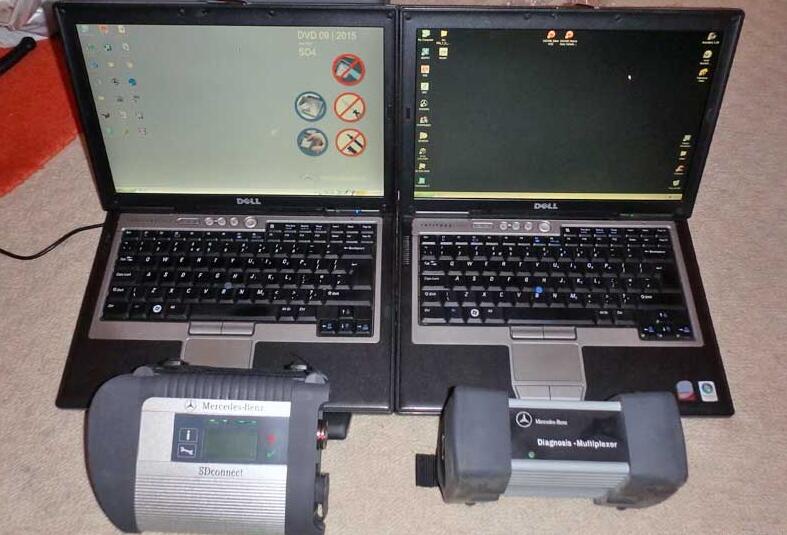
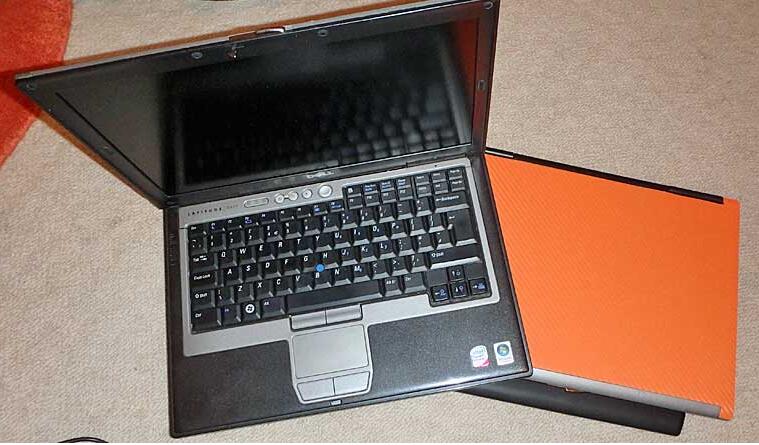
The Dell D630 can be bought in working condition for around £50. I paid less than £100 for
these 2 including postage. The orange top is just vinyl to cover up the scratches on the lid.
33-6
It makes more sense to source your own laptop instead of buying it in a kit from a Chinese seller.
You'll pay more for the laptop, you'll pay more postage and you'll pay more import duty.
However, if you buy the laptop from the supplier, it will all arrive ready to use.
If you fit a hard drive to a laptop you bought separately, the software needs some setting up.
This involves collecting numbers and contacting the supplier so they can give you codes to enter.
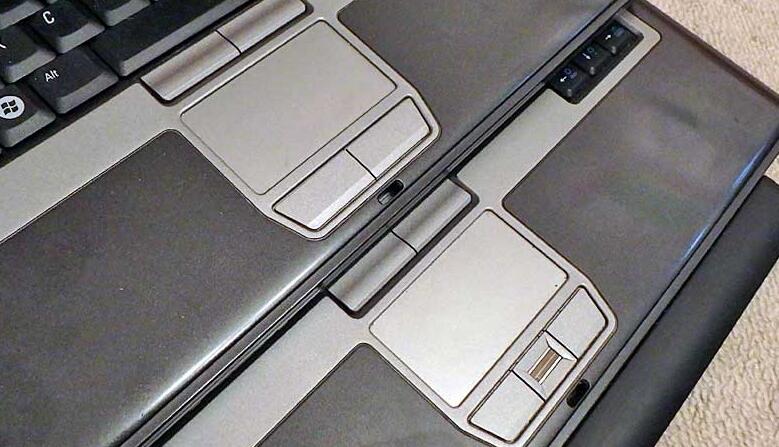
The Dell Latitude D630 came in 2 subtle variations but they both work as an MB Star laptop.
The difference can be seen in the touchpad button layout.
33-7
Where Can I Buy These From?
There are countless shops online and 10 times more sellers on OBD2TOOL who will sell you these items.
However, it's always nice to have a company recommended that someone has experience with.
Following is the popular selling mb star products at obd2tool:

Products List:
  • MB SD Connect Compact 4 Star Diagnosis Tool 2017.09 Plus Dell D630 Laptop With Vediamo and DTS Engineering Software Supp
  • MB SD Connect Compact 4 Star Diagnosis Tool 2017.09 Plus Dell D630 Laptop With Vediamo and DTS Engineering Software Supp
    Description: Lots of customer encounter setting problem when using MB SD Connect Compact C4 star diagnosis, so we recommend this bundling sale for those customer who want once get in hand then can use.
    Item No.  A172-2
    (22)
    » MB Star Diagnostic Tools
  • Market Price:
    US$816.00
    Promotion Price:
    US$588.00
  • Add to Wishlist
  • 2017.09 MB SD Connect C4 with Super Engineering Software DTS monaco And Vediamo Plus EVG7 Tablet Support Offline Program
  • 2017.09 MB SD Connect C4 with Super Engineering Software DTS monaco And Vediamo Plus EVG7 Tablet Support Offline Program
    Description: mb star c4 With the Vediamo benz engineers software out of the market, Super engineer software DTSmonaco is coming, it can achieve separate programming, scan entire vehicle software code, read entire vehicle setting code data, It truly one-button operatio
    Item No.  A172-9
    (10)
    » MB Star Diagnostic Tools
  • Market Price:
    US$1,198.80
    Shop Price:
    US$999.00
  • Add to Wishlist
  • MB SD Connect Compact 4 Mb star C4 Diagnosis Tool With WiFi 2017.09 Plus EVG7 Diagnostic Controller Tablet PC
  • MB SD Connect Compact 4 Mb star C4 Diagnosis Tool With WiFi 2017.09 Plus EVG7 Diagnostic Controller Tablet PC
    Description: New MB SD Connect Compact 4 Star c4 Diagnosis not only support K line diagnose and CAN BUS,but also UDS diagnose protocol. Because old MB STAR C4 main board do not have UDS chip, so old MB STAR C4 can not support it;
    Item No.  A172-5
    (4)
    » MB Star Diagnostic Tools
  • Market Price:
    US$1,065.60
    Shop Price:
    US$888.00
  • Add to Wishlist
  • 2017.09 MB SD Connect C5 with Super Engineering Software DTS monaco And Vediamo Plus EVG7 Tablet Support Offline Program
  • 2017.09 MB SD Connect C5 with Super Engineering Software DTS monaco And Vediamo Plus EVG7 Tablet Support Offline Program
    Description: mb star c5 New MB SD Connect Compact 5 Star Diagnosis support wireless diagnose, Connector adopt Military quick swap technology, it can support 10,000 times pull plug, more stable
    Item No.  A358-3
    (4)
    » MB Star Diagnostic Tools
  • Market Price:
    US$1,198.80
    Shop Price:
    US$999.00
  • Add to Wishlist
  • MB SD Connect Compact 5 Star Diagnosis Tool With WiFi V2017.09 Plus EVG7 Diagnostic Controller Tablet PC
  • MB SD Connect Compact 5 Star Diagnosis Tool With WiFi V2017.09 Plus EVG7 Diagnostic Controller Tablet PC
    Description: MB SD Connect Compact 5 MB STAR C5 Star Diagnosis support wireless diagnose, mb star c5 Diagnosis not only support K line diagnose and CAN BUS,but also UDS diagnose protocol.
    Item No.  A358-1
    (22)
    » MB Star Diagnostic Tools
  • Market Price:
    US$1,029.60
    Shop Price:
    US$858.00
  • Add to Wishlist
  • Mb Star C3 Plus Dell D630 Laptop-for Benz Trucks & Cars 2017.09 version
  • Mb Star C3 Plus Dell D630 Laptop-for Benz Trucks & Cars 2017.09 version
    Description: We provide the Best Price here for Mb Star C3 Plus Dell D630 Laptop or IBM T30 Laptop, now you buy them together, you will get a big discount and save more money.
    Item No.  A103-4
    (4)
    » MB Star Diagnostic Tools
  • Market Price:
    US$540.00
    Shop Price:
    US$450.00
  • Add to Wishlist
  • V2017.09 MB SD Connect C5/C4 Star Diagnosis Plus Lenovo T410 Laptop With DTS and Vediamo Engineering Software
  • V2017.09 MB SD Connect C5/C4 Star Diagnosis Plus Lenovo T410 Laptop With DTS and Vediamo Engineering Software
    Description: Lots of customer encounter setting problem when using MB SD Connect C4/C5 star diagnosis, so we recommend this bundling sale for those customer who want once get in hand then can use it directly. We will install and activate for you ready to use. What's m
    Item No.  A172-11
    (2)
    » MB Star Diagnostic Tools
  • Market Price:
    US$909.60
    Shop Price:
    US$758.00
  • Add to Wishlist
  • V2017.09 MB SD C4/C5 Star Diagnosis Plus Panasonic CF52 Laptop With Vediamo and DTS Engineering Software Support Offline
  • V2017.09 MB SD C4/C5 Star Diagnosis Plus Panasonic CF52 Laptop With Vediamo and DTS Engineering Software Support Offline
    Description: New MB SD Connect Compact 4 Star Diagnosis support wireless diagnose,It is native database from super engineer of Mercedes-Benz. And it is very essential for Super engineer of Mercedes-Benz in programming database!
    Item No.  A172-7
    (3)
    » MB Star Diagnostic Tools
  • Market Price:
    US$1,198.80
    Shop Price:
    US$999.00
  • Add to Wishlist
  • 2017.09 Version MB SD Connect C4/C5 Star Diagnosis Plus Panasonic CF19 Laptop  With Vediamo and DTS  Engineering Softwar
  • 2017.09 Version MB SD Connect C4/C5 Star Diagnosis Plus Panasonic CF19 Laptop With Vediamo and DTS Engineering Softwar
    Description: Lots of customer encounter setting problem when using MB SD Connect C4/C5 star diagnosis, so we recommend this bundling sale for those customer who want once get in hand then can use it directly. We will install and activate for you ready to use. What's m
    Item No.  A172-10
    (3)
    » MB Star Diagnostic Tools
  • Market Price:
    US$1,280.00
    Shop Price:
    US$958.00
  • Add to Wishlist
  • MB SD Connect C5 For BENZ Upgrade Diagnostic Tool With WiFi V2017.09
  • MB SD Connect C5 For BENZ Upgrade Diagnostic Tool With WiFi V2017.09
    Description: mb star c5 upgrade diagnostic tool is latest BENZ professional scanner. Support all Mercedes engine, chassis, body and instrument module coding
    Item No.  A358-2
    (0)
    » MB Star Diagnostic Tools
  • Market Price:
    US$429.59
    Shop Price:
    US$358.00
  • Add to Wishlist
  • Best Quality MB SD Connect Compact 4 Star Diagnostic Tool With WiFi 2017.09 Version With Vediamo and DTS Engineering Sof
  • Best Quality MB SD Connect Compact 4 Star Diagnostic Tool With WiFi 2017.09 Version With Vediamo and DTS Engineering Sof
    Description: mb star c4 MB SD Star Diagnostic tool, mb star diagnosis SD Connect Compact 4 is a newest and powerful daimler Chrysler wireless multiplexer for Mercedes Benz,the star diagnosis sd connect 4 can connect to PC by Wireless. And it is a very professinal diag
    Item No.  A172-3
    (29)
    » MB Star Diagnostic Tools
  • Market Price:
    US$598.80
    Shop Price:
    US$499.00
  • Add to Wishlist
  • Mb Star C3 for Benz Trucks & Cars 2015.12 version-Best Quality
  • Mb Star C3 for Benz Trucks & Cars 2015.12 version-Best Quality
    Description: XP-STAR(Auto-Link Blue STAR) realizes all the functions of official factory BEN Z Star2000: reading out and erasing trouble code; reading the real-time data of sensor and actuator; coding and programming...
    Item No.  A103-1
    (2)
    » MB Star Diagnostic Tools
  • Market Price:
    US$441.59
    Shop Price:
    US$368.00
  • Add to Wishlist
  • Mb Star C3 for Benz Trucks & Cars 2015.12 version
  • Mb Star C3 for Benz Trucks & Cars 2015.12 version
    Description: Mb Star C3 (Auto-Link Blue STAR) realizes all the functions of official factory BENZ Star 2000: reading out and erasing trouble code; reading the real-time data of sensor and actuator; coding and programming. It applies the latest high-tech central gatewa
    Item No.  A103-2
    (4)
    » MB Star Diagnostic Tools

    http://forobd2tool.com/blog/2017/09/30/what-is-mb-star/