Friday, January 28, 2022

How to reset the fuel mixture adaptations for Mercedes ME9.7

This article will show you I will show you how to reset the mixture adjustments for Mercedes ME9.7 with MB Star SDC4 / Star C5.

Why need to reset the fuel mixture adaptations?

After preventive work, such as cleaning the injectors and cleaning the throttle valve, which influenced the mixture formation, you must therefore reset the adjustments.

Step-by-step Guide:

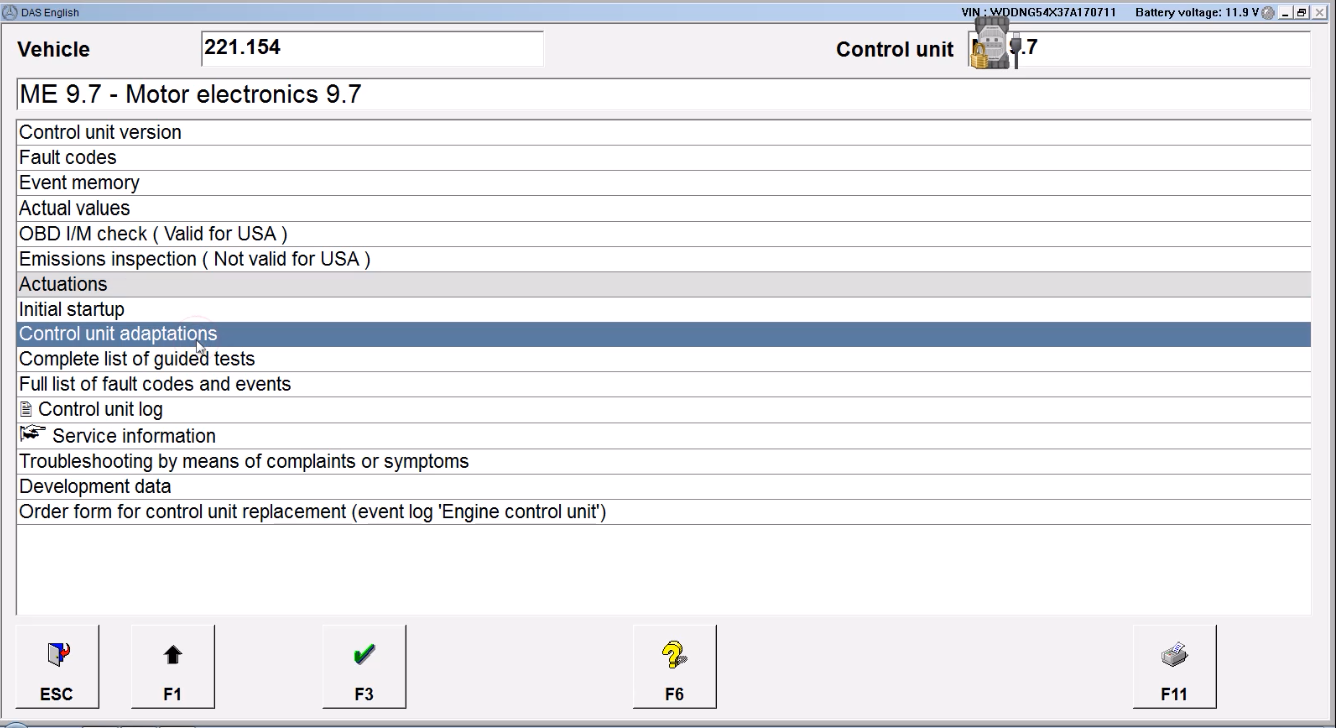
Go to the engine block + actual values + adaptation data + self-adaptation mixing.

How-to-reset-the-fuel-mixture-adaptations-for-Mercedes-ME9.7-1
How-to-reset-the-fuel-mixture-adaptations-for-Mercedes-ME9.7-2

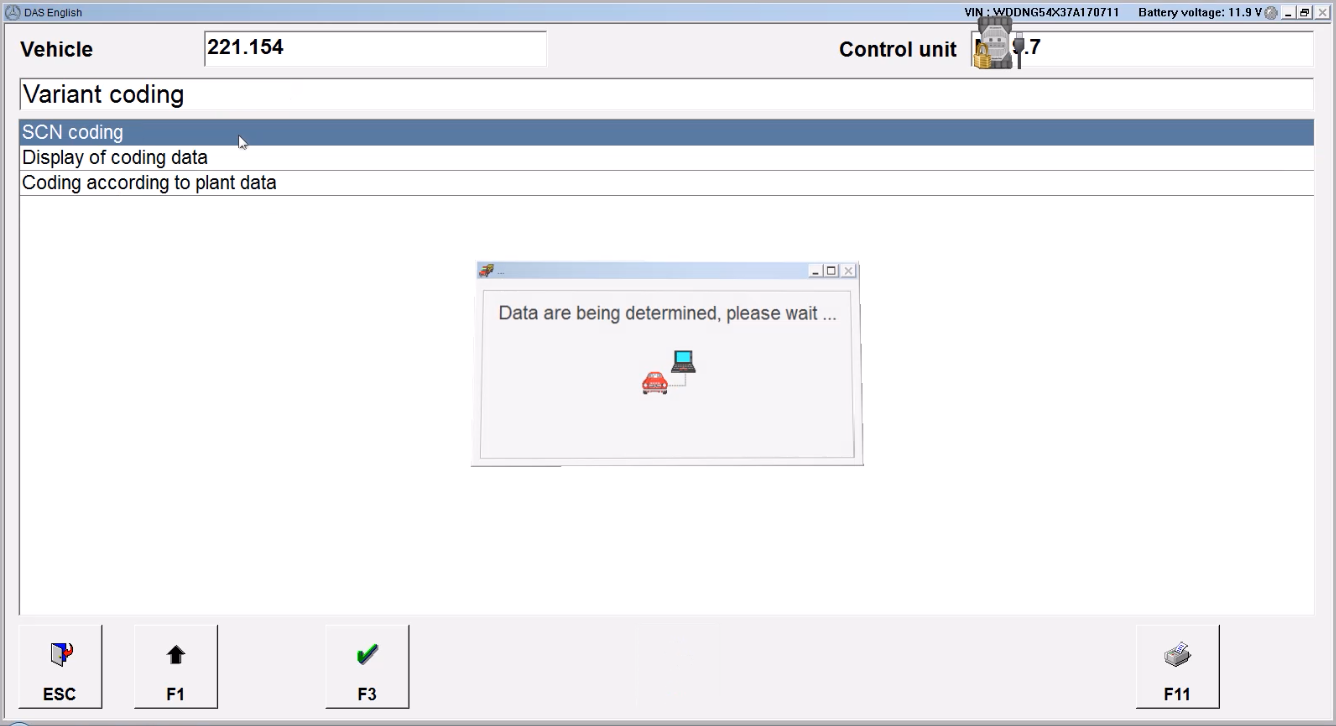
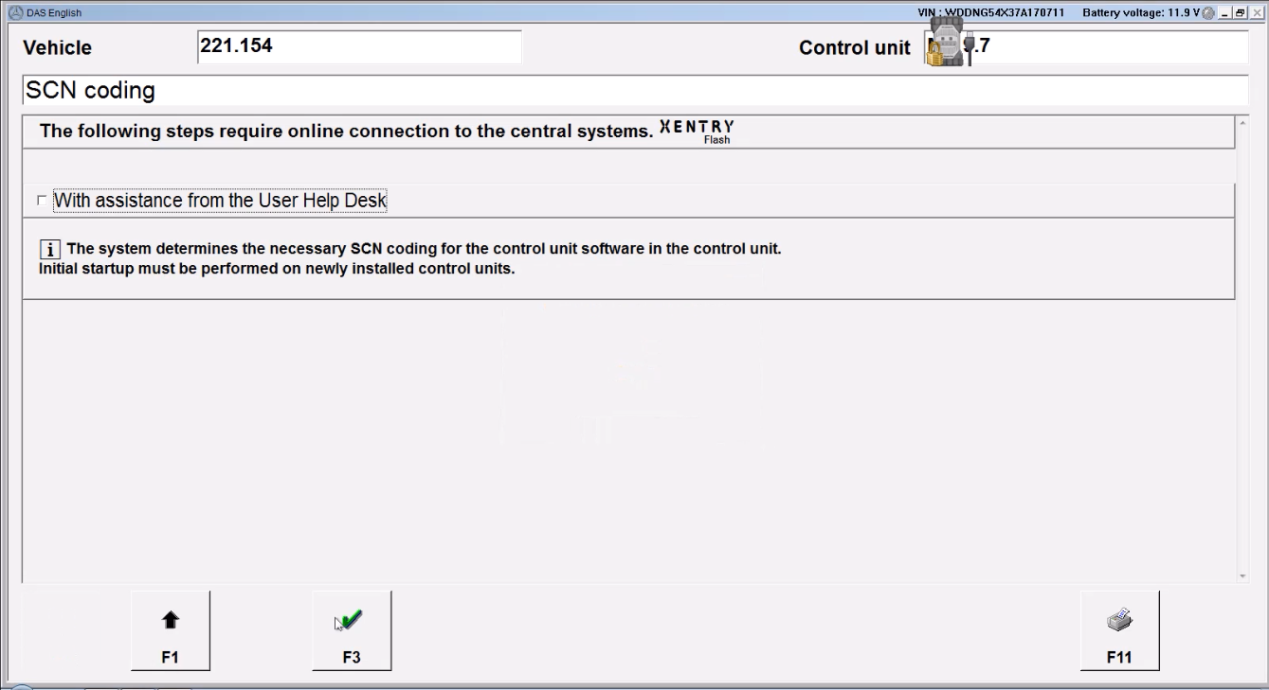
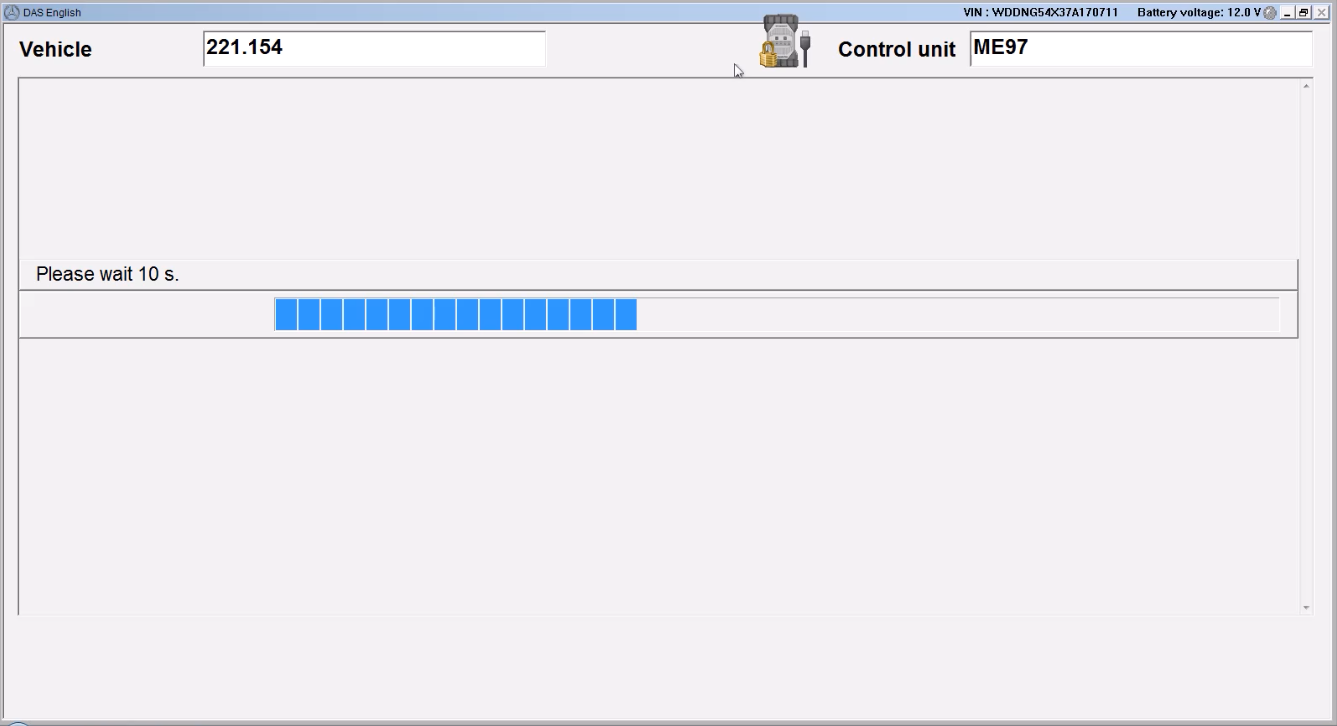
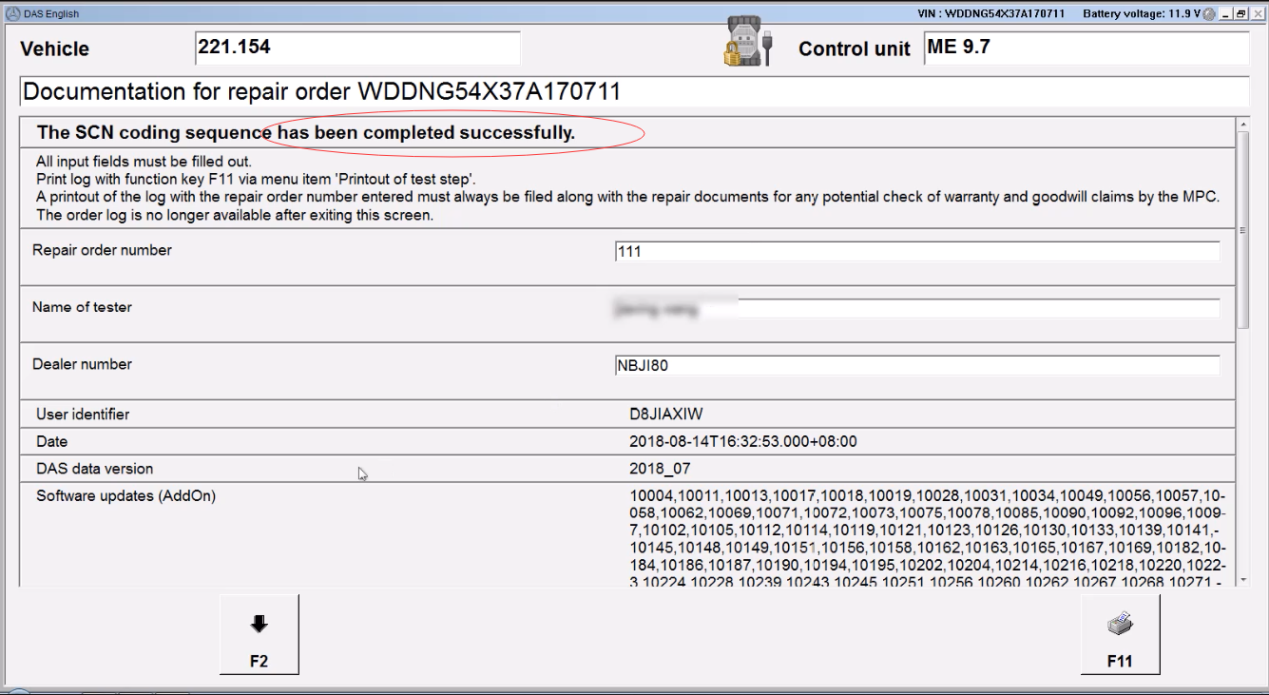
Control unit coding + learning initiation process + reset adaptation data.

How-to-reset-the-fuel-mixture-adaptations-for-Mercedes-ME9.7-3
How-to-reset-the-fuel-mixture-adaptations-for-Mercedes-ME9.7-4
How-to-reset-the-fuel-mixture-adaptations-for-Mercedes-ME9.7-5

Click on “F2” and then “Start”.

How-to-reset-the-fuel-mixture-adaptations-for-Mercedes-ME9.7-6

Then “F1”, the ignition is off and on. Coding through the openport.

How-to-reset-the-fuel-mixture-adaptations-for-Mercedes-ME9.7-7

Press “F1” to check the details.

Self-adaptation in the idle range, the right and left row shows 0,00 as it is in percent.

How-to-reset-the-fuel-mixture-adaptations-for-Mercedes-ME9.7-8

Self-adaptation in the upper range of partial loads, right and left shows 1, this is in caificents.

Alright, for any question, contact at https://www.obd2tool.com, and if you need MB Star SDC4 / Star C5, also contact them.

Thank you all and good luck on the road.

Monday, January 17, 2022

How to proccess this Star diagnosis Online scn coding service


Online SCN Coding Service for Diagnostic Tool SD C4 /MB Star C5/VCI C6 One Year Service Account Access Services For Mercedes SCN Coding Online Programming Tool

How to proccess this Star diagnosis Online scn coding service
1. Place an order on our obd2tool.com for this online account login in service.
2. Contact our online customer service email: sales@obd2tool.com to process this online account login in.
3. Prepare Mb Star C3/C4/C5/C6, car, laptop and teamviewer.
4. Choose the car model and programming system (eg, headlight XALWA-L)
5. Choose CONTROL unit adaptations
6. Choose offline program (CONTROL MODULE PROGRAMMING) then (SCN coding)
7. Give us teamviewer id and password or we send you software via download links.
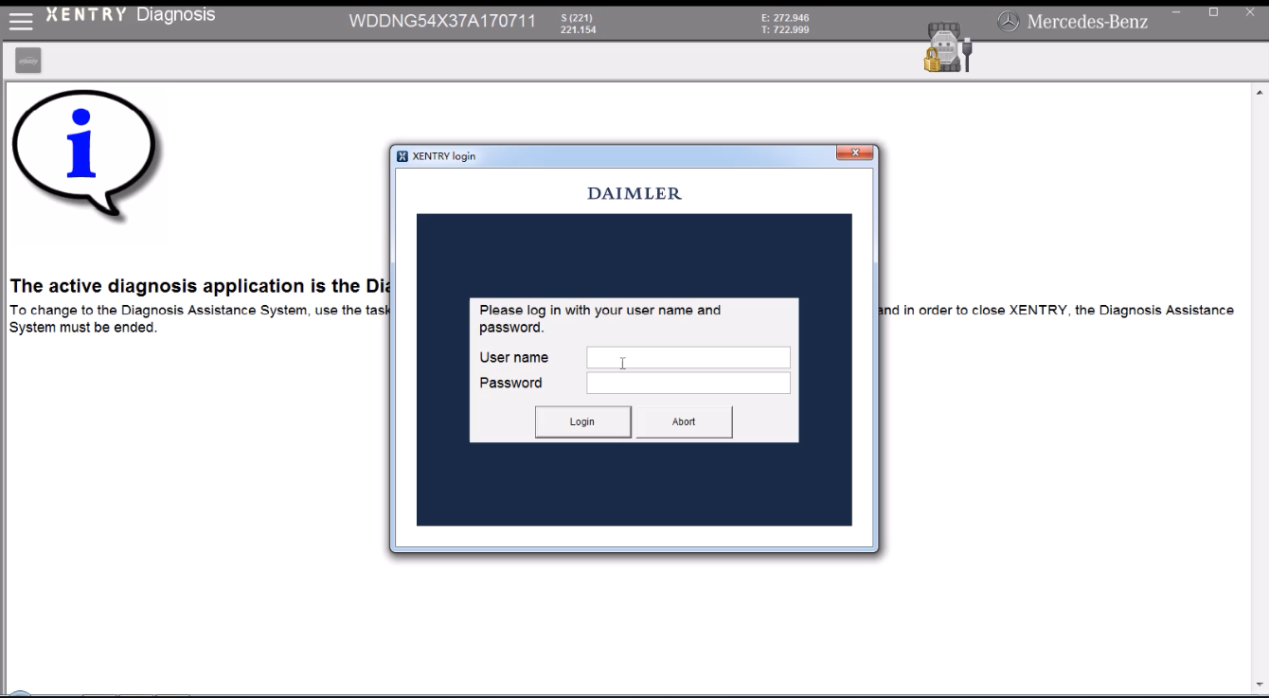
8. login server (DALMLER)
9. Login finished and then can do coding by yourself


Note.

Read before order:
1. This is only one-year service, no need shipping, we only input the username and password for you to login server (via teamviewer) or we send you a download link for the SCN coding, and you need to do the coding yourself. you can code more ECU coding. please do not logout/close program before you finish coding.
2. If you did not coding successfully, we don’t provide refund. If after coding success,your car still not good,this is not our fault,we only provide login server, not Maintenance car. we don’t refund.
3. It only suits for X-nnentr–ey lastest version
4. you can contact us which model/ECU you need to coding before place order, some model our engineer can help do the coding .
5. if you want Monthly or two years Use Service, please contact us for good price!
6. if you need our engineer help do the coding, please contact us and discuss for extra paid for the service.

Monday, January 3, 2022

Who Needs Prepare for Online Coding Account Login Service


SCN online coding account login service for Mercedes Online Programming is one-time login service via TeamViewer. SCN online coding account login service work on latest Xentry software with MB Star C4/ C5/ C6.

SCN Online Coding Account Login Service

We provide one time Online SCN Coding service for Benz MB Star C4/C5. It is not any product, it is just an online account login in service for a customer who needs to do coding with MB Star C4 or MB Star C5. No need shipping, provide input service online via TeamViewer.

Who Needs Prepare for Online Coding Account Login Service

1. MB Star C4/C5/C6 VCI Hardware with cables

2. Latest Version Star Diagnosis Xentry Software

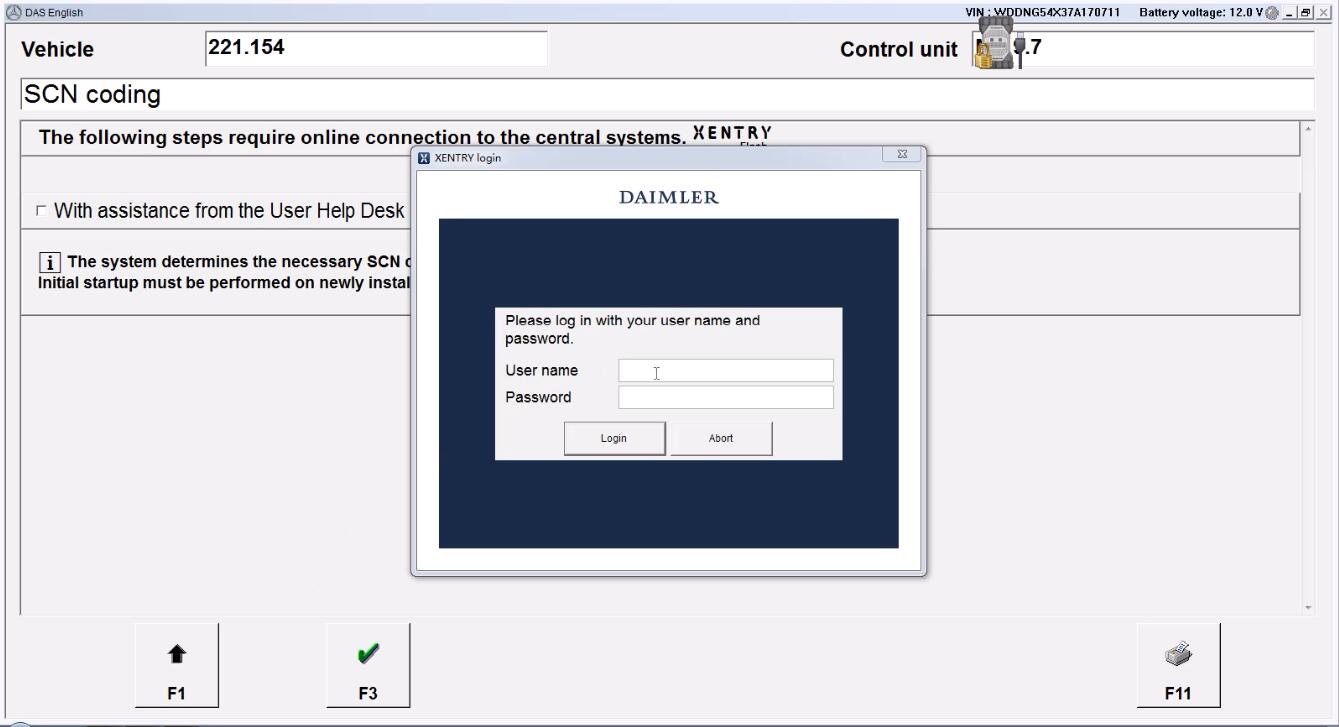
3. Set up all connection to the car, and start Xentry software to configure out the car information, then get into Online coding login page like below:

Mercedes benz online scn coding one time login account services

Friday, December 31, 2021

MB STAR C5 + BMW ICOM NEXT With Lenovo T420 laptop BENZ BMW Softwares Full Set Ready to Use

Lots of customer encounter setting problem when using BMW ICOM NEXT BMW ICOM next A+B+C And MB STAR C5 diagnosis, so we recommend this bundling sale for those customer who want once get in hand then can use it directly. We will install and activate for you ready to use. What’s more, this package offer saves you money than buying

This produc is includes BMW ICOM NEXT A+B+C and MB STAR C5 hardware and 1TB HDD/SSD BMW BENZ sofwtare and Lenovo T420 laptop,We has installed the HDD/SSD software into the laptop, it’s ready to use.

MB STAR C5 + BMW ICOM NEXT With Lenovo T420 laptop BENZ BMW Softwares Full Set Ready to Use

1TB HDD/SSD BMW Benz Sofwtare overview
1. Software Version: V2020.09 for Benz and V2020.08 for BMW
2. Operation System: Win10 64bit System for Xentry software, Win7 64bit System for ICOM Software
3. Software Type: 1TB HDD or SSD ( SSD is run faster than HDD)
4. Laptop Specs:
Lenovo T420 I5 2520 CPU with 4G RAM
Note: Laptop is used one, not brand new.
5. Update: Send HDD/SSD back to update, or purchase new HDD/SSD replacement

MB SD Connect C5/C5 Star Diagnosis Software:

1. DAS 2020.09: the automatically Diagnosis Assistance System
2. Xentry 2020.09: New software released by Bennz Company after 04/2009 by diagnosis new cars.
3. WIS net 2020.06:Workshop Information System
Supply the whole view of the wiring diagram in a car, component location diagram and maintenance method. What you do is to enter the chassis number, and then you will get the manufacture data, engine configuration and the car model -all in detail.
4. EPC.net 2018.11:Electronic Parts Catalog
5. ST Finder:Part Location Finder options: 2008 and 2016
6. STARUTILITIES :the movement management system and self-test
7. SD MEDIA 2014
8. PL72
9.HHT Software for old cars
10.Engineer version Vediamo updated to V5.01.01 ,Engineer version DTS updated to V8.16.015,Upgrade to the latest version of 2019 data
1) Fix the error that Mercedes-Benz DAS cannot directly call WIS
2) Join the DAS sedan smart offline programming
3) Join the 204 DAS stand-alone version, which can be mutated (German), which is more powerful than Vediamo
4) Join DAS special function password-free access PKW and SMART
5) Repair SMART 450, 451, 452, 454 No longer need TAN Caculator, all offline
6) Increase offline EOL and VMAX all LKW, modify truck maximum speed limit
7) Lift the truck NOx TORGUE restriction, do not need FDOK XT calculation code, directly enter, directly cancel the legal speed limit, you can modify without special function
8) Clear the truck SCR/ADBLUE fault code (MR), do not need FDOK XN calculation code, enter directly
9)Add DAS 212,207 prototyp model
10)Add Xentry special features and the VeDoc calculator($53 for activation)

Reasons To Get MB SD Connect C5 Star Diagnosis:
1.We will install the Software and test for you ready to use, convenient and save you time (Default language is English, if you want other languages, please leave message)
2.Including Super Engineer Software:DTS monaco V8.16.015 And Vediamo V5.01.01
3.Support Wireless
4.Software Version: V2020.09
HardwareVerison:OS:2.3 CSD:2.11
5.Support Multi-Language: (Default language is English, if you want other languages, please leave message)
English/ Bulgarian/ Danish/ Greek/ Spanish/ French/ Italian/ Korean/ Polish/ Romanuan/ Serbo-Croatian/ Turkish/ Czech/ German/ Finish/ Hyngarian/ Japanese/ Dutch/ Portuguese/ Russian/ Swedish/ Chinese.
6.Support Both Mercedes Benz Cars and Trucks
7.Support Mercedes Benz Cars After Year 2000
8.Full Package Including Multiplexer, All the Cables, Connectors, Hard Disk and Laptop
9.Support Offline and Online Programming, If You Want to Do Online,you must have an account online. Buy This Online SCN Coding Service

BMW ICOM V2020.08, With free Software:

We will install the Software and test for you ready to use, convenient and save you time (Default language is English, if you want other languages, please leave message)

ISTA-P/ISTA-D Multi-language available in diagnosing, programming and TIS diagram circuit: British English, German, Spanish, French, Italian, polish, Portuguese, Turkish, Czech, Swedish, Dutch, Indian, Greek, Russian, Simplified Chinese, Traditional Chinese, Japanese, Korean and Thai.
ISTA – D: 4.24.13,with SDP Programming Database 4.24.12
ISTA – P: 3.67.1.000 with Engineer Programming,supports the programming of BMW motorcycles and electric vehicles can program F/G/I/K chassis for car (through the ICOM, not other cable )
Vin: V2020.6.08

BMW ETK: 2019.12
BMW KSD: 2019.12 Multilanguage
BMW FSC Navigation Code Generator
BMWAiCoder for BMW Coding

Free Software:
1. Get engineer version, INPA 5.00,winkfp 5.2.3,NCS 3.5.1, e-sys 3.30,data V67.0
2. get Chinese software DR.GINI B020
3. get count code navigation tool software FSC operator code
4. get one-clik hidden brush tool BMWAi V4.6
5. Add DIS Software for Old cars, DISV57 and DISV44,diagnosis and programming for BMW virtual machines
6. Support Vehicles: For BMW Cars,For BMW Motorcycle,For Rolls-Royce, For Mini Cooper

Second Hand Laptop Lenovo T420 Laptop Specification :
Brand: Lenovo
Condition: Used
Type:  Laptop/Notebook
Screen Size:  14.0
Processor Type:  Intel (R) Core(TM) I5-2520M CPU
Processor Speed:  2.50 GHz
Processor Configuration:  Dual Core
Memory: 4GB
Compared with other laptop, this one is better quality and run faster.

Package List:
1pc x MB STAR C5 Multiplexer
1pc x MB STAR C5 OBDII 16Pin Cable
1pc x MB STAR C5 38PIN Cable
1pc x MB STAR C5 14PIN Cable
1pc x MB STAR C5 8PIN Cable
1pc x MB STAR C5 Lan Cable
1pc x BMW ICOM next A Moudel
1pc x BMW ICOM B Moudel
1pc x BMW ICOM C
1pc x BMW 20pin Cable
1pc x USB Cable
1pc x OBD2 Cable
1pc x LAN Cable
1pc x Second Hand Lenovo T420 Laptop I5 4GB Laptop (All software activated. All system ready to use)

Wednesday, December 29, 2021

MB Star C6 lastest software Xentry V2021.12 Work for Mercedes Ben New cars

MB Star C6 diagnostic Xentry 2021.12 release is now available, so far everything works as before …

Software includes:
1.DAS / Xentry 2021.12
2.WIS net 2019.07
3.EPC net 2018.12: Electronic Parts Catalog
4.ST Finder 2016: optional: a Part location finder
5.SDmedia 2015.01
6.DTS 8.14.016 Monaco
7.VX Manager 1.4.2
8.Vediamo Database (This C6 hardware not support Vediamo)

Support Languages: (Default language is English, if you want other languages, please leave message) English/ Bulgarian/ Danish/ Greek/ Spanish/ French/ Italian/ Korean/ Polish/ Romanuan/ Serbo-Croatian/ Turkish/ Czech/  German/  Finish/ Hyngarian/ Japanese/ Dutch/ Portuguese/ Russian/ Swedish/ Chinese

Mercedes Benz C6 OEM Xentry diagnosis VCI DOIP Pass thur interfac is the latest interface for For Mercedes & SMART vehicles can replace Star C4/C5. XENTRY Diagnosis VCI acts as a Pass-through Interface, also called MB Star C6, For Benz C6 multiplexer to provide complete communication between a vehicle and the XENTRY software loaded on a PC.
Any question you have please contact us.
https://www.obd2tool.com/search-C6.html

Monday, December 27, 2021

MB Star C4/C5/C6 lastest software Xentry V2021.12 Work for Mercedes Ben from1996 to 2021

MB Star diagnostic Xentry 12.2021 release is now available,so far everything works as before …..It is confirmed working perfectly with 12v 24 Mercedes car, Bus, truck, Sprint, Smart from 1996 to 2021 year.

MB Star Diagnostic SD Connect C4/C5/C6 software Support HHT-WIN With Vediamo and DTS Monaco

Software includes:
1. DAS 2021.12: the automatically Diagnosis Assistance System
2. Xentry 2021.12: New software released by Bennz Company after 04/2009 by diagnosis new cars.
3. WIS net 2020.10:Workshop Information System
Supply the whole view of the wiring diagram in a car, component location diagram and maintenance method. What you do is to enter the chassis number, and then you will get the manufacture data, engine configuration and the car model -all in detail.
4. EPC.net 2018.11:Electronic Parts Catalog
5. ST Finder:Part Location Finder options: 2016 and 2020
6. STARUTILITIES :the movement management system and self-test
7. SD MEDIA 2014
8. PL72
9.HHT Software for old cars
10.Engineer version Vediamo updated to V5.01.01 ,Engineer version DTS updated to V8.16.015,Upgrade to the latest version of 2020 data
1) Fix the error that Mercedes-Benz DAS cannot directly call WIS
2) Join the DAS sedan smart offline programming
3) Join the 204 DAS stand-alone version, which can be mutated (German), which is more powerful than Vediamo
4) Join DAS special function password-free access PKW and SMART
5) Repair SMART 450, 451, 452, 454 No longer need TAN Caculator, all offline
6) Increase offline EOL and VMAX all LKW, modify truck maximum speed limit
7) Lift the truck NOx TORGUE restriction, do not need FDOK XT calculation code, directly enter, directly cancel the legal speed limit, you can modify without special function
8) Clear the truck SCR/ADBLUE fault code (MR), do not need FDOK XN calculation code, enter directly
9)Add DAS 212,207 prototyp model
10)Add Xentry special features and the VeDoc calculator($53 for activation)

Support Languages: English, Croatian, Czech, Danish, Dutch, Finish, French, German, Greek, Hungarian, Italian, Japanese, Korean, Polish, Portuguese, Romanian, Russian; Spanish, Swedish, Turkish, Chinese.

Passenger Car Supported List:
A(176), A(169), A(168), B(246), B(245), CLC(117), C(204) C(203), C(202), 190(201), E(212), E(211), E(210), 124(124), S(222), S(221), S(220), S(140), S(126),
E(207), CLK(209), CLK(208), CLS(218), CLS(219), CL(216), CL(215), CL(140) SLK(172), SLK(171), SLK(170), SL(231), SL(230), SL(129), SL(107), SLS(197),
M(166), M(164), M(163), G(463), G(461), E(212), E(211), E(210), 124(124), S(222), S(221),S(220), S(140), CLK(209), CLK(208), CLS(218), CLS(219), CL(216),
CL(215), CL(140), SLK(172), SL(231), SL(230), SL(129), SL(107),SLS(197), M(166), M(164), M(163), G(460), GL(164), GLK(204), R(251)

Van Supported List:
MB 100(631), T1, SprinterIII, SprinterII, SprinterI, Sprinter900, Citan, Vito(639), Vito(638), V(638), Viano(639), T2, Vario, Vaneo(414)

Truck Supported List:
Actros963/4, Actros2,3, AtegoIII, AtegoII, AxorII, Eonic, Zetros, Actros, Atego Light, Atego Heavey, HPN M96, Atron, HPN M2000, SKL, FSK, Further model series

Unimog Supported List:
U20, UGN, UHN

Bus Supported List:
TRAVEGO, INTOURO, INTEGRO, CITARO, CAPACITY, CITO, TOURISMO, O350/O403, CONECTO, O404, O405-O408,
Minibus, OC500, TOURO, TOURINO, MBC, MULITEGO, O500, O500/OH, OH, OH368, OF, OF384, LO, O400, FURTHER MODEL SERIES

Super Sports Car Supported List:
SLR(199)

MB Star Diagnostic SD Connect C4/C5/C6 Software

Thursday, December 23, 2021

C4/C5 Firmware Upgrade Processure
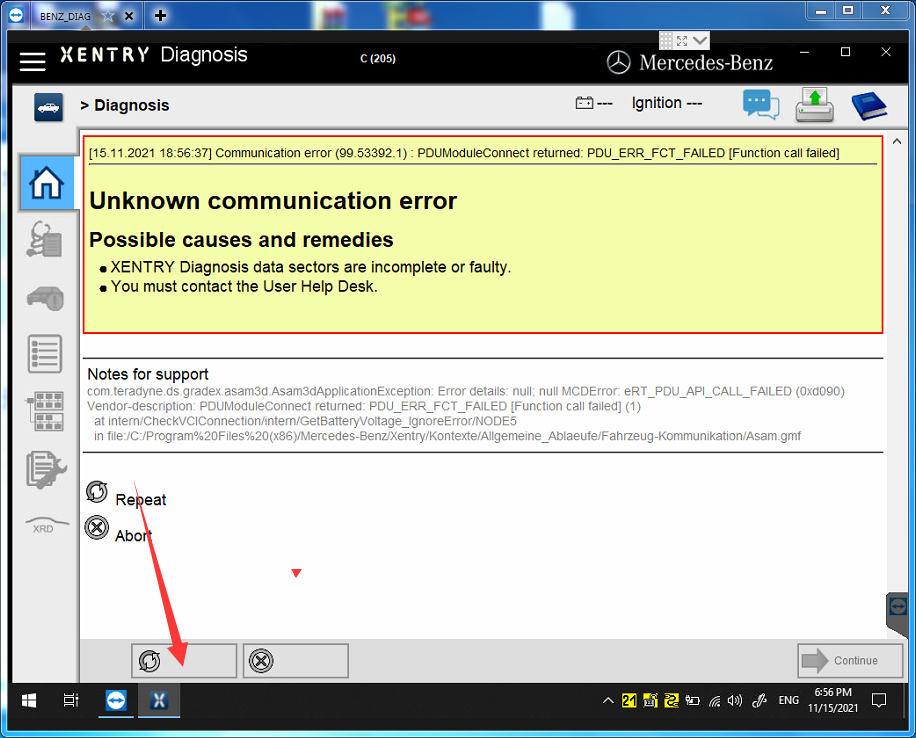
First open XENTRY software, click Passenger, Select C205, click at the bottom of the screen

If the firmware flashes and fails, click repeat. Then will pop up a auto-write firmware after a few clicks. This way, the firmware update is completed. Pls note that this need to be fast. Since the it is very short time to indicate you to click the repeat button.

This is what shows when firmware update is complete.
If the voltage pops up directly and there is no other indication, the firmware is successful updated, then power off C5, repower C5 again.

When this interface appears, the c5 device will beep twice, so that the C5 firmware update is successful