Tuesday, August 10, 2021

How to solve VXDIAG VCX SE Benz can´t install C6 Driver


Problem with the driver-installation of VXDIAG VCX SE Benz.

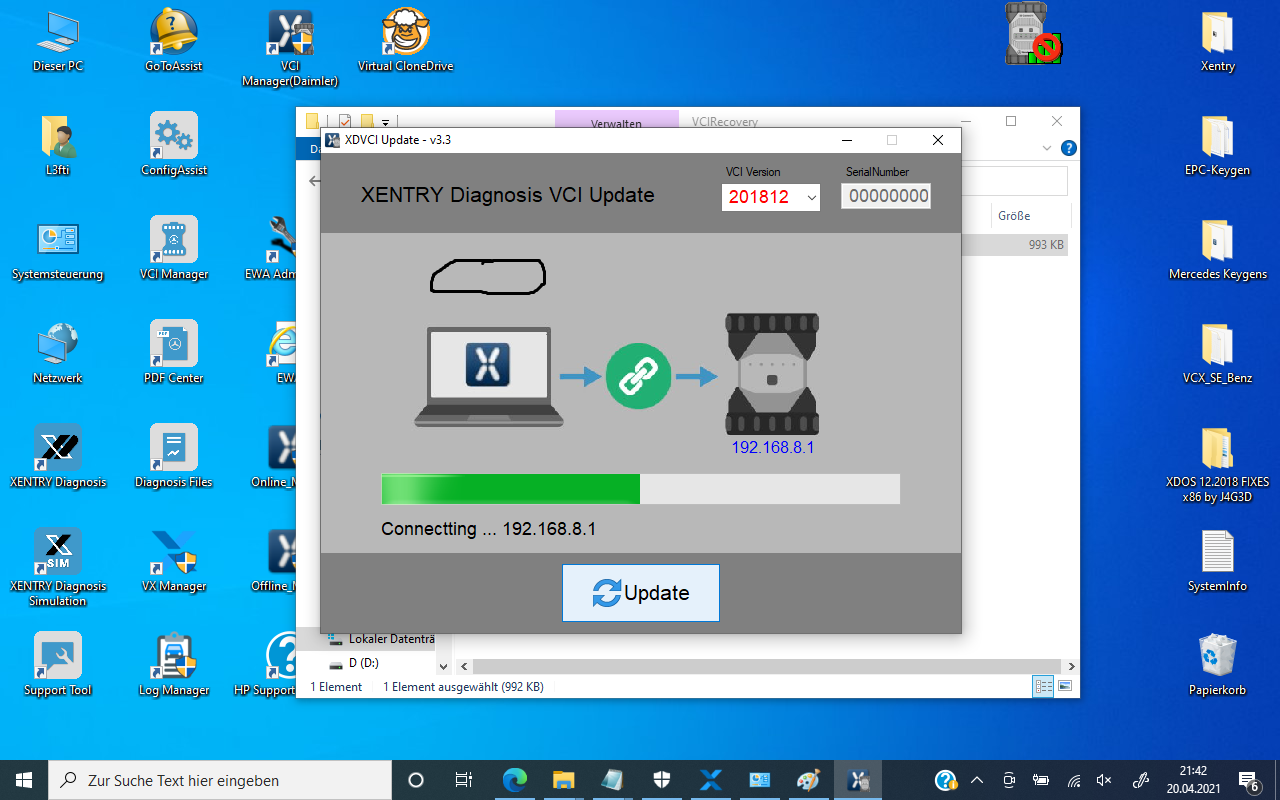
I installed Xentry 03.2021 and after that, i installed the VCX-Manager 1.8.4 Build 0315, VCI-Manager(Daimler) 21.03.15 and XDVCIUpdate 20210221.  And all the needed Licences.

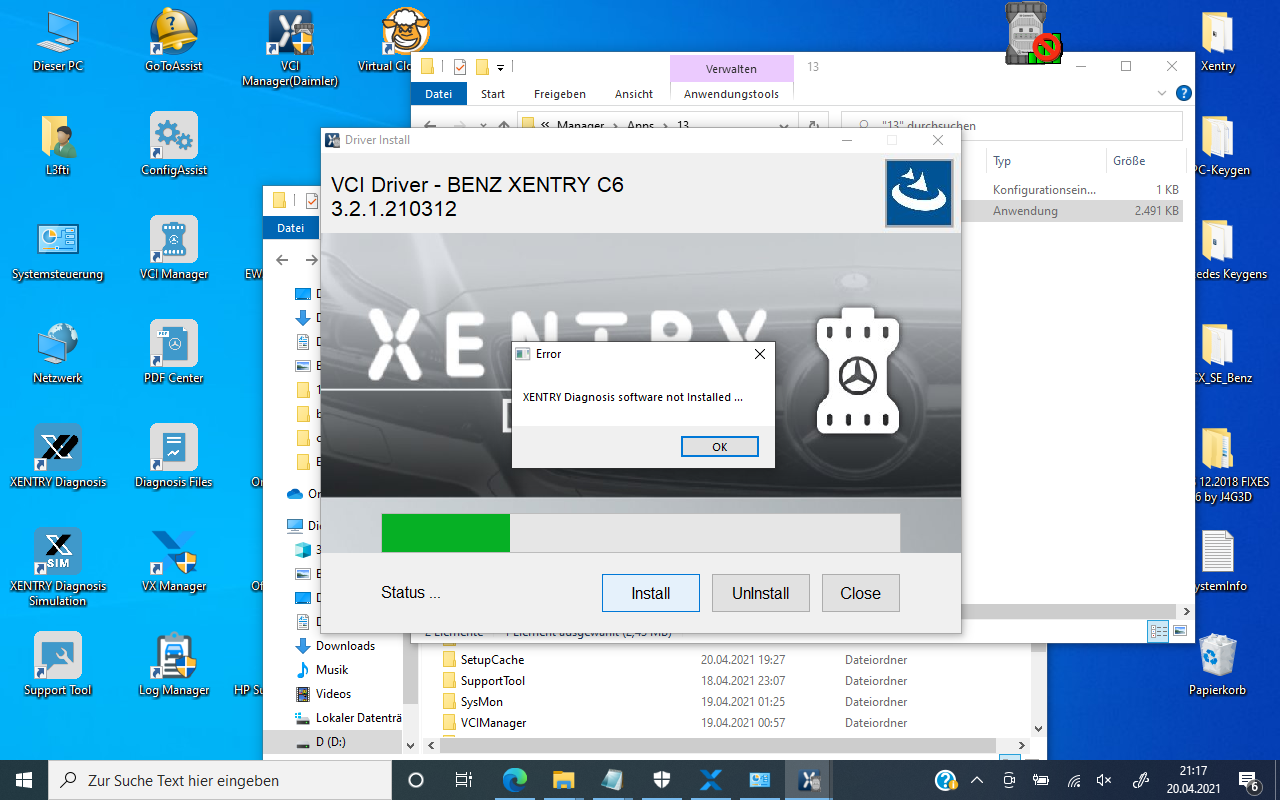
But now i have a huge Problem, that during the installation of C6-Driver i get an error-message “Xentry diagnosis software not installed”. See picture below.

My Xentry is installed and its running good.

I think, the problem is, that i installed my Xentry 03.2021 on another Partition (Drive D:\Mercedes-Benz\) and now the installer is trying to find a version of Xentry e.g in “C:\Program Files (x86)\Mercedes-Benz\Xentry\bin\”

How-to-solve-VXDIAG-VCX-SE-Benz-can´t-install-C6-Driver-2
How-to-solve-VXDIAG-VCX-SE-Benz-can´t-install-C6-Driver-1

Finally, solved!

So I found out, that the original C-6 installer is looking in the

“Standard-Installation-Directory” (e.g. c:\program files(x86)\Mercedes-Benz\Xentry….) for an installed Version of Xentry.

And there is no other possibility to tell the Installer, where Xentry was installed….in my case in drive d:\Mercedes-Benz…..)

I was forced to reinstall Xentry in the default path. And after that, the C6-installer from Obd2tool.com was able to detect my Xentry-Version immediately.

Now everything is running very good. Xentry and VCX SE Benz C6.

Sunday, August 8, 2021

VXDiag C6 Mercedes A-Class W176 2015 Coding Confirmed


VXDiag Benz C6

Question: I have a Vxdiag Benz C6 device and I’m hoping to do some coding of my Mercedes A-Class W176 2015.

Do I need to enable DoIP within the head unit in order to do any coding with DTS Monaco?

Experience for sharing:

No such thing is required you can automatically code as long as you don’t have caution signs or warning signs on doip ecus.

Obd2tool.com engineer replied:

VXDiag C6 is capable of both coding and programming for Mercedes Benz models.

There are not W176 coding guide available, but other models i.e W205, W211 etc.

1.  Mercedes W205 coding using VXDIAG C6 with DTS Monaco

2.  BENZ W211 CBF Diagnosis and Programming with DTS Monaco

Friday, August 6, 2021

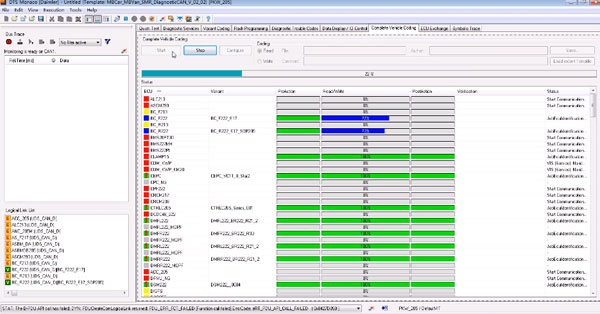
VXDIAG Benz C6 Complete Vehicle Coding for Mercedes W205


This is an instruction of how Vxdiag Benz C6 Star do the Benz 205 complete vehicle coding.

Device: ALLscaner VXDIAG C6 Star

Car model: Benz W205

Function: Vehicle coding

VXDIAG-Benz-C6-Complete-Vehicle-Coding-for-Mercedes-W205-1

Connect the device to the computer, install the software and VCX manager first. Then connect Benz 205 to the device.

VXDIAG-Benz-C6-Complete-Vehicle-Coding-for-Mercedes-W205-2

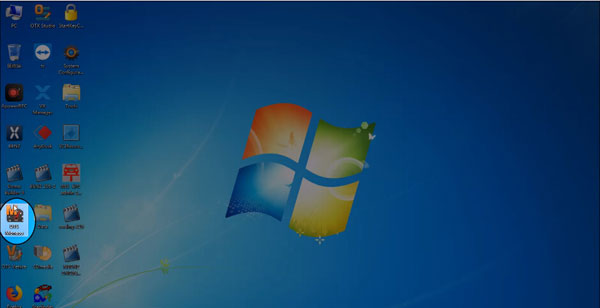
Open DTS Monaco icon on the desktop.

VXDIAG-Benz-C6-Complete-Vehicle-Coding-for-Mercedes-W205-3

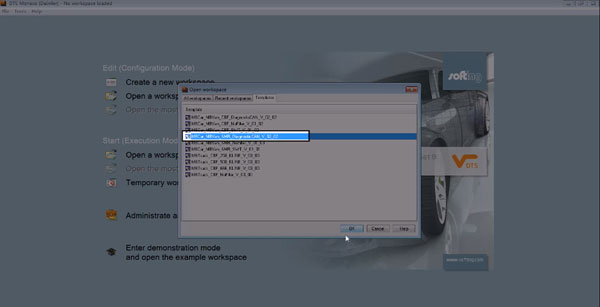
Open a workplace, templates, MBCar_MBVan_SMR_DiagnosticCAN_V_02_02

VXDIAG-Benz-C6-Complete-Vehicle-Coding-for-Mercedes-W205-4

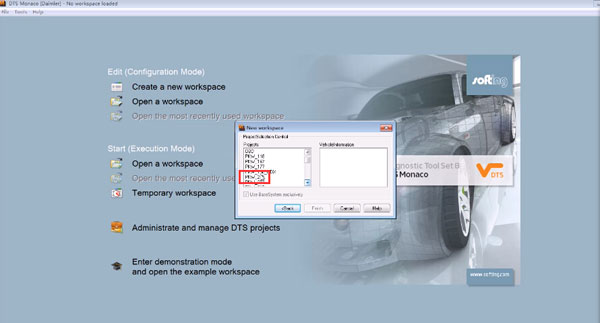
Choose the vehicle type: PKW_205

VXDIAG-Benz-C6-Complete-Vehicle-Coding-for-Mercedes-W205-5

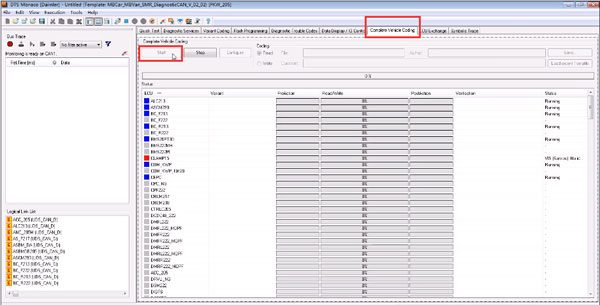
Click on Complete Vehicle Coding, then start.

VXDIAG-Benz-C6-Complete-Vehicle-Coding-for-Mercedes-W205-6

It starts coding now.

VXDIAG-Benz-C6-Complete-Vehicle-Coding-for-Mercedes-W205-7

Complete. Click on save

VXDIAG-Benz-C6-Complete-Vehicle-Coding-for-Mercedes-W205-8

All finish now.

Wednesday, August 4, 2021

MB SD Connect C4 Xentry Online Update Connection Failed Solution


Here is the working solution to MB star diagnostic system SDConnect C4 Xentry online update Connection failed problem.

Problem goes like this:

I got the 06/2021 500G xentry hard drive for MB SD Connect C4 DoIP. However, it failed to connect with network.

Reported an error “online update Connection failed. The connection attempt has failed.”
MB-SD-Connect-C4-Xentry-Online-Update-Connection-Failed-Solution-2

Solution:

The error may be caused by wrong IP setting.

If connect SD C4 with WiFi, you should set IP address automatically.

If connect C4 via USB, manually set IP to

IP address: 172.29.127.1

Subnet mask: 255.255.255.0

Then connect c4 via WiFi.

Follow this way:

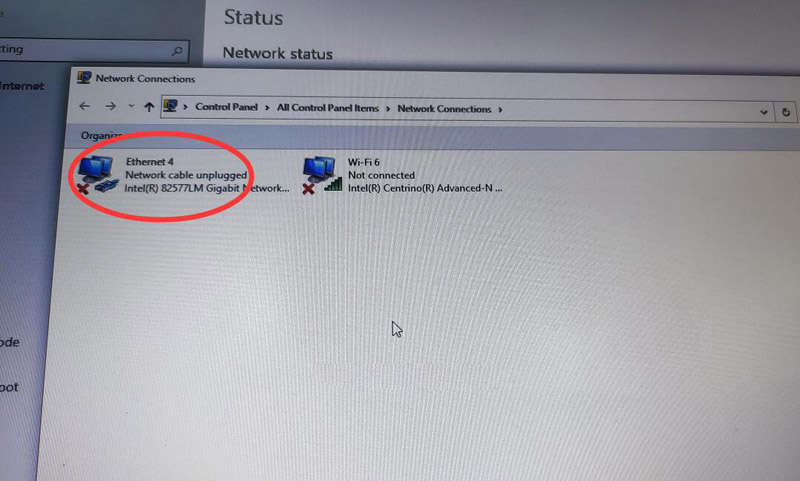
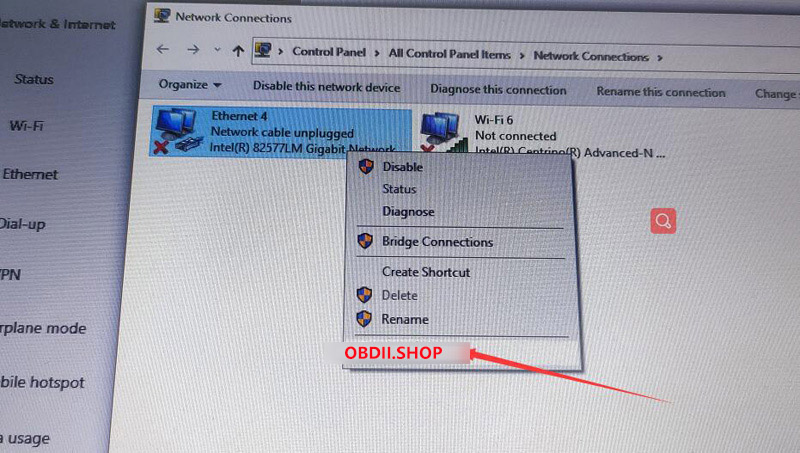
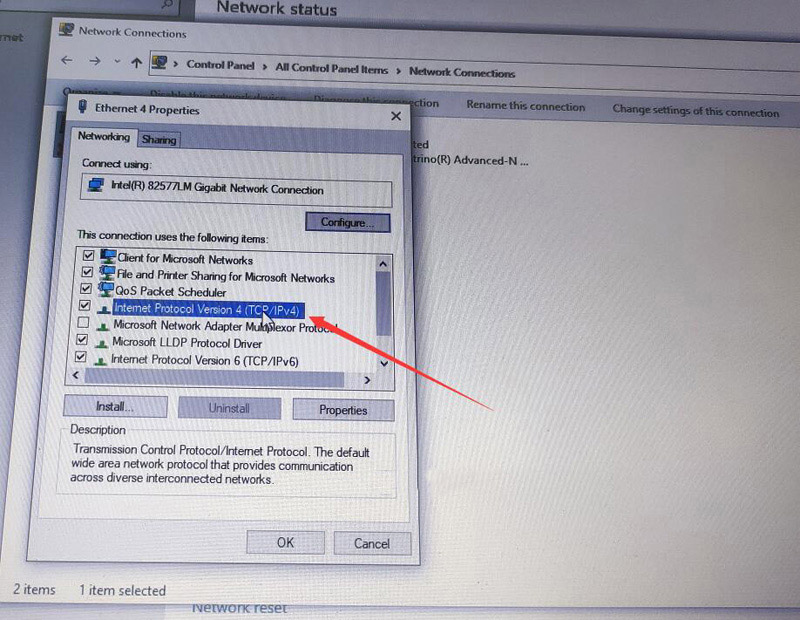
Go to Network Connections – Ethernet – Right-click Properties – select Internet Protocol Version 4 (ICP/IPv4) –
use the following IP address:

172.29.127.1

255.255.255.0

and save.

MB-SD-Connect-C4-Xentry-Online-Update-Connection-Failed-Solution-3
MB-SD-Connect-C4-Xentry-Online-Update-Connection-Failed-Solution-4
MB-SD-Connect-C4-Xentry-Online-Update-Connection-Failed-Solution-5
MB-SD-Connect-C4-Xentry-Online-Update-Connection-Failed-Solution-6


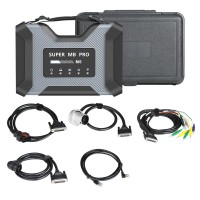
Super MB Pro M6 Benz W211 E280 4MATIC Quick Test


Super MB Pro M6 can work with the original Benz Dealer diagnostic software to diagnose Mercedes-Benz models, covering 12v car, 24v diesel truck & bus, MPV etc. Here will share a test demo on a Benz W211 E280 4MATIC (Sedan, gasoline engine) quick test on bench using this diagnostic scanner and 2021.03 xentry software.

The procedure:
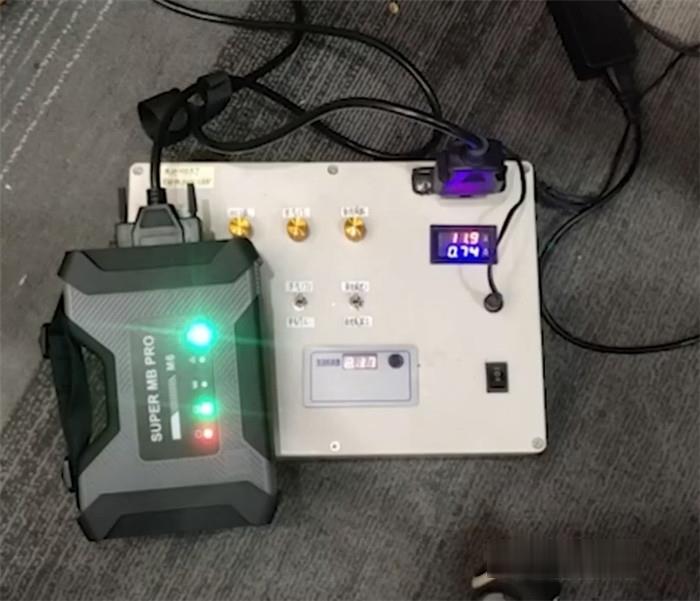
Connect Super MB Pro M6 wireless Star diagnostic tool to the Benz W211 E280 ECU via the OBD2 16 pin cable
Supply power to the ECU
Super MB Pro M6 connect benz ecu

Super-MB-Pro-M6-Benz-W211-E280-4MATIC-Quick-Test-1 (2)

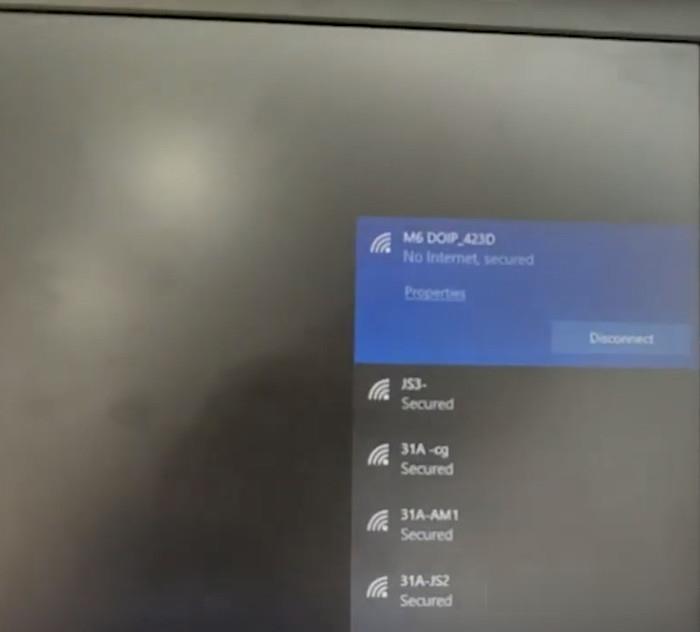
Then select the available WiFi to connect manually

super-mb-pro-m6-benz-w211-e28-quick-test-2 (2)

Start to run Mercedes- Benz XENTRY Diagnosis software
When it appears DAIMLER interface, just close it and continue.
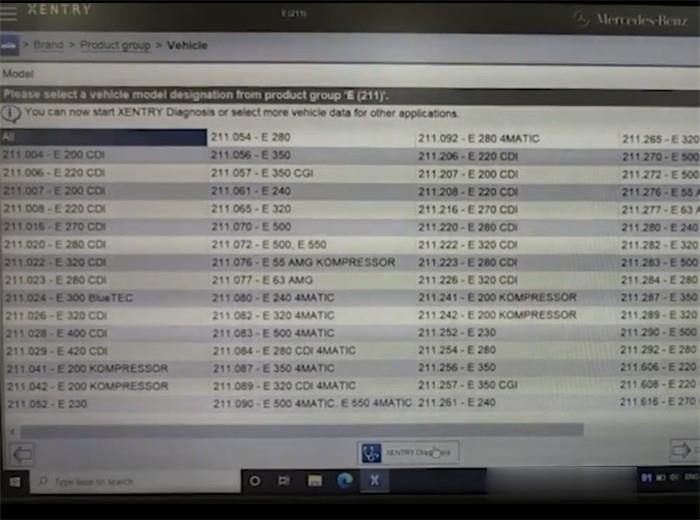
Select “Mercedes- Benz”-> “Passenger car”-> “E (211)”-> “XENTRY Diagnosis”

super-mb-pro-m6-benz-w211-e28-quick-test-3 (2)

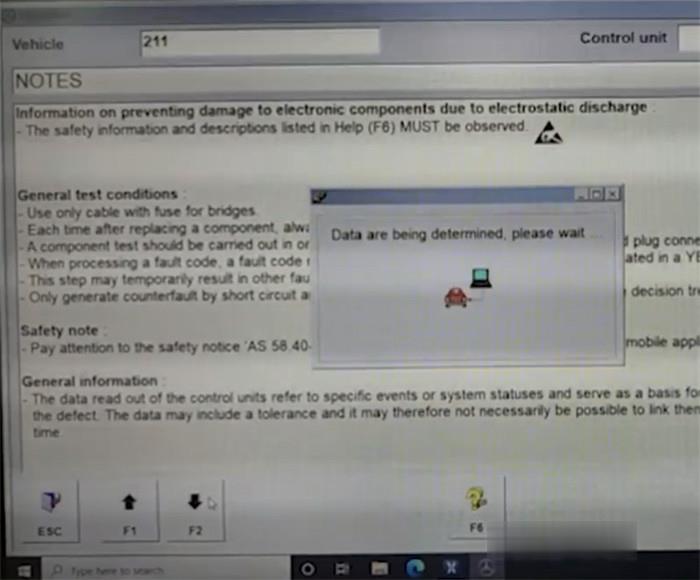
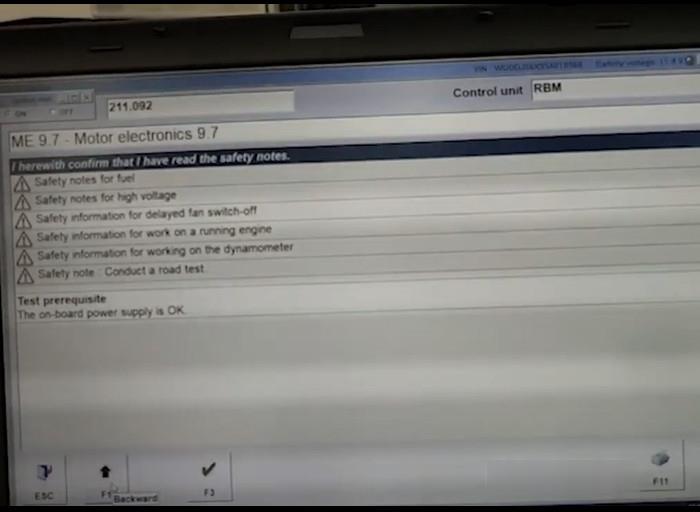
Pay attention to the notes and click “F2”

super-mb-pro-m6-benz-w211-e28-quick-test-4 (2)

The data will be determined, and DAS will be initialized communication layer.
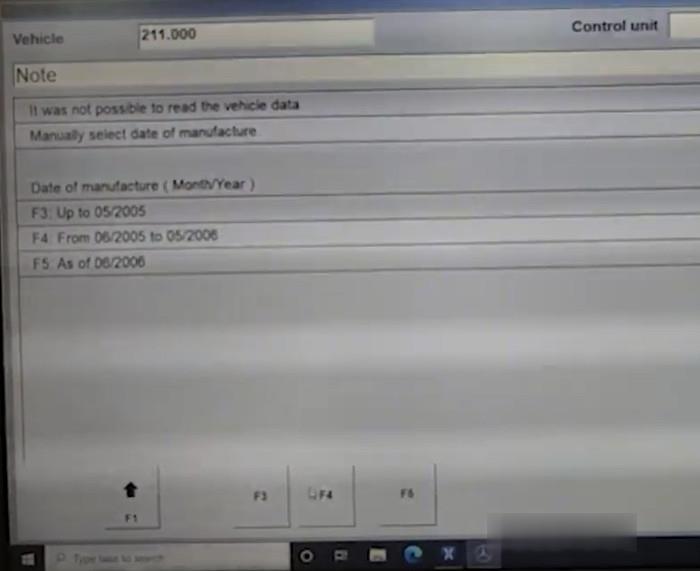
Select the manufacture date by click the corresponding button
Here click “F4”

super-mb-pro-m6-benz-w211-e28-quick-test-5 (2)

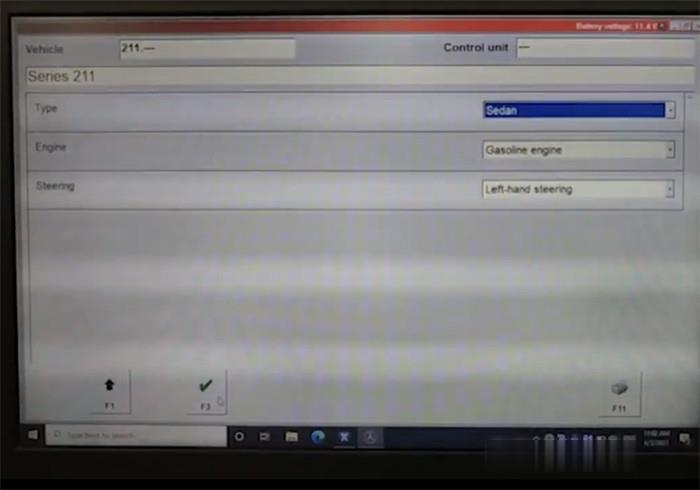
Confirm the vehicle info and click “F3”

super-mb-pro-m6-benz-w211-e28-quick-test-6 (2)

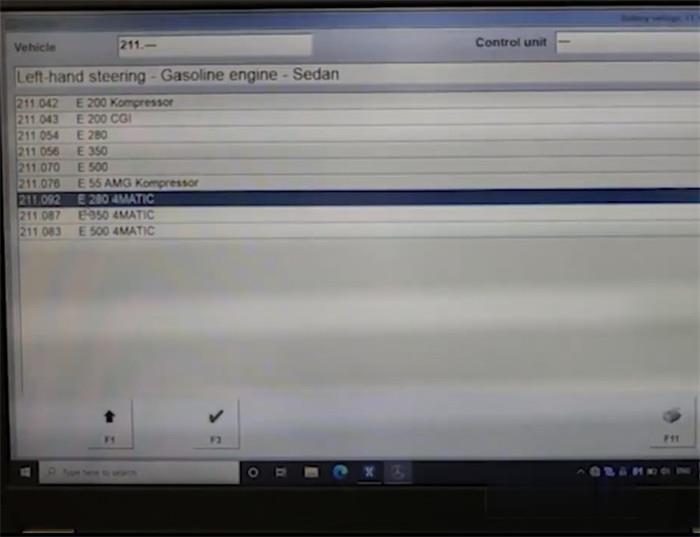
Select the specific model and click “F3”

super-mb-pro-m6-benz-w211-e28-quick-test-7 (2)

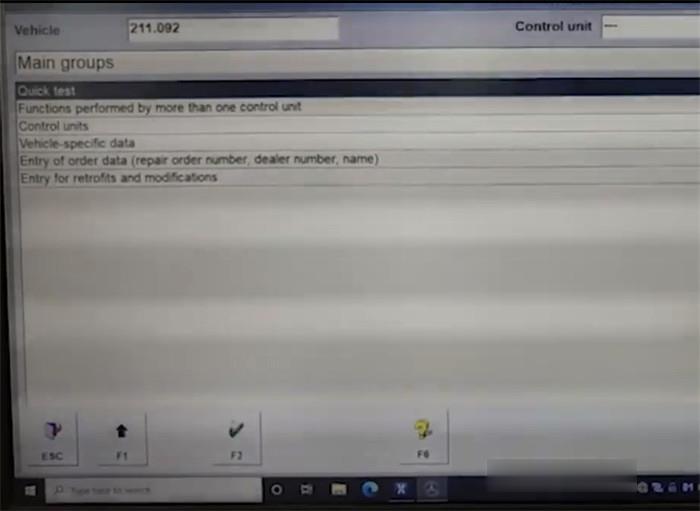
Select “Quick test” and click “F3”

super-mb-pro-m6-benz-w211-e28-quick-test-8 (2)

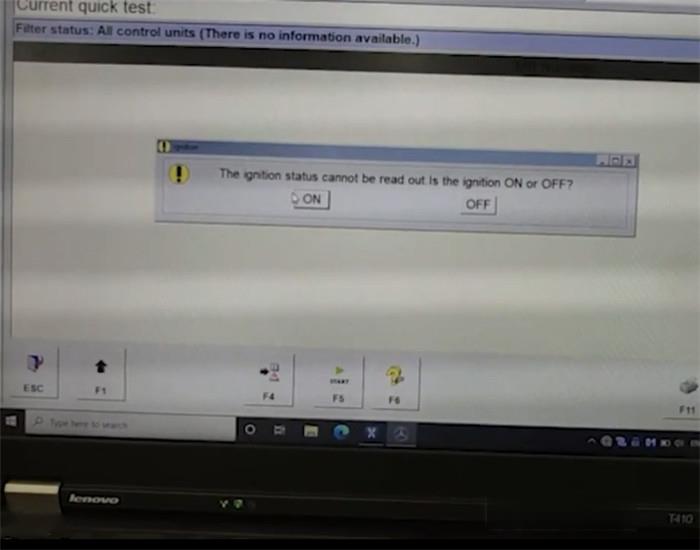
If it shows “The ignition status cannot be read out.” Confirm the ignition is ON or OFF

super-mb-pro-m6-benz-w211-e28-quick-test-9 (2)

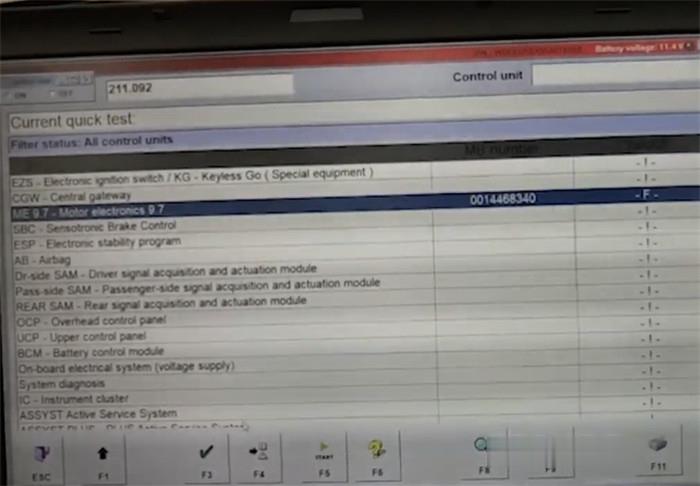
It starts to do quick test
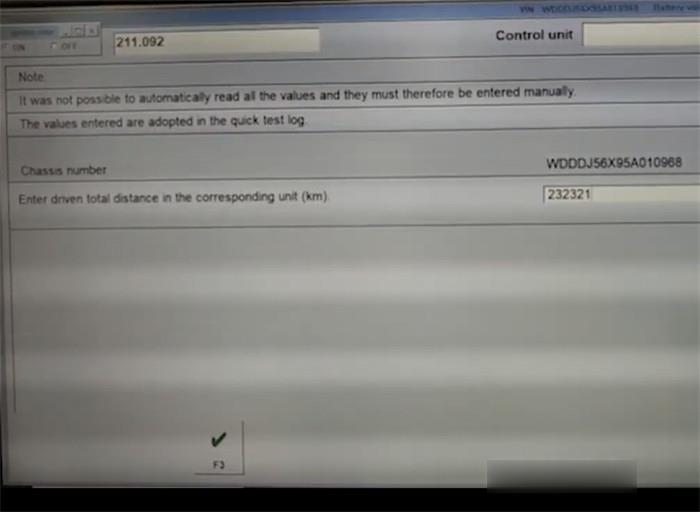
Enter the driven total distance in the corresponding unit (km), and click “F3”

super-mb-pro-m6-benz-w211-e28-quick-test-10 (2)

Test Benz W211 E280 successfully
super-mb-pro-m6-benz-w211-e28-quick-test-11 (2)
super-mb-pro-m6-benz-w211-e28-quick-test-12 (2)

Monday, August 2, 2021

Super MB Pro M6 vs. C4 vs. C6

Super MB Pro M6
Do you know how to choose MB Star Diagnostic Tool? Here we have picked out 4 to make a comparison. Let’s find what are the differences between them. This post is available with Mercede Benz diagnostic tools, include reviews and comparison of Benz VCI C6, Benz OEM C6, Benz ECOM, SD Connect C4, SD Connect C4 Plus Doip, Xentry Connect C5 Doip.

Super MB Pro M6 vs. MB SD C4 Plus vs. SD Connect C4 vs. OEM MB C6

MB diagnostic tool reviews:

 Product Super MB Pro M6
MB SD Connect C4 Plus
SD Connect C4
OEM MB C6
Super MB Pro M6 MB SD C4 Plus SD Connect C4 OEM MB C6
Diagnosis Full System YES YES YES YES
Online Programe YES YES YES YES
Offline Programe YES YES YES NO
Brush to hide YES YES YES YES
Maintenance service YES YES YES YES
Xentry YES YES YES YES
DAS YES YES YES YES
HHTWIN YES YES YES NO
EPC YES YES YES YES
WIS YES YES YES YES
Vediamo YES YES YES NO
DTS Monaco YES YES YES YES
Star Finder YES YES YES YES
PL73 YES YES YES YES
SDmedia YES YES YES YES
Doip YES YES NO YES
Truck/BUS YES YES YES Portion
Firmware Update YES YES YES(Need to install batteries) YES
wire Direct connection Direct connection Point to point Direct connection
wireless LAN LAN LAN LAN/usb Cable
Software Version 2021.06 2021.06 2021.06 2021.06
Hardware Version OS:2.3, CSD:2.11 OS:2.3, CSD:2.11 OS:2.3, CSD:2.11 1.84
Heat dissipation Heat sink + fan Heat sink NO NO
Software Language

(Can switch directly)

ENGLISH, BULGARIAN, DANISH, GREEK, SPANISH, FRENCH, ITALIAN, KOREAN, POLISH, ROMANUAN, SERBO-CROATIAN, TURKISH, CZECH, GERMAN, FINISH, HYNGARIAN, JAPANESE, DUTCH, PORTUGUESE, RUSSIAN, SWEDISH, CHINESE

Super MB Pro M6
1. Perfectly replaces normal MB SD C4/C5
2. Supports Original Benz Dealer Diagnostic Software
3. Supports firmware update without installing the battery
4. Support Mercedes-Benz models, covering 12v car, 24v diesel truck & bus, MPV etc.

Benz VCI C6:
Benz VCI C6 OEM Xentry Mercedes Diagnostic Tool with Encrypted Dongle and Keygen, support new Mercedes Benz model and Doip protocol.

Mercedes Benz C6:
Mercedes Benz C6 OEM Xentry diagnosis VCI DOIP Pass thur interfac is the latest interface for For Mercedes & SMART vehicles can replace Star C4/C5. XENTRY Diagnosis VCI acts as a Pass-through Interface, also called MB Star C6, For Benz C6 multiplexer to provide complete communication between a vehicle and the XENTRY software loaded on a PC.

Mercedes Benz eCOM:

Mercedes Benz eCOM DoIP Box Multiplexer Kit Support DoIP for latest E and S series, MB eCOM DoIP diagnostic C5 Xentry Perfect for Perfect for Mercedes COMAND NTG5, NTG5s1, NTG5s2, NTG5.5

Sd Conenct C4:
New DOIP MB SD C4 Plus Mercedes Benz diagnostic tool is the only C4, support new Mercedes with doip, no battery need for firmware update. This Doip Benz Star C4 has better quality, wireless connection is stable, It’s waterproof, shockproof and tamper proof. Can work with original Mercedes Benz software.

SD Connect C4 Plus Doip:
Doip MB SD C4 Mercedes Benz Star Diagnosis Tool with Lenovo X220 Laptop,newest V2019.12 500GB Xentry Openshell XDOS software is pre-installed and activated, ready to use. Buy this bundle sales, not only help you save money, but also save time.

MB SD Connect C5 with DTS Monaco & Vediamo:
MB SD Connect C5 Support Wireless and Lan cable connection, With UDS Chip, support both K Line and CAN BUS Protocol, but also UDS Protocol,support Mercedes Benz cars and trucks after year 2000,Software will be installed and activated well before shipping, you can use it directly after you get it.
Sunday, August 1, 2021

Xentry 03/2021 error “The data are faulty” Solution


Xentry 03/2021 can’t connect and error “The data are faulty”. During the past months, some users feedback this problem, and someone tested and worked out the solution.
V202106-MB-Star-Diagnostic

Solution:

I checked logs in C:\ProgramData\Mercedes-Benz\logs\Xentry and found the following:

Caused by: com.teradyne.ds.io.MissingPluginException: Could not load file:/C:/Program%20Files%20(x86)/Mercedes-Benz/Xentry/MB_PKW/Baureihe/BR_Templates/ModulEinstieg_Template.gmf

This file has been updated apparently by a recent addon as it now has a newer timestamp.

For me it worked to replace this file with an older copy:

C:/Program%20Files%20(x86)/Mercedes-Benz/Xentry/MB_PKW/Baureihe/BR_Templates/ModulEinstieg_Template.gmf

It looks like a recent addon overwrites this file with a newer version that causes this error message.

Hope it helps!

V202106 MB Star Diagnostic - Xentry 03/2021 error “The data are faulty” Solution – Xentry V202106

Good to know:

Xentry 06/2021 is already tested working fine and available at :

HDD version Win7 Win10

SSD Win7 Win10