Friday, September 7, 2018

Why will you choose Xentry connect C5

23-1
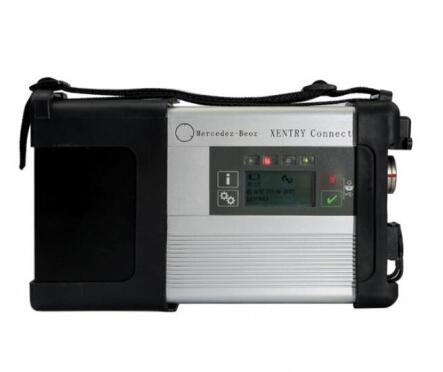
Original Plan 1:1 Copy Mercedes Wifi Xentry Connect C5 multiplexer For Mercedes Car And Trucks.
After 2015, all Star Diagnosis equipment is no longer supported. First of all, this means that there is no update of the diagnostic data for the newest cars and their systems, as well as the lack of the possibility of coding and programming of electronic units due to the backlog of the software data level in the device, from data in the electronic control units of the car.
Already at the end of 2014, at most dealerships, almost all of the previously used Star Diagnosis Compact4 with SDConnect DoIP multiplexers were almost completely removed. Instead, dealers received Xentry Kit kits, which include the latest Xentry Connect multiplexers and Xentry Tab tablets from Panasonic. Tablets are custom-made, although they also have a “civilian” version – the Panasonic Toughbook CF-D1, somewhat inferior in terms of battery life to the original Xentry Tab, but it has a much more powerful configuration.
Honestly, the need to use the Xentry Tab on non-dealer services seems somewhat exaggerated to me. With dealers everything is clear – they were forced to use this equipment.
And what about workshop service? Undoubtedly, the tablet from Panasonic is not very bad … But … Its price is disheartening. The cost of the Japanese tablet is realistic to buy pieces of eight new laptops or tablets from other manufacturers.
So , we suggest you buy Mercedes Benz DoIP Xentry Connect C5 MB Star C5 Plus Panasonic CF52 Laptop from OBD2TOOL , We will install and activate for you ready to use. What’s more, this package offer saves you money than buying them alone.
After all, there are many reasons to choose Xentry C5 Connect. The main thing is one: since 2015, the diagnostic multiplexer Xentry Connect C5 becomes the only one used at dealerships.
Thus, by purchasing this equipment, you will not lag behind the progress. Each client of of yours, seeing with his own eyes ,that you are in your work using the same device that he saw at the dealer’s service station, will understand that he made the right decision entrusting his car to your specialists
2018.07 Mercedes Benz DoIP Xentry Connect C5 MB Star C5 Plus Panasonic CF52 Laptop With Engineering Software

mb star c3 vs mb star c4 vs mb star c5 vs mb star c6


22-1
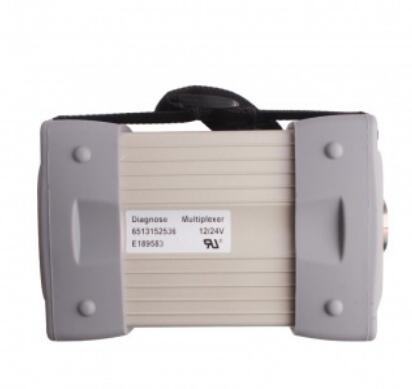
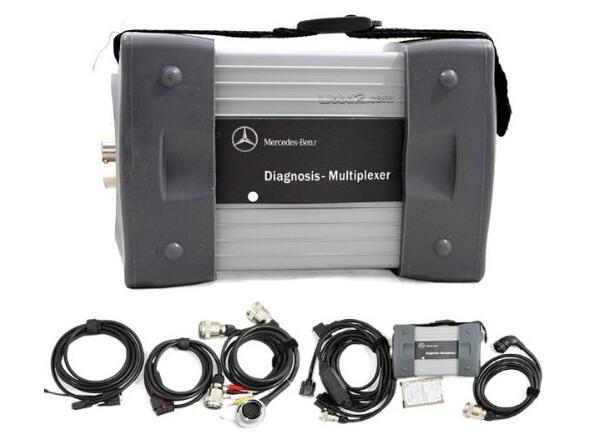
Mb Star C3: It requires a laptop so that you can troubleshoot your Mercedes-Benz via Xentry software. While on paper it is slower than MB Star C4, it has proven to be a very reliable and robust scanner that is not plauged with WiFI connectivity issues like the Star C4.
22-2
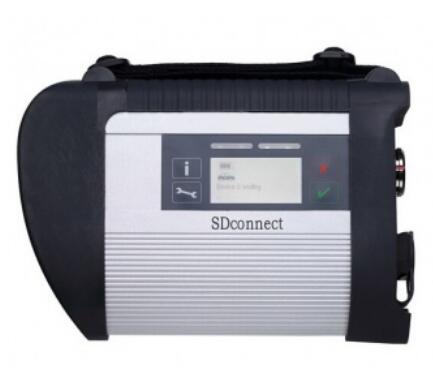
MB Star C4 is the latest Mercedes-Benz wireless multiplexers that can connect to your PC via wireless connection. Being the latest Diagnostic Scanner for Mercedes-Benz it works faster, once you resolve any connectivity issues that is.
22-3
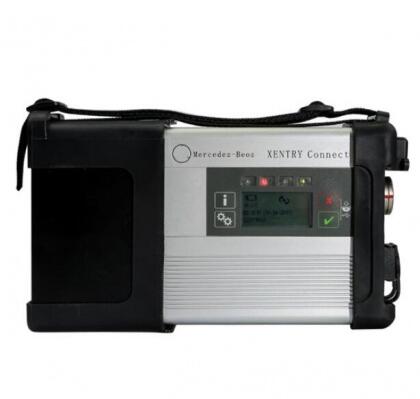
MB STAR C5 provides complete diagnosis for newest hybrid W222,with a qualitative improvement in hardware and software by authorization of diagnostic interface to control the software,it will allow you to work on windows xp, win7/8/10 system.
22-4
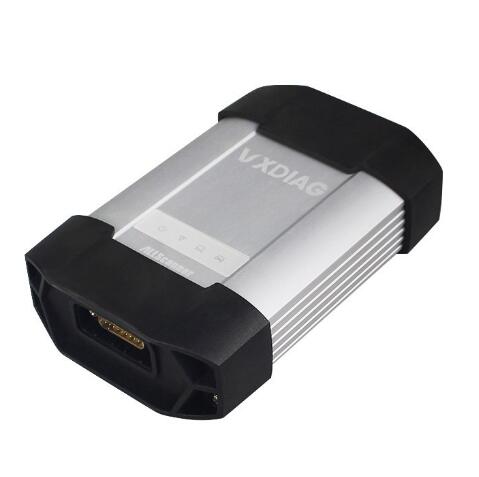
MB STAR C6: VXDIAG For XENTRY Diagnosis VCI is the latest interface for For Mercedes & SMART vehicles can replace Star C4/C5. VXDIAG For XENTRY Diagnosis VCI acts as a Pass-through Interface, also called Star C6, For Benz C6 multiplexer to provide complete communication between a vehicle and the VXDIAG For XENTRY software loaded on a PC.

Mercedes Benz MB Star C3 vs C4

Mb Star C3: It requires a laptop so that you can troubleshoot your Mercedes-Benz via Xentry software. While on paper it is slower than MB Star C4, it has proven to be a very reliable and robust scanner that is not plauged with WiFI connectivity issues like the Star C4.
MB Star C4 is the latest Mercedes-Benz wireless multiplexers that can connect to your PC via wireless connection. Being the latest Diagnostic Scanner for Mercedes-Benz it works faster, once you resolve any connectivity issues that is.
Frequently Asked Questions
What is DAS? – Diagnostic Assistance System – This is the full diagnostic system for Mercedes-Benz vehicles. All functions for diagnosis including reprogramming, configuration, initialization, fault diagnosis and guided diagnostic tests are contained within DAS.
All control unit software (reprogramming calibrations) is contained within the DAS software which is distributed monthly via DVD media.
All access and functionality required in regard the configuration via SCN Coding and/or CVN Coding is covered.
What is WIS-NET? – Workshop Information System – This is the complete workshop information system as developed by DaimlerChrysler for use in the servicing of Mercedes-Benz vehicles. Contained within are installation instructions, procedures, functional and technical specifications. There is some linkage from certain procedures in DAS to respective documents in WIS.
What can Mercedes Star Diagnostic Tool do? The system offers total diagnostic coverage of all engine, chassis and body systems:
Reading and re-setting of diagnostic trouble codes (DTC)
Real-time reading of dynamic data
Full component activation clearing and re-setting of adaptation values
Coding of all engine, chassis, body and instrumentation modules
Key configuration
Procedure for fitting Mercedes- Benz accessories through the D2B ring and MOST bus
Total ASSYST / ASSYST + control (Active Service System) to update on board service history
What is Workshop Green Key? This is a unique one-time key from the factory which is necessary in certain situations such as:
Disabling a key track
Replacing the ECU
Replacing security related control units
Replacing EIS
Typically the workshop key and EIS must be ordered togheter and the green key is used to perform the final programing of the EIS.
What does it mean MARRYING  a VIRGIN ECU and EIS? The ME (ECU=Engine Control Unit)  and  EIS (Electronic Ignition System) control module are electronically permanently married to each other after 40 engine starts. There is no factory procedure to undo this. This means that a used engine EIS or DAS control unit cannot be used on another vehicle. A new control unit can be installed for testing provided the 40 engine starts are not exceeded. Note that the new control unit must be variant coded before it can be used. If the 40 engine start cycles are not completed successfully resetting the counter to 0 (removing the version coding) is possible if  you disconnect the power from the ECU for at least 45 minutes.
What model years does Star Diagnostic Scanner work with? The Star Scanner should work on cars from 1989 up to 2015 for Mercedes Cars, Buses, Trucks, Sprinter Vans, Smart cars, Etc.
What can I do with obd2tool.com Star Diagnostic SD Connect Scanner C3 & C4?
Reading/Erasing Trouble Codes
Read Live Data
Adaption of Modules
Coding/Programming of Modules
Component Testing
Maintenance Information Consultation
What is Xentry? New software released by Benz Company after 04/2009 by diagnosis new cars. WIS.net : Workshop Information System EPC.net: Electronic Parts Catalogue STAR UTILITIES: the movement management system and self-test DAS: the automatically Diagnosis Assistance System ST Finder 2008: Part location finder
What is Smart TAN Code? It openes special function in DAS program with Smart cars 450/451/452/454 Developer model: Mercedes-Benz engineer mode, remove limitations and open more functions.
What is Benz Disassembly system? Video lessons to teach you how to remove each part from Benz cars with details order steps.
Which control units can MB Star Diagnostic Scanner with Xentry troubleshoot?
Engines (All Gasoline & Diesel Systems)
Transmissions and Electronic Selector Modules
Airmatic and Active Body Control Suspension Systems
Traction Systems: ESP / ASR / ETS / ABS / BAS / SBC braking systems
Supplementary Restraint Systems (SRS) / Airbag, All body modules OCP / UCP / LCP / SCM / SKF / KFB / RCM / DCM’s
Drive Authorisation System
Sam (Signal Acquisition) Modules
Electronic Ignition System (EIS)
Pneumatic System Equipment and ATA functions
Air Conditioning / climate control Systems
Instrument Cluster
Tyre Pressure Control
Parktronic System
Keyless Go
D2b Command & Audio Gateway (D2B and MOST networks)
TV Tuner
Headlamp Range Adjustment
Seat Electronics
Rvc, RST & Vario Roof modules
Automatic Clutch System ACS
M-Class Body Modules (AAM / EAM / DAS / SEM / VG Transfer Case)
Assyst & ASSYST + systems
MB SD C4 Device not connection solution

One of our customer had the device not connection problem when using Mercedes MB SD Connect C4 diagnostic system. Here is the working solution provided by Obd2tool.com engineer.
20-1
Solution:
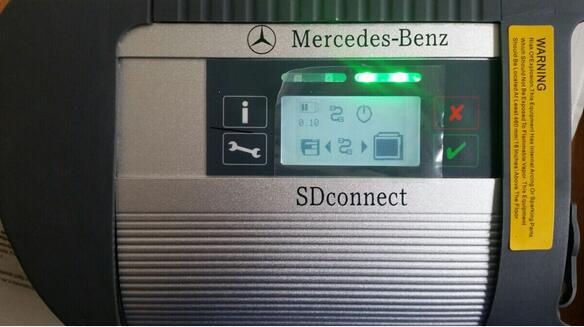
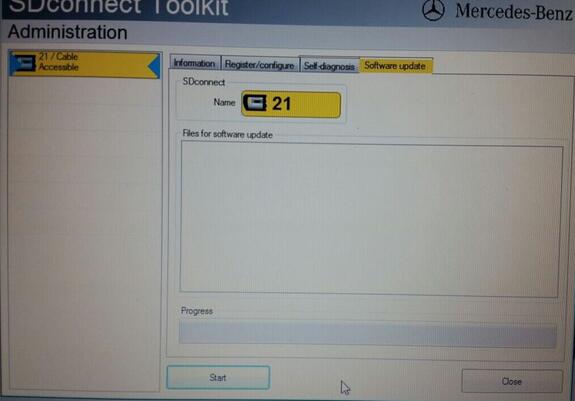
You are required to update the MB SD C4 firmware follow the guide here:
1.  Install SD Connect C4 battery
2.  Update SDConnect
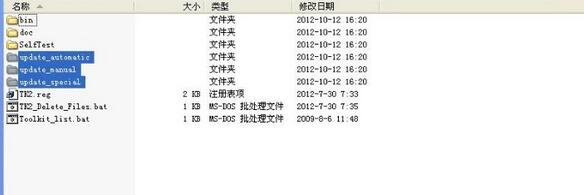
He did follow the solution but still had the file for software update error
20-2
The problem is that the names are wrong in file “SDconnect Toolkit “, you need to correct them as:
Update_automatic , Update_manual ; Update_Special
20-3
Customer feedback:
this was the right solution of the Problem.
The Names were wrong.
Thank you very much for your help.

Mercedes Star Diagnostic Scanner Tool – Everything you need to know

If you own a Mercedes-Benz and are looking to do your own repairs you may have heard about Mercedes Star Diagnostic (SD) scanners C3 Star and Star C4. In this article, we discuss the advantages of Mercedes Star Diagnostic scanner including things that you need to keep in mind before you buy a MB Star Diagnostic scanner. A list of top alternative scanners to Star Diagnostic is included as well. Note that this article is not written to approve or sell any of the scanners mentioned here including Star Diagnostic Scanner. We share our experience and research of diagnostic scanners and hope to help you the Mercedes-Benz owner who are looking to perform your own MB repairs and diagnostics.
Mercedes Star Diagnostic Tool and Software
Let’s first explain what Star Diagnostic SD (C3 or C4 SD Connect) tool is for those who may be wondering. This is the diagnostic scanner that is used at Mercedes-Benz dealerships and some auto repair shops. It can also be purchased by independent shops. These scanners include the hardware and Xentry which is the software that is used to troubleshoot the problems in any Mercedes-Benz. Original units can be purchased at STAR Tekinfo which is the official Mercedes-Benz site that offers technical documents, special tool and diagnostic software.
Mercedes-Benz Scanner MB-Star Diagnostic allows you to read and erase fault codes from any control unit in your Mercedes-Benz. With Star Diagnostic scanner you can read the actual configurations in each system, stream real time sensor data, activate sensors and perform SCN online, SCN offline coding and programing.
Mercedes Star Diagnostic for Sale
19-1
If you search the online resellers you will find Mercedes Star Diagnsotic C3 and C4 listed for sale. You have to be careful when buying online as many of these units may  not be original.
Advantages of Star Diagnostic Scanner
This scanner is used by the dealer and it allow you to access and troubleshoot any system or control system in your Mercedes-Benz. Activate any sensor in the car, perform initiation test, stream live sensor data and also read and clear fault codes. If you own a shop who focuses on Mercedes-Benz cars then this is a must for you. Get it via official channels so that you can perform online SCN coding. All MB SD control units are accessible, like engine ECU, ABS, Airbags, SRS, Aircon, Immobilizer, Keyless Entry and the rest of 40+ control units used in MB cars. You can Read / Delete Faults, Live Data, perform sensor actuation, read current configuration, initialaztion and a lot more.
Things to consider before you buy one!
If you are looking to purchase a Star Diagnostic System with Xentry for Mercedes-Benz there are a few things you need to consider OBD2TOOL.
Learning Curve: In order to use the diagnostic scanner properly you need to learn how to use the Xentry software. While reading, clearing fault codes is not very difficult anything besides that requires that you have proper training. Yes, you can find a few guides online on how to perform certain programming using Xentry but if you don’t perform the programming accurately you may end up causing more problem than you solve.
Consider Genuine Scanner: The only problem is that they are quite expensive and require a yearly license. If you are considering to buy a clone of the scanner made in China keep the following concerns in mind.
SCN Online Coding: Unless you buy the scanner from the official Mercedes-Benz source, you will not be able to perform SCN coding of control units. That’s because Mercedes Star Diagnostic scanner will try to connect to Mercedes-Benz database for verification of SCN code in order to program certain control units. That is not possible unless you have purchased a valid license. With that said there may be some basic coding and programming of control units that can be done but this programing can also be performed with other advanced scanners.
Mercedes Star Diagnostic Problems with Software (Xentry) VM Ware Installation: All the setups that you see for sale that state that they use VMware environments are not legitimate hardware and software. Besides the fact that these scanners are not legal copies, they are also prone to crashing and run much slower than direct Windows installations. Yes, you are required to have a Windows XP with a serial port for the MB Star Diag C3 scanner. Many VMWare Mercedes Star Setups experience problems some of which you can see posted on this site: MB SD C4 C3 problems and solutions.

MB Star Xentry Questions

Hi All, I am not sure if this is the right forum for MB Star questions, but since “the big MB Star thread” is in here, I figured I would give it a go.
I am about to pull the trigger on an MB Star C4 with laptop and wanted to get some clarification on a few things. I tried searching here, the net and a few sellers blogs, but could not find answers.
– What is SAM
– What is SCN
– When do I need/want online or offline programming?
I have a sprinter and a C230 and the things I would like to do are:
– diagnose and read/clear codes on all the computers
– simple resets (like steering angle sensor, adaptive transmission, calibrate rain sensor, etc.)
Would I need online/offline programming to do these things, or is it more for “hacking” the car and making custom tunes, etc.
Lastly – where can I find a Xentry user manual? Internet has not been much help here.
thanks for the info.
If what you state is the truth,then you don’t need a DAS Xentry C4 set. You can spend fifty bucks on and OBD scanner and meet and exceed your stated objectives!!
Additionally,if you don’t understand the definitions in your “What questions”, then you are not ready for a factory tool.
A Xentry user manual does not exist, the knowledge and the skill to use and interpret the tools outputs comes from OJT experience and in depth knowledge of the MB vehicle mechanical and electrical systems.
I would suggest you use the money to take the family out to dinner and or visit Disney World you will receive much more value from that investment!!
I’ve never needed to use the “ignore” feature on any of the forums I’m a member of, but if ever a member deserved to be on the list, Plutoe is it. His holier-than-though attitude, sarcastic “you’re dumb” demeanor towards fellow members, and utterly unhelpful snarkiness makes him one of the least useful trolls on the interwebs. He may (or not) have a clue about these cars, but he surely holds himself in such high regard that he deems it unfit to share the knowledge he may (or may not) have.
So:
Plutoe:
Why are you such a douchebag?

My experience with MB star C3

am going to keep posting my updates about doing an AAM and SRS module swap in my 01 ML 430 Sport using the Chinese clone Benz star c3 diagnosis tool.
I received my C3 yesterday and the Dell D620 a day earlier to use for the C3. Replacing the hard disk with the one supplied with the C3 was a snap. After watching a few videos on YouTube on how to set up the Xentry and Das programs I had them up and running. But then it took me another 3-4 hours of playing and researching online to figure out how to set up the RS232 port to see the Stardiagnos.
At 10:30 last night, and very exhausted it came to life. As I had figured the AAM and SRS modules were completely non responsive and could not be talked with via the tool.
This morning I ordered a new AAM from obd.com and with free shipping and $370 it is on its way to my shop. I picked up a SRS module from a wrecked ML in a local junk yard that I hope will work.
I plan on attacking the SRS system this weekend and the AAM next week. I have been working through the Xentry emulator to learn how to properly set up and program these parts today at my desk and think I have it down pretty well. It is pretty simple once you figure out the navigation and menu structure in the DAS system.
So stay tuned and offer a prayer for me that I do not brick any of the components in my truck.